







Highrise Drivers & Connectors for Data Integration
Connect to Highrise CRM data through easy-to-use, bi-directional drivers.
Easily integrate Highrise data with BI, Reporting, Analytics, ETL Tools, and Custom Solutions.


Connect to Highrise CRM Data from Anywhere!
Universal Highrise data integration. Easily access live Highrise CRM data from BI, Analytics, Reporting, ETL, & Custom Apps.




BI & Analytics
Our drivers offer the fastest and easiest way to connect real-time Highrise data with BI, analytics, reporting and data visualization technologies. They provide unmatched query performance, comprehensive access to Highrise data and metadata, and seamlessly integrate with your favorite analytics tools.
LEARN MORE: Connectivity for BI & Analytics
Popular BI & Analytics Integrations
Alteryx Designer: Prepare, Blend, and Analyze Highrise in Alteryx Designer (ODBC)
Alteryx Designer: Work with Live Highrise Data in Alteryx Designer (Connect AI)
Amazon QuickSight: Build Interactive Dashboards from Highrise Data in Amazon QuickSight
Amazon SageMaker: Integrate Live Highrise data into Amazon SageMaker Canvas
Aqua Data Studio: Connect to Highrise in Aqua Data Studio
AWS Databricks: Process & Analyze Highrise Data in Databricks (AWS)
Azure Analysis Services: Model Highrise Data Using Azure Analysis Services
Birst: Build Visualizations of Highrise in Birst
BIRT: Design BIRT Reports on Highrise
Clear Analytics: Build Charts with Highrise in Clear Analytics
Cognos Analytics (On-Prem): Analyze Highrise Data in Cognos Analytics
DBxtra: Build Dashboards with Highrise in DBxtra
Domo: Create Datasets from Highrise in Domo Workbench
Dundas BI: Build Dashboards with Highrise in Dundas BI
FineReport: Feed Highrise into FineReport
Gecokboard: Create Dashboards and Visualize Live Highrise Data in Geckoboard
Google Sheets: Access Live Highrise Data in Google Sheets
Grafana: Create Highrise-Connected Dashboards in Grafana
IBM Cognos BI: Create Data Visualizations in Cognos BI with Highrise
Infragistics Reveal: Analyze Highrise Data in Infragistics Reval
JasperServer: Create Highrise Reports on JasperReports Server
Jaspersoft BI Suite: Connect to Highrise in Jaspersoft Studio
JReport Designer: Integrate with Highrise in JReport Designer
Klipfolio: Create Highrise-Connected Visualizations in Klipfolio
KNIME: Enable the Highrise JDBC Driver in KNIME
LINQPad: Working with Highrise in LINQPad
Looker: Analyze Highrise Data in Looker
Looker Studio: Create Reports from Highrise Data in Looker Studio
Metabase: Create Interactive Highrise-Connected Metabase Dashboards
Microsoft Excel: Access Live Highrise Data in Excel Desktop
Microsoft Excel for the Web: Access Live Highrise Data in Excel for the Web
Microsoft SSAS: Build an OLAP Cube in SSAS from Highrise
MicroStrategy: Connect to Live Highrise Data in MicroStrategy through Connect AI
MicroStrategy: Use the CData JDBC Driver for Highrise in MicroStrategy
Microstrategy Desktop: Use the CData JDBC Driver for Highrise in MicroStrategy Desktop
Microstrategy Web: Use the CData JDBC Driver for Highrise in MicroStrategy Web
Mode Analytics: Create Highrise-Connected Visualizations in Mode
OBIEE: Highrise Reporting in OBIEE with the Highrise JDBC Driver
pandas: Use pandas to Visualize Highrise in Python
Pentaho Report Designer: Integrate Highrise in the Pentaho Report Designer
Power BI Desktop: Author Power BI Reports on Real-Time Highrise
Power BI Service: Visualize Live Highrise Data in the Power BI Service
Power Pivot: Access Highrise Data in Microsoft Power Pivot
Power Query: Access Highrise Data in Microsoft Power Query
Qlik Cloud: Create Apps from Highrise Data in Qlik Sense Cloud
QlikView: Connect to and Query Highrise in QlikView over ODBC
R: Analyze Highrise in R (JDBC)
R: Analyze Highrise in R (ODBC)
RapidMiner: Connect to Highrise in RapidMiner
Redash: Query, Visualize, and Share live Highrise Data in Redash
SAP Analytics Cloud: Analyze Highrise Data in SAP Analytics Cloud
SAP Business Objects: Create an SAP BusinessObjects Universe on the CData JDBC Driver for Highrise
SAP Crystal Reports: Publish Reports with Highrise in Crystal Reports (JDBC)
SAP Crystal Reports: Publish Reports with Highrise in Crystal Reports (Connect AI)
SAS: Use the CData ODBC Driver for Highrise in SAS for Real-Time Reporting and Analytics
SAS JMP: Use the CData ODBC Driver for Highrise in SAS JMP
SAS Viya: Analyze Live Highrise Data in SAS Viya
Sisense: Visualize Live Highrise in Sisense
Spago BI: Connect to Highrise in SpagoBI
Tableau: Visualize Highrise in Tableau Desktop
Tableau: Visualize Highrise in Tableau Desktop (Connect AI)
Tableau Cloud: Build Highrise Visualizations in Tableau Cloud
Tableau Server: Publish Highrise-Connected Dashboards in Tableau Server
ThoughtSpot: Model, Search, and Visualize Live Highrise Data in ThoughtSpot
TIBCO Spotfire: Visualize Highrise in TIBCO Spotfire through ADO.NET
TIBCO Spotfire Server: Operational Reporting on Highrise from Spotfire Server
Visio: Link Visio Shapes to Highrise
Zoho Analytics: Create Highrise-Connected Dashboards in Zoho Analytics
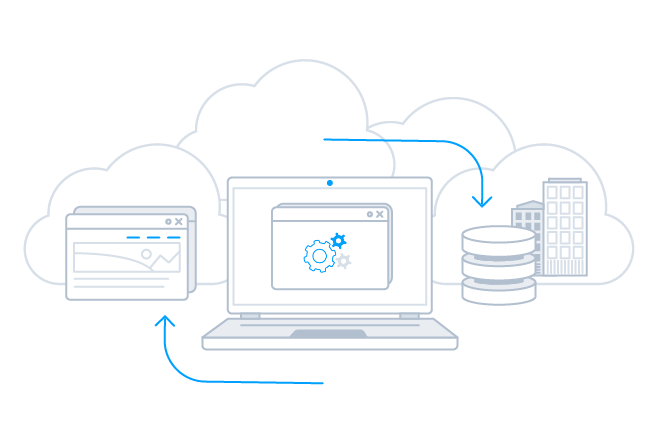
ETL, Replication, & Warehousing
From drivers and adapters that extend your favorite ETL tools with Highrise connectivity to ETL/ELT tools for Highrise data integration — our Highrise integration solutions provide robust, reliable, and secure data movement.
Connect your RDBMS or data warehouse with Highrise to facilitate operational reporting, offload queries and increase performance, support data governance initiatives, archive data for disaster recovery, and more.
Popular Data Warehousing Integrations
Airbyte: Connect to Highrise Data in Airbyte ELT Pipelines
Amazon Redshift: Automated Continuous Highrise Replication to Amazon Redshift
Amazon S3: Automated Continuous Highrise Replication to Amazon S3
Apache Airflow: Bridge Highrise Connectivity with Apache Airflow
Apache Camel: Integrate with Highrise using Apache Camel
Apache Cassandra: Automated Continuous Highrise Replication to Apache Cassandra
Apache Kafka: Automated Continuous Highrise Replication to Apache Kafka
Apache NiFi: Bridge Highrise Connectivity with Apache NiFi
Apache NiFi Batch Operations: Perform Batch Operations with Highrise Data in Apache NiFi
AWS Glue: Build ETL Jobs with Highrise Data in AWS Glue Jobs
Azure Data Factory: Import Highrise Data Using Azure Data Factory
Azure Data Lake: Automated Continuous Highrise Replication to Azure Data Lake
Azure Synapse: Automated Continuous Highrise Replication to Azure Synapse
BIML: Use Biml to Build SSIS Tasks to Replicate Highrise to SQL Server
CloverDX: Connect to Highrise in CloverDX (formerly CloverETL)
Couchbase: Automated Continuous Highrise Replication to Couchbase
CSV: Automated Continuous Highrise Replication to Local Delimited Files
Databricks: Automated Continuous Highrise Replication to Databricks
ETL Validator: How to Work with Highrise in ETL Validator
FoxPro: Work with Highrise in FoxPro
Google AlloyDB: Automated Continuous Highrise Replication to Google AlloyDB
Google BigQuery: Automated Continuous Highrise Replication to Google BigQuery
Google Cloud SQL: Automated Continuous Highrise Replication to Google Cloud SQL
Google Data Fusion: Build Highrise-Connected ETL Processes in Google Data Fusion
Google Data Fusion: Build Pipelines with Live Highrise Data in Google Cloud Data Fusion (CData Connect AI)
Heroku / Salesforce Connect: Replicate Highrise for Use in Salesforce Connect
HULFT Integrate: Connect to Highrise in HULFT Integrate
IBM DB2: Automated Continuous Highrise Replication to IBM DB2
Informatica Cloud: Integrate Highrise in Your Informatica Cloud Instance
Informatica PowerCenter: Create Informatica Mappings From/To a JDBC Data Source for Highrise
Jaspersoft ETL: Connect to Highrise in Jaspersoft Studio
Microsoft Azure Tables: Automated Continuous Highrise Replication to Azure SQL
Microsoft Excel: Transfer Data from Excel to Highrise
Microsoft Power Automate: Build Highrise-Connected Automated Tasks with Power Automate (Desktop)
Microsoft OneLake: Automated Continuous Highrise Replication to Microsoft OneLake (Fabric}
MongoDB: Automated Continuous Highrise Replication to MongoDB
MySQL: Automated Continuous Highrise Replication to MySQL
Oracle Data Integrator: ETL Highrise in Oracle Data Integrator
Oracle Database: Automated Continuous Highrise Replication to Oracle
Pentaho Data Integration: Integrate Highrise in Pentaho Data Integration
petl: Extract, Transform, and Load Highrise in Python
PostgreSQL: Automated Continuous Highrise Replication to PostgreSQL
SAP HANA: Automated Continuous Highrise Replication to SAP HANA
SingleStore: Automated Continuous Highrise Replication to SingleStore
SnapLogic: Integrate Highrise with External Services using SnapLogic (JDBC)
SnapLogic: Integration with Highrise Data in SnapLogic (Connect AI)
Snowflake: Automated Continuous Highrise Replication to Snowflake
SQL Server: Automated Continuous Highrise Replication to SQL Server
SQL Server Linked Server: Connect to Highrise Data as a SQL Server Linked Server
SQLite: Automated Continuous Highrise Replication to SQLite
Talend: Connect to Highrise and Transfer Data in Talend
UiPath Studio: Create an RPA Flow that Connects to Highrise in UiPath Studio
Vertica: Automated Continuous Highrise Replication to a Vertica Database
Workato: Build Automated Workflows with Live Highrise Data in Workato
Zapier: Build Automated Highrise-Connected Workflows in Zapier
Data Management
By supporting popular database protocols like ODBC, JDBC, and ADO.NET, as well as wire-protocol interfaces for SQL Server and MySQL, it is easy to connect to and manage Highrise data from a wide range of database management applications.
Popular Data Management Tool Integrations
Apache Solr: Import Highrise Data into Apache Solr
Coginiti Pro: Access Live Highrise Data in Coginiti Pro
DataGrip: Qeury Highrise Data in DataGrip
DB Artisan: Manage Highrise in DBArtisan as a JDBC Source
DB Artisan: Connect to Highrise in DBArtisan
DBeaver: Connect to Highrise in DBeaver
DbVisualizer: Connect to Highrise in DBVisualizer
HeidiSQL: Connect to Highrise Data in HeidiSQL
Informatica Enterprise Data Catalog: Add Highrise to Informatica Enterprise Data Catalog
MySQL Workbench: Query Highrise in MySQL Workbench (ODBC)
QuerySurge: Validate Highrise Data with QuerySurge
RazorSQL: Connect to Highrise in RazorSQL
SQuirreL: Connect to Highrise in Squirrel SQL Client
Workflow & Automation Tools
Connect to Highrise from popular data migration, ESB, iPaaS, and BPM tools.
Our drivers and adapters provide straightforward access to Highrise data from popular applications like BizTalk, MuleSoft, SQL SSIS, Microsoft Flow, Power Apps, Talend, and many more.
Popular Workflow & Automation Tool Integrations
Blue Prism: Integrate Live Highrise Data for Intelligent Robotic Process Automation
MuleSoft Anypoint: Access Highrise in Anypoint Using SQL
Nintex Workflow Cloud: Build Highrise-Connected Workflows in Nintex
Power Automate: Integrate Highrise Data into Power Automate Automated Tasks
SSIS Export: Export Data from SQL Server to Highrise through SSIS
SSIS Import: Import Highrise Data into SQL Server using SSIS
SSIS Lookup: Insert New or Update Existing Highrise Records from SQL Server

Developer Tools & Technologies
The easiest way to integrate with Highrise from anywhere. Our Highrise drivers offer a data-centric model for Highrise that dramatically simplifies integration — allowing developers to build higher quality applications, faster than ever before. Learn more about the benefits for developers:
- Pragmatic API Integration: from SDKs to Data Drivers
- Data APIs: Gateway to Data Driven Operation & Digital Transformation
Popular Developer Integrations
AWS Lambda: Access Live Highrise Data in AWS Lambda
Axios: Build Highrise-Connected Web Apps with Axios and CData Connect AI
.NET Charts: DataBind Charts to Highrise
.NET QueryBuilder: Rapidly Develop Highrise-Driven Apps with Active Query Builder
Apache Spark: Work with Highrise in Apache Spark Using SQL
AppSheet: Create Highrise-Connected Business Apps in AppSheet
Bubble.io: Build Highrise-Connected Apps in Bubble
C++Builder: DataBind Controls to Highrise Data in C++Builder
Choreo: Build Custom Apps on Highrise Data in Choreo
Claude Code: Build Highrise-Powered Applications in Claude Code with CData MCP Server
ColdFusion: Query Highrise in ColdFusion Using JDBC
ColdFusion: Query Highrise in ColdFusion Using ODBC
Cursor: Build Highrise-Powered Applications in Cursor with CData MCP Server
Dash: Use Dash & Python to Build Web Apps on Highrise
Delphi: DataBind Controls to Highrise Data in Delphi
DevExpress: DataBind Highrise to the DevExpress Data Grid
EF - Code First: Access Highrise with Entity Framework 6
EF - LINQ: LINQ to Highrise
EF - MVC: Build MVC Applications with Connectivity to Highrise
Filemaker Pro: Bidirectional Access to Highrise from FileMaker Pro
Filemaker Pro (on Mac): Bidirectional Access to Highrise from FileMaker Pro (on Mac)
Gemini Code Assist: Build Highrise-Powered Applications in Gemini Code Assist with CData MCP Server
GitHub Copilot: Build Highrise-Powered Applications in GitHub Copilot with CData MCP Server
Go: Write a Simple Go Application to work with Highrise on Linux
Google Apps Script: Connect to Highrise Data in Google Apps Script
Hibernate: Object-Relational Mapping (ORM) with Highrise Entities in Java
IntelliJ: Connect to Highrise in IntelliJ
JBoss: Connect to Highrise from a Connection Pool in JBoss
JDBI: Create a Data Access Object for Highrise using JDBI
JetBrains RubyMine: Integrate Highrise with JetBrains RubyMine
Jitterbit: Integrate with Live Highrise Data in Jitterbit
JRuby: Connect to Highrise in JRuby
Lazarus IDE: Easily Integrate Highrise Data in Lazarus Pascal IDE
Mendix: Build Highrise-Connected Apps in Mendix (Connect AI)
Mendix: Build Highrise-Connected Apps in Mendix (JDBC)
Microsoft Power Apps: Integrate Live Highrise Data into Custom Business Apps Built in Power Apps
NodeJS: Query Highrise Data in Node.js (via Connect AI)
NodeJS: Query Highrise through ODBC in Node.js
OutSystems: Create Highrise-Connected Enterprise Applications in OutSystems
Perplexity Desktop: How to Query Live Highrise Data in Perplexity Desktop
PHP: Natively Connect to Highrise in PHP
PowerBuilder: Connect to Highrise from PowerBuilder
PyCharm: Using the CData ODBC Driver for Highrise in PyCharm
Python: Connect to Highrise in Python on Linux/UNIX
Retool: Build Highrise-Connected Apps in Retool
Ruby: Connect to Highrise in Ruby
RunMyProcess: Connect to Highrise Data in RunMyProcess
RunMyProcess DSEC: Connect to Highrise in DigitalSuite Studio through RunMyProcess DSEC
Servoy: Build Highrise-Connected Apps in Servoy
Spring Boot: Access Live Highrise Data in Spring Boot Apps
SQLAlchemy: Use SQLAlchemy ORMs to Access Highrise in Python
Tomcat: Configure the CData JDBC Driver for Highrise in a Connection Pool in Tomcat
Unqork: Create Highrise-Connected Applications in Unqork
VCL App (RAD Studio): Build a Simple VCL Application for Highrise
WebLogic: Connect to Highrise from a Connection Pool in WebLogic
Data Virtualization
Our drivers provide a virtual database abstraction on top of Highrise data and support popular data virtualization features like query federation through advanced capabilities for query delegation / predicate pushdown.
Learn more about how our tools can be used in popular data virtualization scenarios below:
Popular Data Virtualization Tool Integrations
Access Linked Tables: Update Highrise with a Microsoft Access Linked Table
APOS Live Data Gateway: Build Semantic Layer Views for Highrise (JDBC)
APOS Live Data Gateway: Build Semantic Layer Views for Highrise Data (Connect AI)
Denodo: Create A Data Source for Highrise in Denodo Platform
Dremio: Connect to Highrise as an External Source in Dremio
MySQL Federated Tables: Connect to Highrise as Federated Tables in MySQL
Oracle Database: Access Highrise as a Remote Oracle Database
PostgreSQL FDW: A PostgreSQL Interface for Highrise
Salesforce Connect: Edit and Search Highrise External Objects in Salesforce Connect
Salesforce External Services: Connect to Highrise through External Services in Salesforce
SQL Server Linked Servers: Connect to Highrise as a Linked Server
SQL Server PolyBase: Connect to Highrise Data using PolyBase with Connect AI
SQL Server PolyBase: Connect to Highrise as an External Data Source using PolyBase
TIBCO Data Virtualization: Access Live Highrise Data in TIBCO Data Virtualization
When Only the Best Highrise Drivers Will Do
See what customers have to say about our products and support.
Unparalleled support ...
"The support I received was unparalleled to that of any other company I have worked with (and there have been many). Your combination of a first class product with first class support has made this vet [...]"
- M. Wojtowicz
Support Gets Two Thumbs Up ...
"Two thumbs up for your support team in my book. I would like to once again give many thanks to your support team for their speedy responses to my emails and for their vast technical skills."
- Pablo G.
No hesitation in recommending you to anybody. ...
"I have recently been in contact with your support which has been offering support in attempting to get the CData ODBC Sage 50 UK driver to working on our PC with Sage. Support has been fantastic and i [...]"
- Jon Sinkins Lorna Wiles Textiles
Folks that know what they are doing. ...
"I am very pleased with your ODBC driver for QuickBooks Online and recommended it to another developer down in Florida that purchased both the desktop and server versions of this driver. I am also impr [...]"
- Pete Sass Griffin Computers
Your support is amazing ...
"You guys are awesome...Really..Support is amazing...Products are fantastic."
- Paul Deraval
Support gets two thumbs up ...
"Two thumbs up for your support team in my book. I would like to once again give many thanks to your support team for their speedy responses to my emails and for their vast technical skills."
- Pablo G.
Nothing short of fantastic ...
"Your products are nothing short of fantastic. I've been working with them for almost 5 days and I have my enterprise application completely functioning with your tools."
- Tim Scheutzow
It works beautifully ...
"Thank you so much for your help! You understood exactly what I needed and made it easy for me to implement in my own environment. It works beautifully."
- Dwight Thompson SirsiDynix
WOW!... you helped me in less than 2 minutes ...
"WOW! I called your tech support today, and got a real live person who knew what I was talking about and helped me in less than 2 minutes. Thank you so much!"
- Richard Brown Data West Corporation
Your support is amazing ...
"You guys are awesome... really... support is amazing... products are fantastic!"
- Paul Deraval
Impressive quality ...
"I am always impressed with the quality of your software and the extremely helpful and professional demeanor of your company."
- P. Catasus
A pleasure to work with ...
"It has been a real pleasure to deal with professionals like you, who care about their product and their clients."
- B. McNeill
Unparalleled support ...
"The support I received was unparalleled to that of any other company I have worked with (and there have been many). Your combination of a first class product with first class support has made this vet [...]"
- M. Wojtowicz
Outstanding products ...
"You have got to be the most jacked up company in the USA - this was the fastest response I've ever had from anyone anywhere! Thank you very much for your support - and for your outstanding products."
- R. Gould-King
Makes QuickBooks integration simple ...
"Your QuickBooks Adapter is an awesome product which makes Quickbooks integration a simple process. There is a bit of a learning curve and it helps to know more about QuickBooks than I did when I began
[...]"
- Ron Clarke
I love how I can define my own transactions ...
"I spent the majority of yesterday experimenting, and this looks great! I dove deep into the .rsd files, and am pretty comfortable with how things work. Very flexible, and I love how I can define my [...]"
- Gerry Miller
Saved us literally weeks of SharePoint development time ...
"Our demo license has already saved Jennie and I literally weeks of development time over the native SharePoint methods for doing these types of integrations."
- Michael Schenkel
Support Gets Two Thumbs Up ...
"Two thumbs up for your support team in my book. I would like to once again give many thanks to your support team for their speedy responses to my emails and for their vast technical skills."
- Pablo G.
Your product just plain works, and works great! ...
"I've tried a couple other ODBC connectors and they all seem to have some hangups while setting up... except yours. Your product just plain works, and works great at that."
- James Grant Workflow Masters
Quite possibly the best $ I've ever spent. ...
"1. Did a year's worth of bank transaction data entry for one client in about two hours - last time I did this for the same client, it was over 15 hours of horrible manual 10-keyed data entry. 2. I [...]"
- Joshua Hartley Guardian Financial Inc.
The CData Google Excel Add-In is a masterpiece ...
"Your Google Excel Add-In is a masterpiece. I work 6 days a week and keep my calendar on Google Calendar. I have an old desktop and no printer. Getting the Google Calendar exported to Excel helps me im [...]"
- Kumar Iyer
Your product performs flawlessly. ...
"I found that the CData Excel Add-In meets my needs the best and I have purchased/licensed that. I’ve already put it to good use in editing and batch-updating Quickbooks tables and it has performed fla [...]"
- Klaus Schmidsrauter
Worked perfectly and was completely hassle free. ...
"I am using this component to import data from multiple MySQL databases into a SQL Server so I can combine data from both sources to create a variety of SSRS reports. I attempted to do this with the b [...]"
- Robert Clancy Direct Success, Inc.
No hesitation in recommending you to anybody. ...
"I have recently been in contact with your support which has been offering support in attempting to get the CData ODBC Sage 50 UK driver to working on our PC with Sage. Support has been fantastic and i [...]"
- Jon Sinkins Lorna Wiles Textiles
Good support for NetSuite ...
"We have tried using other SSIS packages for NetSuite, and other SuiteTalk-based ETL tools for NetSuite, and have found most of them to have quite poor support for NetSuite, and many issues with connec [...]"
- Scott VonDuhn CommerceHub
Connecting SAS to Salesforce worked brilliantly ...
"I have been using the ODBC driver with SAS to connect to Salesforce over the last two days and it has worked brilliantly. It was quick and easy to install. There is very little documentation on the [...]"
- Leonard Scuderi
Your tools are a literal godsend ...
"Your tools are a literal godsend... I was all set to build a FreshBooks-Excel connector this weekend until I found yours. Just awesome. Also kudos for great tech support!"
- Jason Williscroft
You guys have hit the nail on the head with this one ...
"I love the ease of use, the simplicity of your product. Trust me I have test driven almost everything on the market. For native integration I think you guys have hit the nail on the head with this one [...]"
- Christopher Haigood McKesson
Whatever you do to get the data out so fast using the QB APIs is awesome! ...
"Whatever CDATA do to get the data out so fast using the QB APIs is awesome. It literally takes 3-8 secs to run through the 68K+ orders in our QB file and stage into SQL. It is certainly worth the co [...]"
- Rob Mariani Aquatap Plumbing Pty Ltd
NetSuite Replication - Great Product and Outstanding Support! ...
"We chose CData Data Sync for NetSuite to replicate our NetSuite cloud data to a local database instance for reporting. Despite our initial inexperience with NetSuite, the CData support people were ext [...]"
- Bill Border Compassion International
Fastest reads of any NoSQL Driver ...
"I have tested MongoDB drivers from other vendors and so far the [CData ODBC Driver for Mongo] has had the quickest reads."
- Douglas Menger Yupo Corporation
Folks that know what they are doing. ...
"I am very pleased with your ODBC driver for QuickBooks Online and recommended it to another developer down in Florida that purchased both the desktop and server versions of this driver. I am also impr [...]"
- Pete Sass Griffin Computers
In a business world void of quality customer service, CData has proven that their customers matter to them! ...
"You quickly addressed my questions and helped provide additional guidance which enabled me to see the full benefit of your product. As an accountant who also happens to be a computer geek, I was able
[...]"
- Mathew Fulton
Being able to use standard SQL instead of APIs is awesome! ...
"We liked that any engineers with RDBMS/SQL knowledge could use the CData Drivers without having to learn anything new. Being able to use standard SQL instead of APIs is awesome. As professional engine [...]"
- Takayuki Kobayashi Fujitsu FSAS
A plug and play experience. ...
"Integrating with the providers turned out to be a breeze. Thanks to the clean class model and the deep integration into .NET it was like a plug and play experience. Our customers will love this!"
- Jochen Bartlau combit Software
Nothing short of fantastic ...
"Your products are nothing short of fantastic. I've been working with them for almost 5 days and I have my enterprise application completely functioning with your tools."
- Tim Scheutzow
It works beautifully ...
"Thank you so much for your help! You understood exactly what I needed and made it easy for me to implement in my own environment. It works beautifully."
- Dwight Thompson SirsiDynix
WOW!... ArcESB helped me in less than 2 minutes ...
"WOW!, I called your tech support today, and got a real live person who knew what I was talking about and helped me in less than 2 minutes. Thank you so much!"
- Richard Brown Data West Corporation
Your support is amazing ...
"You guys are awesome...Really..Support is amazing...Products are fantastic."
- Paul Deraval
Impressive quality ...
"Thank you so much. I am always impressed with the quality of your software and the extremely helpful and professional demeanor of your company."
- P. Catasus
A pleasure to work with ...
"It has been a real pleasure to deal with professionals like you, who care about their product and their clients."
- B. McNeill
Outstanding products ...
"You have got to be the most jacked up company in the USA - this was the fastest response I've ever had from anyone anywhere! Thank you very much for your support - and for your outstanding products."
- R. Gould-King
I love how I can define my own transactions ...
"I spent the majority of yesterday experimenting, and this looks great! I dove deep into the .rsd files, and am pretty comfortable with how things work. Very flexible, and I love how I can define my [...]"
- Gerry Miller
Free or Low-Cost AS2 Connectivity ...
"The availability of free or low-cost AS2 connectivity (such as ArcESB) will introduce a new competitive element to the market. Vendors that charge exorbitant prices for AS2 adapters will have to deal [...]"
- L. Frank Kenny Gartner
Cost effective solution for small businesses ...
"ArcESB does its job and is easy to work with. It is a cost effective solution for small businesses which would otherwise be excluded from the benefits of B2B messaging."
- Roger Ford Innovise Ltd.
Support gets two thumbs up ...
"Two thumbs up for your support team in my book. I would like to once again give many thanks to your support team for their speedy responses to my emails and for their vast technical skills."
- Pablo G.
Setup in under 10 minutes ...
"I'm currently working on a OFTP2-based MFT-platform for the Flemish Government, and I was looking for an alternative to Mendelson to be used as a OFTP2-client by our Partners. I've got extensive exper [...]"
- Mario Peel
We're convinced there is NO finer product or support team! ...
"Without ANY background using AS2 I was able to use the excellent documentation to install it and get it going. When I ran into questions and issues due to my lack of knowledge, the ArcESB support team [...]"
- Emmett Kaericher
Top 1 or 2 percent of best companies to work with. ...
"I’ve been in the business 20+ years and you guys are in the top 1 or 2 percent of best companies to work with. Your support is just outstanding"
- Bill Border Compassion International
The software is great! ...
"The software is great, BTW. I spent close to 16 hours struggling with OpenAS2, before finding ArcESB, which only took around 10-20 minutes."
- Will Mott TST Water
Perfect solution for AS2 ...
"The solution works perfectly! It is a great relief to know that I don't need to worry about whether my EMA submissions are being properly and securely handled. Not only is this a great product, but th [...]"
- CEO, PhACT Corporation CEO, PhACT Corporation
Cost efficient, easy to administer, scalable AS2 solution ...
"ArcESB has provided us with a cost efficient, easy to administer, scalable solution. It is easy-to-use, easy to install and doesn't break the bank. We would absolutely recommend this product to compan [...]"
- Brad Dayhuff Vice President / Co-Owner, Xebec Data Corporation
Frequently Asked Highrise Driver Questions
Learn more about Highrise drivers & connectors for data and analytics integration
How does the Highrise Driver work?
The Highrise driver acts like a bridge that facilitates communication between various applications and Highrise, allowing the application to read, write, and update data as if it were a relational database. The Highrise driver abstracts the complexities of Highrise APIs, authentication methods, and data types, making it simple for any application to connect to Highrise data in real-time via standard SQL queries.
How is using the Highrise Driver different than connecting to the Highrise API?
Working with a Highrise Driver is different than connecting with Highrise through other means. Highrise API integrations require technical experience from a software developer or IT resources. Additionally, due to the constant evolution of APIs and services, once you build your integration you have to constantly maintain Highrise integration code moving forward.
By comparison, our Highrise Drivers offer codeless access to live Highrise data for both technical and non-technical users alike. Any user can install our drivers and begin working with live Highrise data from any client application. Because our drivers conform to standard data interfaces like ODBC, JDBC, ADO.NET etc. they offer a consistent, maintenance-free interface to Highrise data. We manage all of the complexities of Highrise integration within each driver and deploy updated drivers as systems evolve so your applications continue to run seamlessly.
If you need truly zero-maintenance integration, check out connectivity to Highrise via CData Connect AI. With Connect AI you can configure all of your data connectivity in one place and connect to Highrise from any of the available Cloud Drivers and Client Applications. Connectivity to Highrise is managed in the cloud, and you never have to worry about installing new drivers when Highrise is updated.
How is a Highrise Driver different than a Highrise connector?
Many organizations draw attention to their library of connectors. After all, data connectivity is a core capability needed for applications to maximize their business value. However, it is essential to understand exactly what you are getting when evaluating connectivity. Some vendors are happy to offer connectors that implement basic proof-of-concept level connectivity. These connectors may highlight the possibilities of working with Highrise, but often only provide a fraction of capability. Finding real value from these connectors usually requires additional IT or development resources.
Unlike these POC-quality connectors, every CData Highrise driver offers full-featured Highrise data connectivity. The CData Highrise drivers support extensive Highrise integration, providing access to all of the Highrise data and meta-data needed by enterprise integration or analytics projects. Each driver contains a powerful embedded SQL engine that offers applications easy and high-performance access to all Highrise data. In addition, our drivers offer robust authentication and security capabilities, allowing users to connect securely across a wide range of enterprise configurations. Compare drivers and connectors to read more about some of the benefits of CData's driver connectivity.
Is Highrise SQL based?
With our drivers and connectors, every data source is essentially SQL-based. The CData Highrise driver contains a full SQL-92 compliant engine that translates standard SQL queries into Highrise API calls dynamically. Queries are parsed and optimized for each data source, pushing down as much of the request to Highrise as possible. Any logic that can not be pushed to Highrise is handled transparently client-side by the driver/connector engine. Ultimately, this means that Highrise looks and acts exactly like a database to any client application or tool. Users can integrate live Highrise connectivity with ANY software solution that can talk to a standard database.
What data can I access with the Highrise driver?
The Highrise drivers and connectors offer comprehensive access to Highrise data. Our Highrise driver exposes static and dynamic data and metadata, providing universal access to Highrise data for any enterprise analytics or data mangement use. To explore the Highrise driver data model, please review the edition-specific Highrise driver documentation.
What does Highrise integrate with?
Using the CData Highrise drivers and connectors, Highrise can be easily integrated with almost any application. Any software or technology that can integrate with a database or connect with standards-based drivers like ODBC, JDBC, ADO.NET, etc., can use our drivers for live Highrise data connectivity. Explore some of the more popular Highrise data integrations online.
Additionally, since Highrise supported by CData Connect AI, we enable all kinds of new Highrise cloud integrations.
How can I enable Highrise Analytics?
Highrise Analytics and Highrise Cloud BI integration is universally supported for BI and data science. In addition, CData provides native client connectors for popular analytics applications like Power BI, Tableau, and Excel that simplify Highrise data integration. Additionally, native Python connectors are widely available for data science and data engineering projects that integrate seamlessly with popular tools like Pandas, SQLAlchemy, Dash, and Petl.
How can I support Highrise Data Integration?
Highrise data integration is typically enabled with CData Sync, a robust any-to-any data pipeline solution that is easy to set up, runs everywhere, and offers comprehensive enterprise-class features for data engineering. CData Sync makes it easy to replicate Highrise data any database or data warehouse, and maintain parity between systems with automated incremental Highrise replication. In addition, our Highrise drivers and connectors can be easily embedded into a wide range of data integration tools to augment existing solutions.
Does Highrise Integrate with Excel?
Absolutely. The best way to integrate Highrise with Excel is by using the CData Connect AI Excel Add-In. The Highrise Excel Add-In provides easy Highrise integration directly from Microsoft Excel Desktop, Mac, or Web (Excel 365). Our integration offers live bi-directional access to Highrise data directly from Excel. Simply configure your connection to Highrise from the easy-to-use cloud interface, and access Highrise just like you would another native Excel data source.
Industry-Leading Support
Support is not just a part of our business, support is our business. Whenever you need help, please consult the resources below:
Using the Highrise drivers
- Use the CData SSIS Components to Insert New or Update Existing Highrise Records from SQL Server
- How to Query Live Highrise Data in Perplexity MacOS Desktop
- Operational Reporting on Highrise Data from Spotfire Server
- Connect to Highrise Data from AWS Glue
- How to Build an ETL App for Highrise Data in Python with CData
- DataBind Charts to Highrise Data
- Connect to Highrise Data as a Linked Server via SQL Gateway
- Automated Continuous Highrise Replication to Vertica

Related Blog Articles
- The Definitive Guide to Live Data Access for LLM Applications
- 7 Data Lake Pros and Cons for Your Business
- New: 100+ Anypoint Connectors for MuleSoft
- Data Virtualization, Reimagined: Scorpion Streamlines Financial Reporting with Virtualized Data
- MCP Enterprise Use Cases Roadmap for 2026: Trends and Opportunities
- Build Salesforce to MySQL Integrations Using Claude Code and MCP
- AS2 vs. SFTP: What Are the Main Benefits & Key Differences of Each?
- How to Load Data from Postgres to Snowflake Effectively: A Comprehensive Guide
- The Counterintuitive Key to Agentic AI: Simple SQL and CData MCP
- Connect Enterprise Data to AI Assistants with CData Connect AI
Your support is amazing ...
"You guys are awesome... really... support is amazing... products are fantastic!"
- Paul Deraval