





Power BI Data Connectivity
The easiest way to connect Power BI with real-time data from any application, database or data warehouse, anywhere.
 Certified Data Connectivity

Connect to hundreds of data sources including databases, SaaS, NoSQL, files, and web services. Creates optimized table layers with full metadata discovery, enabling efficient queries even for schema-less sources.
Full SQL-92 support with intelligent push-down for server-side processing and bulk operations for optimal performance. Supports Power BI's DirectQuery feature for large datasets, unlike many third-party connectors.
Handles diverse authentication methods (Basic, OAuth, tokens, SSO) at the connector level. Supports TLS/SSL encryption for enterprise-grade data protection across all sources.
Works with Power BI Desktop and Power BI Cloud, including On-Premises Gateway for automatic data refresh. Ensures consistent connectivity for both local and cloud collaboration scenarios.
Available Power BI Drivers
Fully-integrated Power BI Connectors with real-time data access (Direct Query).


(API Driver)
Power BI connectors in action!
Watch the video overview for a first-hand look at the powerful data connectivity capabilities included in the CData Power BI Connectors.
Watch the Video
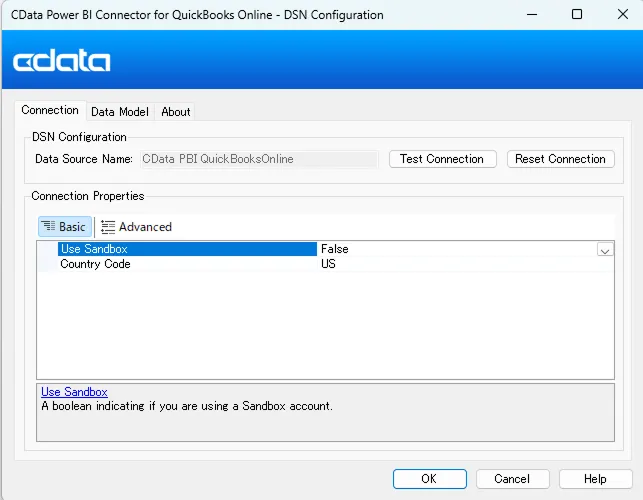
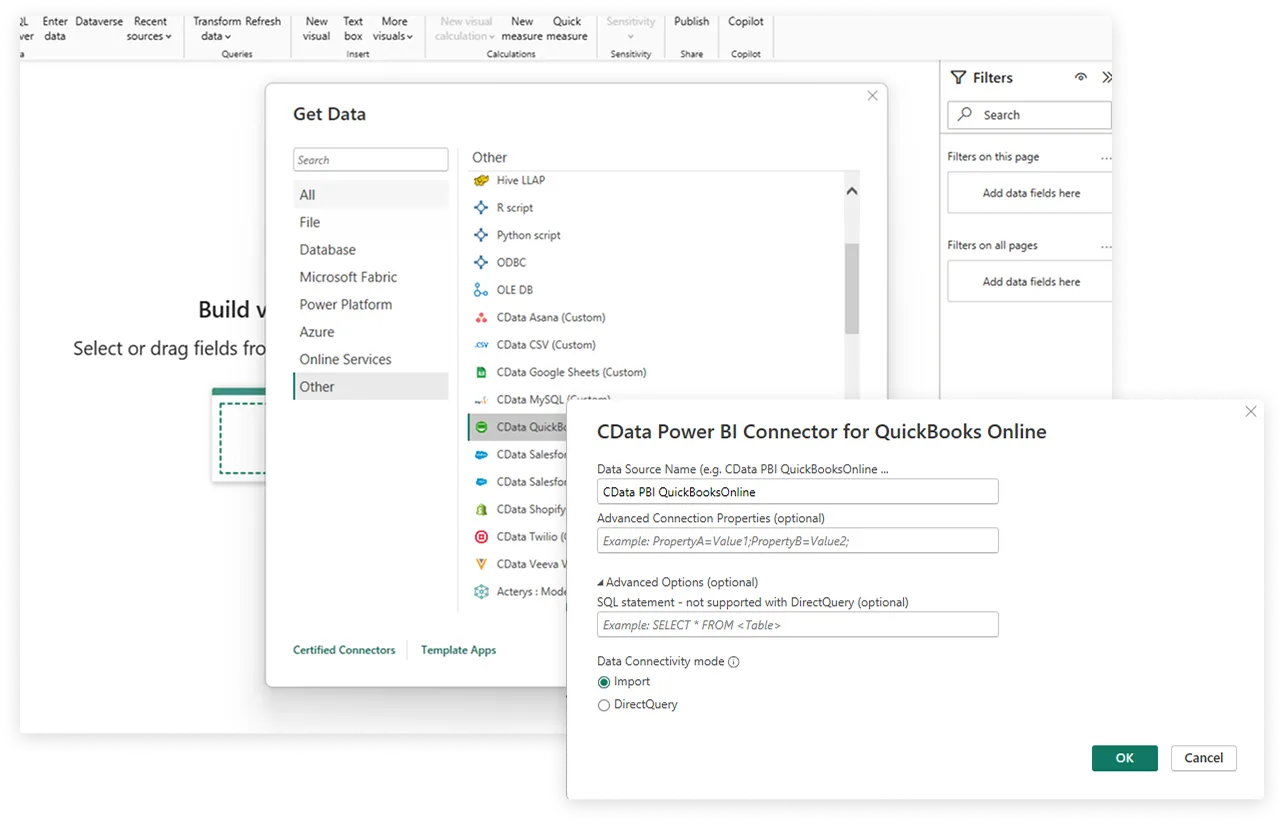
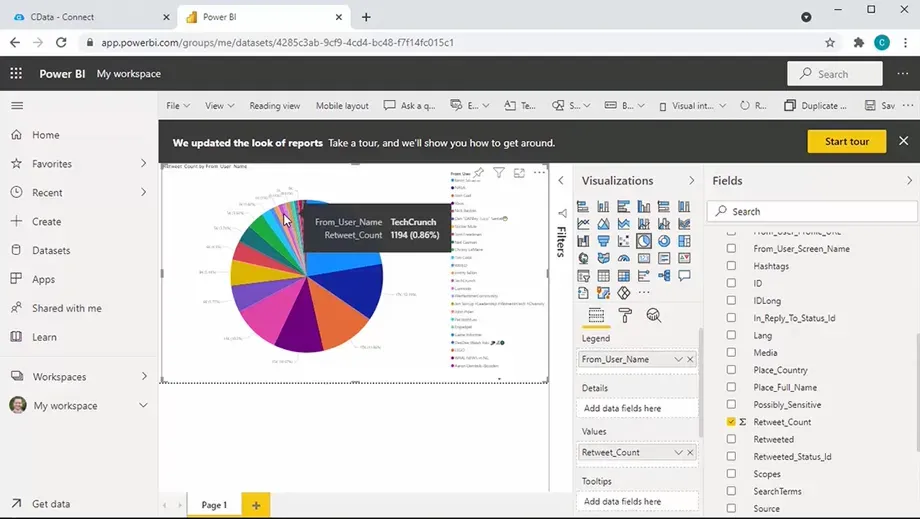
2 easy steps to connect your data from Power BI
Certified Power BI connectivity
Comprehensive Metadata Discovery
Extensive schema discovery capabilities for every data source. Explore tables, columns, keys, and other data constructs based on user identity.
Flexible NoSQL flattening
Easily connect Power BI directly with complex hierarchical data through flexible and extensible NoSQL flattening.
Learn more: Parsing hierarchical data
Blazing Data Connectivity
Our drivers push the boundaries of data access, optimizing socket-level streaming and compression capabilities, and delivering truly exceptional data access.
Learn more: Unmatched performance
Easily customizable and configurable
The data model exposed by our Power BI Connectors can easily be customized to add or remove tables/columns, change data types, etc. without requiring a new build. These customizations are supported at runtime using human-readable schema files that are easy to edit.
Enterprise-class security
Includes standard Enterprise-class security features such as TLS/ SSL data encryption for all client-server communications.
Frequently Asked Questions
Common questions about Power BI Data Connectors
What are connectors for Power BI?
In Power BI, connectors act as bridges between your data sources and the Power BI environment. They essentially allow you to retrieve data from various locations and bring it into Power BI for analysis and visualization. Connectors offer a wide range of options to connect to various data sources, eliminating the need for complex configurations or custom coding.
At CData, we build customer data connectors that extend Power BI with real-time connectivity to a wide range of data sources. Our Power BI connectors offer several advantages over the standard Power BI connectors, particularly when dealing with a wider range of data sources or needing more advanced control.
Benefits include:
- Connect to almost anything: Access a massive variety of data sources including databases, cloud apps, on-premise applications, and even niche APIs
- Real-time Data Access (DirectQuery): Widely supported by CData Power BI Connectors, Direct Query offers major advantages for data access, particularly when you're dealing with large datasets.
- Fast and secure: Transfer data quickly and securely with optimized performance and encryption.
How do we install connectors in Power BI?
Installing CData Power BI Connectors involves downloading the specific connector for your data source and following the setup instructions.
- Download the Connector: Find the download page for the data source you want to connect to. Alternatively, head to https://www.cdata.com/powerbi/download/ to access a list of all available Power BI connector builds.
- Run the Installer: Once downloaded, run the installer for the CData Power BI connector. Follow the on-screen instructions during the installation process.
- Open Power BI and click Get Data: The connector that you have installed will show up in the Data Source Name menu as CData . Select the data source from the menu and click connect.
More information can be found online in the CData Power BI Connector Getting Started Guide.
Does the Power BI connector support ARM64 devices?
Yes, our Power BI connector supports ARM64 Windows.
Download CData Power BI connectors
Download the CData Power BI connectors and power your BI and Analytics reports with live data from anywhere. Interested in a data source that is not listed above? Contact us below, and let's talk.