Microsoft Ads Drivers & Connectors for Data Integration

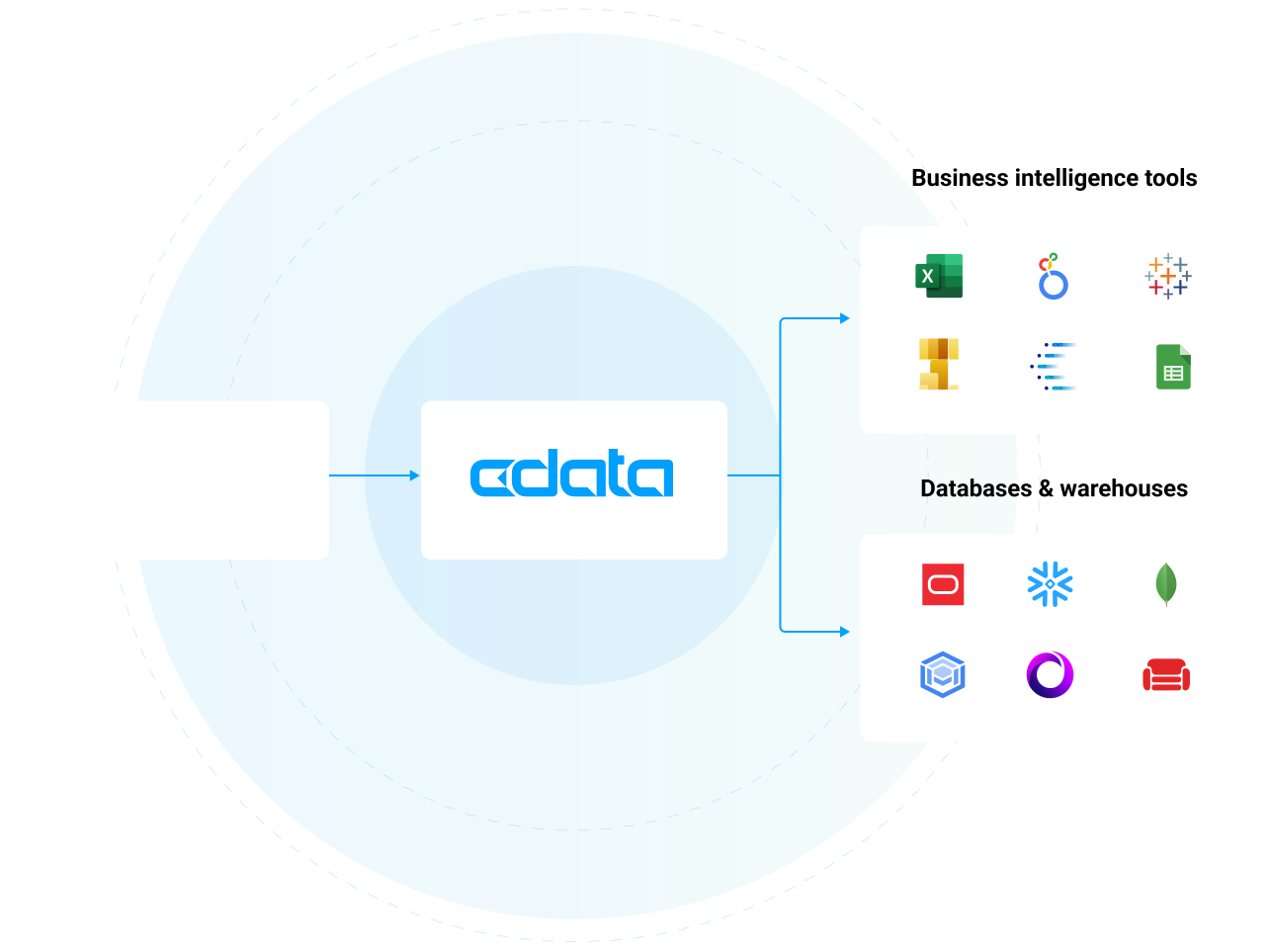
Connect to live Microsoft Ads data from reporting tools, databases, and custom applications through standards-based drivers. Easily integrate Microsoft Ads data with BI, Reporting, Analytics, ETL Tools, and Custom Solutions.

Decorative Icon Microsoft Ads Logo


BI & Analytics


Our drivers offer the fastest and easiest way to connect real-time Microsoft Ads data with BI, analytics, reporting and data visualization technologies. They provide unmatched query performance, comprehensive access to Microsoft Ads data and metadata, and seamlessly integrate with your favorite analytics tools.

LEARN MORE: Connectivity for BI & Analytics

Popular BI & Analytics Integrations


Alteryx Designer: Prepare, Blend, and Analyze Microsoft Ads in Alteryx Designer (ODBC) Alteryx Designer: Work with Live Microsoft Ads Data in Alteryx Designer (Connect AI) Amazon QuickSight: Build Interactive Dashboards from Microsoft Ads Data in Amazon QuickSight Amazon SageMaker: Integrate Live Microsoft Ads data into Amazon SageMaker Canvas Aqua Data Studio: Connect to Microsoft Ads in Aqua Data Studio AWS Databricks: Process & Analyze Microsoft Ads Data in Databricks (AWS) Azure Analysis Services: Model Microsoft Ads Data Using Azure Analysis Services Birst: Build Visualizations of Microsoft Ads in Birst BIRT: Design BIRT Reports on Microsoft Ads Clear Analytics: Build Charts with Microsoft Ads in Clear Analytics Cognos Analytics (On-Prem): Analyze Microsoft Ads Data in Cognos Analytics DBxtra: Build Dashboards with Microsoft Ads in DBxtra Domo: Create Datasets from Microsoft Ads in Domo Workbench Dundas BI: Build Dashboards with Microsoft Ads in Dundas BI FineReport: Feed Microsoft Ads into FineReport Gecokboard: Create Dashboards and Visualize Live Microsoft Ads Data in Geckoboard Google Sheets: Access Live Microsoft Ads Data in Google Sheets Grafana: Create Microsoft Ads-Connected Dashboards in Grafana IBM Cognos BI: Create Data Visualizations in Cognos BI with Microsoft Ads Infragistics Reveal: Analyze Microsoft Ads Data in Infragistics Reval JasperServer: Create Microsoft Ads Reports on JasperReports Server Jaspersoft BI Suite: Connect to Microsoft Ads in Jaspersoft Studio JReport Designer: Integrate with Microsoft Ads in JReport Designer Klipfolio: Create Microsoft Ads-Connected Visualizations in Klipfolio KNIME: Enable the Microsoft Ads JDBC Driver in KNIME LINQPad: Working with Microsoft Ads in LINQPad Looker: Analyze Microsoft Ads Data in Looker Looker Studio: Create Reports from Microsoft Ads Data in Looker Studio Metabase: Create Interactive Microsoft Ads-Connected Metabase Dashboards Microsoft Excel: Access Live Microsoft Ads Data in Excel Desktop Microsoft Excel for the Web: Access Live Microsoft Ads Data in Excel for the Web Microsoft SSAS: Build an OLAP Cube in SSAS from Microsoft Ads MicroStrategy: Connect to Live Microsoft Ads Data in MicroStrategy through Connect AI MicroStrategy: Use the CData JDBC Driver for Microsoft Ads in MicroStrategy Microstrategy Desktop: Use the CData JDBC Driver for Microsoft Ads in MicroStrategy Desktop Microstrategy Web: Use the CData JDBC Driver for Microsoft Ads in MicroStrategy Web Mode Analytics: Create Microsoft Ads-Connected Visualizations in Mode OBIEE: Microsoft Ads Reporting in OBIEE with the Microsoft Ads JDBC Driver pandas: Use pandas to Visualize Microsoft Ads in Python Pentaho Report Designer: Integrate Microsoft Ads in the Pentaho Report Designer Power BI Desktop: Author Power BI Reports on Real-Time Microsoft Ads Power BI Service: Visualize Live Microsoft Ads Data in the Power BI Service Power Pivot: Access Microsoft Ads Data in Microsoft Power Pivot Power Query: Access Microsoft Ads Data in Microsoft Power Query Qlik Cloud: Create Apps from Microsoft Ads Data in Qlik Sense Cloud QlikView: Connect to and Query Microsoft Ads in QlikView over ODBC R: Analyze Microsoft Ads in R (JDBC) R: Analyze Microsoft Ads in R (ODBC) RapidMiner: Connect to Microsoft Ads in RapidMiner Redash: Query, Visualize, and Share live Microsoft Ads Data in Redash SAP Analytics Cloud: Analyze Microsoft Ads Data in SAP Analytics Cloud SAP Business Objects: Create an SAP BusinessObjects Universe on the CData JDBC Driver for Microsoft Ads SAP Crystal Reports: Publish Reports with Microsoft Ads in Crystal Reports (JDBC) SAP Crystal Reports: Publish Reports with Microsoft Ads in Crystal Reports (Connect AI) SAS: Use the CData ODBC Driver for Microsoft Ads in SAS for Real-Time Reporting and Analytics SAS JMP: Use the CData ODBC Driver for Microsoft Ads in SAS JMP SAS Viya: Analyze Live Microsoft Ads Data in SAS Viya Sisense: Visualize Live Microsoft Ads in Sisense Spago BI: Connect to Microsoft Ads in SpagoBI Tableau: Visualize Microsoft Ads in Tableau Desktop Tableau: Visualize Microsoft Ads in Tableau Desktop (Connect AI) Tableau Cloud: Build Microsoft Ads Visualizations in Tableau Cloud Tableau Server: Publish Microsoft Ads-Connected Dashboards in Tableau Server ThoughtSpot: Model, Search, and Visualize Live Microsoft Ads Data in ThoughtSpot TIBCO Spotfire: Visualize Microsoft Ads in TIBCO Spotfire through ADO.NET TIBCO Spotfire Server: Operational Reporting on Microsoft Ads from Spotfire Server Visio: Link Visio Shapes to Microsoft Ads Zoho Analytics: Create Microsoft Ads-Connected Dashboards in Zoho Analytics

ETL, Replication, & Warehousing


From drivers and adapters that extend your favorite ETL tools with Microsoft Ads connectivity to ETL/ELT tools for Microsoft Ads data integration — our Microsoft Ads integration solutions provide robust, reliable, and secure data movement.

Connect your RDBMS or data warehouse with Microsoft Ads to facilitate operational reporting, offload queries and increase performance, support data governance initiatives, archive data for disaster recovery, and more.


Popular Data Warehousing Integrations


Airbyte: Connect to Microsoft Ads Data in Airbyte ELT Pipelines Amazon Redshift: Automated Continuous Microsoft Ads Replication to Amazon Redshift Amazon S3: Automated Continuous Microsoft Ads Replication to Amazon S3 Apache Airflow: Bridge Microsoft Ads Connectivity with Apache Airflow Apache Camel: Integrate with Microsoft Ads using Apache Camel Apache Cassandra: Automated Continuous Microsoft Ads Replication to Apache Cassandra Apache Kafka: Automated Continuous Microsoft Ads Replication to Apache Kafka Apache NiFi: Bridge Microsoft Ads Connectivity with Apache NiFi Apache NiFi Batch Operations: Perform Batch Operations with Microsoft Ads Data in Apache NiFi AWS Glue: Build ETL Jobs with Microsoft Ads Data in AWS Glue Jobs Azure Data Factory: Import Microsoft Ads Data Using Azure Data Factory Azure Data Lake: Automated Continuous Microsoft Ads Replication to Azure Data Lake Azure Synapse: Automated Continuous Microsoft Ads Replication to Azure Synapse BIML: Use Biml to Build SSIS Tasks to Replicate Microsoft Ads to SQL Server CloverDX: Connect to Microsoft Ads in CloverDX (formerly CloverETL) Couchbase: Automated Continuous Microsoft Ads Replication to Couchbase CSV: Automated Continuous Microsoft Ads Replication to Local Delimited Files Databricks: Automated Continuous Microsoft Ads Replication to Databricks ETL Validator: How to Work with Microsoft Ads in ETL Validator FoxPro: Work with Microsoft Ads in FoxPro Google AlloyDB: Automated Continuous Microsoft Ads Replication to Google AlloyDB Google BigQuery: Automated Continuous Microsoft Ads Replication to Google BigQuery Google Cloud SQL: Automated Continuous Microsoft Ads Replication to Google Cloud SQL Google Data Fusion: Build Microsoft Ads-Connected ETL Processes in Google Data Fusion Google Data Fusion: Build Pipelines with Live Microsoft Ads Data in Google Cloud Data Fusion (CData Connect AI) Heroku / Salesforce Connect: Replicate Microsoft Ads for Use in Salesforce Connect HULFT Integrate: Connect to Microsoft Ads in HULFT Integrate IBM DB2: Automated Continuous Microsoft Ads Replication to IBM DB2 Informatica Cloud: Integrate Microsoft Ads in Your Informatica Cloud Instance Informatica PowerCenter: Create Informatica Mappings From/To a JDBC Data Source for Microsoft Ads Jaspersoft ETL: Connect to Microsoft Ads in Jaspersoft Studio Microsoft Access: Automated Continuous Microsoft Ads Replication to Microsoft Access Microsoft Azure Tables: Automated Continuous Microsoft Ads Replication to Azure SQL Microsoft Excel: Transfer Data from Excel to Microsoft Ads Microsoft Power Automate: Build Microsoft Ads-Connected Automated Tasks with Power Automate (Desktop) Microsoft OneLake: Automated Continuous Microsoft Ads Replication to Microsoft OneLake (Fabric} MongoDB: Automated Continuous Microsoft Ads Replication to MongoDB MySQL: Automated Continuous Microsoft Ads Replication to MySQL Oracle Data Integrator: ETL Microsoft Ads in Oracle Data Integrator Oracle Database: Automated Continuous Microsoft Ads Replication to Oracle Pentaho Data Integration: Integrate Microsoft Ads in Pentaho Data Integration petl: Extract, Transform, and Load Microsoft Ads in Python PostgreSQL: Automated Continuous Microsoft Ads Replication to PostgreSQL SAP HANA: Automated Continuous Microsoft Ads Replication to SAP HANA SingleStore: Automated Continuous Microsoft Ads Replication to SingleStore SnapLogic: Integrate Microsoft Ads with External Services using SnapLogic (JDBC) SnapLogic: Integration with Microsoft Ads Data in SnapLogic (Connect AI) Snowflake: Automated Continuous Microsoft Ads Replication to Snowflake SQL Server: Automated Continuous Microsoft Ads Replication to SQL Server SQL Server Linked Server: Connect to Microsoft Ads Data as a SQL Server Linked Server SQLite: Automated Continuous Microsoft Ads Replication to SQLite Talend: Connect to Microsoft Ads and Transfer Data in Talend UiPath Studio: Create an RPA Flow that Connects to Microsoft Ads in UiPath Studio Vertica: Automated Continuous Microsoft Ads Replication to a Vertica Database Workato: Build Automated Workflows with Live Microsoft Ads Data in Workato Zapier: Build Automated Microsoft Ads-Connected Workflows in Zapier

Developer Tools & Technologies


The easiest way to integrate with Microsoft Ads from anywhere. Our Microsoft Ads drivers offer a data-centric model for Microsoft Ads that dramatically simplifies integration — allowing developers to build higher quality applications, faster than ever before. Learn more about the benefits for developers:


Popular Developer Integrations


AWS Lambda: Access Live Microsoft Ads Data in AWS Lambda Axios: Build Microsoft Ads-Connected Web Apps with Axios and CData Connect AI .NET Charts: DataBind Charts to Microsoft Ads .NET QueryBuilder: Rapidly Develop Microsoft Ads-Driven Apps with Active Query Builder Apache Spark: Work with Microsoft Ads in Apache Spark Using SQL AppSheet: Create Microsoft Ads-Connected Business Apps in AppSheet Bubble.io: Build Microsoft Ads-Connected Apps in Bubble C++Builder: DataBind Controls to Microsoft Ads Data in C++Builder Choreo: Build Custom Apps on Microsoft Ads Data in Choreo Claude Code: Build Microsoft Ads-Powered Applications in Claude Code with CData MCP Server ColdFusion: Query Microsoft Ads in ColdFusion Using JDBC ColdFusion: Query Microsoft Ads in ColdFusion Using ODBC Cursor: Build Microsoft Ads-Powered Applications in Cursor with CData MCP Server Dash: Use Dash & Python to Build Web Apps on Microsoft Ads Delphi: DataBind Controls to Microsoft Ads Data in Delphi DevExpress: DataBind Microsoft Ads to the DevExpress Data Grid EF - Code First: Access Microsoft Ads with Entity Framework 6 EF - LINQ: LINQ to Microsoft Ads EF - MVC: Build MVC Applications with Connectivity to Microsoft Ads Filemaker Pro: Bidirectional Access to Microsoft Ads from FileMaker Pro Filemaker Pro (on Mac): Bidirectional Access to Microsoft Ads from FileMaker Pro (on Mac) Gemini Code Assist: Build Microsoft Ads-Powered Applications in Gemini Code Assist with CData MCP Server GitHub Copilot: Build Microsoft Ads-Powered Applications in GitHub Copilot with CData MCP Server Go: Write a Simple Go Application to work with Microsoft Ads on Linux Google Apps Script: Connect to Microsoft Ads Data in Google Apps Script Hibernate: Object-Relational Mapping (ORM) with Microsoft Ads Entities in Java IntelliJ: Connect to Microsoft Ads in IntelliJ JBoss: Connect to Microsoft Ads from a Connection Pool in JBoss JDBI: Create a Data Access Object for Microsoft Ads using JDBI JetBrains RubyMine: Integrate Microsoft Ads with JetBrains RubyMine Jitterbit: Integrate with Live Microsoft Ads Data in Jitterbit JRuby: Connect to Microsoft Ads in JRuby Lazarus IDE: Easily Integrate Microsoft Ads Data in Lazarus Pascal IDE Mendix: Build Microsoft Ads-Connected Apps in Mendix (Connect AI) Mendix: Build Microsoft Ads-Connected Apps in Mendix (JDBC) Microsoft Power Apps: Integrate Live Microsoft Ads Data into Custom Business Apps Built in Power Apps NodeJS: Query Microsoft Ads Data in Node.js (via Connect AI) NodeJS: Query Microsoft Ads through ODBC in Node.js OutSystems: Create Microsoft Ads-Connected Enterprise Applications in OutSystems Perplexity Desktop: How to Query Live Microsoft Ads Data in Perplexity Desktop PHP: Natively Connect to Microsoft Ads in PHP PowerBuilder: Connect to Microsoft Ads from PowerBuilder PyCharm: Using the CData ODBC Driver for Microsoft Ads in PyCharm Python: Connect to Microsoft Ads in Python on Linux/UNIX Retool: Build Microsoft Ads-Connected Apps in Retool Ruby: Connect to Microsoft Ads in Ruby RunMyProcess: Connect to Microsoft Ads Data in RunMyProcess RunMyProcess DSEC: Connect to Microsoft Ads in DigitalSuite Studio through RunMyProcess DSEC Servoy: Build Microsoft Ads-Connected Apps in Servoy Spring Boot: Access Live Microsoft Ads Data in Spring Boot Apps SQLAlchemy: Use SQLAlchemy ORMs to Access Microsoft Ads in Python Tomcat: Configure the CData JDBC Driver for Microsoft Ads in a Connection Pool in Tomcat Unqork: Create Microsoft Ads-Connected Applications in Unqork VCL App (RAD Studio): Build a Simple VCL Application for Microsoft Ads WebLogic: Connect to Microsoft Ads from a Connection Pool in WebLogic


When Only the Best Microsoft Ads Drivers Will Do

See what customers have to say about our products and support.


Frequently Asked Microsoft Ads Driver Questions

Learn more about Microsoft Ads drivers & connectors for data and analytics integration


The Microsoft Ads driver acts like a bridge that facilitates communication between various applications and Microsoft Ads, allowing the application to read, write, and update data as if it were a relational database. The Microsoft Ads driver abstracts the complexities of Microsoft Ads APIs, authentication methods, and data types, making it simple for any application to connect to Microsoft Ads data in real-time via standard SQL queries.

Working with a Microsoft Ads Driver is different than connecting with Microsoft Ads through other means. Microsoft Ads API integrations require technical experience from a software developer or IT resources. Additionally, due to the constant evolution of APIs and services, once you build your integration you have to constantly maintain Microsoft Ads integration code moving forward.

By comparison, our Microsoft Ads Drivers offer codeless access to live Microsoft Ads data for both technical and non-technical users alike. Any user can install our drivers and begin working with live Microsoft Ads data from any client application. Because our drivers conform to standard data interfaces like ODBC, JDBC, ADO.NET etc. they offer a consistent, maintenance-free interface to Microsoft Ads data. We manage all of the complexities of Microsoft Ads integration within each driver and deploy updated drivers as systems evolve so your applications continue to run seamlessly.

If you need truly zero-maintenance integration, check out connectivity to Microsoft Ads via CData Connect AI. With Connect AI you can configure all of your data connectivity in one place and connect to Microsoft Ads from any of the available Cloud Drivers and Client Applications. Connectivity to Microsoft Ads is managed in the cloud, and you never have to worry about installing new drivers when Microsoft Ads is updated.

Many organizations draw attention to their library of connectors. After all, data connectivity is a core capability needed for applications to maximize their business value. However, it is essential to understand exactly what you are getting when evaluating connectivity. Some vendors are happy to offer connectors that implement basic proof-of-concept level connectivity. These connectors may highlight the possibilities of working with Microsoft Ads, but often only provide a fraction of capability. Finding real value from these connectors usually requires additional IT or development resources.

Unlike these POC-quality connectors, every CData Microsoft Ads driver offers full-featured Microsoft Ads data connectivity. The CData Microsoft Ads drivers support extensive Microsoft Ads integration, providing access to all of the Microsoft Ads data and meta-data needed by enterprise integration or analytics projects. Each driver contains a powerful embedded SQL engine that offers applications easy and high-performance access to all Microsoft Ads data. In addition, our drivers offer robust authentication and security capabilities, allowing users to connect securely across a wide range of enterprise configurations. Compare drivers and connectors to read more about some of the benefits of CData's driver connectivity.

With our drivers and connectors, every data source is essentially SQL-based. The CData Microsoft Ads driver contains a full SQL-92 compliant engine that translates standard SQL queries into Microsoft Ads API calls dynamically. Queries are parsed and optimized for each data source, pushing down as much of the request to Microsoft Ads as possible. Any logic that can not be pushed to Microsoft Ads is handled transparently client-side by the driver/connector engine. Ultimately, this means that Microsoft Ads looks and acts exactly like a database to any client application or tool. Users can integrate live Microsoft Ads connectivity with ANY software solution that can talk to a standard database.

The Microsoft Ads drivers and connectors offer comprehensive access to Microsoft Ads data. Our Microsoft Ads driver exposes static and dynamic data and metadata, providing universal access to Microsoft Ads data for any enterprise analytics or data mangement use. To explore the Microsoft Ads driver data model, please review the edition-specific Microsoft Ads driver documentation.

Using the CData Microsoft Ads drivers and connectors, Microsoft Ads can be easily integrated with almost any application. Any software or technology that can integrate with a database or connect with standards-based drivers like ODBC, JDBC, ADO.NET, etc., can use our drivers for live Microsoft Ads data connectivity. Explore some of the more popular Microsoft Ads data integrations online.

Additionally, since Microsoft Ads supported by CData Connect AI, we enable all kinds of new Microsoft Ads cloud integrations.

Microsoft Ads Analytics and Microsoft Ads Cloud BI integration is universally supported for BI and data science. In addition, CData provides native client connectors for popular analytics applications like Power BI, Tableau, and Excel that simplify Microsoft Ads data integration. Additionally, native Python connectors are widely available for data science and data engineering projects that integrate seamlessly with popular tools like Pandas, SQLAlchemy, Dash, and Petl.

Microsoft Ads data integration is typically enabled with CData Sync, a robust any-to-any data pipeline solution that is easy to set up, runs everywhere, and offers comprehensive enterprise-class features for data engineering. CData Sync makes it easy to replicate Microsoft Ads data any database or data warehouse, and maintain parity between systems with automated incremental Microsoft Ads replication. In addition, our Microsoft Ads drivers and connectors can be easily embedded into a wide range of data integration tools to augment existing solutions.

Absolutely. The best way to integrate Microsoft Ads with Excel is by using the CData Connect AI Excel Add-In. The Microsoft Ads Excel Add-In provides easy Microsoft Ads integration directly from Microsoft Excel Desktop, Mac, or Web (Excel 365). Our integration offers live bi-directional access to Microsoft Ads data directly from Excel. Simply configure your connection to Microsoft Ads from the easy-to-use cloud interface, and access Microsoft Ads just like you would another native Excel data source.