




Connect AI to your enterprise data through one MCP server
One managed MCP server gives Claude, ChatGPT, Copilot and your agents live access to hundreds of enterprise systems, with the context to get it right.
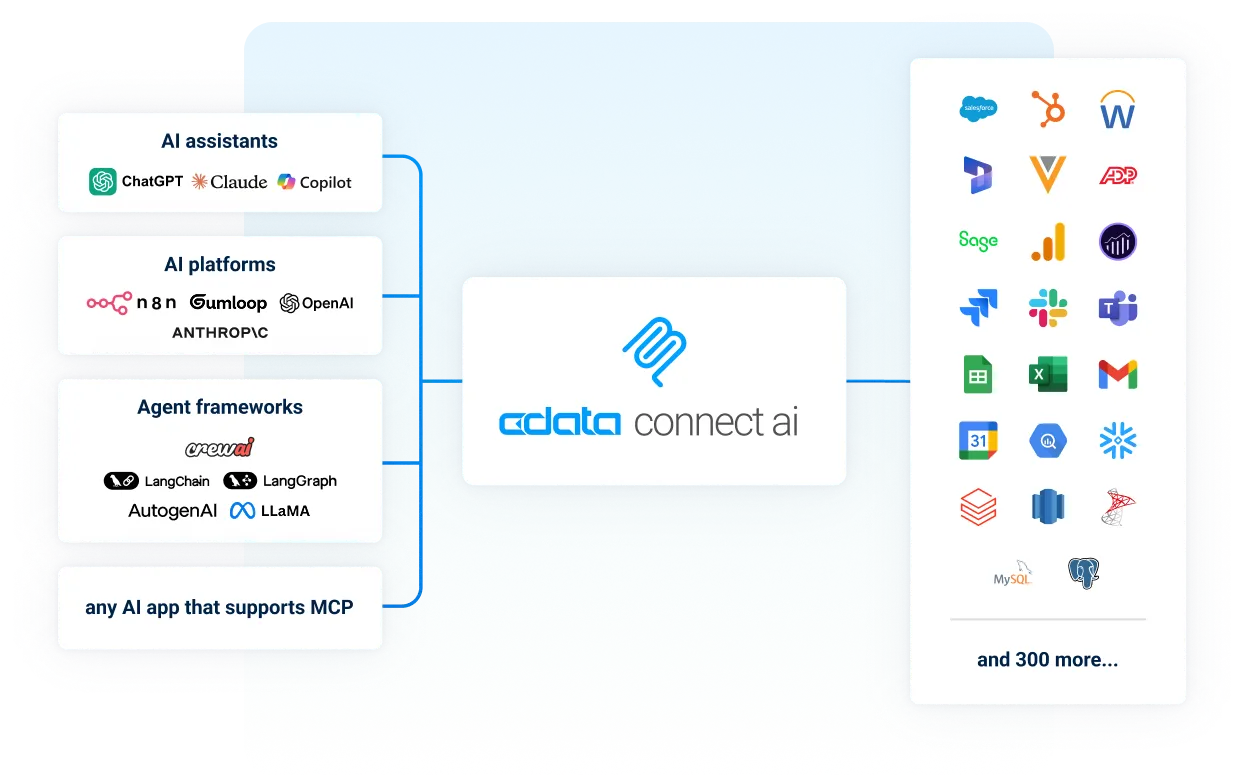
How to connect your AI to your data
You connect an AI assistant to enterprise data by pointing it at one managed MCP endpoint in Connect AI, instead of building a separate integration for each system. Your assistant gets live, permission-aware access to hundreds of enterprise systems, with no ETL pipeline and no standing copy of your data by default.
Connect your data source
Authenticate securely to the system your AI should use, such as Salesforce, QuickBooks or Snowflake.
Connect your AI tool
Point Claude, ChatGPT, Copilot or your agent platform at the Connect AI remote MCP server endpoint.
Ask about your live data
Ask your AI tool questions about your live enterprise data in plain language and get answers with permissions enforced.







One managed MCP server, every system
Connect AI runs the MCP server for you, so you point your AI at one URL instead of building and maintaining a server per system.
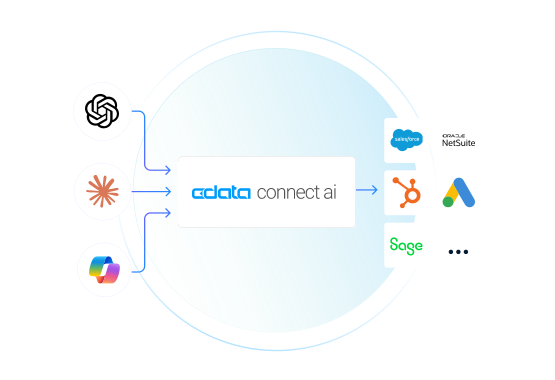
- One endpoint for every system: A single MCP endpoint connects any MCP-capable AI tool, such as Claude, ChatGPT or Copilot, to hundreds of enterprise systems.
- Built and maintained by CData: Each connector is engineered and maintained by CData and comes with curated MCP tools, so there are no one-off servers for your team to build, host or keep up to date.
- Live read and write, no pipelines: Your AI queries your systems where the data lives, with no ETL and no standing copy of your data by default, and can update records under the same permissions.
- Questions across systems: Joins, filters and aggregations run at the source, so one question can span several systems.
- Reaches your on-premise systems too: An on-premise reverse tunnel connects systems behind your firewall, without opening firewall holes.
AI that understands your business
Give your AI the business understanding it needs to reason like an expert human analyst. More accurate reasoning, with a leaner token footprint.
Why does AI give wrong answers about company data?
Most often because it reads your data without knowing what it means. An AI that sees raw tables and cryptic column names has to guess at your business definitions, so it needs to understand what your data means, not just where it lives. Connect AI gives your AI that business context for every connected source, including the structure of the data and the business definitions behind it, before the first query.
- Business meaning built in: Source-level semantic intelligence and per-source MCP instructions, built on CData's source system expertise, teach your AI each system's data structures and business definitions before the first query.
- Curated data collections and tools: Give your AI only the data and tools each job needs, not everything you've connected, so answers stay on target and it sees only what you choose.
- Lean token footprint: Joins and aggregation run in the connectivity layer, so your AI receives answers, not raw data, with up to 60% lower token cost on large dataset analysis. Large files stay outside the context window.
- Answers you can trace: Every data model carries full lineage, so each answer traces back to its source fields and systems.
- Documents as data: Retrieve and edit files and reports through your AI workflows, with your existing permissions and without complex RAG pipelines.
AI-powered business intelligence on live data
You ask in plain English, and AI answers from live data across your enterprise systems, using your own business definitions, with no dashboard to build and no SQL to write.
Can I use the same live data in Power BI, Tableau or Excel?
Yes. For cloud applications such as Salesforce, QuickBooks Online, Xero and Microsoft 365, connect the same live data to Power BI and Tableau, and to Excel and Google Sheets, for real-time reports and dashboards, without ETL pipelines or a data warehouse in between.
Your permissions. Your rules.
Every interaction respects your existing data security boundaries.
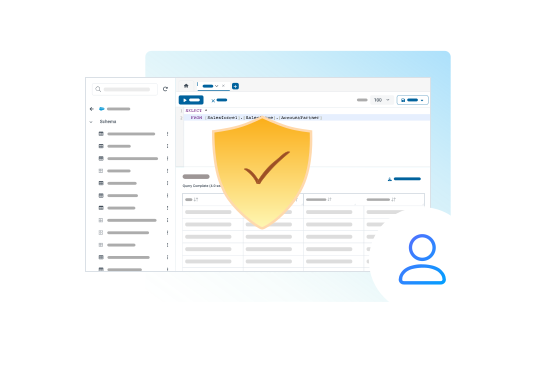
- Identity-first security with passthrough permissions: Source-system access rules are honored, with OAuth and SSO integration.
- Granular AI controls: Least-privilege principles and down-scoping govern what your AI can reach, down to the connection, object and field.
- Audit trails and governance: Full visibility and logging across every query from AI.
- User-level authentication: Full OAuth 2.1 support, PKCE and SSO tie MCP usage to your existing permissions.
Running more than one agent or MCP server?
The MCP Gateway adds one control point across all of them, with tools scoped to each team, access down to the field, and a full audit trail.
How Anaqua Avoided MCP Sprawl with One Governed Data Layer
Read the Full Case StudyWhat is an MCP server?
An MCP server is a program that lets AI assistants use an external system through the Model Context Protocol (MCP), an open standard for connecting AI to tools and data. The AI application sends a request, the MCP server carries it out against the system, such as Salesforce or a database, and returns the result.
Connect AI's server adds context on top: the meaning of your data travels with every connection.
What an MCP server provides
Data the AI can read: Tables, files and their descriptions, so the AI can see what is available and what it means.
Tools the AI can call: Actions the AI can ask the server to carry out, such as running a query or updating a record.
Where an MCP server runs
Local: a program on your own computer, started by the AI application. Suited to one person trying something out.
Remote (hosted): a program reached through a URL with sign-in. Suited to teams, because nothing is installed per user and access is governed centrally. Connect AI is the hosted kind.
FAQ
MCP server FAQ
- What is the Model Context Protocol (MCP)?
- How do I make an AI agent understand what my business data means?
- Do I need to build my own MCP server for each system?
- Which AI tools work with Connect AI's MCP server?
- Is it safe to give an AI assistant access to business data?
- Can the AI change data, or only read it?
- Can it reach systems that run on-premise?
- Can I trace an AI answer back to its source?
- Will AI queries overload my source systems?
- Does an MCP server copy my data?
Try it today
Try the data layer behind confident AI for yourself.