





Connect Microsoft Dynamics 365 to Power BI
Enterprise data analytics, real-time insights, anywhere.
For Power BI Desktop & Gateway Deployments
Connect to live Dynamics 365 data from Power BI Desktop, Server, & On-prem Gateway. Includes Direct Query support.
For Power BI Service (Cloud) Deployment
Dynamics 365 integration with cloud-based Power BI Service.


Why CData for Dynamics 365 Power BI Connectivity
Break free from data loading limitations and on-premises restrictions of Dynamics 365 reporting in Power BI. Easily connect Microsoft Power BI with live Dynamics 365 data for up-to-date visual analysis and reporting.
High-performance Dynamics 365 Connectivity
-
Eliminate Dynamics 365 performance & query speed issues in
minutes
Large datasets often slow down reports and dashboards in Power BI due to its in-memory model. However, CData's Power BI Connector for Dynamics 365 overcomes these challenges with advanced query optimization and Direct Query support. By leveraging Direct Query, you can avoid loading your entire Dynamics 365 dataset into local memory and instead benefit from efficient server-side processing.
- Breakthrough Power BI data volume and storage limits
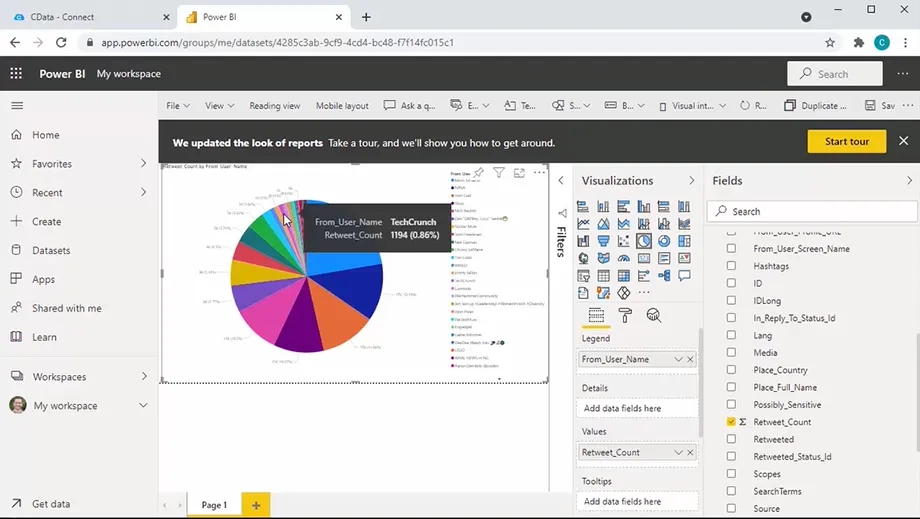

Microsoft Power BI

Comprehensive Dynamics 365 data and metadata discovery
-
Find the Dynamics 365 data you need for reports — fast and easy.
The Dynamics 365 Connector provides full access to both data and metadata, enabling efficient automated data exploration and discovery. It features intelligent row scanning, type detection, relationship mapping, and support for unstructured data. These capabilities allow Power BI to recognize data fields without the need for casting or conversion, making it easier and faster for users to create meaningful reports.
- Simplify report development with SQL-like querying
Live Dynamics 365 reporting. No ETL Required
-
Mitigate security & compliance risks vs. other integrations
CData's live Power BI connectivity for Dynamics 365 overcomes the challenges associated with traditional integration methods like ETL and local data replication. Unlike data replication, live querying enhances security and compliance by eliminating risks such as data staleness, inconsistency, and corruption. It also reduces exposure from overprivileged access and delayed revocation while minimizing the attack surface created by duplicate copies. Additionally, live connectivity simplifies regulatory compliance by ensuring better adherence to data residency, retention policies, and auditability requirements.
- Native Power BI Gateway and Power Platform support
- Cloud-to-cloud integration with auto-refresh
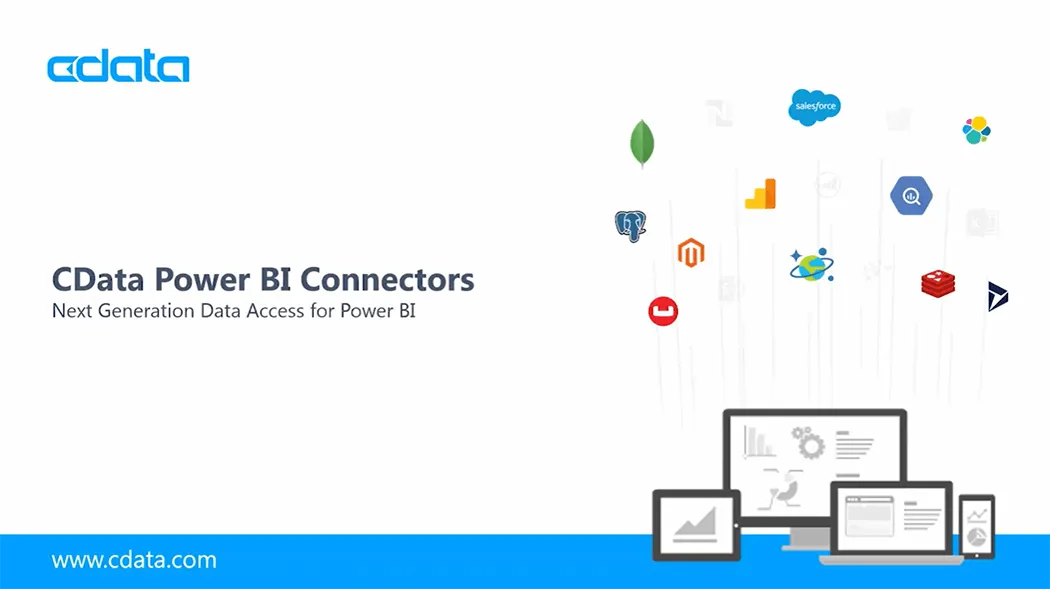
Connect Power BI to Dynamics 365
Watch the video overview for a first hand look at how easy it is to connect Power BI to live data from Dynamics 365 with CData.
- Leverage Direct Query capabilities to enhance analytics performance for large Dynamics 365 data sets.
- Extensive schema discovery capabilities for every data source. Explore tables, columns, keys, and other data constructs based on user identity.
- Easily connect Power BI directly with complex data structures through flexible and extensible flattening.
- Deploy Power BI reports that automatically refresh on-prem or to the cloud.
- And more!
FAQs
Frequent Dynamics 365 Power BI connectivity questions
Common questions about integrating Dynamics 365 with Microsoft Power BI.
- Does Dynamics 365 support Power BI?
- How do I connect to Dynamics 365 from Power BI?
- What are the advantages of using the CData Dynamics 365 data Connector for Power BI?
- How does the CData Dynamics 365 connector work with Power BI Service?
- Where can I download the Dynamics 365 Connector for Power BI?
- Does the Power BI connector support ARM64 devices?
Popular Power BI Videos:

Ready to get started? Try CData for free today!
Do you want to learn more about how you can use CData to connect Microsoft Power BI with real-time data from anywhere? Contact us below, and let's talk.