





Connect n8n to live HubDB data, securely.
CData Connect AI lets you plug any business application into any AI tool—like HubDB into n8n—for live, trusted answers and actions with zero data copies.
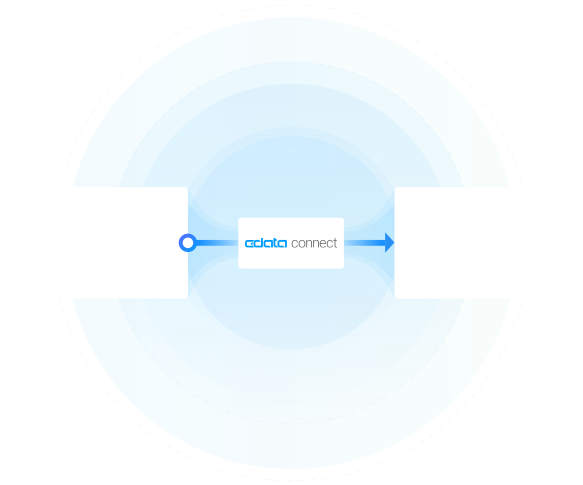


Schema-aware MCP server
n8n reads your full HubDB data model on connect
Cross-source MCP toolset
Join live HubDB with hundreds of other systems in one prompt
Bidirectional with identity passthrough
n8n reads and writes under your access rules

HubDB:
HubDB is a versatile database tool within HubSpot designed to help users create and manage dynamic website content efficiently. It provides a user-friendly interface for creating tables and managing data, allowing for dynamic page generation and personalized content. With HubDB, users can easily update content across multiple pages, ensuring consistency and enhancing the user experience. It integrates seamlessly with HubSpot's CRM and CMS, making it an essential tool for marketers and developers looking to streamline content management and improve website functionality.

n8n:
n8n is a flexible, open-source automation platform for building end-to-end workflows with visual nodes for APIs, databases, and AI providers. With Connect AI, you can power AI nodes in n8n with real-time, governed data from across your business systems—without reverse-ETL jobs, brittle scripts, or manual exports.
Popular n8n & HubDB integration use cases
- AI-powered approvals and routing — Automate decision steps by grounding AI nodes in live HubDB data, reducing manual reviews and delays.
- Automated reporting and summaries — Generate status reports, emails, or customer updates using n8n's AI nodes fed with real-time HubDB records.
- Real-time enrichment and validation — Clean and enrich incoming leads, tickets, or files against HubDB before they flow to downstream systems.
- Cross-system orchestration — Build multi-step workflows where AI reads from HubDB and takes action in other tools—always using current, governed data.
Learn more about CData Connect AI
HubDB to n8n features
Access data where it lives right now. Ensure data is always live, always retains its metadata and semantics, and always protected by source system permissions.
Expose your data's metadata, relationships, and context so AI has real understanding of your business without recreating it on top of a warehouse.
Point-and-click connection setup that works for both queries and actions so you can set up integrations in minutes.
Pass through and edit role-based access control (RBAC) inherited from the source to users in AI and AI agents.
Model Context Protocol (MCP)
Connect AI is first managed Model Context Protocol (MCP) platform for AI integration. Model Context Protocol (MCP) is an open standard for connecting AI assistants, agents, and automations to external tools and data.
With Connect AI's managed MCP platform, you can present your enterprise systems as standardized MCP tools and resources and call them directly from AI.
Instead of building and maintaining dozens of one-off MCP Servers, your AI simply calls one universal MCP URL from Connect AI, and gets governed access to live data from across your enterprise stack.
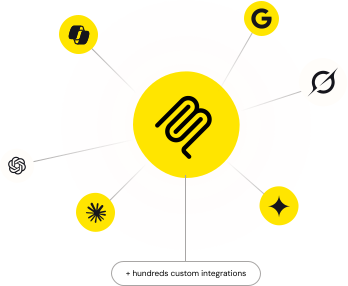
Access live HubDB data in other popular AI tools
No complicated data movement, ETL, or data integration required. Securely connect live HubDB data with any AI tool that supports MCP. Select your preferred tool below to learn more.


