





Connect Microsoft Copilot Studio to live Talkdesk data, securely.
CData Connect AI lets you plug any business application into any AI tool—like Talkdesk into Microsoft Copilot Studio—for live, trusted answers and actions with zero data copies.

Schema-aware MCP server
Microsoft Copilot Studio reads your full Talkdesk data model on connect
Cross-source MCP toolset
Join live Talkdesk with hundreds of other systems in one prompt
Bidirectional with identity passthrough
Microsoft Copilot Studio reads and writes under your access rules

Talkdesk:
Talkdesk is a cloud-based Contact Center as a Service (CCaaS) platform that enables businesses to manage inbound and outbound customer interactions across voice, chat, email, SMS, and social messaging from a unified environment. It features AI-driven workflow automation, intelligent call routing, IVR self-service, workforce management, and real-time analytics to improve agent productivity and customer satisfaction. Talkdesk integrates with leading CRM tools like Salesforce and Zendesk, and offers industry-specific plans for healthcare, finance, and government with compliance-focused capabilities.

Microsoft Copilot Studio:
Microsoft Copilot Studio is Microsoft’s low-code agent framework for building and orchestrating custom Copilot agents. It lets platform teams design task-focused AI agents that plan, reason, and take action across Microsoft 365 and external systems. With Connect AI, you can give these agents live, governed business data from across your stack—without copying data into Microsoft Dataverse or building custom plugins for every source.
Popular Microsoft Copilot Studio & Talkdesk integration use cases
- Goal-driven Copilot agents — Build Copilot agents that reason over real-time Talkdesk data to draft plans, sequence actions, and achieve business outcomes.
- Contextual Copilot plugins and flows — Let Copilot agents call plugins and flows that act on governed Talkdesk data without staging it in Dataverse.
- Automated operations execution — Trigger Copilot flows to open tickets, create records, or update assets based on live Talkdesk signals and policies.
- Auditable agent actions — Expose only approved read/write operations on Talkdesk through Copilot tools, with full RBAC, masking, and request logging.
Learn more about CData Connect AI
Talkdesk to Microsoft Copilot Studio features
Access data where it lives right now. Ensure data is always live, always retains its metadata and semantics, and always protected by source system permissions.
Expose your data's metadata, relationships, and context so AI has real understanding of your business without recreating it on top of a warehouse.
Point-and-click connection setup that works for both queries and actions so you can set up integrations in minutes.
Pass through and edit role-based access control (RBAC) inherited from the source to users in AI and AI agents.
Model Context Protocol (MCP)
Connect AI is first managed Model Context Protocol (MCP) platform for AI integration. Model Context Protocol (MCP) is an open standard for connecting AI assistants, agents, and automations to external tools and data.
With Connect AI's managed MCP platform, you can present your enterprise systems as standardized MCP tools and resources and call them directly from AI.
Instead of building and maintaining dozens of one-off MCP Servers, your AI simply calls one universal MCP URL from Connect AI, and gets governed access to live data from across your enterprise stack.
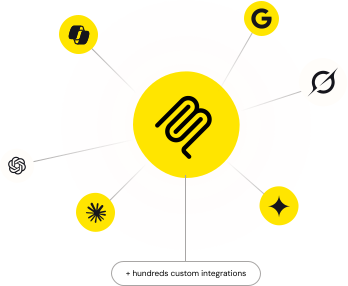
Access live Talkdesk data in other popular AI tools
No complicated data movement, ETL, or data integration required. Securely connect live Talkdesk data with any AI tool that supports MCP. Select your preferred tool below to learn more.


