





Connect Langchain to live WordPress data, securely.
CData Connect AI lets you plug any business application into any AI tool — like WordPress into Langchain — for live, trusted answers and actions with zero data copies.
Give WordPress rich semantic context and real-time data from Langchain so it can answer precisely and take safe, effective actions across your business.
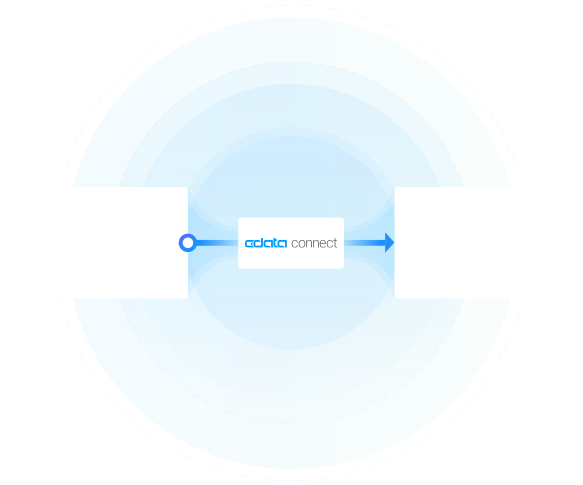



WordPress:
WordPress is a popular content management system that allows users to easily create and manage websites. With a user-friendly interface and a wide range of customizable themes and plugins, WordPress is ideal for both beginners and experienced web developers. It is highly versatile, scalable, and SEO-friendly, making it a top choice for website creation.

Langchain:
LangChain is an agent framework for building LLM-powered applications, combining LCEL (Runnable chains), LangGraph (stateful agent orchestration), and LangSmith (observability and tracing). With Connect AI, you can give LangChain agents live, governed business data from across your enterprise systems—without staging data or writing custom tool wrappers.
Popular Langchain & WordPress integration use cases
- Autonomous LangChain agents — Build agents that plan and execute multi-step tasks grounded in real-time WordPress data.
- LangGraph workflows with governed data — Orchestrate multi-tool workflows where each node queries WordPress under strict RBAC and masking policies.
- Retrieval-augmented LCEL chains — Power retrieval steps with live WordPress context for accurate summaries, answers, and decisions.
- Auditable tool usage — Expose only approved read/write operations on WordPress to LangChain tools, with full logging and observability via LangSmith.
Learn more about CData Connect AI

WordPress to Langchain Features
Real-time data accessed in-place
Access data where it lives right now. Ensure data is always live, always retains its metadata and semantics, and always protected by source system permissions.

Semantic intelligence & preserved context
Expose your data's metadata, relationships, and context so AI has real understanding of your business without recreating it on top of a warehouse.

One connection to both explore and take action
Point-and-click connection setup that works for both queries and actions so you can set up integrations in minutes.

Enterprise security and governance
Pass through and edit role-based access control (RBAC) inherited from the source to users in AI and AI agents.
How It Works: Model Context Protocol (MCP)
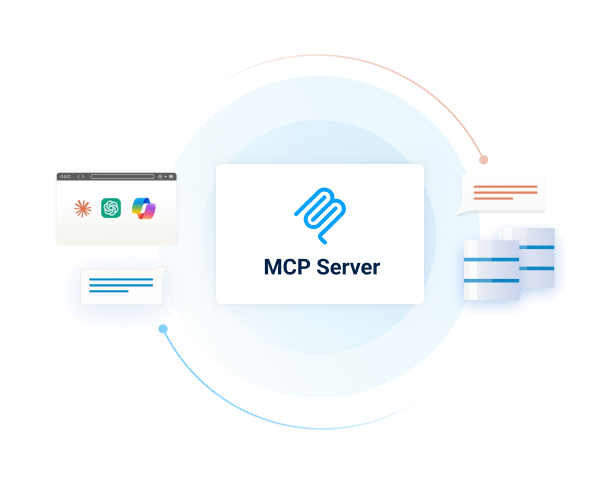
Connect AI is first managed Model Context Protocol (MCP) platform for AI integration. Model Context Protocol (MCP) is an open standard for connecting AI assistants, agents, and automations to external tools and data.
With Connect AI's managed MCP platform, you can present your enterprise systems as standardized MCP tools and resources and call them directly from AI.
Instead of building and maintaining dozens of one-off MCP Servers, your AI simply calls one universal MCP URL from Connect AI, and gets governed access to live data from across your enterprise stack.
Getting Started is Easy:
- Configure data sources (Salesforce, NetSuite, Workday, SQL, Jira, etc.) in Connect AI.
- Create a 'Remote MCP' URL.
- Connect Langchain to your business data.
Get Started for FREE
Access live WordPress data in other popular AI tools
No complicated data movement, ETL, or data integration required. Securely connect live WordPress data with any AI tool that supports MCP. Select your preferred tool below to learn more.


