





Connect Microsoft Copilot Studio to live Zoho Inventory data, securely.
CData Connect AI lets you plug any business application into any AI tool — like Zoho Inventory into Microsoft Copilot Studio — for live, trusted answers and actions with zero data copies.
Give Zoho Inventory rich semantic context and real-time data from Microsoft Copilot Studio so it can answer precisely and take safe, effective actions across your business.



Zoho Inventory:
Zoho Inventory is a cloud-based inventory management software designed to help businesses streamline their operations and improve efficiency. With features such as order management, stock tracking, and reporting tools, Zoho Inventory allows users to easily manage their inventory, track sales, and optimize their supply chain processes.

Microsoft Copilot Studio:
Microsoft Copilot Studio is Microsoft’s low-code agent framework for building and orchestrating custom Copilot agents. It lets platform teams design task-focused AI agents that plan, reason, and take action across Microsoft 365 and external systems. With Connect AI, you can give these agents live, governed business data from across your stack—without copying data into Microsoft Dataverse or building custom plugins for every source.
Popular Microsoft Copilot Studio & Zoho Inventory integration use cases
- Goal-driven Copilot agents — Build Copilot agents that reason over real-time Zoho Inventory data to draft plans, sequence actions, and achieve business outcomes.
- Contextual Copilot plugins and flows — Let Copilot agents call plugins and flows that act on governed Zoho Inventory data without staging it in Dataverse.
- Automated operations execution — Trigger Copilot flows to open tickets, create records, or update assets based on live Zoho Inventory signals and policies.
- Auditable agent actions — Expose only approved read/write operations on Zoho Inventory through Copilot tools, with full RBAC, masking, and request logging.
Learn more about CData Connect AI

Zoho Inventory to Microsoft Copilot Studio Features

Real-time data accessed in-place
Access data where it lives right now. Ensure data is always live, always retains its metadata and semantics, and always protected by source system permissions.

Semantic intelligence & preserved context
Expose your data's metadata, relationships, and context so AI has real understanding of your business without recreating it on top of a warehouse.

One connection to both explore and take action
Point-and-click connection setup that works for both queries and actions so you can set up integrations in minutes.

Enterprise security and governance
Pass through and edit role-based access control (RBAC) inherited from the source to users in AI and AI agents.
How It Works: Model Context Protocol (MCP)
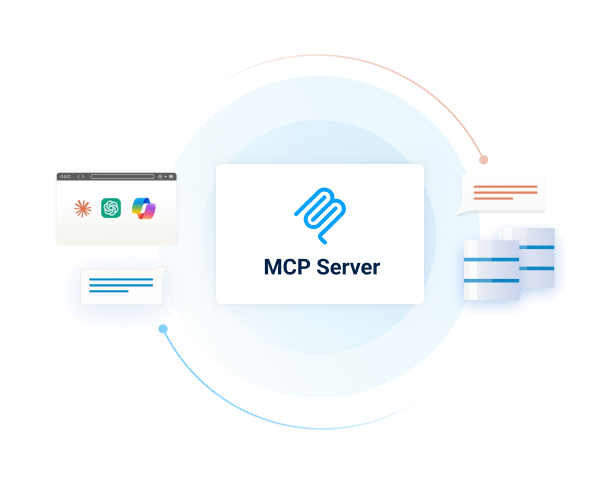
Connect AI is first managed Model Context Protocol (MCP) platform for AI integration. Model Context Protocol (MCP) is an open standard for connecting AI assistants, agents, and automations to external tools and data.
With Connect AI's managed MCP platform, you can present your enterprise systems as standardized MCP tools and resources and call them directly from AI.
Instead of building and maintaining dozens of one-off MCP Servers, your AI simply calls one universal MCP URL from Connect AI, and gets governed access to live data from across your enterprise stack.
Getting Started is Easy:
- Configure data sources (Salesforce, NetSuite, Workday, SQL, Jira, etc.) in Connect AI.
- Create a 'Remote MCP' URL.
- Connect Microsoft Copilot Studio to your business data.
Get Started for FREE
Access live Zoho Inventory data in other popular AI tools
No complicated data movement, ETL, or data integration required. Securely connect live Zoho Inventory data with any AI tool that supports MCP. Select your preferred tool below to learn more.


