





Live data access from SAP Business Warehouse to Google Sheets
Unlock your data initiatives with live access to the data users need within any app or platform.
Provide safe, governed access to the data your teams need in a no/low-code interface, so they can access live data within the app, tool, or spreadsheet of their choice, accelerating analytics, business intelligence, and reporting.




SAP Business Warehouse:
SAP Business Warehouse is an enterprise data warehousing solution from SAP designed to consolidate and analyze business data across the organization. It provides a unified environment for data integration, modeling, and reporting, supporting workflows for financial planning, sales analysis, supply chain monitoring, and operational reporting. The platform features multi-dimensional cubes, queries, and reporting tools that enable business users to explore data and generate insights. With native integration to SAP systems and support for external data sources, SAP BW serves as a central analytics hub for enterprise-wide reporting. The platform helps organizations transform raw operational data into structured, actionable business intelligence.

Google Sheets:
Google Sheets is a cloud-based spreadsheet program that allows users to create, edit, and collaborate on spreadsheets online. It offers a wide range of features, including formulas, charts, and conditional formatting. Users can access their spreadsheets from any device with an internet connection and easily share them with others for real-time collaboration.
Discover, blend, and access data from SAP Business Warehouse in Google Sheets
No more downloading, wrangling, and uploading spreadsheets ever again! Connect Spreadsheets is the easiest way to get all your live data in your spreadsheets. Just connect to SAP Business Warehouse, select the dataset you'd like to see, and import it into your spreadsheet. Schedule data refreshes, or click “Refresh” at any time to always get the latest version of data available.
- Work with live SAP Business Warehouse data in spreadsheets that updates as soon as the source system does, no data movement required
- Consolidate from many sources into a single source-of-truth dashboard that others can view, collaborate on, and use in spreadsheet form
- Create no/low-code queries to filter and find the SAP Business Warehouse data you want in your spreadsheet without ever leaving the app.
- Set a schedule for Connect Spreadsheets to update the data in your spreadsheet at certain times, so you know your data is always complete and accurate without needing to download, manipulate, and reupload every time you want to check a dashboard.
Access SAP Business Warehouse in Google Sheets
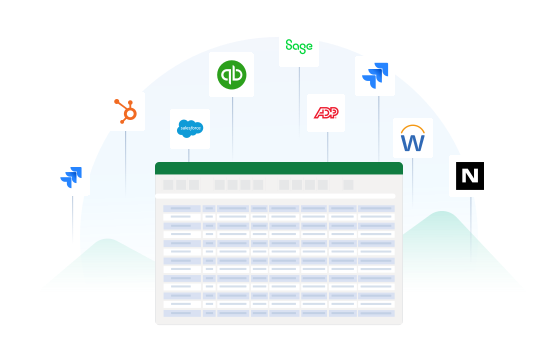
SAP Business Warehouse to Google Sheets Features

1. Install the add-in
Available in the Google Workspace Marketplace and Microsoft AppSource.

2. Create a free account
Get started in minutes — no credit card required.

3. Connect to your data
Set up your connections to more than 250 sources, powered by CData.

4. Get your data
Select your data and see it in your spreadsheet at the click of a button.
Access live SAP Business Warehouse data in other popular tools
No complicated data movement, ETL, or data integration required. Enable access to data directly from the data systems you already use. Select your preferred tool below to learn more.


