





Avro Code Assist MCP - Context for faster AI-driven Integration
Context is the multiplier—give AI the right inputs, and it writes better code and ships faster.
Tired of AI hallucinations and debugging? CData Code Assist MCP for Avro connects AI to your actual Avro schema—no guessing, no fixing, just working code.
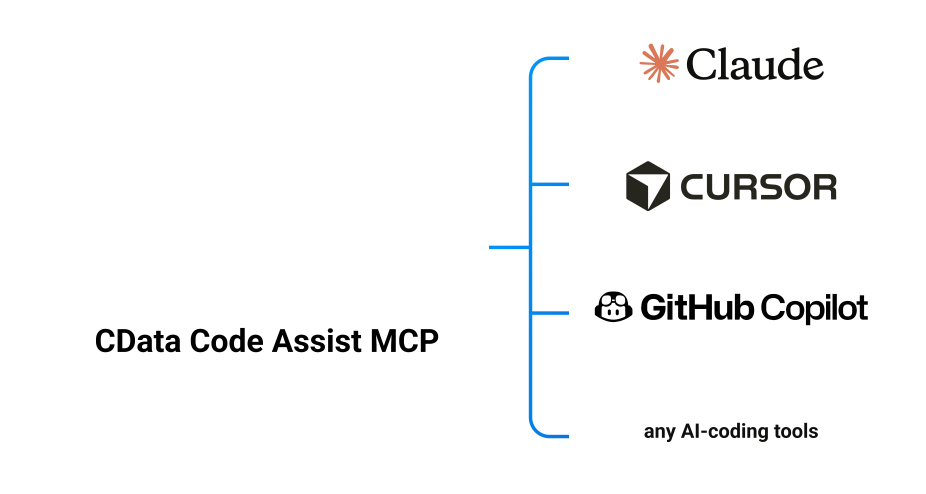

Unmatched productivity with reliable results—AI validates against your real Avro data model
10x faster development—because AI understands your actual Avro structure before writing a single line of code.
- Schema-aware code generation: AI understands Avro's exact table structures, column types, and relationships
- Validated SQL syntax: Queries tested against live Avro before integration into your application
- CData Driver compatibility: Generated queries and code that work identically with Avro JDBC, ADO.NET, ODBC, and Python Connectors
- Production-ready applications: From prototype to deployment without rewriting

View result from avro_mcp_run_query from AvroMCP (local)
...
Context is everything: AI + MCP
Why this works better than AI guessing API docs and failing every time
Generic AI guesses
This architecture is constrained by how data systems actually behave.
- MCP provides real schema and data from Avro
- No more guessing how to query/call with wrong parameters or invented field names
- Outputs are deterministic and testable
Works in real environments
You stay in control. The system removes the guesswork.
- Compatible with CData Avro JDBC, ADO.NET, ODBC, and Python Drivers
- Supports enterprise auth, TLS, proxies, and OS differences
- Designed for local dev, CI and production workflows
What teams see after adopting it
Measurable impact from day one
- Faster time to first working integration
- Fewer production surprises
- Less time lost to configuration debugging
- Fewer repetitive support questions
AI connects, explores, ships. You just direct.
Build with Code Assist MCP for Avro. Deploy with CData Drivers.
Provide:
- Data source connection via the Code Assist MCP UI
Get:
- Schema discovery from a live connection to your source
- Standardized SQL and Stored Procedure access
Provide:
- Natural language queries
- Prompts for application code requirements
Get:
- Accurate queries based on live-schema from the source
- Precise filtering and JOINs by retrieving sample values, picklist values
- Validation during exploration, no guessing
- Executable code for your data-driven applications
- Schema and syntax parity between MCP and CData drivers in production
- Standardize integration patterns across sercices and teams
# AI helped write this. No AI runs it.

import cdata.avro as cdata_avro

conn = cdata_avro.connect("User=...;Password=...")
cursor = conn.cursor()

cursor.execute("""
    SELECT Id, Name, Industry, AnnualRevenue
    FROM Account
    WHERE AnnualRevenue > 1000000
    ORDER BY AnnualRevenue DESC
""")

for row in cursor.fetchall():
    process_account(row)

# Runs as scheduled job, cron, or service
# No LLM. No tokens. Just reliable execution.
Integrate with Avro 10x faster with CData Code Assist

Your Java, .NET, C/C++, Go, Node.js, PHP, or Python application can now interact with Avro data faster than ever. The biggest challenges in data-driven application development were schema discovery and query tuning. AI can handle that.

Test JOINs, filters, and aggregations in your AI coding environment. Validated queries for Avro integrate directly into your applications without modification.

Generate scripts that query, transform, and sync Avro data to your warehouse. Built-in support for incremental updates across data sources.

Want to stay in the know?
Sign up for our limited series covering useful prompts, tips, and future CData MCP Server release that will make Claude your undisputed work bestie.
Your future self will thank you.
Ready to get started? Try AI Coding + Avro today!
No more guessing, start shipping!