





Lakebase Python Connector
Read, Write, and Update Lakebase with Python
Easily connect Python-based Data Access, Visualization, ORM, ETL, AI/ML, and Custom Apps with Lakebase!
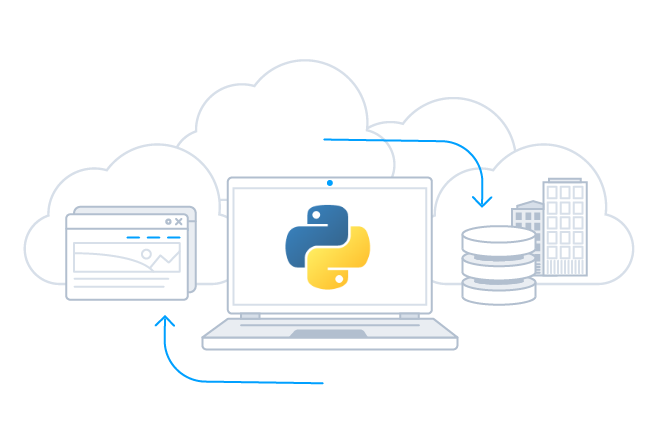
Python Connector Libraries for Lakebase Data Connectivity. Integrate Lakebase with popular Python tools like Pandas, SQLAlchemy, Dash & petl. Easy-to-use Python Database API (DB-API) Modules connect Lakebase data with Python and any Python-based applications.
Features
- Connect to live Lakebase data, for real-time data access with the Lakebase Python Connectors
- Full support for data aggregation and complex JOINs in SQL queries
- Secure connectivity through modern cryptography, including TLS 1.2, SHA-256, ECC, etc.
- Seamless integration with leading BI, reporting, and ETL tools and with custom applications via the Lakebase Connector.
Specifications
- Python Database API (DB-API) Modules for Lakebase with bi-directional access.
- Write SQL, get Lakebase data. Access Lakebase through standard Python Database Connectivity.
- Integration with popular Python tools like Pandas, SQLAlchemy, Dash & petl.
- Full Unicode support for data, parameter, & metadata.
CData Python Connectors in Action!
Watch the video overview for a first hand-look at the powerful data integration capabilities included in the CData Python Connectors.
Watch the Python Connector Video OverviewPython Connectivity with Lakebase
Full-featured and consistent SQL access to any supported data source through Python
-
Universal Python Lakebase Connectivity
Easily connect to Lakebase data from common Python-based frameworks, including:
- Data Analysis/Visualization: Jupyter Notebook, pandas, Matplotlib
- ORM: SQLAlchemy, SQLObject, Storm
- Web Applications: Dash, Django
- ETL: Apache Airflow, Luigi, Bonobo, Bubbles, petl
-
Popular Tooling Integration
The Lakebase Connector integrates seamlessly with popular data science and developer tooling like Anaconda, Visual Studio Python IDE, PyCharm, and more. Real Python,
-
Replication and Caching
Our replication and caching commands make it easy to copy data to local and cloud data stores such as Oracle, SQL Server, Google Cloud SQL, etc. The replication commands include many features that allow for intelligent incremental updates to cached data.
-
String, Date, Numeric SQL Functions
The Lakebase Connector includes a library of 50 plus functions that can manipulate column values into the desired result. Popular examples include Regex, JSON, and XML processing functions.
-
Collaborative Query Processing
Our Python Connector enhances the capabilities of Lakebase with additional client-side processing, when needed, to enable analytic summaries of data such as SUM, AVG, MAX, MIN, etc.
-
Easily Customizable and Configurable
The data model exposed by our Lakebase Connector can easily be customized to add or remove tables/columns, change data types, etc. without requiring a new build. These customizations are supported at runtime using human-readable schema files that are easy to edit.
-
Enterprise-class Secure Connectivity
Includes standard Enterprise-class security features such as TLS/ SSL data encryption for all client-server communications.
Connecting to Lakebase with Python
CData Python Connectors leverage the Database API (DB-API) interface to make it easy to work with Lakebase from a wide range of standard Python data tools. Connecting to and working with your data in Python follows a basic pattern, regardless of data source:
- Configure the connection properties to Lakebase
- Query Lakebase to retrieve or update data
- Connect your Lakebase data with Python data tools.
Connecting to Lakebase in Python
To connect to your data from Python, import the extension and create a connection:
import cdata.lakebase as mod
conn = mod.connect("[email protected]; Password=password;")

#Create cursor and iterate over results
cur = conn.cursor()
cur.execute("SELECT * FROM Lakebase")

rs = cur.fetchall()

for row in rs:
print(row)
Once you import the extension, you can work with all of your enterprise data using the python modules and toolkits that you already know and love, quickly building apps that help you drive business.
Visualize Lakebase Data with pandas
The data-centric interfaces of the Lakebase Python Connector make it easy to integrate with popular tools like pandas and SQLAlchemy to visualize data in real-time.
engine = create_engine("lakebase///Password=password&User=user")

df = pandas.read_sql("SELECT * FROM Lakebase", engine)

df.plot()
plt.show()
More Than Read-Only: Full Update/CRUD Support
Lakebase Connector goes beyond read-only functionality to deliver full support for Create, Read Update, and Delete operations (CRUD). Your end-users can interact with the data presented by the Lakebase Connector as easily as interacting with a database table.
AI-Assisted Development with CData Code Assist MCP
Build Lakebase integrations faster with AI that understands your schema
Supported AI Coding Tools




Schema-Aware AI
Code Assist MCP gives AI coding tools direct access to your Lakebase schema. No more guessing table names or column types—AI sees the same metadata as your Python Connector.
Same Schema, Same SQL
Table names, column names, and SQL syntax in Code Assist MCP are identical to this Python Connector. Queries you validate with AI work directly in your production code.
From Prototype to Production
Stop guessing. Start shipping. Prototype queries in conversation, validate against live data, then deploy with CData Python Connectors—no rewriting required.
Free for development. No trial period. No credit card required.
Popular Python Videos:
