





Excel Add-In for Sybase IQ
Read, Write, and Update Sybase IQ from Excel
The Sybase IQ Excel Add-In is a powerful tool that allows you to connect with live Sybase IQ data, directly from Microsoft Excel. Use Excel to read, write, and update Sybase IQ Tables, etc. Perfect for mass imports / exports / updates, data cleansing & de-duplication, Excel based data analysis, and more!
Install the Add-In, configure your Sybase IQ connection, and go!
Other SAP Drivers
-

-

SAP Business One
learn more » -

SAP Hybris C4C
learn more » -

SAP Concur
learn more » -

SAP Ariba Procurement
learn more » -

SAP Ariba Source
learn more » -

SAP BusinessObjects BI
learn more » -

SAP Business ByDesign
learn more » -

SAP Fieldglass
learn more » -

SAP Netweaver Gateway
learn more » -

SAP HANA
learn more » -

SAP HANA XS Advanced
learn more » -

SAP SuccessFactors
learn more » -

SAP SuccessFactors LMS
learn more » -

Sybase
learn more »
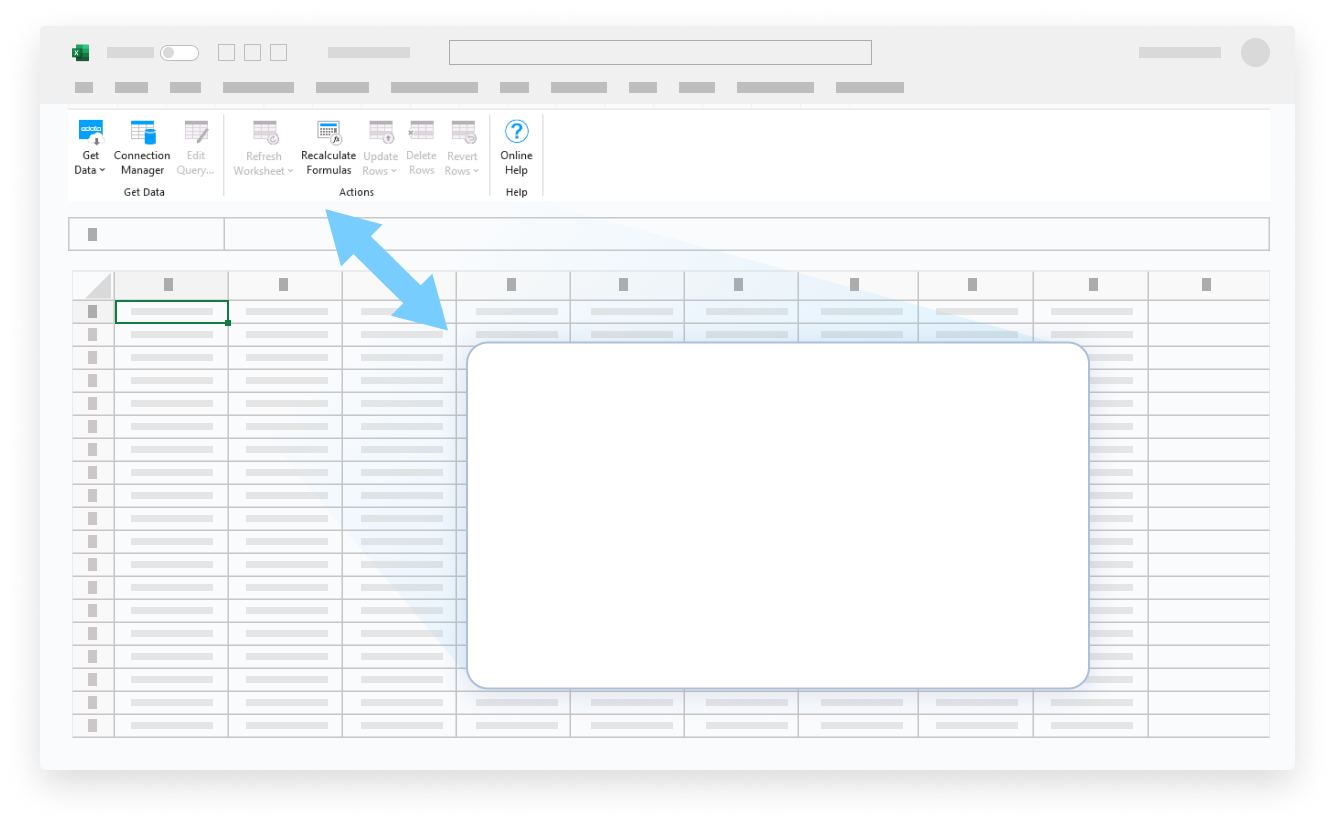


Your Sybase IQ Data, Your Way!
The Excel Add-In for Sybase IQ provides the easiest way to connect with Sybase IQ data. Users simply supply their credentials via the connection wizard to create a connection and can immediately begin working with live Sybase IQ tables of data. The Excel Add-In is completely self-contained; no additional software installation is required.
Bi-Directional Access To Live Sybase IQ Data From Excel
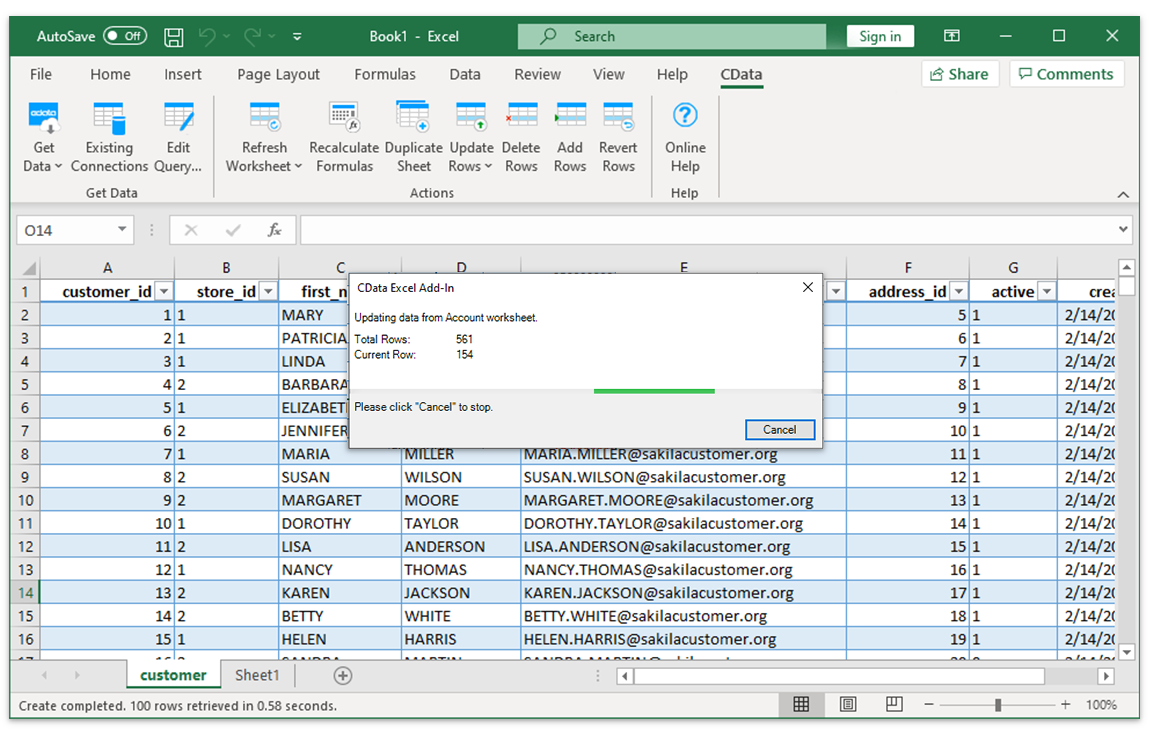
The Excel Add-In for Sybase IQ is integrated with the Excel toolbar and ribbon, providing direct access to live data with a single click.
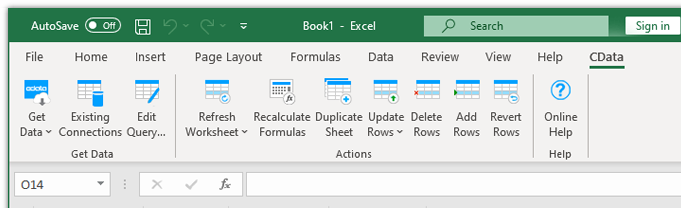
Easy-To-Use, Straightforward Configuration:
- Install the Add-In
- Login with User & Password
- Select Tables
Installing the CData Sybase IQ Excel Add-In creates a dedicated toolbar in Excel, giving users instant access to Sybase IQ data for faster data analysis and reporting. From the Excel toolbar, users can select any of the installed CData Add-Ins to configure a connection.
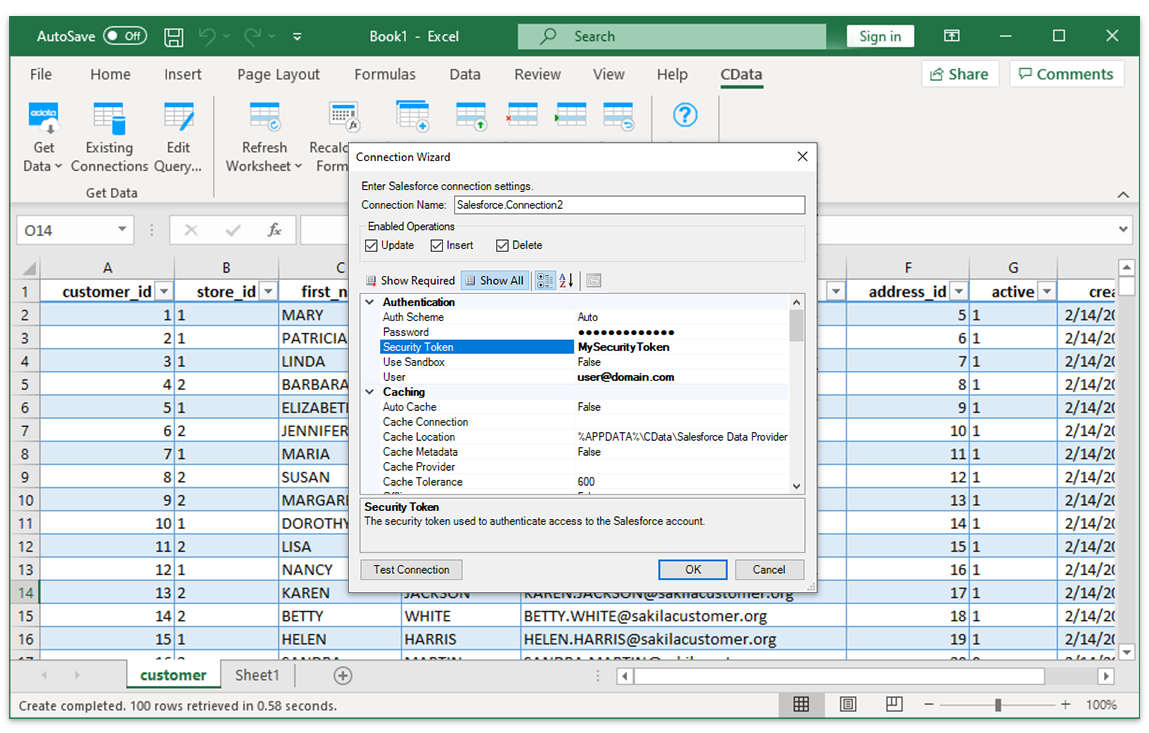
Select Tables and Columns
Once the data connection is configured, just specify the table and the Excel Add-In will populate a new Excel sheet with live Sybase IQ Data.
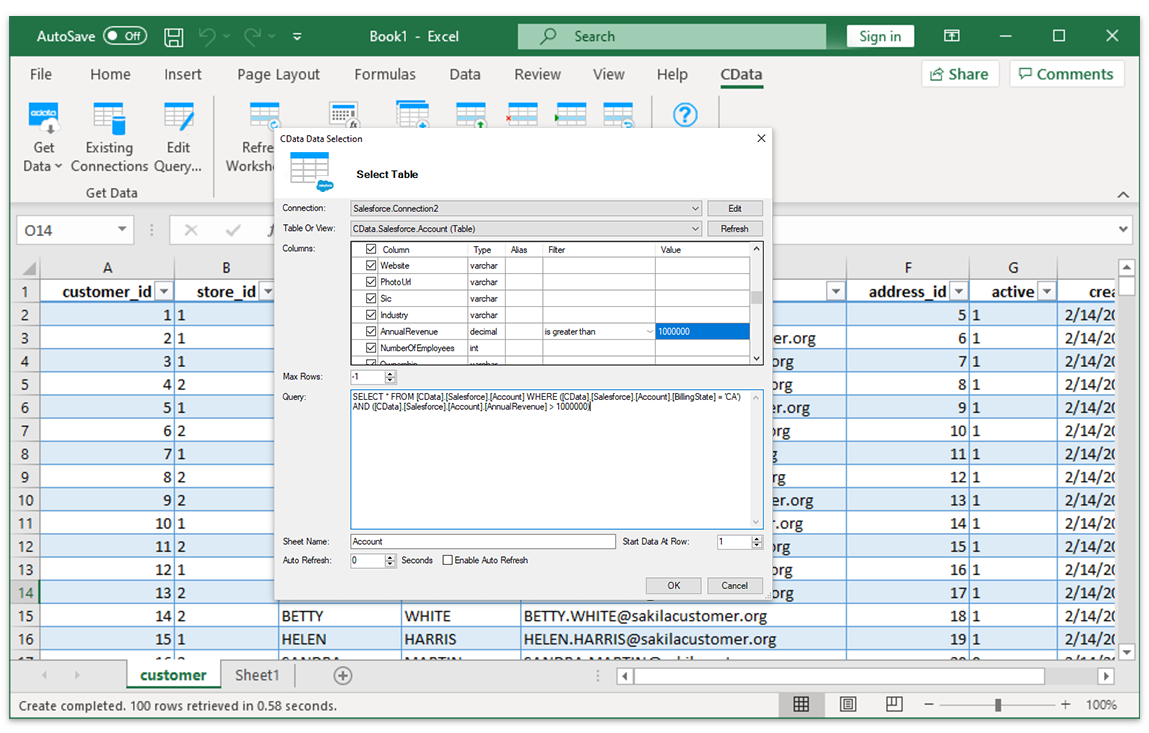
Sybase IQ Data With The Full Power of Excel
Perfect for mass imports / exports / updates, data cleansing & de-duplication, Excel based data analysis, and more!
- Modify and delete Records.
- Quickly export and backup data.
- Operate on data with Charts and Pivot Tables.
Frequent Sybase IQ Excel Connectivity questions
Common questions about integrating Sybase IQ with Microsoft Excel.
How do I connect Sybase IQ to Excel?
The Sybase IQ Excel Connector is fully integrated with the Excel toolbar and ribbon, providing direct access to live data with a single click. Installing the Sybase IQ Excel Add-In creates a new CData data access toolbar in Excel that users can access to connect to remote data. From the Excel toolbar, users can select any of the installed CData Add-Ins to configure a connection to any data source. Once the Sybase IQ Excel integration is configured, just select a table from Sybase IQ and the Excel Add-In will populate a new Excel sheet with live Data.
Can I export Sybase IQ to Excel?
Configuring a Sybase IQ export to Excel is a thing of the past — no more downloading or copying & pasting to make sure you have the freshest data. The Sybase IQ Add-In provides live direct connectivity to Sybase IQ and does not require a Sybase IQ Excel export. Simply click the Refresh button from the Excel Sybase IQ plugin and the tool will download Sybase IQ to excel instantly.
Is it possible to edit Sybase IQ data from Excel?
Our integration enables live, bi-directional access to Sybase IQ data directly from Excel. Easily pull live data into your spreadsheet, make changes, and push updates back to Sybase IQ — all without leaving Excel. Edited cells are automatically highlighted to show differences from the source data. When ready, click the Update Rows button in the CData Add-In toolbar to sync your changes.
Is there a free trial available?
Absolutely. Free trials are available for all CData products. Your 30-day free trial of the Sybase IQ Excel Connector will begin as soon as you have downloaded the Sybase IQ Excel Add-In and completed the intallation process. The trial provides full, unrestricted access to all features and capabilities of the Sybase IQ Excel Connector.
Start your trial today: Sybase IQ Excel Add-In free download.
Popular Excel Videos:

Download the Sybase IQ Excel Add-In
Building custom dashboards & reports that connect with live Sybase IQ data has never been easier. Download the CData Excel Add-In for Sybase IQ now, and get connected.