





Use Agno to Talk to Your Amazon Athena Data via CData Connect AI

Agno is a developer-first Python framework for building AI agents that reason, plan, and take actions using tools. Agno emphasizes a clean, code-driven architecture where the agent runtime remains fully under developer control.
CData Connect AI provides a secure cloud-to-cloud interface for integrating 300+ enterprise data sources with AI systems. Using Connect AI, live Amazon Athena data data can be exposed through a remote MCP endpoint without replication.
In this guide, we build a production-ready Agno agent using the Agno Python SDK. The agent connects to CData Connect AI via MCP using streamable HTTP, dynamically discovers available tools, and invokes them to query live Amazon Athena data.
Prerequisites
- Python 3.9+.
- A CData Connect AI account – Sign up or log in here.
- An active Amazon Athena account with valid credentials.
- An LLM API key (for example, OpenAI).
Overview
Here is a high-level overview of the process:
- Connect: Configure a Amazon Athena connection in CData Connect AI.
- Discover: Use MCP to dynamically retrieve tools exposed by CData Connect AI.
- Query: Wrap MCP tools as Agno functions and query live Amazon Athena data.
About Amazon Athena Data Integration
CData provides the easiest way to access and integrate live data from Amazon Athena. Customers use CData connectivity to:
- Authenticate securely using a variety of methods, including IAM credentials, access keys, and Instance Profiles, catering to diverse security needs and simplifying the authentication process.
- Streamline their setup and quickly resolve issue with detailed error messaging.
- Enhance performance and minimize strain on client resources with server-side query execution.
Users frequently integrate Athena with analytics tools like Tableau, Power BI, and Excel for in-depth analytics from their preferred tools.
To learn more about unique Amazon Athena use cases with CData, check out our blog post: https://www.cdata.com/blog/amazon-athena-use-cases.
Getting Started
Step 1: Configure Amazon Athena in CData Connect AI
To enable Agno to query live Amazon Athena data, first create a Amazon Athena connection in CData Connect AI. This connection is exposed through the CData Remote MCP Server.
-
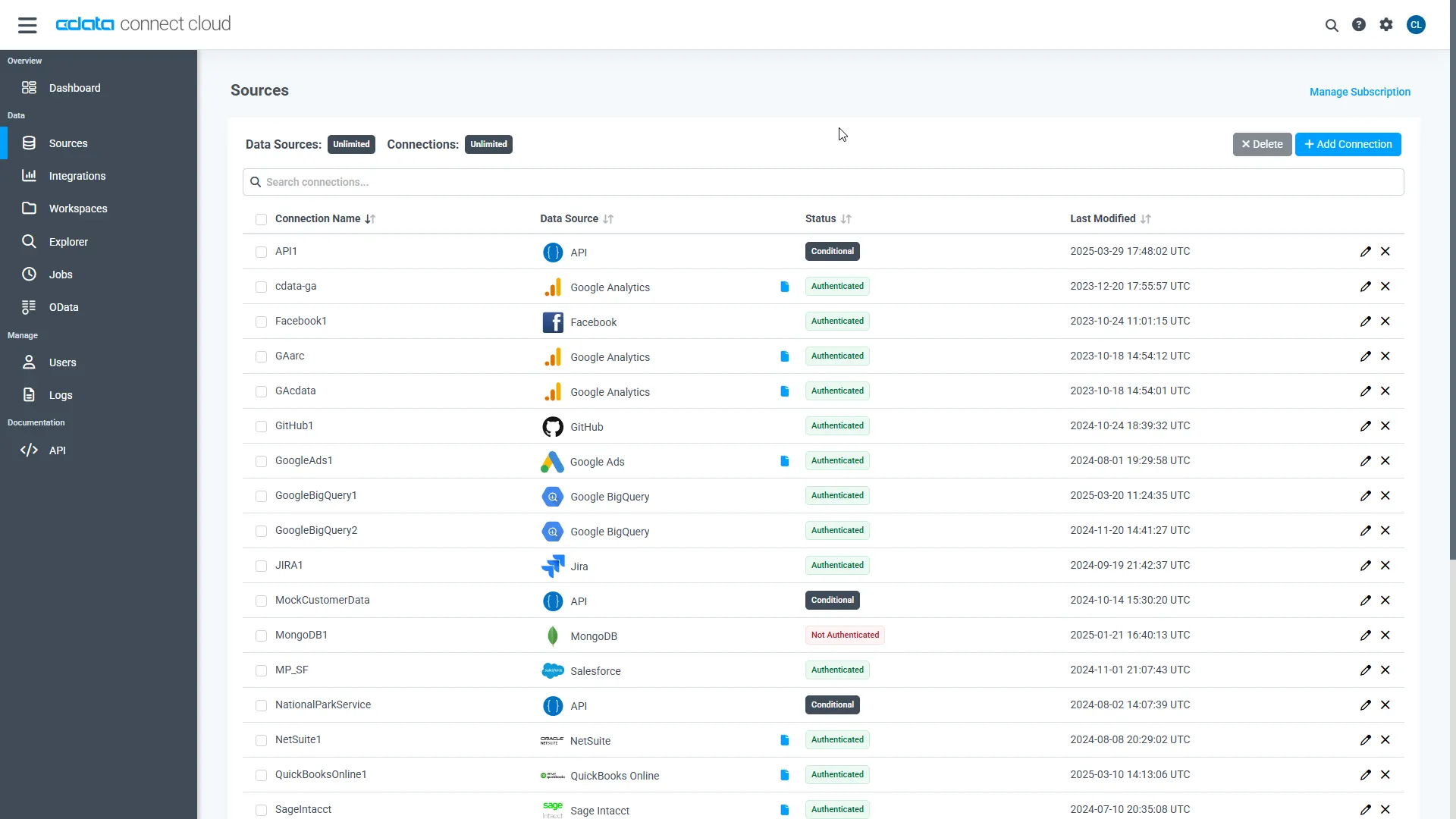
Log into Connect AI, click Sources, and then click
Add Connection.
-
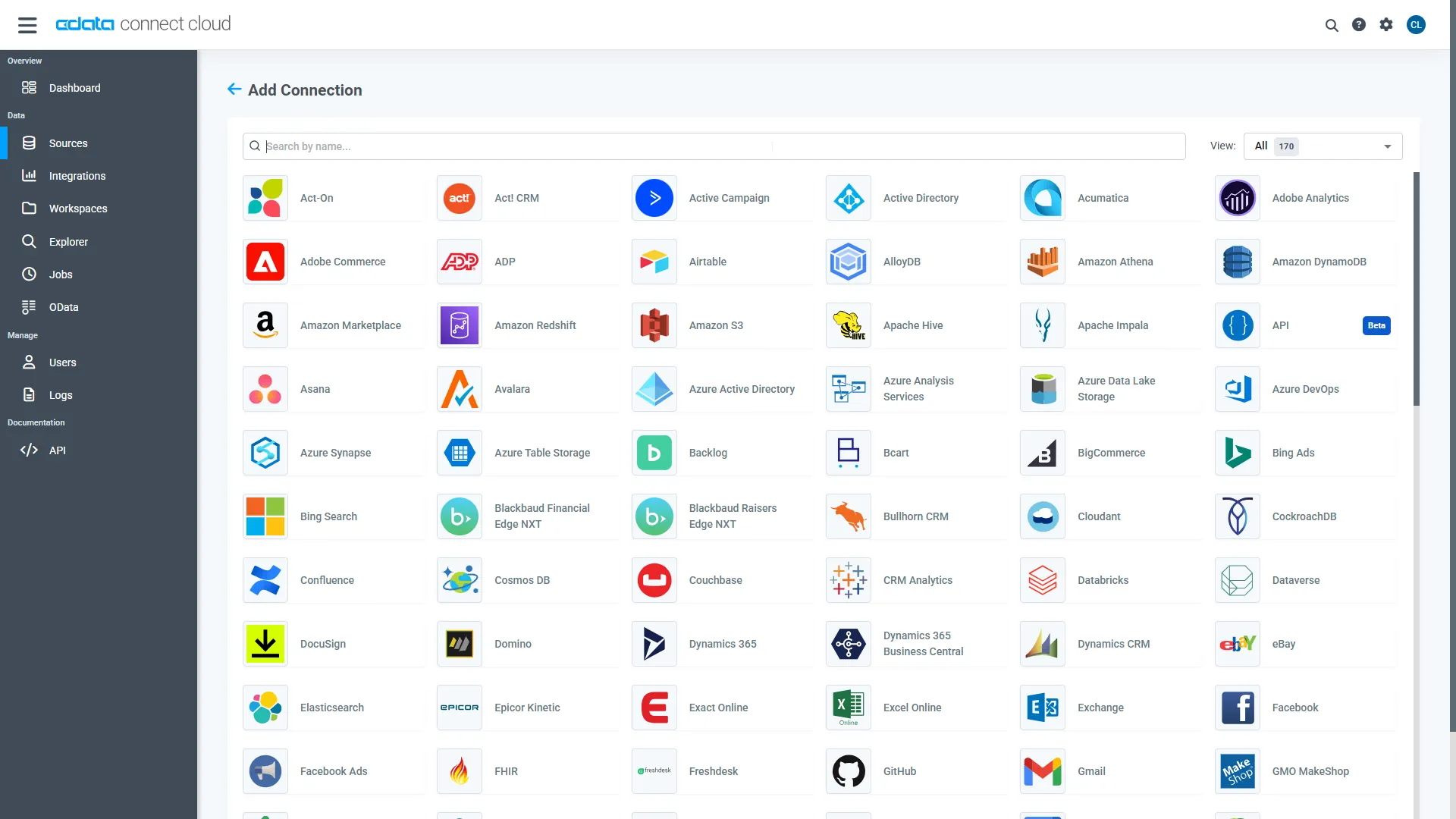
Select "Amazon Athena" from the Add Connection panel.
-
Enter the required authentication properties.
Authenticating to Amazon Athena
To authorize Amazon Athena requests, provide the credentials for an administrator account or for an IAM user with custom permissions: Set AccessKey to the access key Id. Set SecretKey to the secret access key.
Note: Though you can connect as the AWS account administrator, it is recommended to use IAM user credentials to access AWS services.
Obtaining the Access Key
To obtain the credentials for an IAM user, follow the steps below:
- Sign into the IAM console.
- In the navigation pane, select Users.
- To create or manage the access keys for a user, select the user and then select the Security Credentials tab.
To obtain the credentials for your AWS root account, follow the steps below:
- Sign into the AWS Management console with the credentials for your root account.
- Select your account name or number and select My Security Credentials in the menu that is displayed.
- Click Continue to Security Credentials and expand the Access Keys section to manage or create root account access keys.
Authenticating from an EC2 Instance
If you are using the CData Data Provider for Amazon Athena 2018 from an EC2 Instance and have an IAM Role assigned to the instance, you can use the IAM Role to authenticate. To do so, set UseEC2Roles to true and leave AccessKey and SecretKey empty. The CData Data Provider for Amazon Athena 2018 will automatically obtain your IAM Role credentials and authenticate with them.
Authenticating as an AWS Role
In many situations it may be preferable to use an IAM role for authentication instead of the direct security credentials of an AWS root user. An AWS role may be used instead by specifying the RoleARN. This will cause the CData Data Provider for Amazon Athena 2018 to attempt to retrieve credentials for the specified role. If you are connecting to AWS (instead of already being connected such as on an EC2 instance), you must additionally specify the AccessKey and SecretKey of an IAM user to assume the role for. Roles may not be used when specifying the AccessKey and SecretKey of an AWS root user.
Authenticating with MFA
For users and roles that require Multi-factor Authentication, specify the MFASerialNumber and MFAToken connection properties. This will cause the CData Data Provider for Amazon Athena 2018 to submit the MFA credentials in a request to retrieve temporary authentication credentials. Note that the duration of the temporary credentials may be controlled via the TemporaryTokenDuration (default 3600 seconds).
Connecting to Amazon Athena
In addition to the AccessKey and SecretKey properties, specify Database, S3StagingDirectory and Region. Set Region to the region where your Amazon Athena data is hosted. Set S3StagingDirectory to a folder in S3 where you would like to store the results of queries.
If Database is not set in the connection, the data provider connects to the default database set in Amazon Athena.
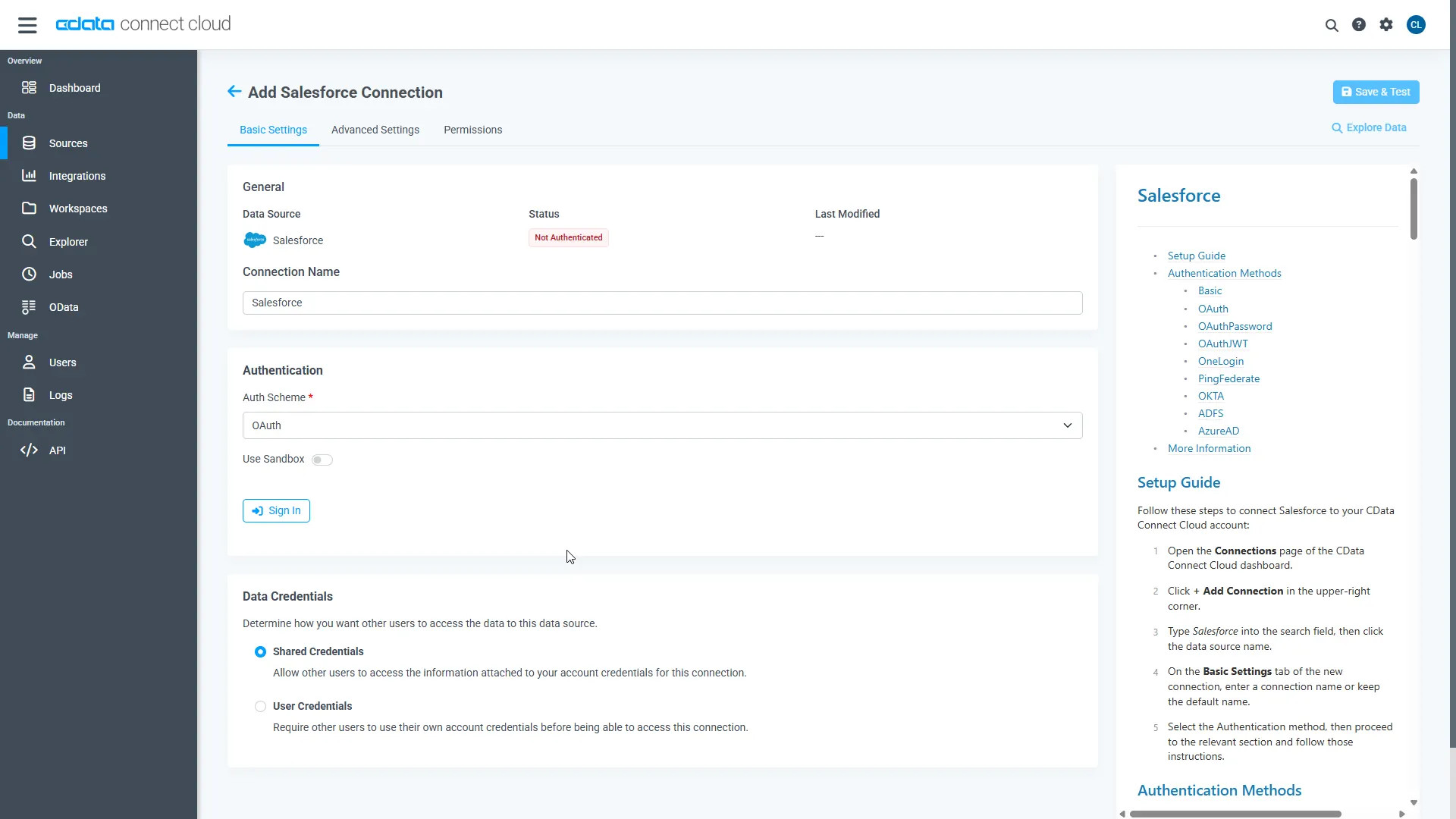 Click Create & Test.
-
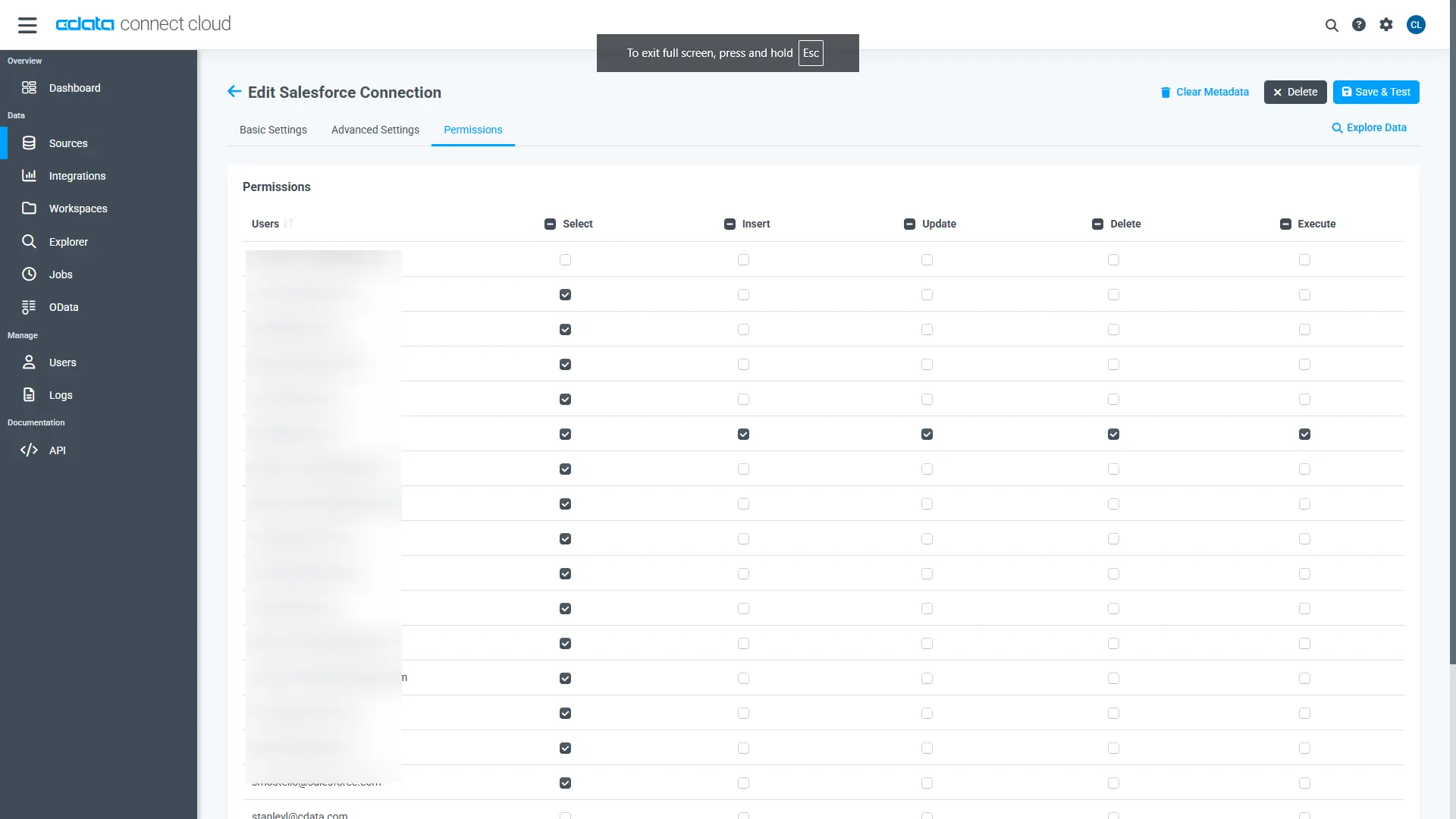
Open the Permissions tab and configure user access.
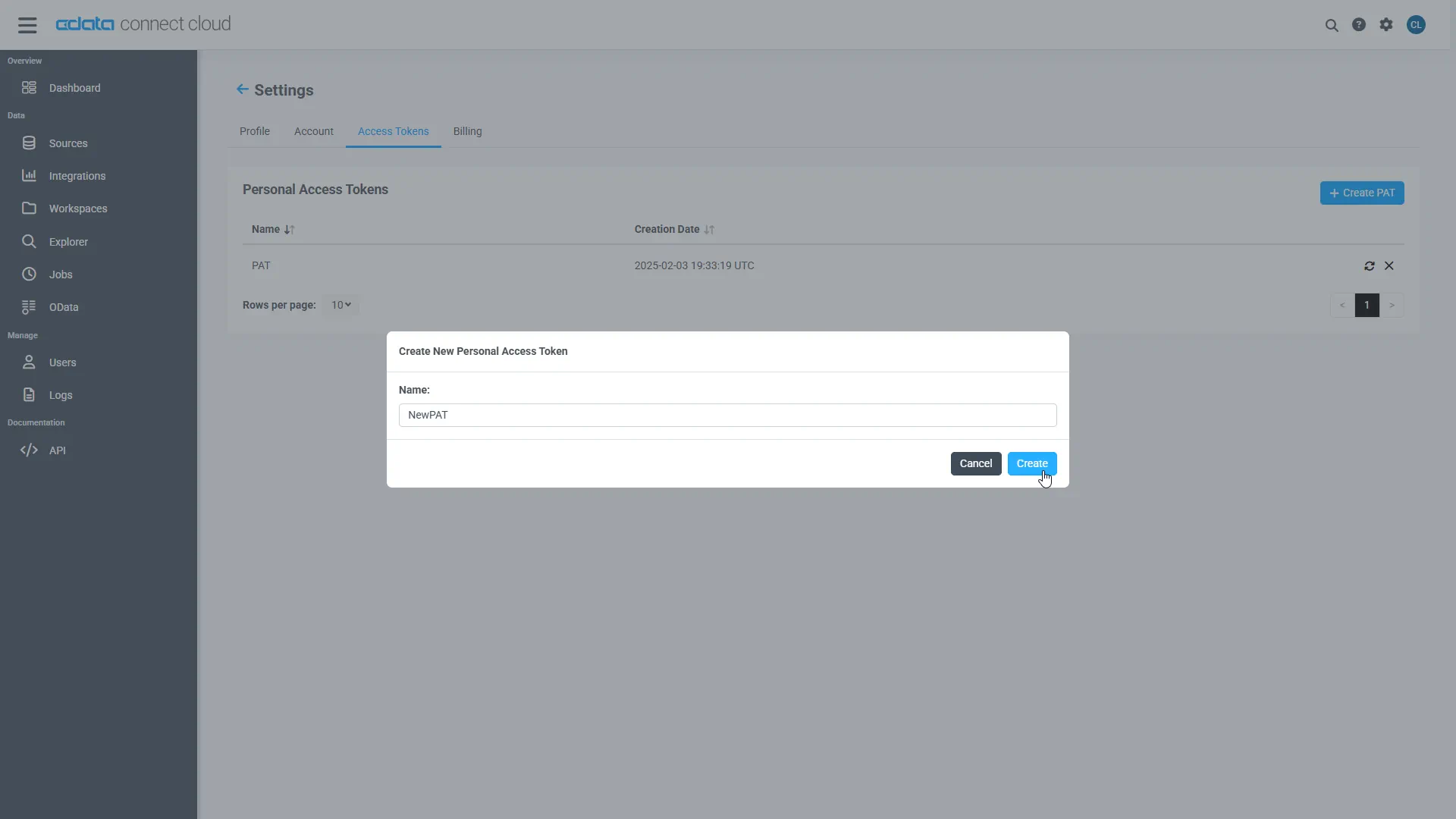
Add a Personal Access Token
A Personal Access Token (PAT) authenticates MCP requests from Agno to CData Connect AI.
- Open Settings and navigate to Access Tokens.
- Click Create PAT.
-
Save the generated token securely.
Step 2: Install dependencies and configure environment variables
Install Agno and the MCP adapter dependencies. LangChain is included strictly for MCP tool compatibility.
pip install agno agno-mcp langchain-mcp-adapters
Configure environment variables:
export CDATA_MCP_URL="https://mcp.cloud.cdata.com/mcp"
export CDATA_MCP_AUTH="Base64EncodedCredentials"
export OPENAI_API_KEY="your-openai-key"
Where "Base64EncodedCredentials" is your Connect AI user email and your Personal Access Token joined by a colon (":") and Base64 Encoded: Base64([email protected]:MY_CONNECT_AI_PAT)
Step 3: Connect to CData Connect AI via MCP
Create an MCP client using streamable HTTP. This establishes a secure connection to CData Connect AI.
import os
from langchain_mcp_adapters.client import MultiServerMCPClient

mcp_client = MultiServerMCPClient(
  connections={
    "default": {
      "transport": "streamable_http",
      "url": os.environ["CDATA_MCP_URL"],
      "headers": {
        "Authorization": f"Basic {os.environ['CDATA_MCP_AUTH']}"
      }
    }
  }
)
Step 4: Discover MCP tools
CData Connect AI exposes operations as MCP tools. These are retrieved dynamically at runtime.
langchain_tools = await mcp_client.get_tools()
for tool in langchain_tools:
  print(tool.name)
Step 5: Convert MCP tools to Agno functions
Each MCP tool is wrapped as an Agno function so it can be used by the agent.
NOTE: Agno performs all reasoning, planning, and tool selection.LangChain is used only as a lightweight MCP compatibility layer to consume tools exposed by CData Connect AI.
from agno.tools import Function

def make_tool_caller(lc_tool):
  async def call_tool(**kwargs):
    return await lc_tool.ainvoke(kwargs)
  return call_tool
Step 6: Create an Agno agent and query live Amazon Athena data
Agno performs all reasoning, planning, and tool invocation. LangChain plays no role beyond MCP compatibility.
from agno.agent import Agent
from agno.models.openai import OpenAIChat

agent = Agent(
  model=OpenAIChat(
    id="gpt-4o",
    temperature=0.2,
    api_key=os.environ["OPENAI_API_KEY"]
  ),
  tools=agno_tools,
  markdown=True
)

await agent.aprint_response(
  "Show me the top 5 records from the available data source"
)

if __name__ == "__main__":
    asyncio.run(main())
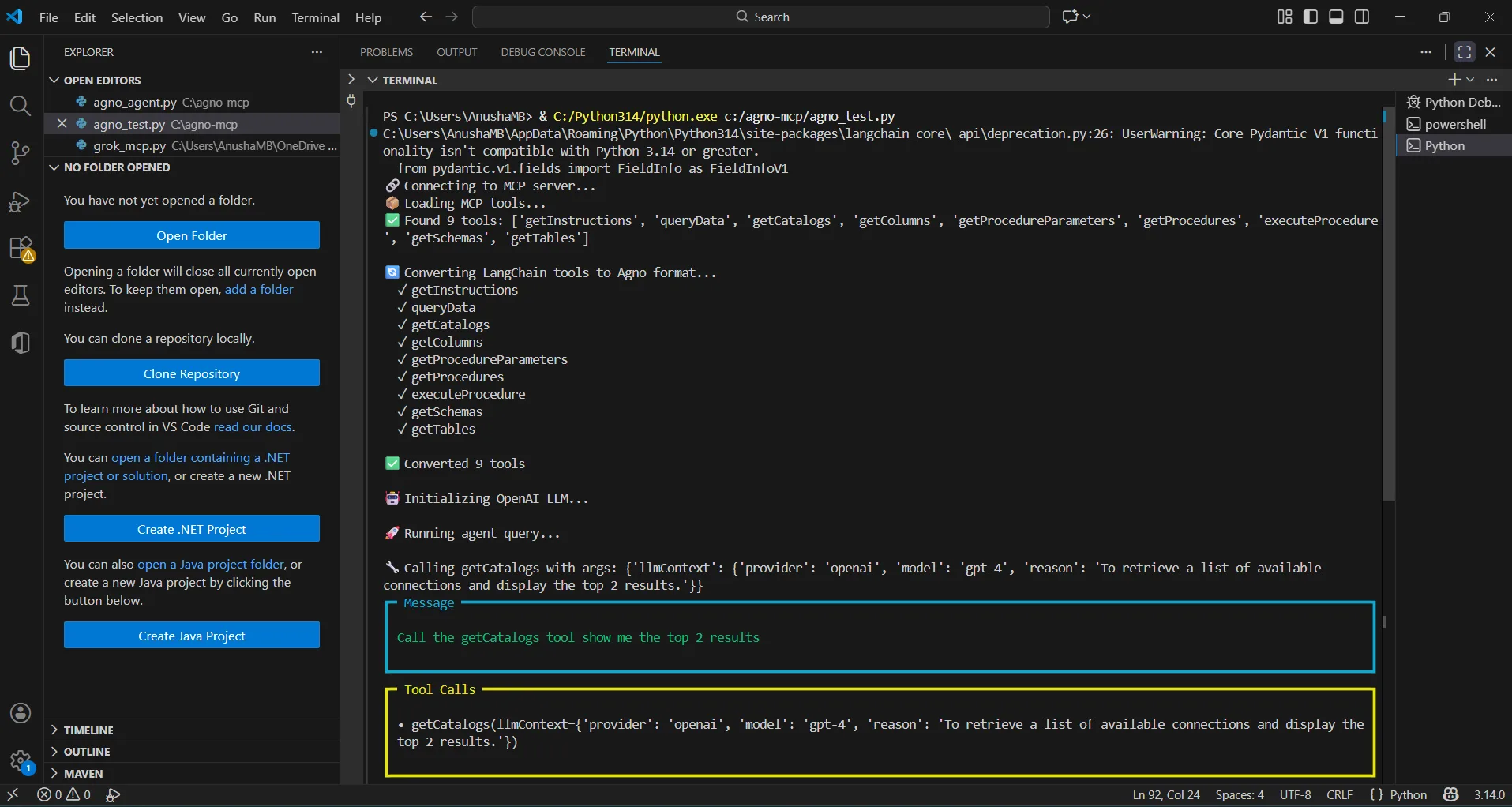
The results below show an Agno agent invoking MCP tools through CData Connect AI and returning live Amazon Athena data data.
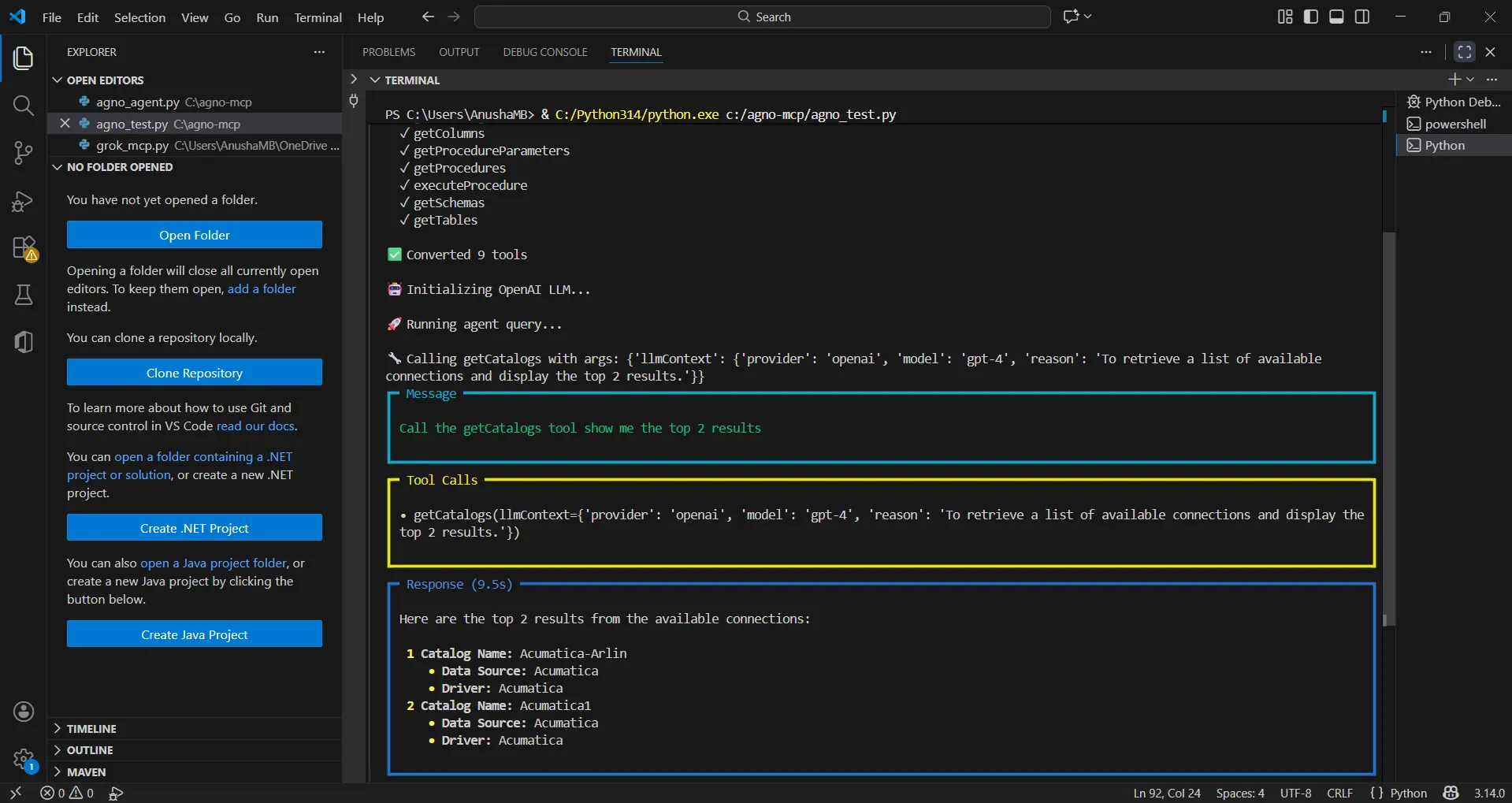
You can now query live Amazon Athena data using natural language through your Agno agent.
Get CData Connect AI
To get live data access to 300+ SaaS, Big Data, and NoSQL sources directly from your cloud applications, try CData Connect AI today!