




Consume Claude Compliance OData Feeds in PowerBuilder

The CData API Server produces secure feeds of Claude Compliance data that you can consume in PowerBuilder DataWindows. The API Server supports the major Web services, including OData, Atom, JSON, HTML, CSV, TSV, and RSS. It also supports the major authentication schemes and SSL.
This article shows how to create a DataWindow that uses the CData API Server to retrieve data.
Set Up the API Server
Follow the steps below to begin producing secure Claude Compliance OData services:
Deploy
The API Server runs on your own server. On Windows, you can deploy using the stand-alone server or IIS. On a Java servlet container, drop in the API Server WAR file. See the help documentation for more information and how-tos.
The API Server is also easy to deploy on Microsoft Azure, Amazon EC2, and Heroku.
Connect to Claude Compliance
After you deploy the API Server, provide authentication values and other connection properties needed to connect to Claude Compliance by clicking Settings -> Connections and adding a new connection in the API Server administration console.
The driver connects to Claude Compliance using a Compliance Access Key, the only supported authentication method. Set the following connection property:
- APIKey: The Compliance Access Key you created.
Creating a Compliance Access Key
- Enable the Compliance API for your organization.
- Sign in to claude.ai as a primary owner or organization owner and open Organization settings > API > Keys.
- Select Create Key and assign only the scopes your integration needs:
- read:compliance_activities for Activities and the typed activity views.
- read:compliance_org_data for organizations, roles, groups, and settings.
- read:compliance_user_data for users, chats, files, projects, and downloads.
- delete:compliance_user_data for the explicit Delete stored procedures.
- Create the key and copy it when it appears. The key starts with sk-ant-api01- and is shown only once.
Optionally, set OrganizationUUID to limit organization-scoped views (such as OrganizationUsers and ComplianceRoles) to a single linked organization. If it is left empty, those views default to the first available organization and do not include data from all linked organizations.
You can then choose the Claude Compliance entities you want to allow the API Server access to by clicking Settings -> Resources.
Additionally, click Settings -> Server and change the following settings for compatibility with PowerBuilder:
- Default Format: Select XML (Atom) in the menu.
- Default Version: Select 2.0 in the menu.
Authorize API Server Users
After determining the OData services you want to produce, authorize users by clicking Settings -> Users. The API Server uses authtoken-based authentication and supports the major authentication schemes. Access can also be restricted based on IP address; by default, only connections to the local machine are allowed. You can authenticate as well as encrypt connections with SSL.
Create a Profile for Claude Compliance
Follow the steps below to use the Database Painter tool to create a database profile for the OData API of the API Server. In the Database Painter, you can graphically manipulate data as well as execute SQL queries.
- Click Tools -> Database Painter.
- Right-click the OData node and click New Profile.
- In the Database Profile Setup dialog, enter the following:
- Profile Name: Enter a user-friendly name for the profile.
- URI: Enter the URL to the OData endpoint of the API Server. This URL will resemble the one below:
http://MyServer:8080/api.rsc - Supply User Id and Password: Click this option to use HTTP Basic authentication. Note that the API Server also supports Windows authentication.
- User Id: Enter the name of an user in the API Server.
- Password: Enter the authtoken of an user in the API Server.
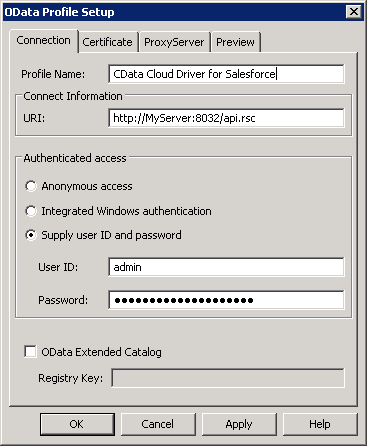
- To view and modify a table, right-click a table and then click Edit Data -> Grid.
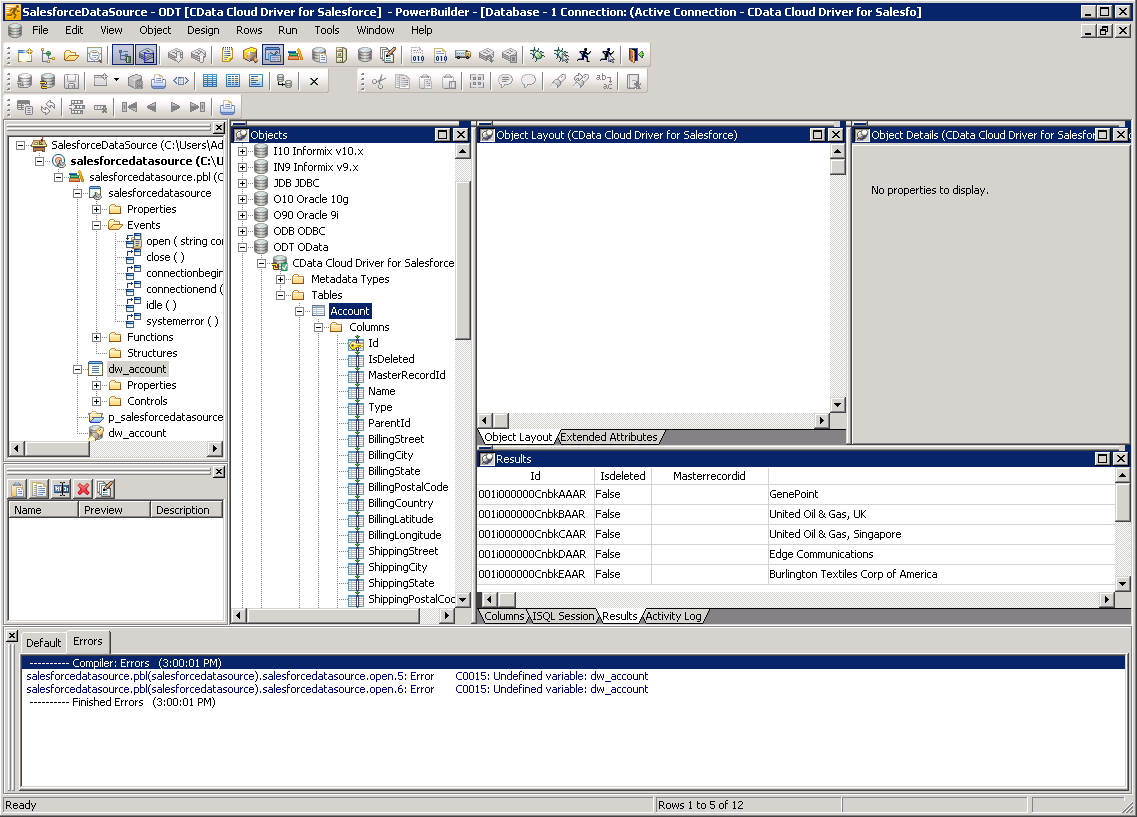
Using Claude Compliance Data with PowerBuilder Controls
You can use standard PowerBuilder objects to connect to OData feeds and execute queries. The following example shows how to retrieve Claude Compliance data into a DataWindow.
You can add the following code to the open method:
SQLCA.DBMS = "ODT"
SQLCA.DBParm = "ConnectString='URI=http://MyServer:8080/api.rsc;UID=MyAPIUser;PWD=MyAuthtoken'";
CONNECT USING SQLCA;
dw_projects.SetTransObject(SQLCA);
dw_projects.Retrieve();