





Connect to Yotpo Data from Blazor Apps

Blazor is a framework for developing modern, client-side web UIs using .NET technology. Instead of coding in JavaScript, developers can use the familiar C# language and .NET libraries to build app UIs.
The CData API Driver for ADO.NET can be used with standard ADO.NET interfaces, such as LINQ and Entity Framework, to interact with live Yotpo data. Since Blazor supports .NET Core, developers can use CData ADO.NET Providers in Blazor apps. In this article, we will guide you to build a simple Blazor app that talks to Yotpo using standard SQL queries.
Install the CData API Driver for ADO.NET
CData ADO.NET Providers allow users to access Yotpo just like they would access SQL Server, using simple SQL queries.
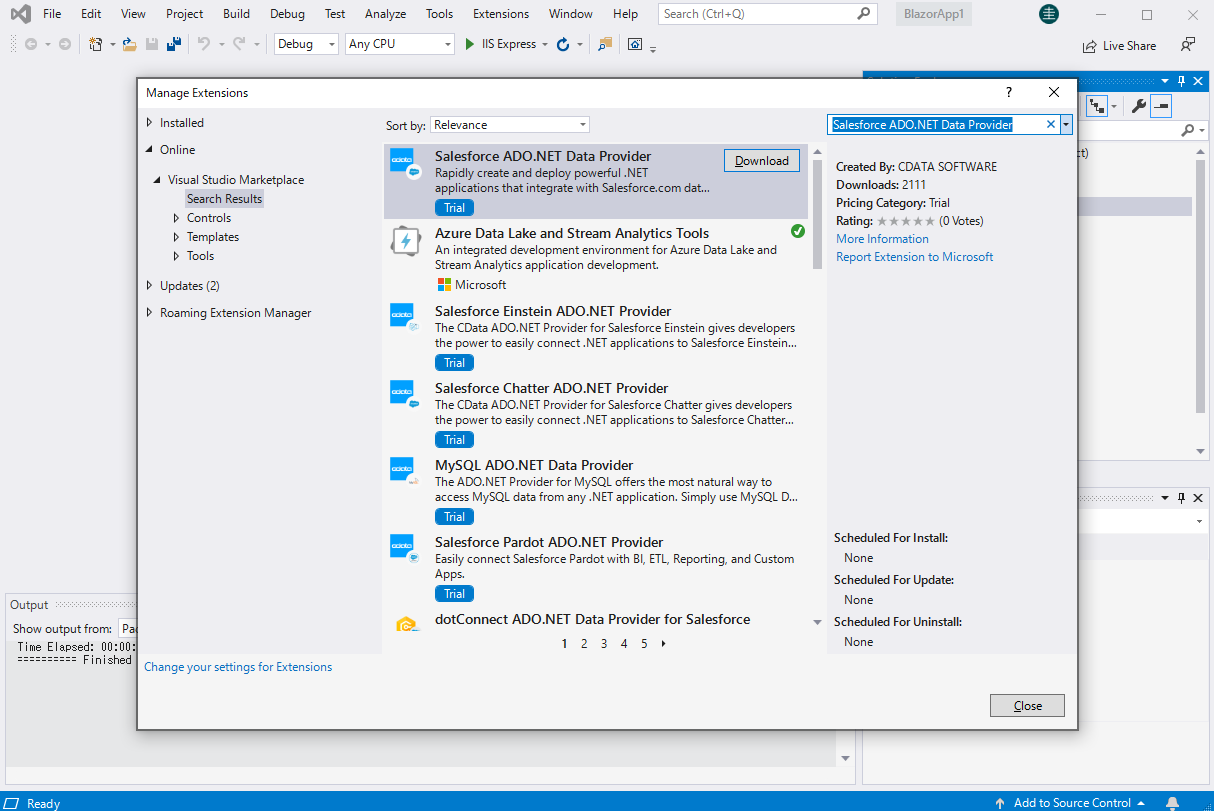
Install the Yotpo ADO.NET Data Provider from the CData website or from NuGet. Search NuGet for "Yotpo ADO.NET Data Provider."
Create a Yotpo-Connected Blazor App
Start by creating a Blazor project that references the CData API Driver for ADO.NET
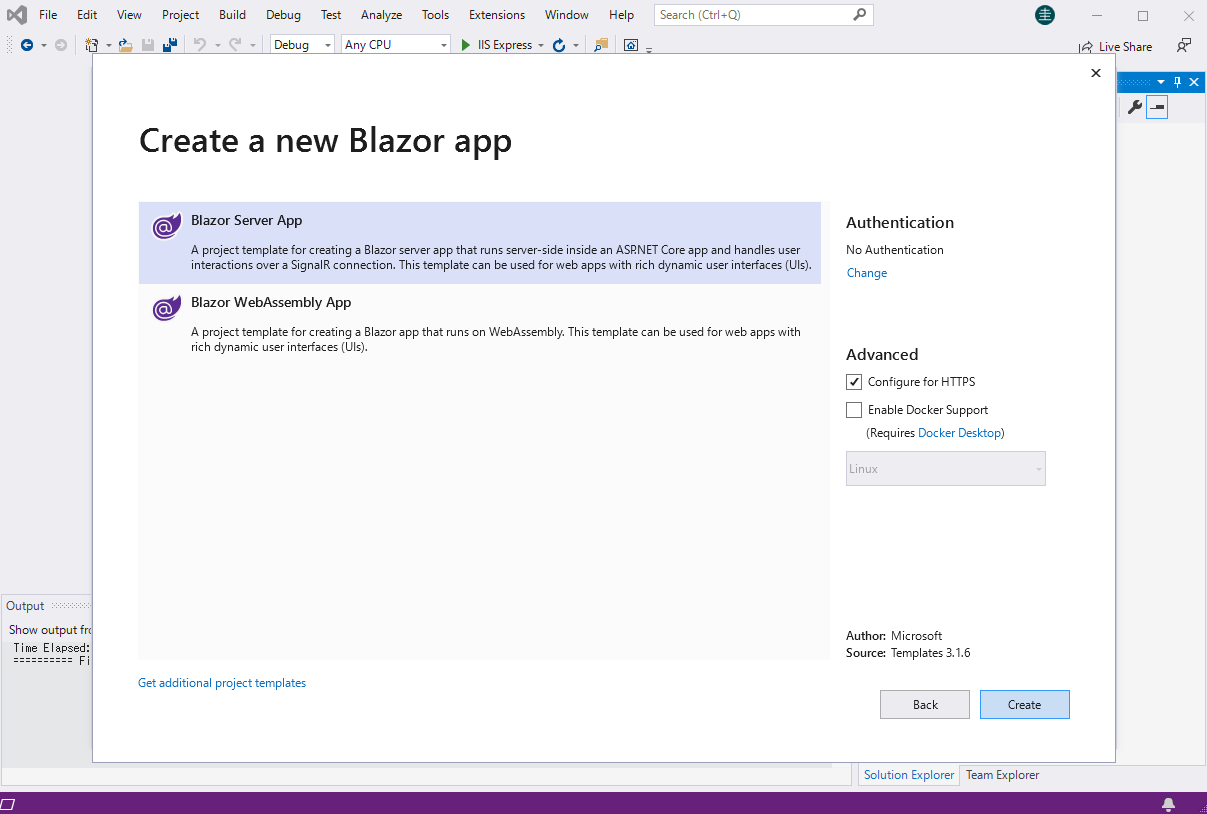
- Create a Blazor project on Visual Studio.
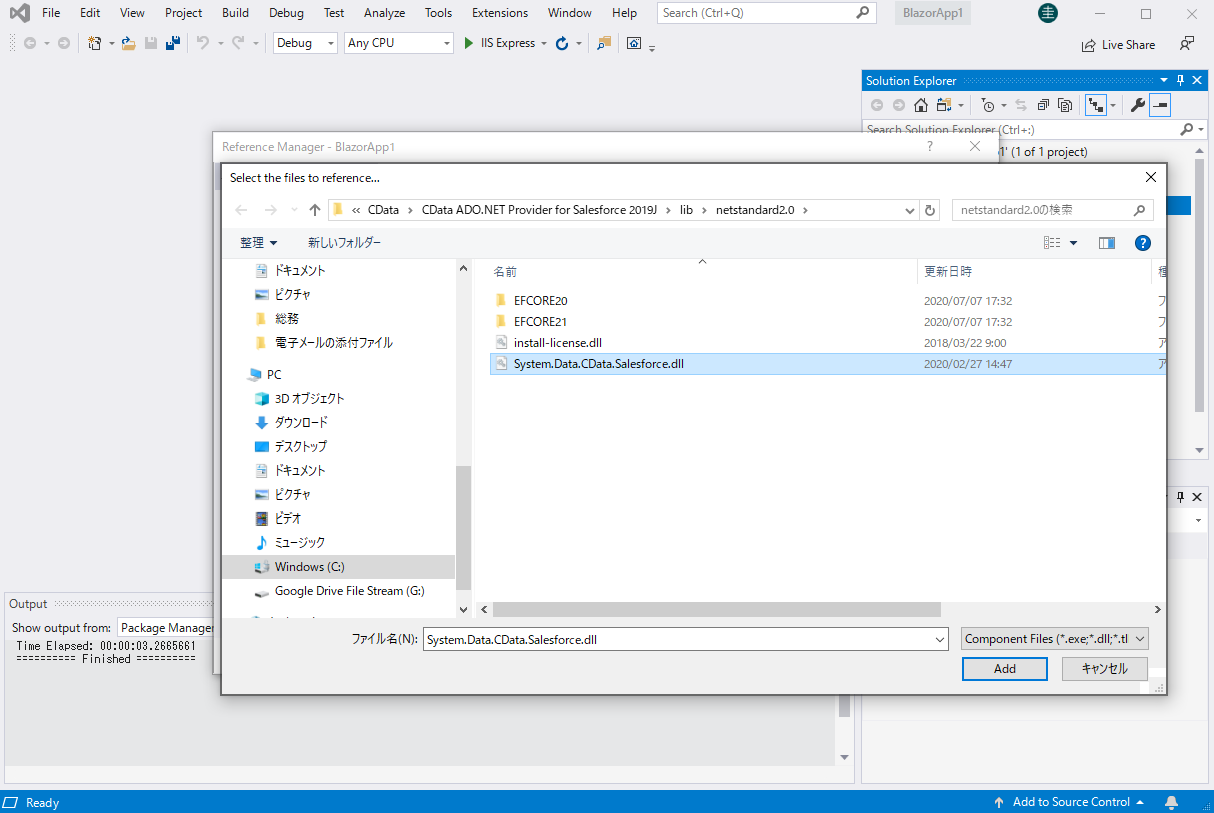
- From the Solution Explorer, right click Dependencies, then click Add Project Reference.
- In the Reference Manager, click the Browse button, and choose the .dll file of the installed ADO.NET Provider (e.g. System.Data.CData.API.dll, typically located at C:\Program Files\CData\CData API Driver for ADO.NET\lib etstandard2.0).
SELECT Yotpo Data from the Blazor App
- Open the Index.razor file from the Project page.
- In a APIConnection object, set the connection string:
Start by setting the Profile connection property to the location of the Yotpo Profile on disk (e.g. C:\profiles\Yotpo.apip). Next, set the ProfileSettings connection property to the connection string for Yotpo (see below).
Yotpo API Profile Settings
To authenticate to Yotpo, you can use the OAuth 2.0 client credentials flow with your Yotpo AppKey and AppSecret.
To use the Yotpo API, you need a Yotpo store account with an AppKey and AppSecret. You can find these credentials in the Yotpo dashboard under Account Settings > Store.
After setting the following connection properties, you are ready to connect:
- AuthScheme: Set this to OAuthClient.
- InitiateOAuth: Set this to GETANDREFRESH. You can use InitiateOAuth to manage the process to obtain the OAuthAccessToken.
- OAuthClientId: Set this to your Yotpo AppKey.
- OAuthClientSecret: Set this to your Yotpo AppSecret.
For example: Profile=C:\profiles\Yotpo.apip;AuthScheme=OAuthClient;InitiateOAuth=GETANDREFRESH;OAuthClientId=your_app_key;OAuthClientSecret=your_app_secret;
- The code below creates a simple Blazor app for displaying Yotpo data, using standard SQL to query Yotpo just like SQL Server.
@page "/" @using System.Data; @using System.Data.CData.API; <h1>Hello, world!</h1> Welcome to your Data app. <div class="row"> <div class="col-12"> @using (APIConnection connection = new APIConnection( "Profile=C:\profiles\Yotpo.apip;AuthScheme=OAuthClient;InitiateOAuth=GETANDREFRESH;OAuthClientId=your_app_key;OAuthClientSecret=your_app_secret;")) { var sql = "SELECT TotalReview, AverageScore FROM ProductBottomLine WHERE ExternalProductId = 'my-product-sku'"; var results = new DataTable(); APIDataAdapter dataAdapter = new APIDataAdapter(sql, connection); dataAdapter.Fill(results); <table class="table table-bordered"> <thead class="thead-light"> <tr> @foreach (DataColumn item in results.Rows[0].Table.Columns) { <th scope="col">@item.ColumnName</th> } </tr> </thead> <tbody> @foreach (DataRow row in results.Rows) { <tr> @foreach (var column in row.ItemArray) { <td>@column.ToString()</td> } </tr> } </tbody> </table> } </div> </div> - Rebuild and run the project. The ADO.NET Provider renders Yotpo data as an HTML table in the Blazor app.
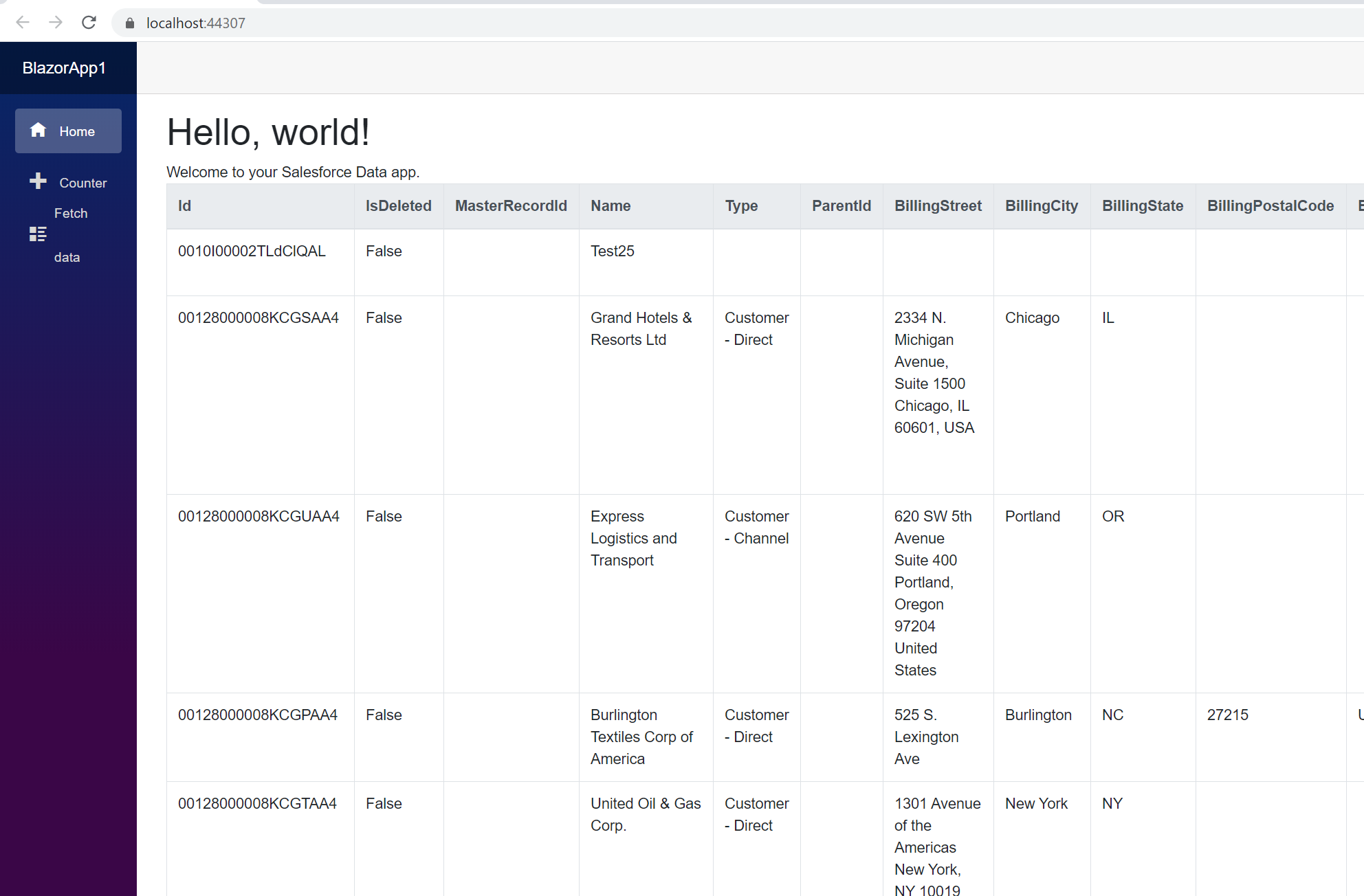
At this point, you have a Yotpo-connected Blazor app, capable of working with live Yotpo data just like you would work with a SQL Server instance. Download a free, 30-day trial and start working with live Yotpo data in your Blazor apps today.