






This page collects the settings, commands and snippets you need to read Active Directory from Python on Linux, in the order you usually reach for them. It assumes the CData ODBC Driver for Active Directory, unixODBC and pyodbc, and it doesn't explain much. The values come from the driver's own sample configuration, so replace the domain, server and credentials with yours.
Setup commands
| Task | Command or file |
|---|---|
| Install unixODBC on Debian or Ubuntu | sudo apt-get install unixodbc unixodbc-dev |
| Install unixODBC on Red Hat family | sudo yum install unixODBC unixODBC-devel |
| Install the driver (.deb) | dpkg -i /path/to/package.deb as root |
| Install the driver (.rpm) | rpm -i /path/to/package.rpm as root |
| Show config file locations | odbcinst -j |
| List registered drivers | odbcinst -q -d |
| List defined data sources | odbcinst -q -s |
| Driver encoding file | cdata.odbc.activedirectory.ini in the lib folder of /opt/cdata/cdata-odbc-driver-for-activedirectory |
| Python module | pip install pyodbc |
The driver INI file needs this setting for unixODBC:
[Driver]
DriverManagerEncoding = UTF-16
DSN and odbc.ini settings
| Property | What to put in it | Example |
|---|---|---|
| User | A domain login or a distinguished name | Domain\BobF or cn=Bob F,ou=Employees,dc=Domain |
| Password | The password for that account | bob123 |
| Server | IP address or host name of a domain controller | 10.0.1.2 |
| Port | The LDAP port | 389 |
| BaseDN | Where in the tree searches begin | cn=users,dc=domain |
A narrow BaseDN limits LDAP searches to that distinguished name and its children, and CData's notes say it can greatly improve performance. With the example above, only entries inside cn=users come back.
DSN entry
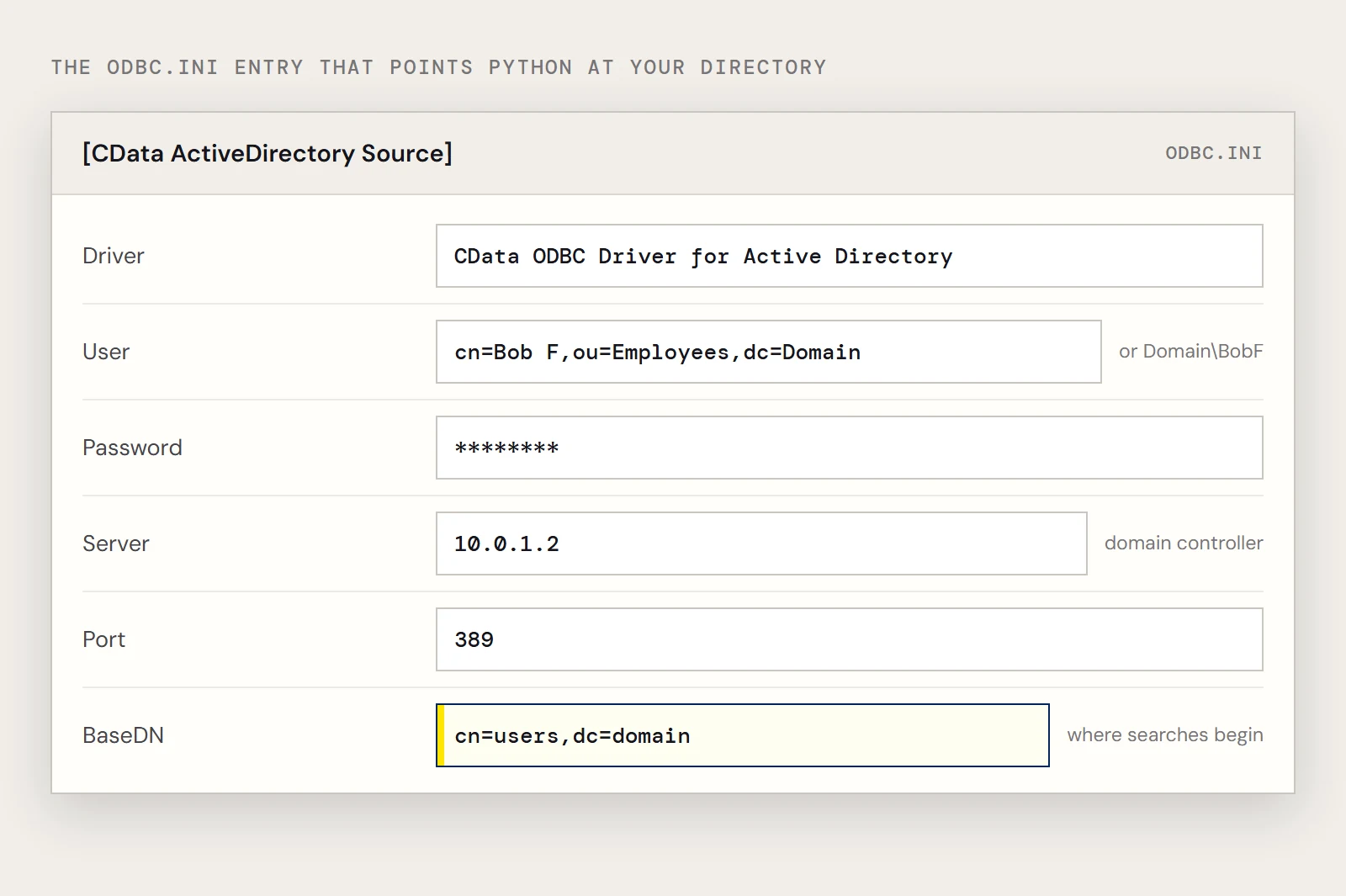
Put this in /etc/odbc.ini for all users, or in $HOME/.odbc.ini for your account only:
[CData ActiveDirectory Source]
Driver = CData ODBC Driver for Active Directory
Description = My Description
User = cn=Bob F,ou=Employees,dc=Domain
Password = bob123
Server = 10.0.1.2
Port = 389
BaseDN = cn=users,dc=domain
The installer creates a system DSN called CData ActiveDirectory Source for you to edit.
Connect
With the DSN, the driver and credentials come from odbc.ini:
import pyodbc
cnxn = pyodbc.connect('DSN=CData ActiveDirectory Source')
Without a DSN, pass the driver name and the properties yourself:
cnxn = pyodbc.connect(
    'DRIVER={CData ODBC Driver for Active Directory};'
    'User=cn=Bob F,ou=Employees,dc=Domain;Password=bob123;'
    'Server=10.0.1.2;Port=389;'
)
Python snippets for directory queries
The directory's users are in a table named User, with columns such as Id, CN and LogonCount.
SELECT Id, LogonCount FROM User
SELECT Id, LogonCount FROM User WHERE CN = 'Administrator'
From Python, pass the common name as a parameter:
cursor = cnxn.cursor()
cursor.execute("SELECT Id, LogonCount FROM User WHERE CN = ?", 'Administrator')
for row in cursor.fetchall():
    print(row.Id, row.LogonCount)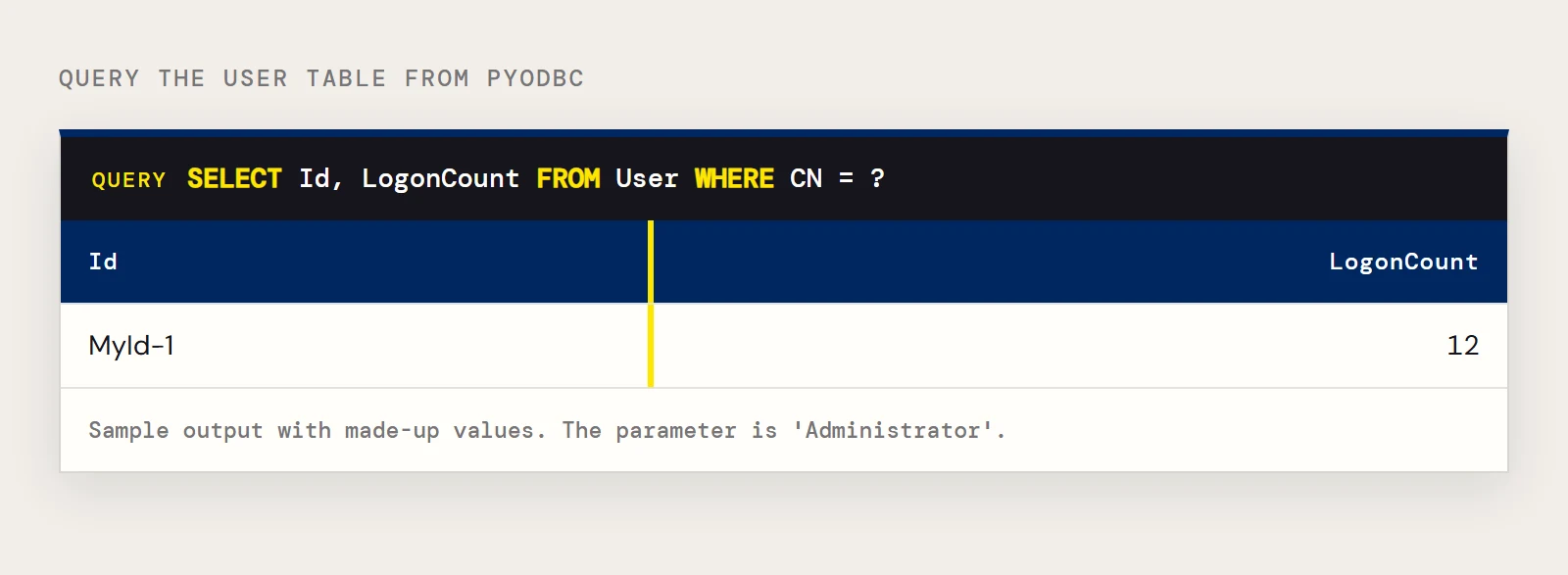
Writes go through the same cursor, followed by a commit. The driver's sample statements are:
cursor.execute("INSERT INTO User (CN) VALUES ('Administrator')")
cnxn.commit()
cursor.execute("UPDATE User SET CN = 'Administrator'")
cnxn.commit()
Run the UPDATE only with a WHERE clause on a real directory, since the sample as written touches every row.
pyodbc calls you will use
| Call | Returns |
|---|---|
| cursor.fetchall() | Every remaining row |
| cursor.fetchone() | The next row |
| cursor.fetchmany(n) | Up to n rows |
| cnxn.commit() | Saves an insert, update or delete |
| cnxn.getinfo(pyodbc.SQL_DATA_SOURCE_NAME) | The data source name, through ODBC SQLGetInfo |
Symptoms and where to look
| You see | Look at |
|---|---|
| The data source name isn't found | odbcinst -q -s for the exact name, and odbcinst -j for which odbc.ini your account reads |
| Works in your shell, fails in a scheduled job | The job's user has a different $HOME/.odbc.ini; use the system file |
| Login rejected | The User format; try both Domain\BobF and the distinguished name |
| Query is slow | Add or narrow BaseDN, select only needed columns, add a WHERE clause |
| Edits don't persist | A missing cnxn.commit() |
If you need the directory copied into a database on a schedule instead of queried live, CData Sync can replicate it so Python reads the copy.
Want to try it on your own system? Download a free trial of the ODBC Driver for Active Directory and run these snippets today.
Ready to get started?
Download a free trial of the Active Directory ODBC Driver to get started:
Download NowLearn more:
 Active Directory ODBC Driver
The Active Directory ODBC Driver is a powerful tool that allows you to connect with live data from Active Directory, directly from any applications that support ODBC connectivity.
Access Active Directory data like you would a database - read, write, and update Active Directory Users, Groups, Roles, Contacts, etc. through a standard ODBC Driver interface.