






If you want to read DynamoDB from a .NET application through Entity Framework, you have more than one way to do it, and the choice mostly comes down to who owns the data model. With the CData ADO.NET Provider for Amazon DynamoDB the model can be generated by a designer, written by hand as classes, or skipped entirely.
Three routes to the same table
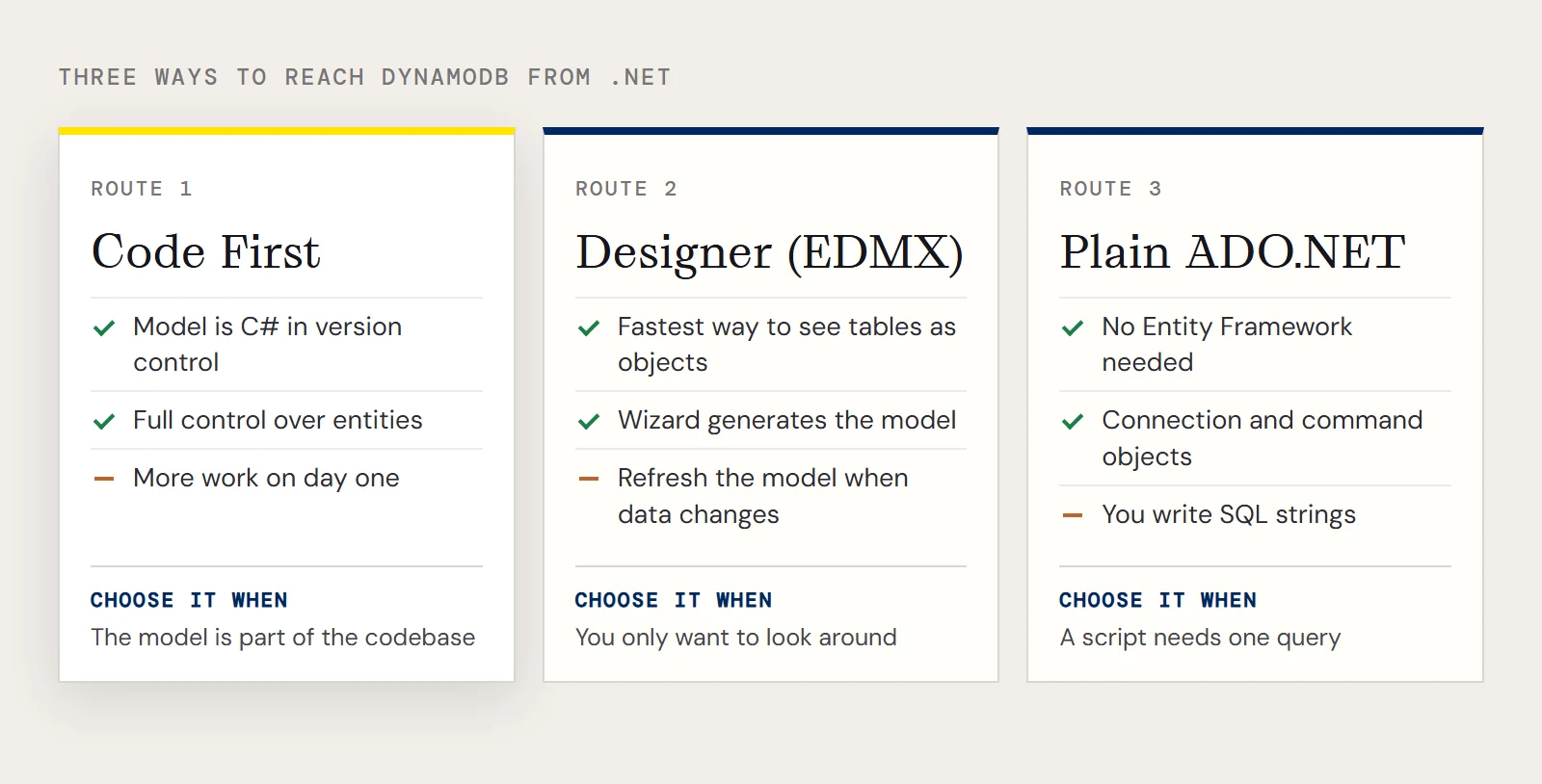
| Code First | Designer (EDMX) | Plain ADO.NET | |
|---|---|---|---|
| Where the model lives | C# classes you write | An .edmx file generated from the database | Nowhere; you write SQL strings |
| How you start | Context and entity classes, plus App.config | ADO.NET Entity Data Model wizard, EF Designer from Database | Connection and command objects |
| When the source changes | You edit the class | You refresh the model | You edit the query |
| Control over entities | Full | Limited to what the designer emits | Not applicable |
| Best for | Apps where the model is part of the codebase | Quick exploration of what's there | Small utilities and scripts |
The designer path is the fastest way to see what a DynamoDB table looks like as objects. You add a new item of type ADO.NET Entity Data Model, choose EF Designer from Database, and pick the CData Amazon DynamoDB data source when you create the connection. The catch is that the generated model follows the source, so when your data changes you regenerate it instead of editing it.
Code First asks more of you on day one and less afterwards. The model is ordinary source code that lives in version control, and you decide which tables and columns the application knows about. Plain ADO.NET is still the right answer when all you need is one query in a console tool, since the provider is an ADO.NET provider and doesn't require Entity Framework. The rest of this article covers Code First, using Entity Framework 6 on .NET 4.5 or later.
What you need before writing code
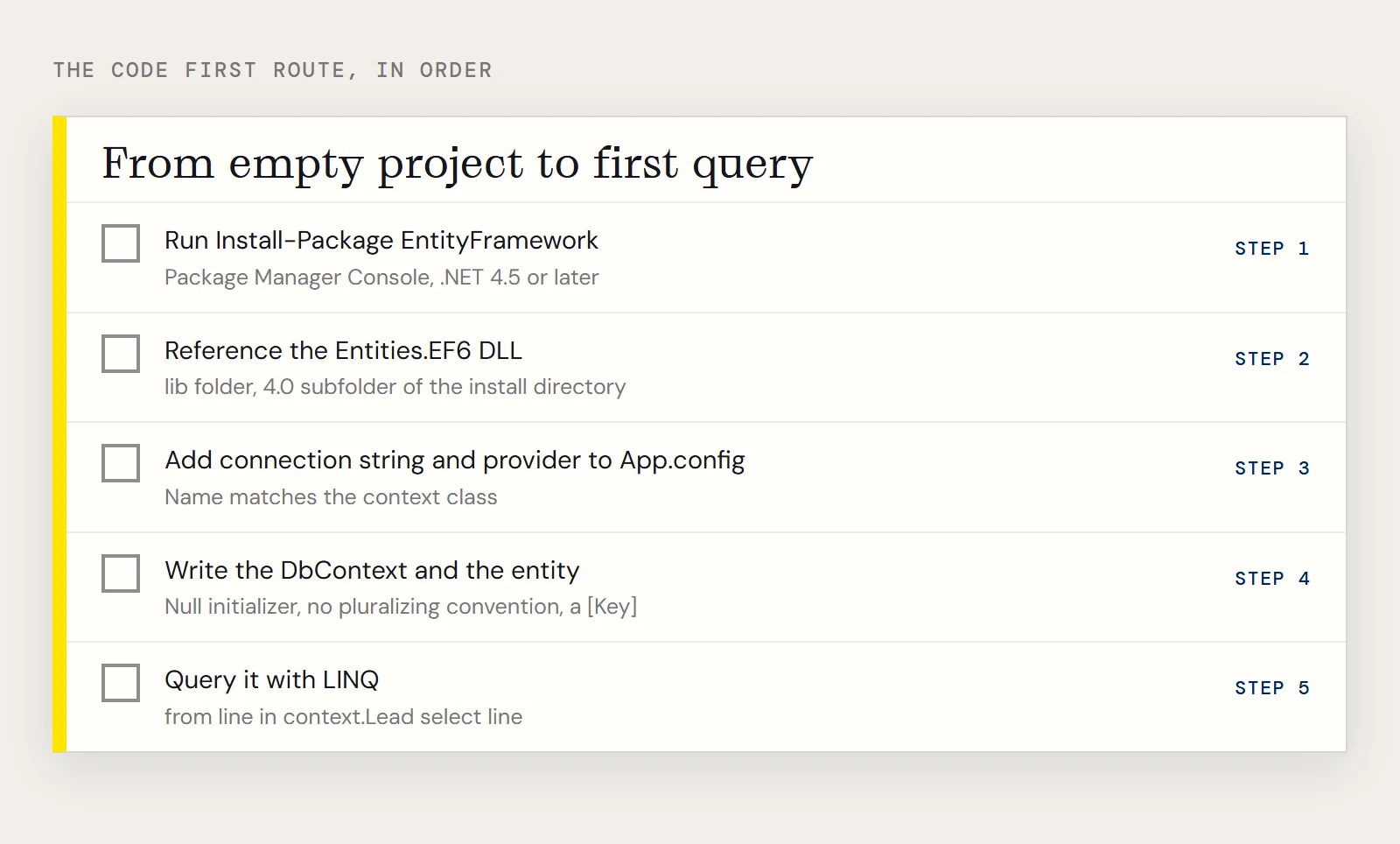
Create a project in Visual Studio (the walkthrough uses a Windows Forms app targeting .NET 4.5) and install Entity Framework from the Package Manager Console:
Install-Package EntityFrameworkThen add a reference to System.Data.CData.AmazonDynamoDB.Entities.EF6.dll. It sits in the lib folder, in the 4.0 subfolder, of the provider's installation directory. Build once to make sure the reference resolves.
For credentials the provider needs your AWS access key and secret key, and optionally a domain and region. Both keys come from the security credentials page of your AWS account, and the region appears in the upper left corner of the DynamoDB console once you're logged in.
Register the provider and the connection
Add a connection string and a provider entry to App.config:
<configuration>
  <connectionStrings>
    <add name="AmazonDynamoDBContext"
         connectionString="Offline=False;Access Key=xxx;Secret Key=xxx;Domain=amazonaws.com;Region=OREGON;"
         providerName="System.Data.CData.AmazonDynamoDB" />
  </connectionStrings>
  <entityFramework>
    <providers>
      <provider invariantName="System.Data.CData.AmazonDynamoDB"
                type="System.Data.CData.AmazonDynamoDB.AmazonDynamoDBProviderServices, System.Data.CData.AmazonDynamoDB.Entities.EF6" />
    </providers>
  </entityFramework>
</configuration>
The connection string name matches the context class you're about to write, which is how Entity Framework finds it by convention.
The context, the entity and the first query
The context extends DbContext. Two lines in OnModelCreating matter here: setting the initializer to null stops Entity Framework from asking for a migration history table, and removing the pluralizing convention keeps table names exactly as you typed them.
using System.Data.Entity;
using System.Data.Entity.Infrastructure;
using System.Data.Entity.ModelConfiguration.Conventions;
class AmazonDynamoDBContext : DbContext {
  public AmazonDynamoDBContext() { }
  protected override void OnModelCreating(DbModelBuilder modelBuilder)
  {
    Database.SetInitializer<AmazonDynamoDBContext>(null);
    modelBuilder.Conventions.Remove<PluralizingTableNameConvention>();
  }
  public DbSet<Lead> Lead { set; get; }
}
The entity maps a class to a table. The example uses a Lead table with Industry and Revenue columns, and marks one property as the key:
using System.ComponentModel.DataAnnotations.Schema;
[System.ComponentModel.DataAnnotations.Schema.Table("Lead")]
public class Lead {
  [System.ComponentModel.DataAnnotations.Key]
  public System.String Industry { get; set; }
  public System.String Revenue { get; set; }
}
Query it from any other class:
AmazonDynamoDBContext context = new AmazonDynamoDBContext();
context.Configuration.UseDatabaseNullSemantics = true;
var query = from line in context.Lead select line;
The [Key] on Industry is there because the sample needs some key. Use whichever property actually identifies a row in your table, and replace Lead with a table you can see in your own account.
Which route to pick
Pick Code First if the model will outlive a prototype, the designer if you only want to look around, and plain ADO.NET when a script needs one query. If other tools will query your DynamoDB data too, check whether replicating it elsewhere is simpler than having every application carry its own model.
If you want to try the Code First route on your own tables, download a free trial of the ADO.NET Provider for Amazon DynamoDB.
Ready to get started?
Download a free trial of the Amazon DynamoDB Data Provider to get started:
Download NowLearn more:
 Amazon DynamoDB ADO.NET Provider
Connect .NET applications with the DynamoDB real-time NoSQL cloud database service. Use Amazon DynamoDB as the big data backend that powers your .NET applications.