






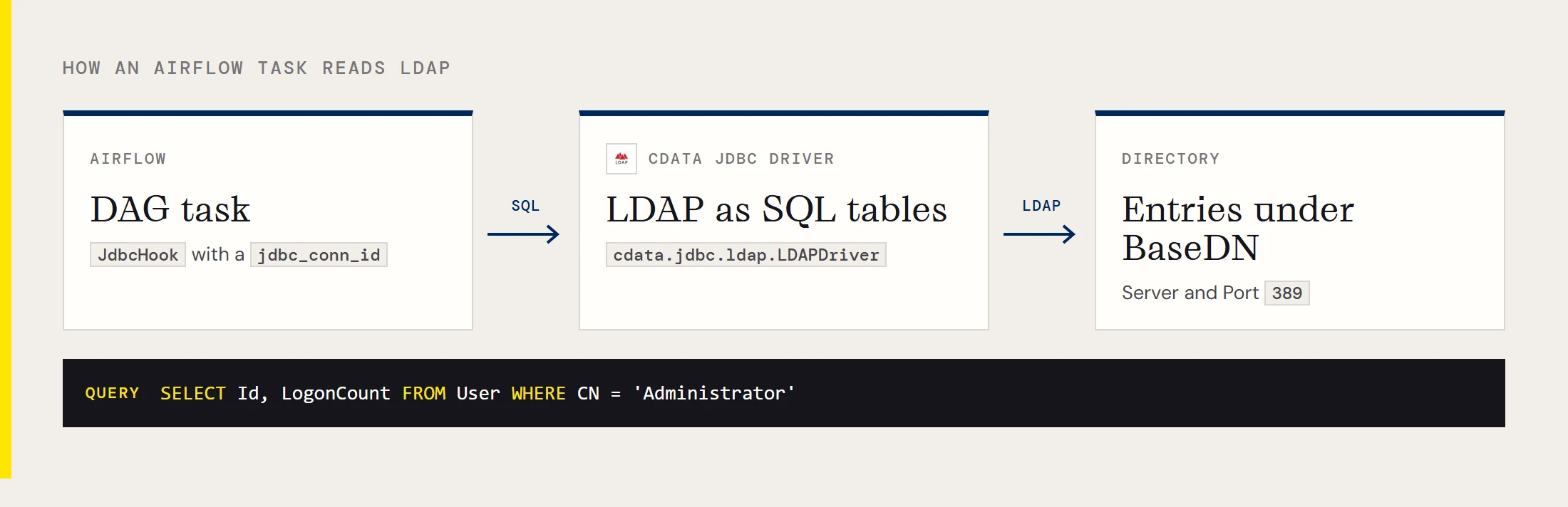
This page is for someone who has already decided to read LDAP from an Airflow DAG and wants the values in one place. The CData JDBC Driver for LDAP presents directory entries as SQL tables, so Airflow's JdbcHook can query them like any database.
Values to copy
| Item | Value |
|---|---|
| Driver class | cdata.jdbc.ldap.LDAPDriver |
| URL prefix | jdbc:ldap: |
| Connection designer | java -jar cdata.jdbc.ldap.jar |
| Jar to point Airflow at | cdata.jdbc.ldap.jar (full path, on every worker) |
| Example URL | see the block below |
| Example table | User |
| Example columns | Id, LogonCount, CN |
jdbc:ldap:RTK=5246...;User=Domain\BobF;Password=bob123456;Server=10.0.1.1;Port=389;JDBC URL properties for LDAP
| Property | What to put in it |
|---|---|
| User | Domain\BobF or a distinguished name such as cn=Bob F,ou=Employees,dc=Domain |
| Password | The account password |
| Server | IP address or host name of the directory server |
| Port | 389 in the vendor example |
| BaseDN | Where searches start, for example cn=users,dc=domain |
| RTK | Runtime Key, needed when the driver is hosted on a server or in the cloud |
A narrow BaseDN limits a search to that distinguished name and its children, and CData notes it can improve performance a great deal. In a scheduled job, that means a task walks one OU instead of the whole tree.
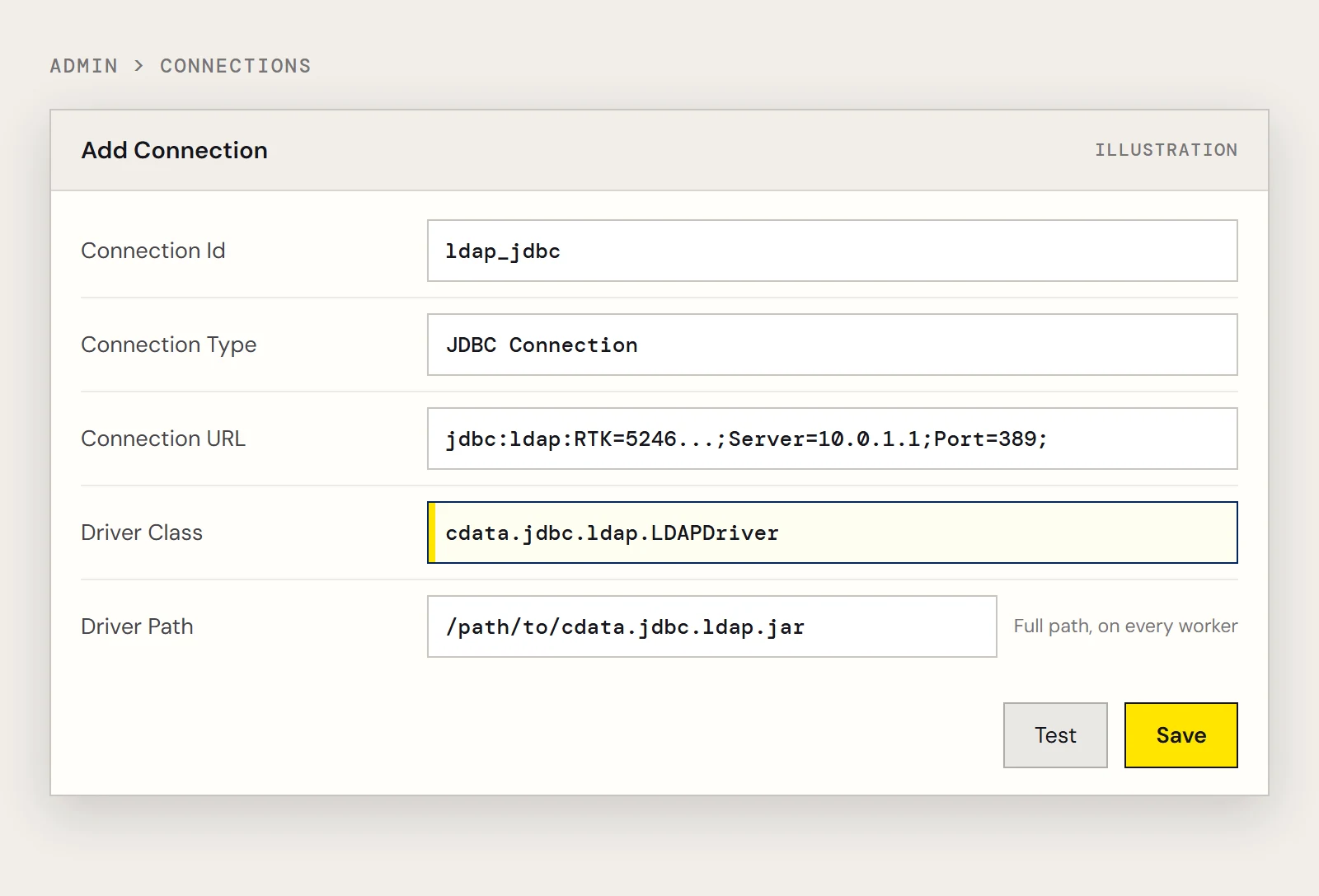
Airflow connection form
| Field | Value |
|---|---|
| Connection Id | any name, for example ldap_jdbc |
| Connection Type | JDBC Connection |
| Connection URL | the JDBC URL above |
| Driver Class | cdata.jdbc.ldap.LDAPDriver |
| Driver Path | path to cdata.jdbc.ldap.jar |
Recent versions of the Airflow JDBC provider document a different layout, with the URL in Host and the driver class and path in the Extra JSON behind two provider settings. Use the Test button to confirm whichever form you get.
Queries to paste into a task
Everything the driver exposes is read with ordinary SELECT statements.
SELECT Id, LogonCount FROM UserFilter on the common name to find one entry:
SELECT Id, LogonCount FROM User WHERE CN = 'Administrator'Minimal DAG
from datetime import datetime
from airflow.decorators import dag, task
from airflow.providers.jdbc.hooks.jdbc import JdbcHook
@dag(dag_id="ldap_user_pull", schedule="@daily", start_date=datetime(2026, 11, 1), catchup=False)
def ldap_user_pull():
    @task()
    def pull():
        df = JdbcHook(jdbc_conn_id="ldap_jdbc").get_pandas_df("SELECT Id, LogonCount FROM User")
        df.to_csv("/tmp/ldap_users.csv", index=False)
    pull()
ldap_user_pull()
When the task fails
| What you see | Check first |
|---|---|
| Connection test fails | Server, Port and network access from the worker; then User format |
| Task cannot find the driver | Jar path exists on the worker that ran the task, and the class name matches |
| Task is slow or returns far too much | Set a narrower BaseDN, select fewer columns, add a WHERE clause |
| Task is green but no file appears | The DAG swallowed an exception; let it raise so Airflow marks the task failed |
| Connection id not found | The id in JdbcHook(jdbc_conn_id=...) differs from the saved connection |
To try these queries yourself, download the CData JDBC Driver for LDAP with a free trial.
Ready to get started?
Download a free trial of the LDAP Driver to get started:
Download NowLearn more:
 LDAP JDBC Driver
Rapidly create and deploy powerful Java applications that integrate with LDAP.