






Your tables are defined in Amazon Athena over data in S3, and your analysts work in Azure Databricks. This guide builds one notebook that reads an Athena table, answers a question in SparkSQL, and saves the result where other people can reach it. There's no pipeline to build and no export to schedule.
What the finished notebook holds
| Cell | What it does | Where the values come from |
|---|---|---|
| 1 | Sets the driver class and JDBC URL | The connection properties below |
| 2 | Loads Customers into a dataframe | The CData JDBC Driver for Amazon Athena |
| 3 | Registers a temp view and selects Name and TotalDue | SparkSQL |
| 4 | Saves the result as a table | Databricks storage |
Connect with an IAM user
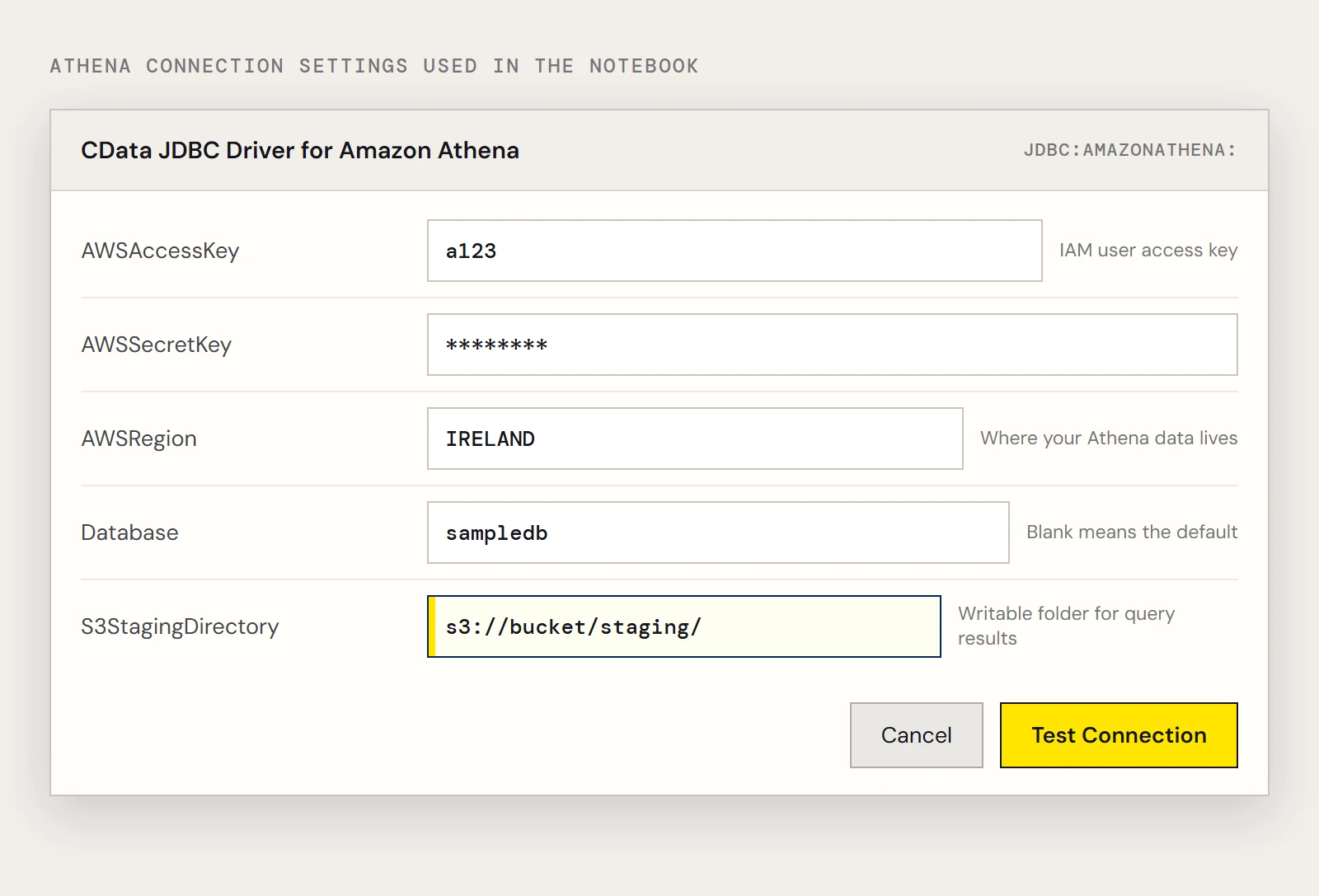
The driver needs credentials, a region, a database and a place in S3 to write query results. Athena writes results to S3 as it runs queries, so S3StagingDirectory should be a folder you can write to. Set Region to where your Athena data lives. If you leave out Database, the connection uses the default database in Athena.
For credentials, CData recommends an IAM user, not the AWS account administrator. In the IAM console, open Users, pick the user, and use the Security Credentials tab to create an access key.
driver = "cdata.jdbc.amazonathena.AmazonAthenaDriver"
url = "jdbc:amazonathena:RTK=5246...;AWSAccessKey='a123';AWSSecretKey='s123';AWSRegion='IRELAND';Database='sampledb';S3StagingDirectory='s3://bucket/staging/';"
The driver's help text refers to the same settings as AccessKey, SecretKey and Region. If the string above doesn't connect, run java -jar cdata.jdbc.amazonathena.jar and let the connection string designer produce the names your version expects.
Two other sign-in routes exist. To use an AWS role, set RoleARN, and keep supplying the access key and secret of an IAM user who can assume it (roles can't be combined with root account keys). If the user or role requires multi-factor authentication, add MFASerialNumber and MFAToken; the temporary credentials last 3600 seconds unless you change TemporaryTokenDuration.
Load the table and look at it
remote_table = (spark.read.format("jdbc")
    .option("driver", driver)
    .option("url", url)
    .option("dbtable", "Customers")
    .load())
display(remote_table.select("Name"))
The driver executes queries on the Athena side, so the results arrive after Athena has done the work. Selecting a few columns, as above, keeps the data you pull back small.
Ask a question in SparkSQL
Register the dataframe as a temp view and query it.
remote_table.createOrReplaceTempView("athena_customers")
result = spark.sql("SELECT Name, TotalDue FROM athena_customers")
display(result)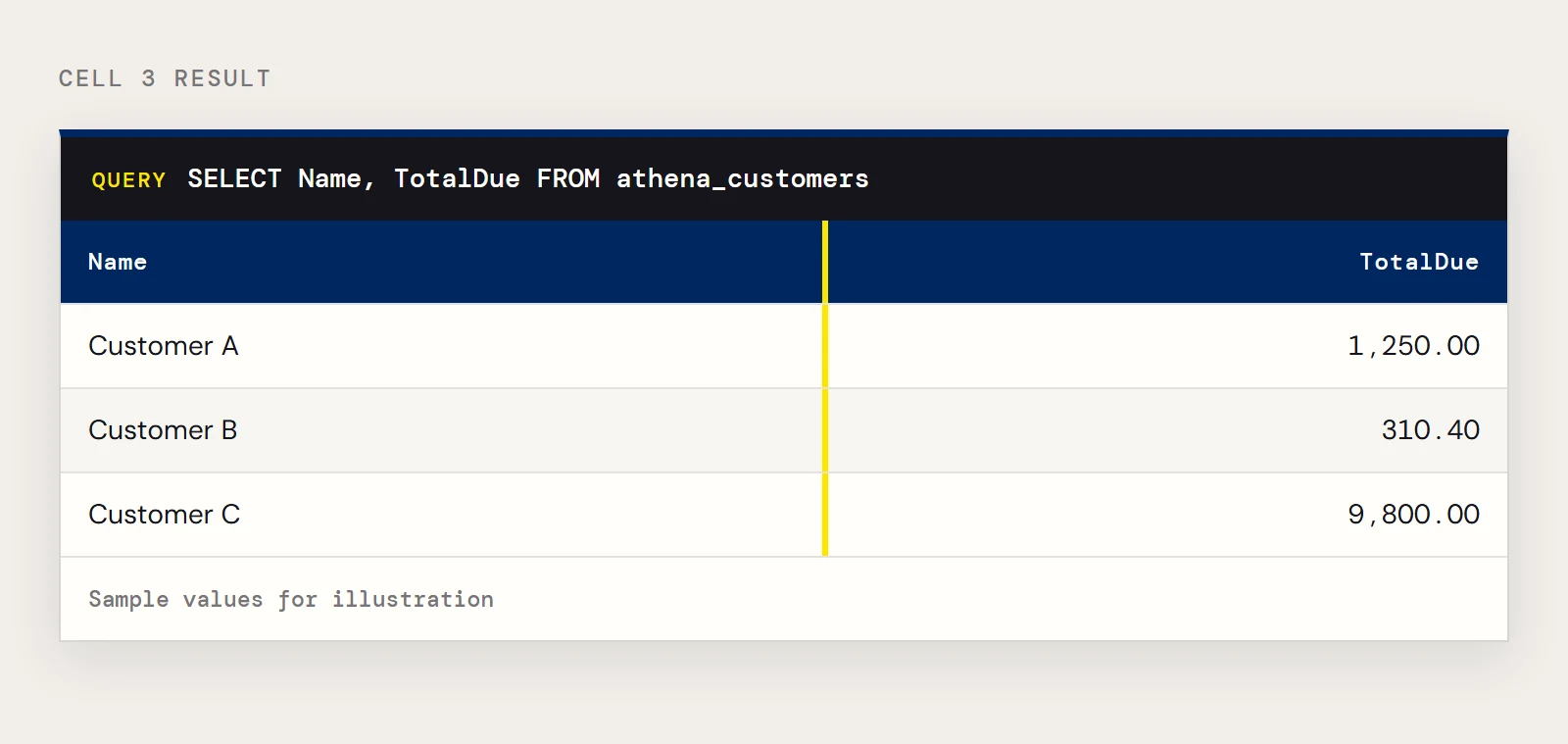
Keep a copy
A temp view lives only in the notebook that made it. To let colleagues query the same data, write it out as a table.
remote_table.write.format("parquet").saveAsTable("athena_customers_copy")The copy is a snapshot, so rerun the cell when you want fresh data. If you'd rather keep a warehouse copy current automatically, CData Sync can replicate Athena data on a schedule.
If something doesn't work
| What you see | Likely cause |
|---|---|
| The driver class isn't found | The JAR isn't installed on the cluster, or the cluster needs a restart |
| A licensing complaint | RTK is missing from the URL |
| Results land in an unexpected place or the query can't write | S3StagingDirectory isn't a writable S3 folder for this user |
| Tables you expect aren't there | Database is unset and the default database is a different one, or Region is wrong |
These causes come from the property descriptions, not from tested failures, so check the driver help if one doesn't fit.
Install the driver first
Upload the JAR to a blob container. Add spark.hadoop.fs.azure.account.key.<storage account>.blob.core.windows.net to the cluster's Spark options with the account key as the value, then install the library from the Libraries tab as an ADLS library with the JAR's abfss:// URL. The older DBFS method is deprecated, with no end-of-life announced.
To build this notebook yourself, download the CData JDBC Driver for Amazon Athena.
Ready to get started?
Download a free trial of the Amazon Athena Driver to get started:
Download NowLearn more:
 Amazon Athena JDBC Driver
Rapidly create and deploy powerful Java applications that integrate with Amazon Athena.