






An ORM makes it easy to run queries you don't think about. With Athena, every query is a job that runs in AWS, leaves its results in an S3 folder, and is priced by how much data it reads (check the current AWS pricing page for the details). A loop that fires one query per row is a nuisance on a local database and an unwelcome line item here.
The CData Python Connector for Amazon Athena lets SQLAlchemy talk to Athena through a normal engine. What follows covers the properties you need, the credential choices, and the habits that keep the work Athena does proportional to the work you meant to ask for.
The five properties behind every connection
You need an access key and secret, the Region where your Athena data lives, a Database, and an S3StagingDirectory, which is the S3 folder where Athena's query results are stored. If you leave Database out, the connector uses the default database set in Athena. CData's example engine string looks like this:
amazonathena:///?AWSAccessKey='a123'&AWSSecretKey='s123'&AWSRegion='IRELAND'&Database='sampledb'&S3StagingDirectory='s3://bucket/staging/'Pass it to create_engine, and URL-encode any value with special characters, since the whole thing is a URL. One wrinkle: the connector's help text calls the key properties AccessKey and SecretKey, while the sample string above uses the AWS prefix. If a property is rejected, check the help for the version you installed.
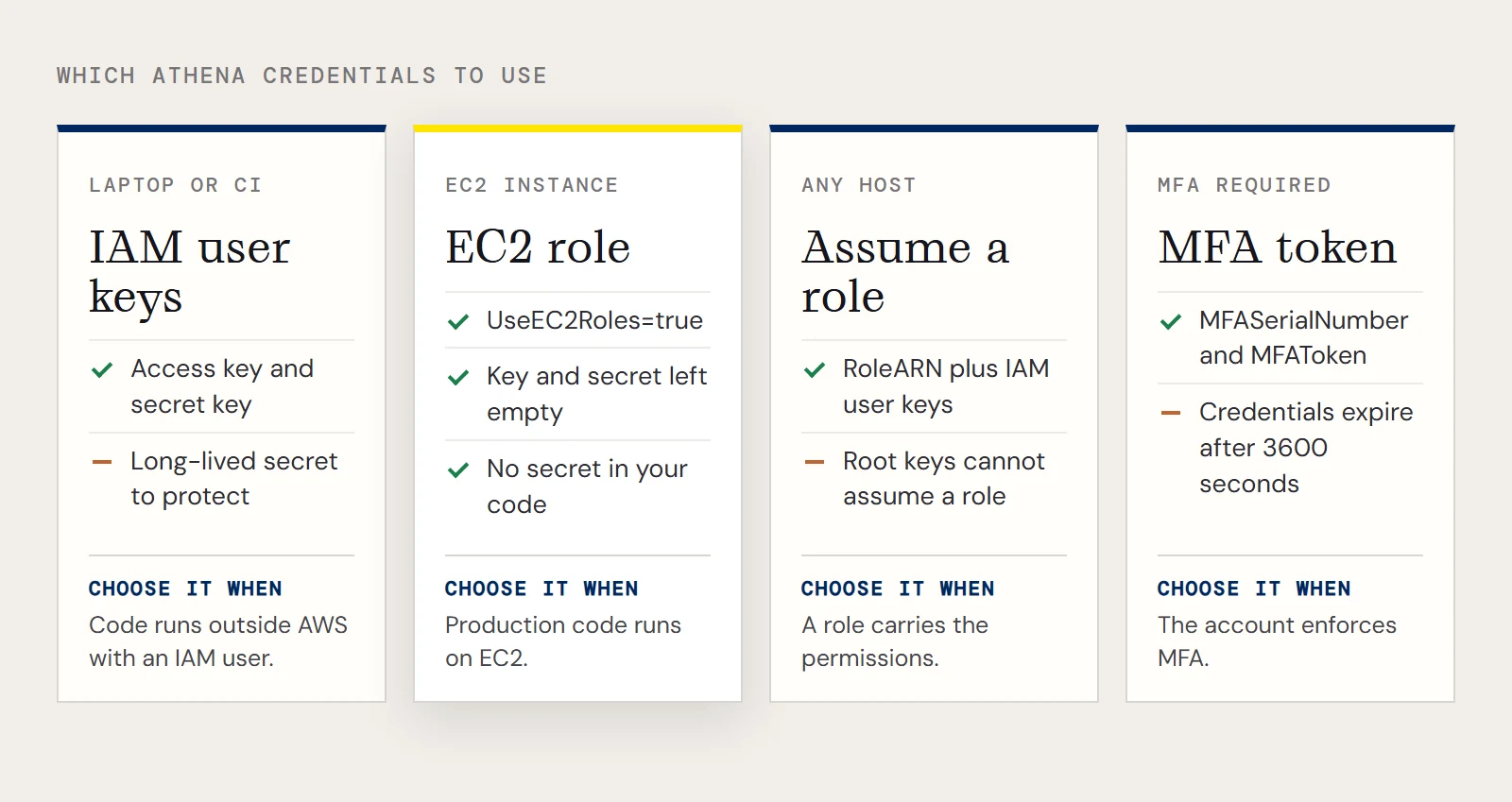
Which credentials to use depends on where the code runs
Prefer an IAM user over the account's root keys. The connector's help recommends it, and root keys can't assume a role at all.
| Where the code runs | What to set |
|---|---|
| A laptop or CI job with an IAM user | The user's access key and secret key |
| An EC2 instance with an IAM role | UseEC2Roles=true, with the key and secret left empty |
| Anywhere, assuming a role | RoleARN, plus the access key and secret of the IAM user that may assume it |
| An account that requires MFA | MFASerialNumber and MFAToken; temporary credentials last 3600 seconds unless TemporaryTokenDuration says otherwise |
The EC2 route is the one worth reaching for in production, because no long-lived secret ends up in your code or your environment.
Give the staging folder a prefix you can inspect
Because the staging directory collects query results, point it at a folder used for nothing else, such as the s3://bucket/staging/ in the example. A dedicated prefix makes it easy to see what your Python code has been leaving behind, and it gives you somewhere to attach whatever retention rules your team uses for scratch data. The IAM identity you connect with needs permission to write there as well as to read from the data.
Make each query ask for less
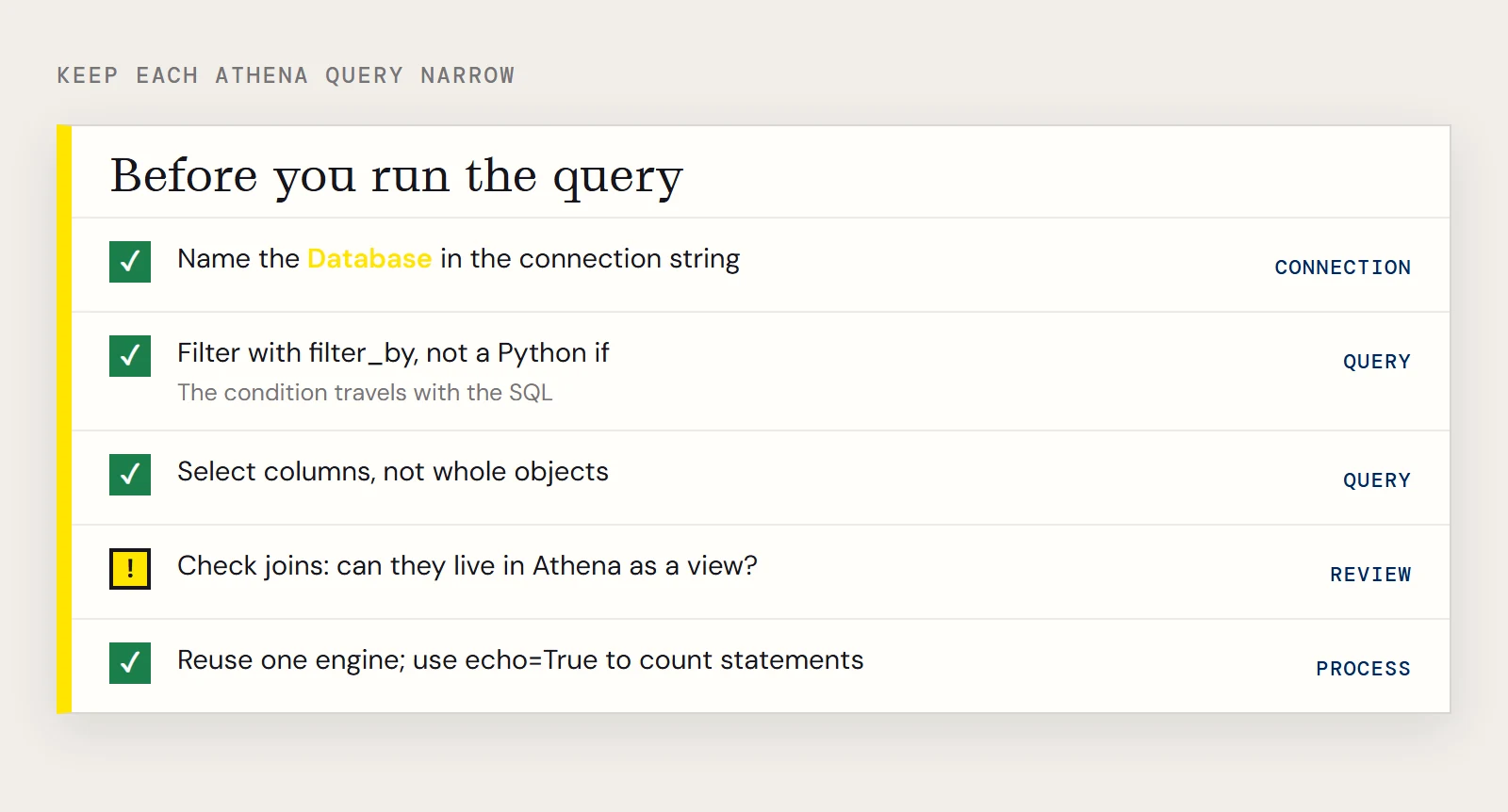
Start by naming the Database in the connection string. The connector then works within it instead of whatever default Athena has set, which matters when someone later adds a large table nearby.
Next, push the filter into the query. A filter_by call can become part of the SQL that runs in Athena, whereas a Python if inside a loop reads everything first.
from sqlalchemy import create_engine, String, Column
from sqlalchemy.ext.declarative import declarative_base
from sqlalchemy.orm import sessionmaker
base = declarative_base()
class Customers(base):
    __tablename__ = "Customers"
    CustomerId = Column(String, primary_key=True)
    Name = Column(String)
    TotalDue = Column(String)
engine = create_engine("amazonathena:///?AWSAccessKey='a123'&AWSSecretKey='s123'&AWSRegion='IRELAND'&Database='sampledb'&S3StagingDirectory='s3://bucket/staging/'")
session = sessionmaker(bind=engine)()
rows = session.query(Customers.Name, Customers.TotalDue).filter_by(CustomerId="12345")
for name, total in rows:
    print(name, total)
That query also asks for two columns instead of the whole row, which is the third habit. Depending on how a table is stored, naming fewer columns can reduce what Athena reads, so map only what you need and select columns rather than whole objects when you can.
Joins deserve a second look. The connector hands supported operations to Athena and processes the unsupported ones itself, and joins are often in that second group. If you join two large tables through SQLAlchemy, find out whether the join can live inside Athena instead, for example as a view, and query the result.
Finally, reuse one engine for the life of the process. Creating an engine per request or per row wastes round trips, and create_engine(..., echo=True) will print every statement SQLAlchemy sends if you want to confirm how many there really are.
When it misbehaves
- If tables are missing or empty, check that AWSRegion matches the region where the data lives and that Database names the one you meant.
- If the connection fails on an EC2 instance, confirm the instance has an IAM role attached and that the key and secret are really empty, since the connector only falls back to the role when those two are empty.
- If an MFA login stops working after a while, the temporary credentials have probably expired, so request fresh ones.
- If you assumed a role and got an error, make sure you supplied an IAM user's keys and not root keys.
If you want to try the connector, you can download the CData Python Connector for Amazon Athena with a free trial.
Ready to get started?
Download a Community License of the Amazon Athena Connector to get started:
Download NowLearn more:
 Amazon Athena Python Connector
Python Connector Libraries for Amazon Athena Data Connectivity. Integrate Amazon Athena with popular Python tools like Pandas, SQLAlchemy, Dash & petl.