






Many Spring Boot applications still talk to Sybase ASE through whatever driver was current on the day they were written. Replacing it is a small change in code and a larger one in confidence. Inventory what exists, map the settings, run both drivers side by side, and keep a clear route back. This guide uses the CData JDBC Driver for Sybase as the replacement.
Take inventory first
Before touching pom.xml, write down four things: the driver dependency and its class name, the JDBC URL, the authentication method, and every place SQL is written. If you use plain JdbcTemplate or Spring Data with standard SQL, the code usually doesn't change. If SQL is written for the old driver's quirks or for specific T-SQL features, those queries need a test pass. The CData driver describes itself as T-SQL compatible and supports stored procedure execution, but test your own statements before you rely on that.
Map the settings
The CData URL uses semicolon-separated properties. The old driver values below, from jConnect and jTDS, are shown from memory, so compare them with your own configuration.
| Setting | Old driver (check yours) | CData JDBC driver |
|---|---|---|
| Class name | com.sybase.jdbc4.jdbc.SybDriver or net.sourceforge.jtds.jdbc.Driver | cdata.jdbc.sybase.SybaseDriver |
| URL shape | host, port and database in the path | jdbc:sybase: followed by properties |
| Server | in the URL | Server= |
| Database | in the URL | Database= |
| Character set | driver specific | Charset=iso_1 in the example |
| Encryption | driver specific | UseSSL=true |
A complete URL from the driver's example looks like this.
spring.datasource.driver-class-name=cdata.jdbc.sybase.SybaseDriver
spring.datasource.url=jdbc:sybase:User=myuser;Password=mypassword;Server=localhost;Database=mydatabase;Charset=iso_1;
Install the driver jar into Maven with the group org.cdata.connectors and the artifact cdata-sybase-connector, then add it as a dependency. The jar is cdata.jdbc.sybase.jar in the driver's lib folder, and java -jar cdata.jdbc.sybase.jar opens a connection string designer that builds the URL for you.
Authentication carries over
The driver supports password authentication, LDAP authentication once the Sybase server is configured for it, and Kerberos. For password and LDAP logins you set User and Password and leave AuthScheme as Password. For Kerberos, set AuthScheme to Kerberos along with KerberosKDC, KerberosRealm and KerberosSPN, and read the Using Kerberos section of the driver help. Set UseSSL to true if the old connection used TLS and you want to keep it.
Run both drivers side by side
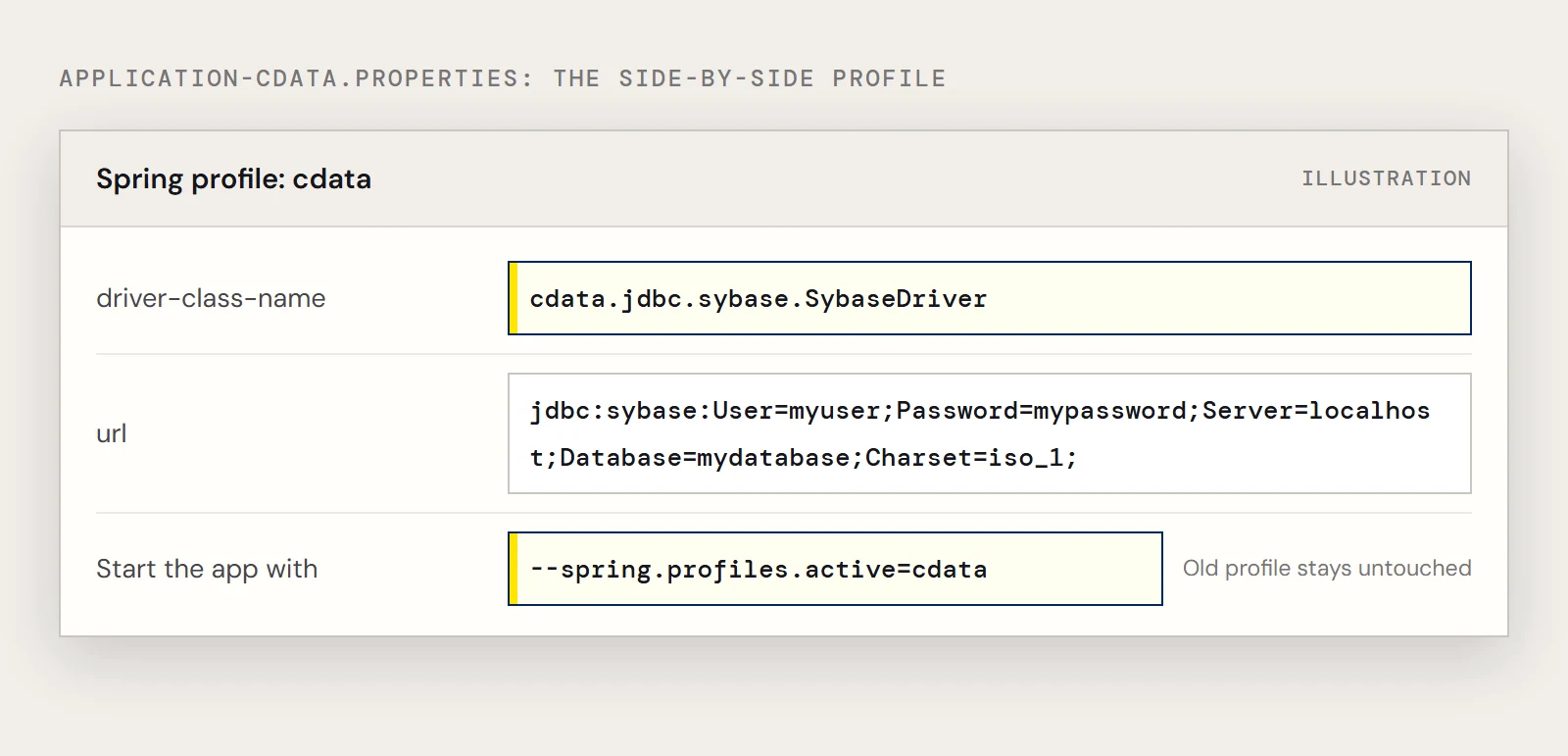
A Spring profile lets you leave the old configuration in place and switch with one setting. Keep the existing file as it is, and add a second one named application-cdata.properties for the new driver.
spring.datasource.driver-class-name=cdata.jdbc.sybase.SybaseDriver
spring.datasource.url=jdbc:sybase:User=myuser;Password=mypassword;Server=localhost;Database=mydatabase;Charset=iso_1;
Start the app with --spring.profiles.active=cdata against a test database, then run the same read-only query through both and compare. The query from the driver's example is a good first one.
SELECT Id, ProductName
FROM Products
WHERE ProductName = ?
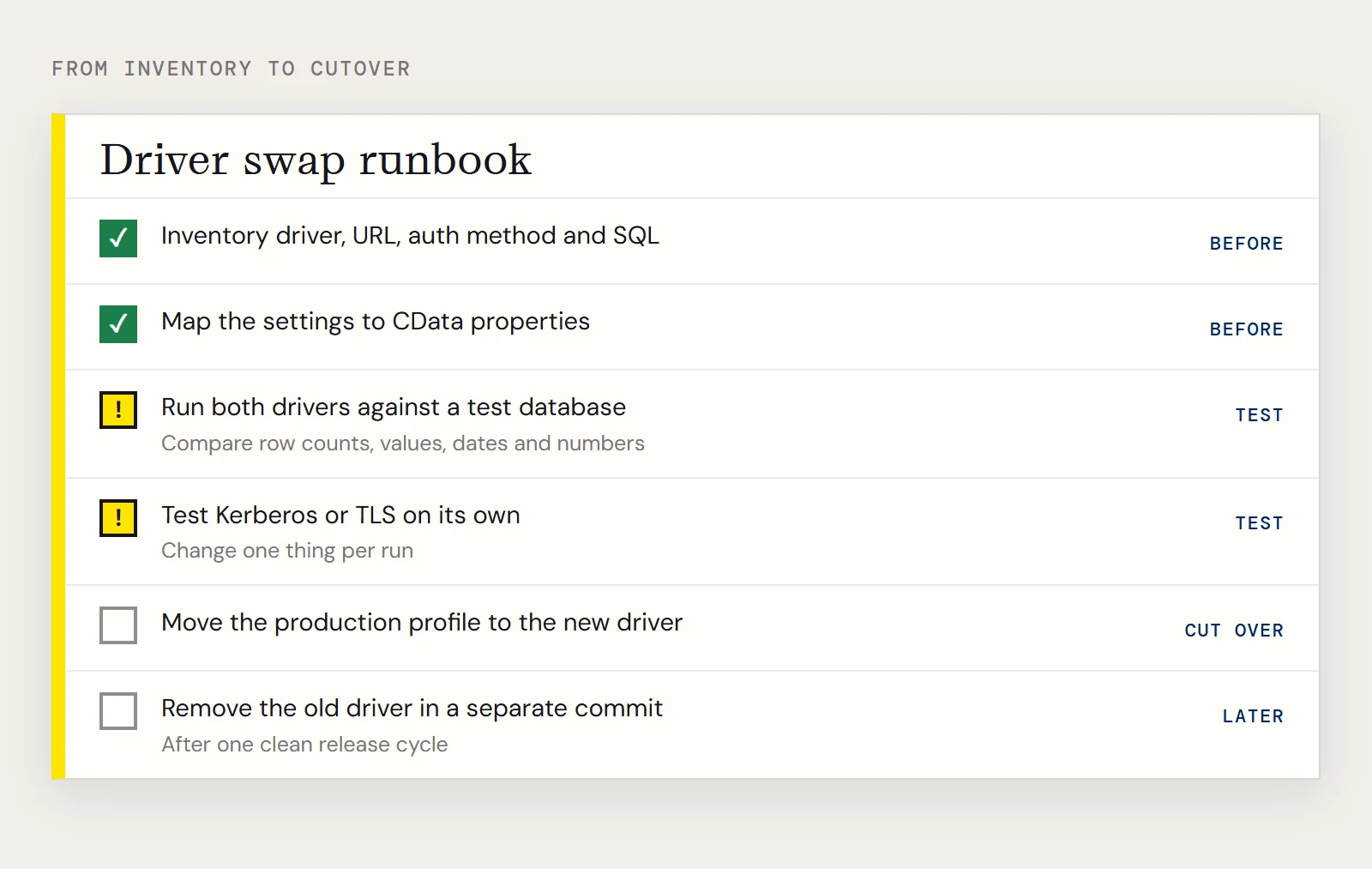
Check row counts, a handful of values, and anything involving dates, numbers or character data, since those are where a driver swap tends to show differences. Test your write paths in a database you can reset.
If the swap involves Kerberos, test that on its own first. Ticket and realm problems look like connection failures, and it saves time to know the SQL is fine before you debug them. TLS is the same: change one thing per test run so a failure points at one cause.
Cut over, and know how to go back
Move the production profile to the new driver once the test database matches. Leave the old dependency and its properties file in the project for one release cycle. Rolling back is then a profile change and a restart, with no rebuild. When the release has run cleanly, remove the old driver dependency and the old profile in a separate commit so the history shows when the swap became final.
To try the swap yourself, download the CData JDBC Driver for Sybase and run it against a test database.
Ready to get started?
Download a free trial of the Sybase Driver to get started:
Download NowLearn more:
 Sybase JDBC Driver
Rapidly create and deploy powerful Java applications that integrate with Sybase.