






Before an SAP table shows up in a Power BI workspace, someone in security will ask where the data travels, which account reads it and where the password is kept. This page answers those questions for the CData Power BI Connector for SAP used with an on-premises data gateway, so you can hand it to the reviewer along with your design.
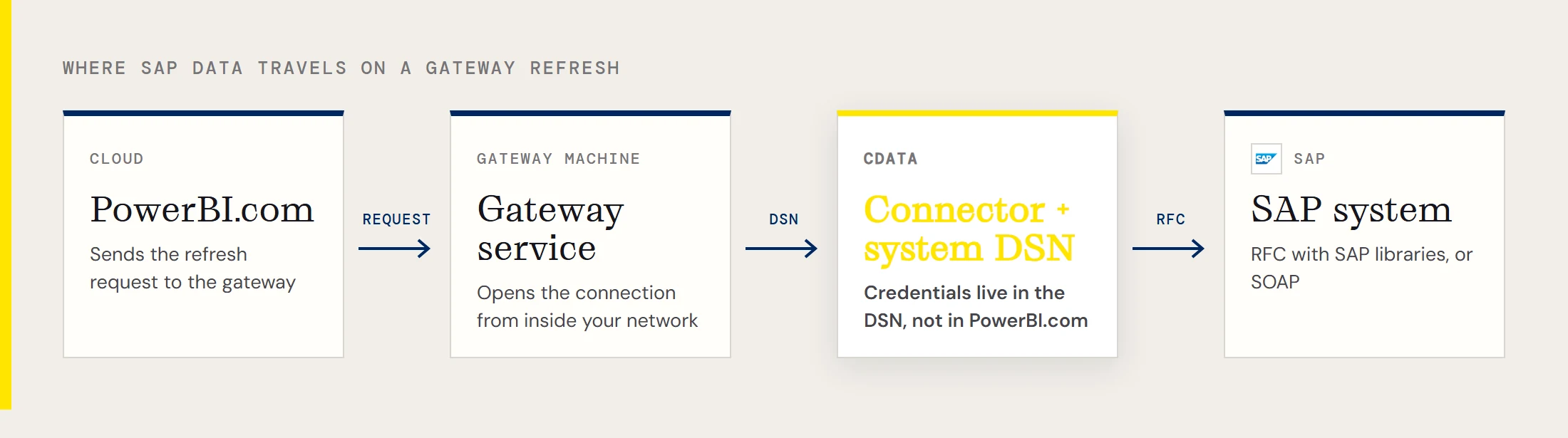
The short version of the architecture: the gateway machine holds the connector, the SAP libraries and a system DSN. PowerBI.com sends refresh requests to the gateway, and the gateway opens the SAP connection from inside your network.
What sits on the gateway machine
The connector installs a DSN, called CData Power BI SAPERP in the standard configuration, and the gateway lists a matching CData.PowerBI.SAPERP entry once the connector files are in its Connectors folder. In standard mode the gateway needs a system DSN, which is visible to every account on that machine, so decide who has access to that host.
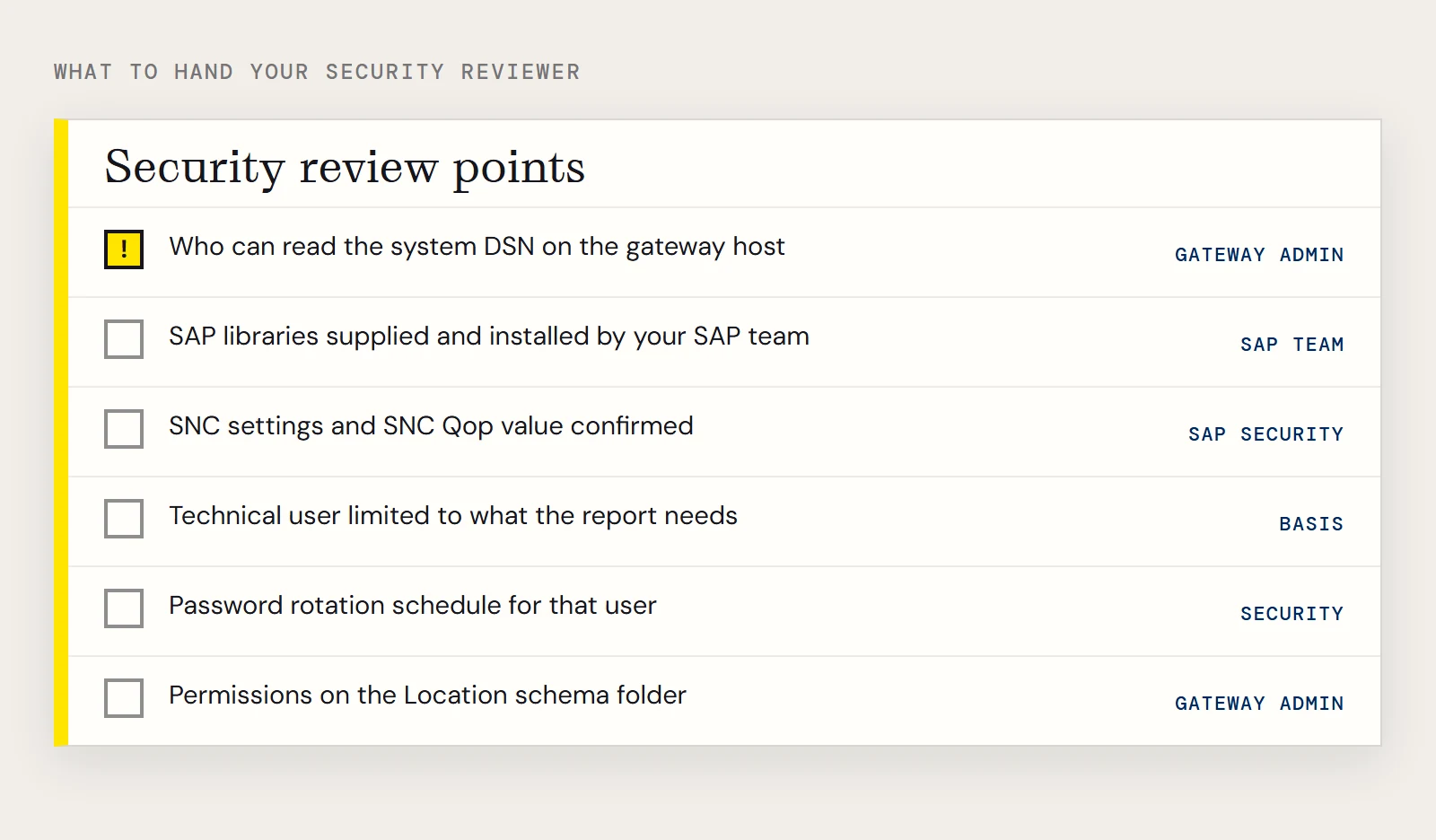
CData doesn't distribute librfc32.dll or the other SAP assemblies. Your SAP team supplies them from the SAP installation, and they must be installed on the machine that will make the connection. That's a useful control point: the SAP side decides who gets the libraries.
Choose the connection type with your Basis team
| ConnectionType | What it uses | Properties to set |
|---|---|---|
| CLASSIC | librfc32.dll | Host, User, Password, Client, SystemNumber |
| CLASSIC_UNICODE | librfc32u.dll | Host, User, Password, Client, SystemNumber |
| NETWEAVER | NetWeaver | Host, User, Password, Client, SystemNumber |
| SOAP | Web Services | Client, RFCUrl, SystemNumber, User, Password |
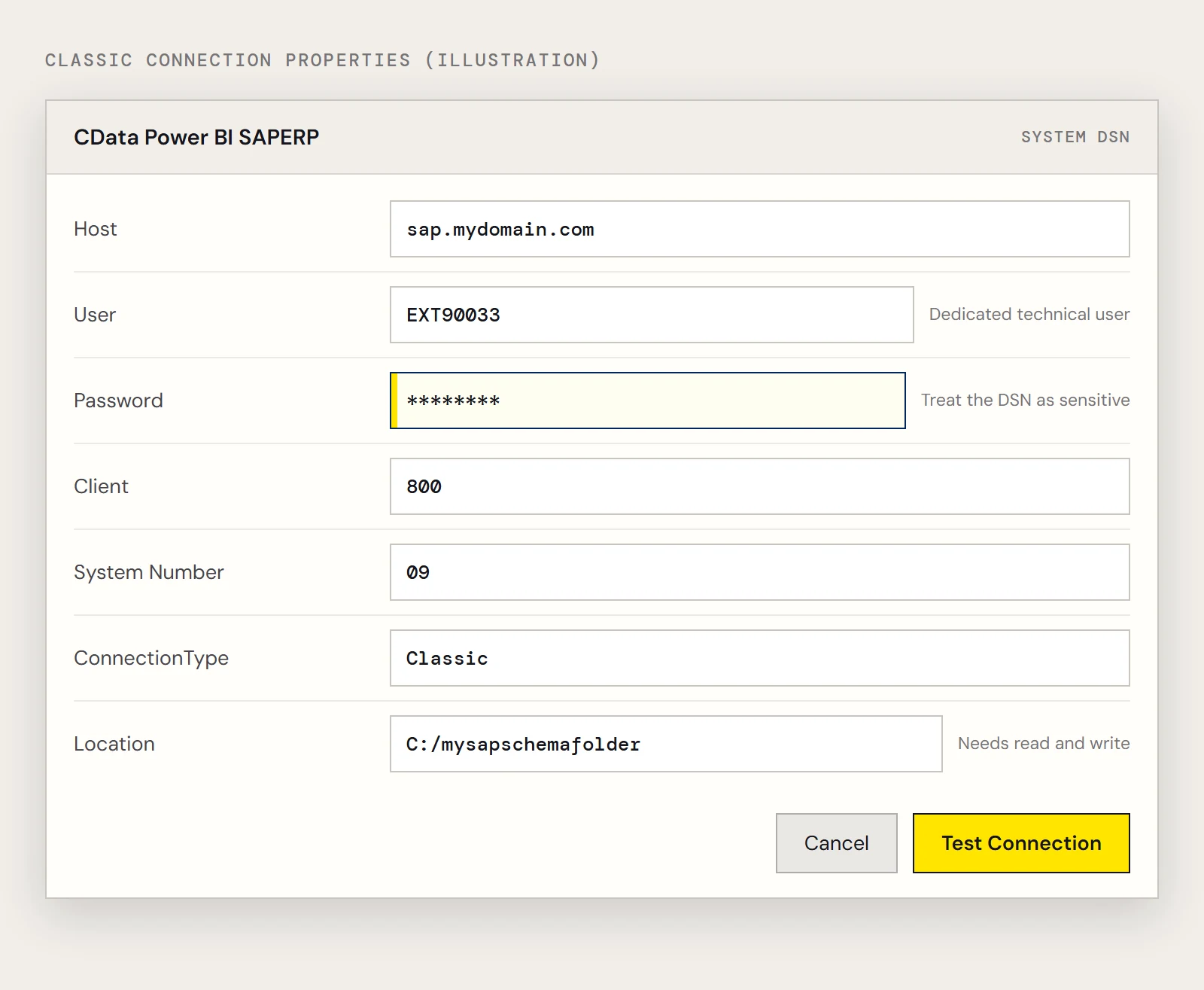
An example classic connection string looks like this, with a dedicated technical user instead of a person's own login:
Host=sap.mydomain.com;User=EXT90033;Password=xxx;Client=800;System Number=09;ConnectionType=Classic;Location=C:/mysapschemafolder;The Location property is the folder where the connector writes table schemas. The account that runs the connection needs read and write permission there, and the folder's own permissions are part of the review. If you can't open RFC between the gateway and SAP, SOAP is the alternative, but it requires SOAP access to be enabled on the SAP system.
Encryption in transit
Secure Network Communications properties are available when your SAP system requires them. The CData guide for obtaining connection properties lists them: SNC Mode turns it on, SNC Partner Name is the application server's SNC name, SNC Name is optional, SNC Lib Path points to the security library (the default is sapcrypto.dll) and SNC Qop sets the protection level. For Qop, 1 is authentication only, 2 adds integrity, 3 adds privacy by encrypting the messages, 8 applies the default protection and 9 applies the maximum.
Ask your SAP security team which value they require, and confirm it by testing the DSN on the gateway machine.
Where credentials live
Because the connection properties are in the DSN, the gateway data source in PowerBI.com is set up with Anonymous as its authentication method. In practice this means the SAP user and password are not entered in PowerBI.com at all. It also means the DSN is a sensitive object, so ask your administrators who can read it on the gateway host, lock that machine down and treat the technical SAP user's password as a secret with its own rotation schedule. Give that SAP user only what the report needs. Which authorizations that means is a conversation for Basis, because the CData material doesn't prescribe SAP roles.
Limit what Power BI can load
The SAP connector presents views rather than every table, and the Power BI navigator reflects that. Start with one table. Material master data in MARA, for instance, has columns such as MANDT, MBRSH and ERNAM, and you can filter in Power BI's Query Editor before loading:
SELECT MANDT, MBRSH
FROM MARA
Power BI records your Query Editor steps and adjusts the query sent to SAP, so the shape of the dataset is visible in the Applied Steps list for review.
When the SAP system is in the cloud
For SAP S/4HANA cloud public edition the connectivity path is SAP NetWeaver Gateway rather than RFC. CData has a separate SAP Gateway driver for that. Check which edition you run before you open firewall requests for the RFC route.
To review the connector in your own environment, download the CData Power BI Connector for SAP.
Ready to get started?
Download a free trial of the SAP ERP Power BI Connector to get started:
Download NowLearn more:
 SAP ERP Power BI Connector
The fastest and easiest way to connect Power BI to SAP data. Includes comprehensive high-performance data access, real-time integration, extensive metadata discovery, and robust SQL-92 support.