






Use this runbook when a data engineer or sysadmin is asked to stand up a Python job on a Linux host that reads tables from SAP. It follows the order of the work: collect the SAP details, prepare the host, define the data source, prove it with a query, and hand the job over. The driver is the CData ODBC Driver for SAP, which exposes SAP tables as SQL tables and is read-only for this source.
1. Collect the SAP details before touching the server
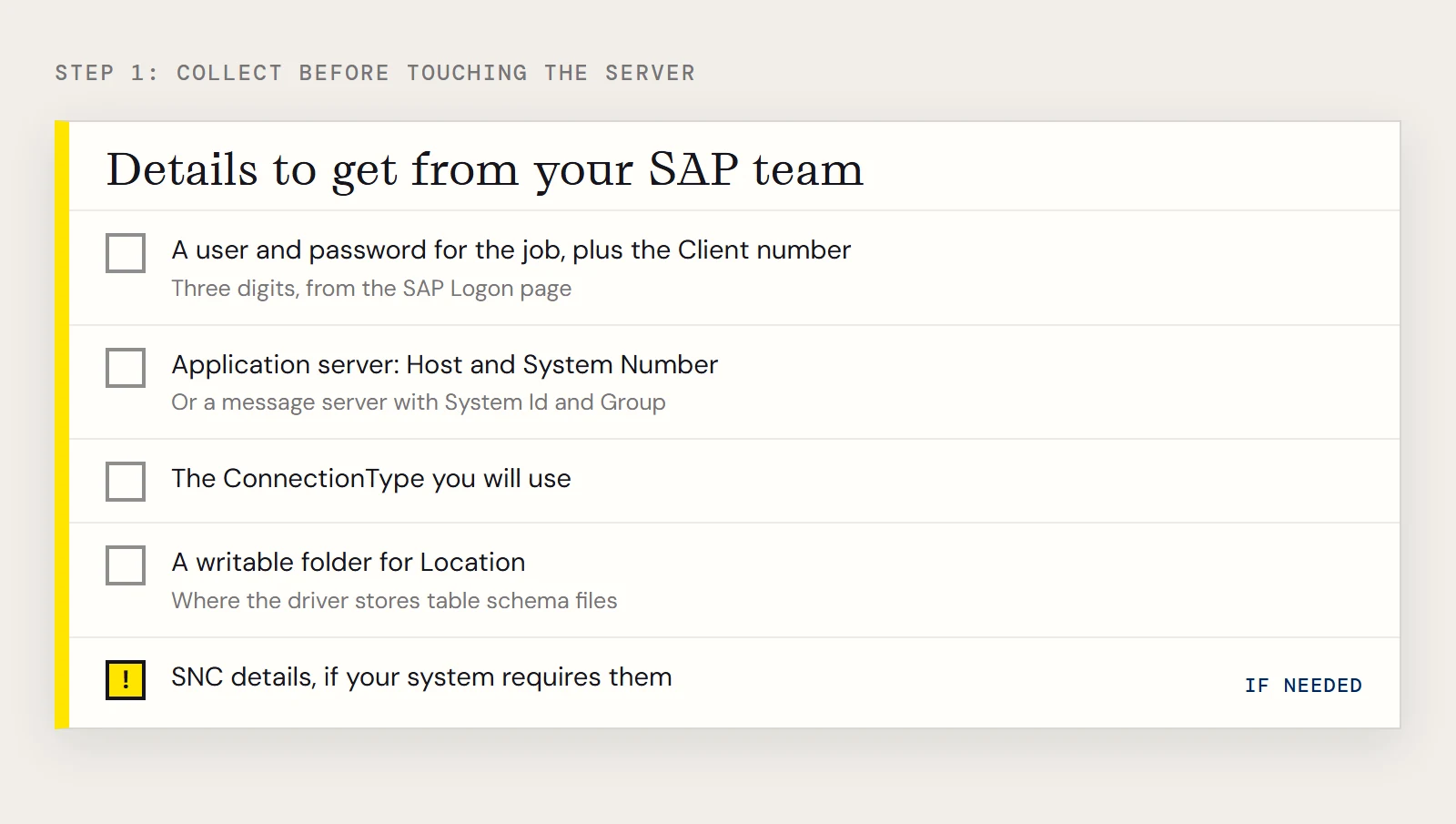
Most delays come from missing values, not from software. Get these from whoever runs your SAP system, using CData's guide to finding the SAP connection properties as the checklist:
- A user and password the job can use, and the three-digit Client number from the SAP Logon page.
- Either an application server (Host and System Number) or, for systems with load balancing, a message server with System Id and Group.
- The connection type you will use, which is the next decision.
- A writable folder for the Location property, where the driver stores the table schema files it generates.
- Secure network connection details, if your system requires SNC.
2. Choose the connection type
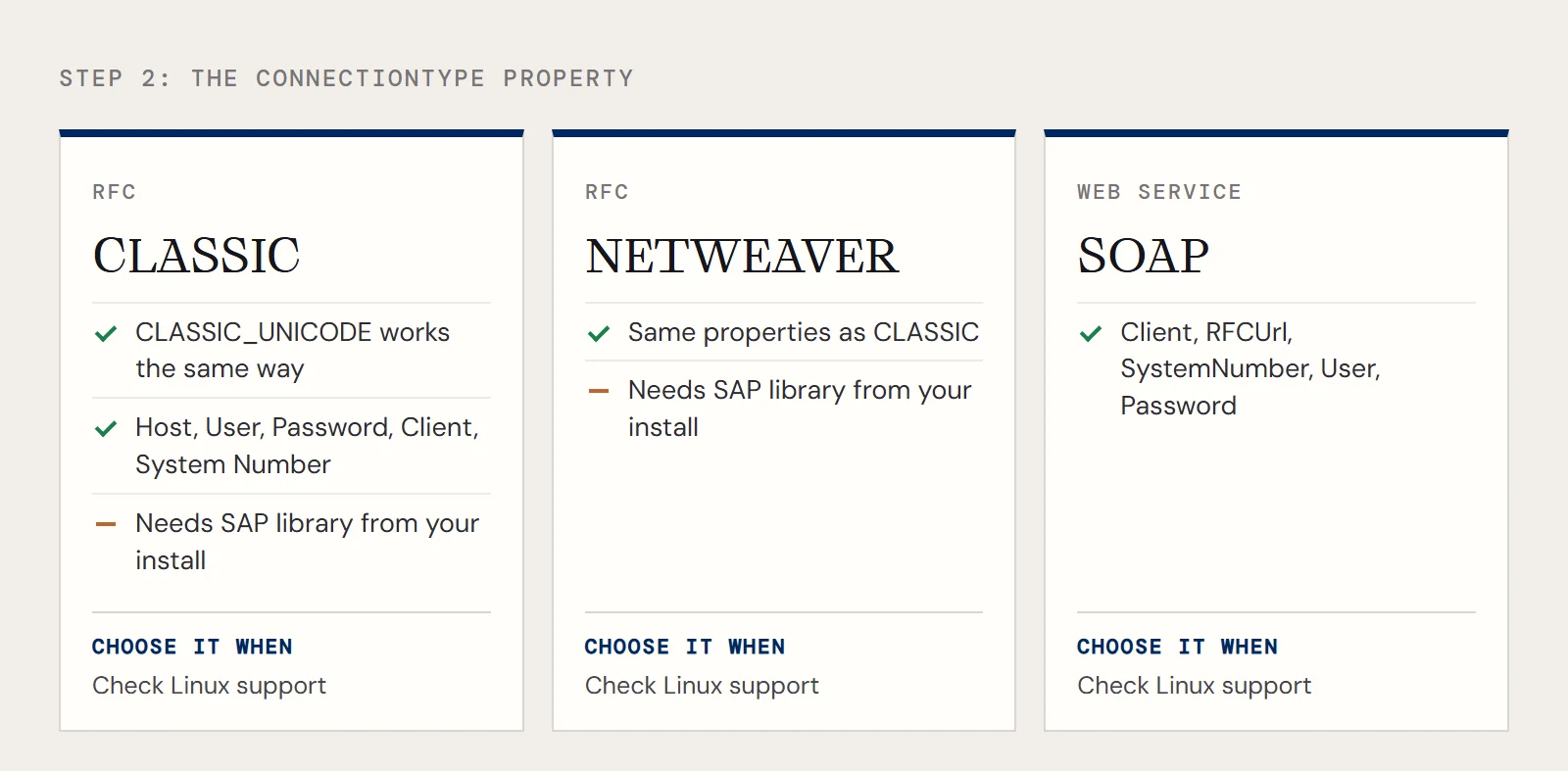
The ConnectionType property selects how the driver talks to SAP. The documented values are CLASSIC (uses librfc32.dll), CLASSIC_UNICODE (librfc32u.dll), NETWEAVER and SOAP. For the RFC-based types you set Host, User, Password, Client and System Number. For SOAP you set Client, RFCUrl, SystemNumber, User and Password instead. CData doesn't distribute the SAP libraries, so for the RFC-based types you must obtain them from your own SAP installation and install them on the machine that runs the driver. The library names in CData's text are Windows file names. Before you commit to CLASSIC on Linux, check the Getting Started section of the driver's help for the library and platform support that applies to your system.
3. Prepare the host
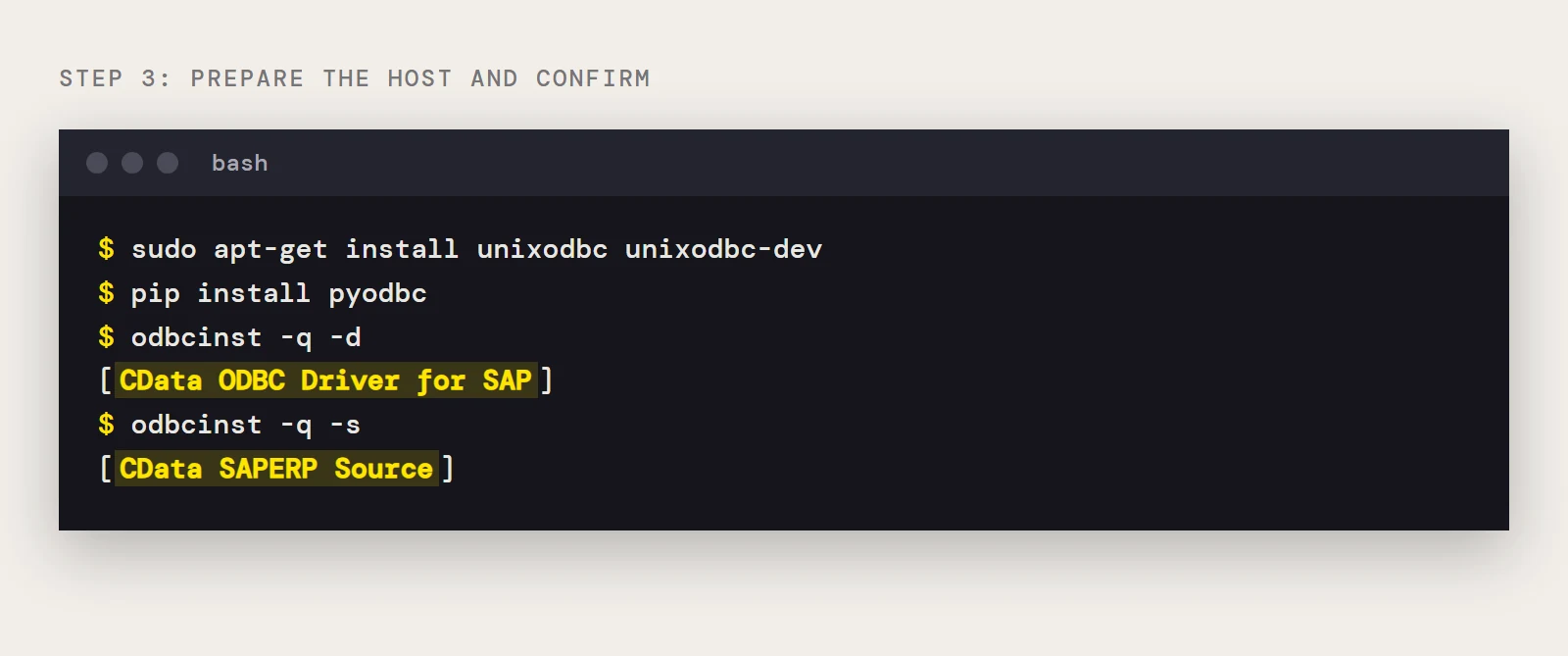
- Install unixODBC: sudo apt-get install unixodbc unixodbc-dev on Debian-based systems, or sudo yum install unixODBC unixODBC-devel on Red Hat family systems.
- Install the driver with dpkg -i or rpm -i, as root.
- Run odbcinst -q -d and confirm CData ODBC Driver for SAP is registered, and odbcinst -q -s to confirm the CData SAPERP Source data source exists.
- Edit cdata.odbc.saperp.ini in the lib folder of /opt/cdata/cdata-odbc-driver-for-saperp so it contains DriverManagerEncoding = UTF-16 under [Driver].
- Install the Python module with pip install pyodbc.
4. Define the data source
Edit /etc/odbc.ini for a system DSN or $HOME/.odbc.ini for one your account owns. The driver's sample entry for a Classic connection is:
[CData SAPERP Source]
Driver = CData ODBC Driver for SAP
Description = My Description
Host = sap.mydomain.com
User = EXT90033
Password = xxx
Client = 800
System Number = 09
ConnectionType = Classic
Location = C:/mysapschemafolder
Replace the host, credentials and client with your own, and point Location at a Linux path the job's account can write to. The same properties work in a connection string:
cnxn = pyodbc.connect(
    'DRIVER={CData ODBC Driver for SAP};Host=sap.mydomain.com;User=EXT90033;'
    'Password=xxx;Client=800;System Number=09;ConnectionType=Classic;'
    'Location=/opt/sapschemas;'
)
5. Smoke test with one small table read
The material master table MARA is a convenient first target. This query filters on the creator column ERNAM, which keeps the result small, and that matters on SAP.
import pyodbc
cnxn = pyodbc.connect('DSN=CData SAPERP Source')
cursor = cnxn.cursor()
cursor.execute("SELECT MANDT, MBRSH FROM MARA WHERE ERNAM = ?", 'BEHRMANN')
for row in cursor.fetchall():
    print(row.MANDT, row.MBRSH)
cnxn.close()
If this prints rows, the chain from Python through unixODBC and the driver to SAP is working. If it returns nothing or an authorization error, ask your SAP team to confirm that the user can read the table.
6. Make larger reads tolerable
CData's performance note for the SAP driver explains why large table reads slow down: the driver can't pass an offset to SAP while paging, so each page restarts from offset 0 and takes longer than the last. CData lists these remedies, in order: install a custom table read function, reduce its buffer size, raise the Pagesize property as far as your machine's memory allows, and add filters so you pull data in smaller slices. If your ABAP version is 7.52 or later, the Z_CUSTOM_READ_TABLE_752 function that ships with the driver is the most effective of these, and you enable it by setting ReadTableFunction. The full steps are in CData's SAP performance guide.
7. Hand-off checklist
Before you close the ticket, record the DSN name, the account that owns the odbc.ini the job reads, the schema folder path, the SAP user the job runs as, and the filters the production queries should always carry. If the data ultimately belongs in a warehouse and not in a Python process, CData Sync can replicate SAP tables on a schedule.
Want to try it on your own system? Download a free trial of the ODBC Driver for SAP and run these snippets today.
Ready to get started?
Download a free trial of the SAP ERP ODBC Driver to get started:
Download NowLearn more:
 SAP ERP ODBC Driver
The SAP ODBC Driver is a powerful tool that allows you to connect with live SAP ERP, directly from any applications that support ODBC connectivity.
With the SAP ODBC Driver, accessing SAP R/3 and SAP ERP is as easy as querying a database.