






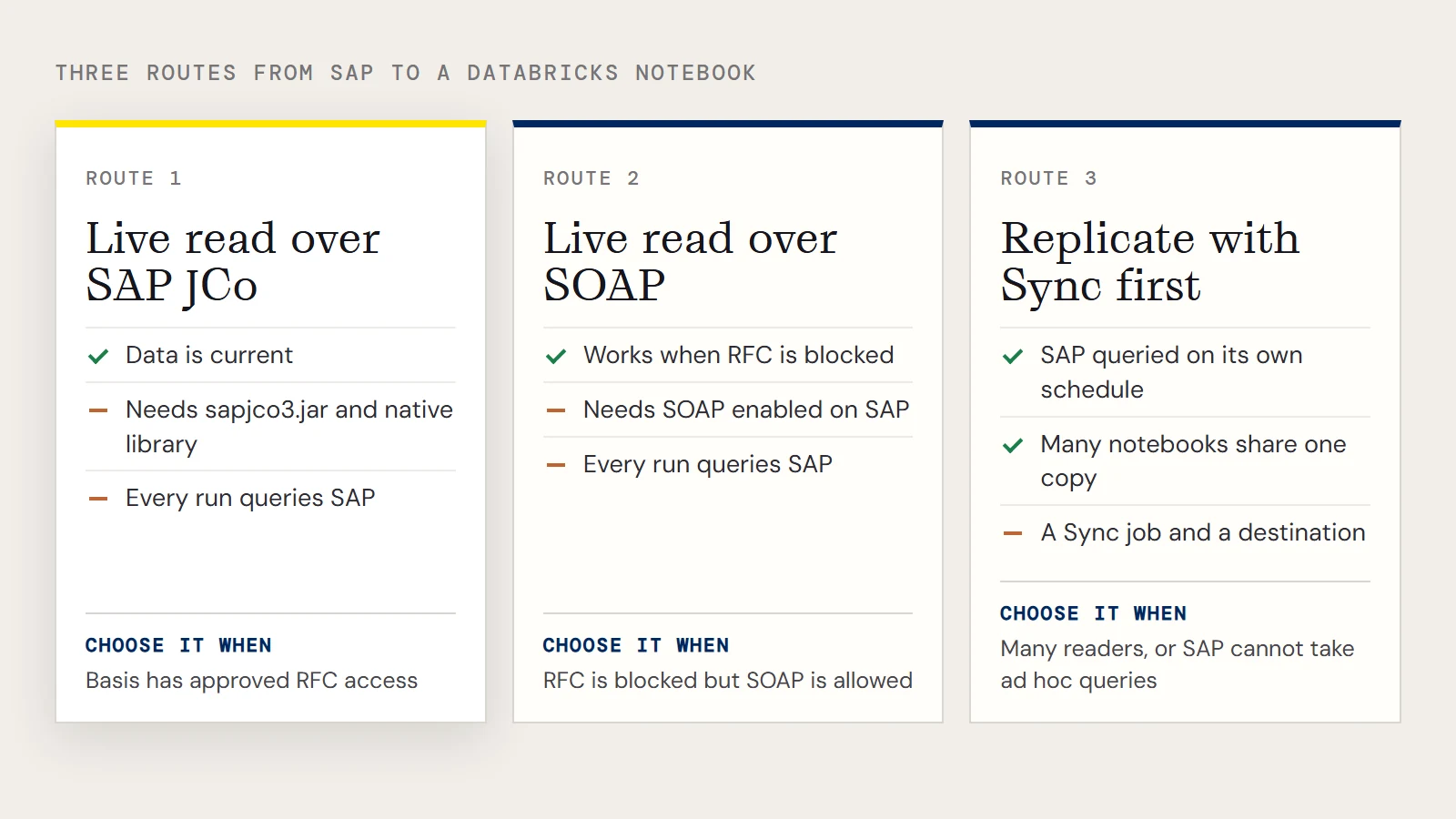
Getting SAP ERP data in front of Databricks users has more than one workable route, and the notebook code is the easy part. What matters is how Databricks reaches SAP: straight to the system through SAP's Java connector, through SOAP web services, or not at all, with the data replicated somewhere first. The table compares the three.
Three routes from SAP to a notebook
| Live read over SAP JCo | Live read over SOAP | Replicate first, read the copy | |
|---|---|---|---|
| How it connects | The CData JDBC Driver for SAP ERP uses the SAP Java Connector | The same driver calls SAP web services | CData Sync copies SAP data to a database or warehouse; Databricks reads that |
| What you need | sapjco3.jar and its native library installed where the cluster can load them | SOAP access enabled on the SAP system, plus Client, RFCUrl, User, Password | A Sync job and a destination |
| Load on SAP | Every notebook run queries SAP | Every notebook run queries SAP | Sync queries SAP on its own schedule |
| Fits when | Data must be current and your Basis team has approved RFC access | RFC is blocked but SOAP is allowed | Many people read the same tables, or SAP can't take ad hoc queries |
For S/4HANA, the choice of driver also depends on the edition. CData's guidance is that S/4HANA cloud public edition uses SAP NetWeaver Gateway connectivity, while the private edition can use either the SAP ERP driver or Gateway.
Most CData customers replicate SAP data into a database or warehouse, and live reads from a notebook make sense when freshness outweighs the extra queries against SAP. Neither is wrong in general. The rest of this guide covers the live route, because the replicated route needs no driver in Databricks at all.
Put the JCo files where the cluster can load them
The JDBC driver reaches SAP through SAP JCo. You get sapjco3.jar and the matching native library from SAP and install them in the directory appropriate for the hosting platform. The driver's Getting Started chapter describes the placement. Databricks clusters run Linux, so check which native library your cluster needs and how your admin attaches it before you spend time on the notebook; the repository material doesn't cover that step.
The driver itself goes on the cluster the usual Azure way: upload the JAR to a blob container, add the account key as a Spark option on the cluster, and install the library from an abfss:// URL. The DBFS method is deprecated, with no end-of-life published.
Read MARA from a notebook
The class is cdata.jdbc.saperp.SAPERPDriver, and the connection string follows the JCo form below. You also need the RTK licensing property unless you run a beta driver.
driver = "cdata.jdbc.saperp.SAPERPDriver"
url = "jdbc:saperp:RTK=5246...;Host=sap.mydomain.com;User=EXT90033;Password=xxx;Client=800;System Number=09;ConnectionType=Classic;Location=C:/mysapschemafolder;"
remote_table = (spark.read.format("jdbc")
    .option("driver", driver)
    .option("url", url)
    .option("dbtable", "MARA")
    .load())
display(remote_table.select("MANDT"))
To query it with SparkSQL, register a temp view and filter on a column such as ERNAM, the user who created the material.
remote_table.createOrReplaceTempView("mara_view")
result = spark.sql("SELECT MANDT, MBRSH FROM mara_view WHERE ERNAM = 'BEHRMANN'")
If you'd rather use the SOAP route, set Client, RFCUrl, User and Password in the URL instead of the host and system number. The driver's connection guide for SAP lists how to find these values.
When big SAP tables read slowly
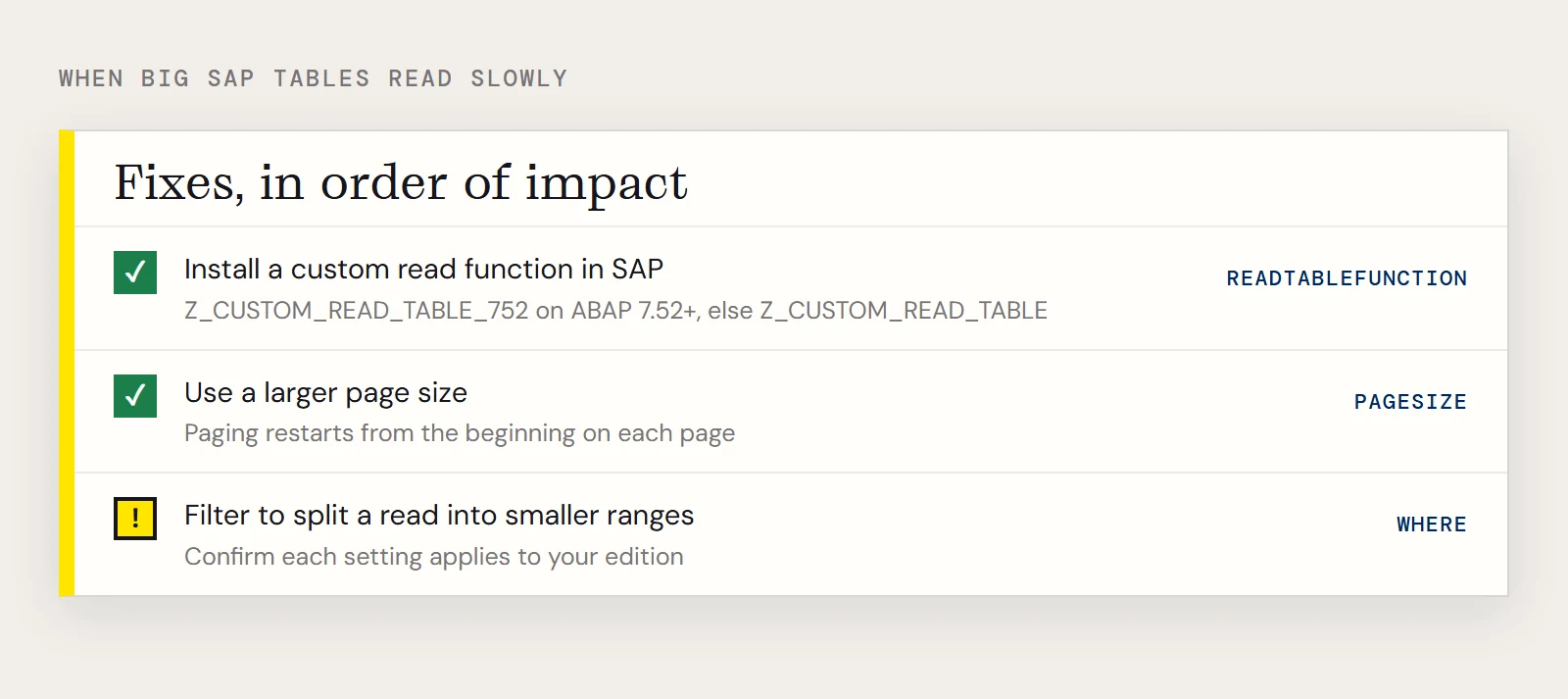
CData's performance note for the SAP ERP (NetWeaver) driver says the usual cause is paging: the driver can't pass an offset to SAP, so each page restarts from the beginning and later pages take longer. The fixes it lists, in order of impact, are a custom read function installed in SAP (Z_CUSTOM_READ_TABLE_752 on ABAP 7.52 or later, Z_CUSTOM_READ_TABLE otherwise, set through ReadTableFunction), a larger Pagesize, and filters that split a read into smaller ranges. That note predates the JDBC driver pages, so ask support to confirm each setting applies to the edition you run.
Which to choose
Pick the live read for a handful of tables that need to be current and a Basis team that has approved the connection. If the same SAP tables feed several notebooks, or SAP shouldn't answer a new query on every run, replicate them with Sync and point Databricks at the copy.
To try the live read, download the CData JDBC Driver for SAP ERP.
Ready to get started?
Download a free trial of the SAP ERP Driver to get started:
Download NowLearn more:
 SAP ERP JDBC Driver
Straightforward SAP ERP integration. Now accessing SAP RFC's from any JDBC client is as easy as querying a database.