






Dataverse usually holds records people care about: accounts, contacts, cases. Before an Entity Framework app reads them, it helps to decide who the app signs in as, which organization it can reach, and where its credentials live. This guide builds the working connection with the CData ADO.NET Provider for Microsoft Dataverse and treats those decisions as part of the setup.
Decide the identity first
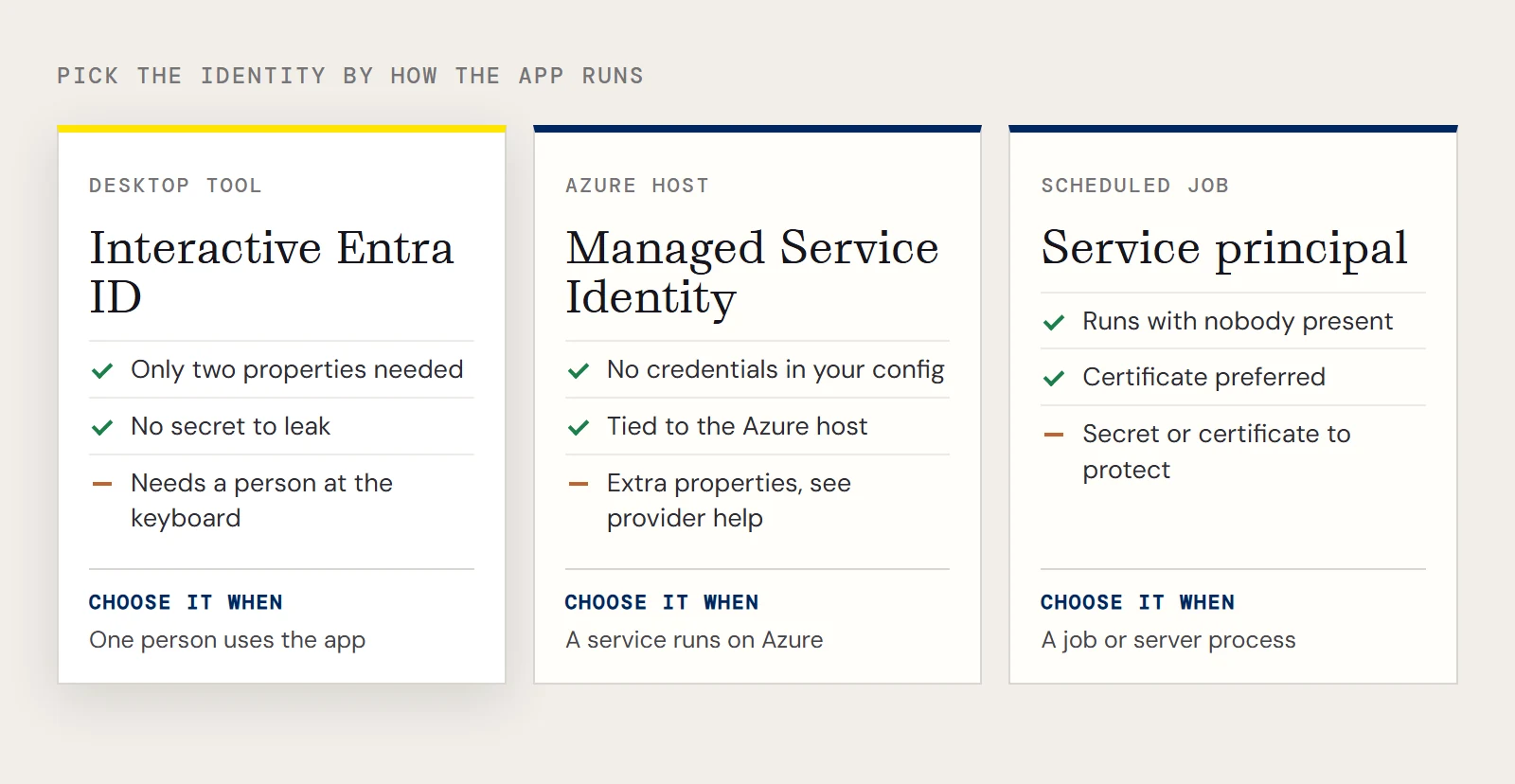
The provider can authenticate with Microsoft Entra ID, with Azure Managed Service Identity credentials, or with an Azure Service Principal using either a client secret or a certificate. Which one fits depends on how the app runs.
| App runs as | Identity that fits |
|---|---|
| A desktop tool used by one person | Interactive sign-in with Entra ID |
| A service on an Azure host | Managed Service Identity |
| A scheduled job or server process | Service principal, preferably with a certificate |
The interactive route is what the standard setup uses, and it needs only two properties. Service principal and managed identity setups need extra properties that this article doesn't list; take their names from the provider's help for your version.
The minimal connection
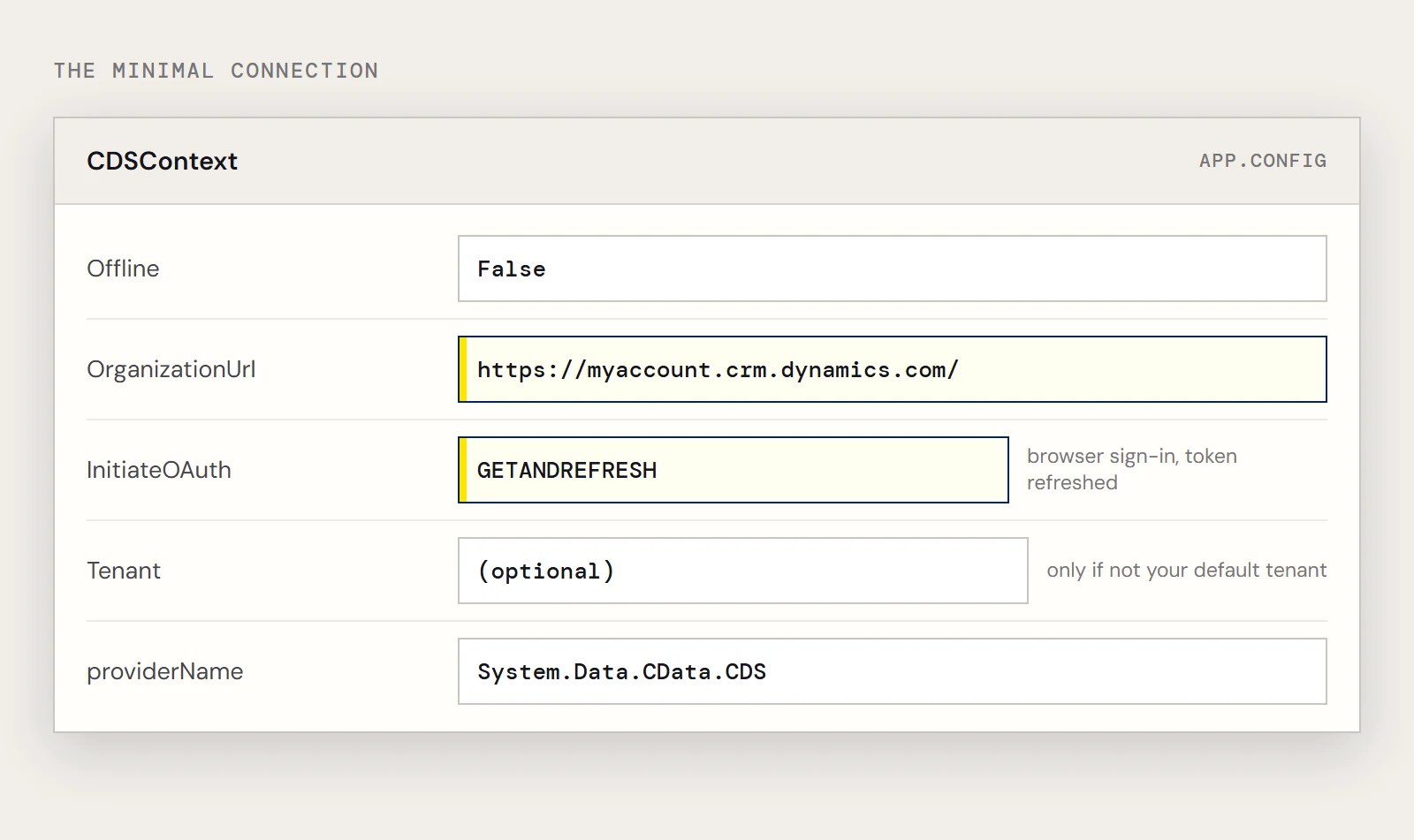
Set OrganizationUrl to the organization you're connecting to, such as https://myorganization.crm.dynamics.com, and set InitiateOAuth to GETANDREFRESH so you don't repeat the OAuth exchange or copy an access token by hand. When the connection opens, the OAuth endpoint appears in your default browser, you sign in and grant permissions, and the process finishes on its own.
Tenant is optional. You need it only when the organization isn't on your default tenant, and naming it makes clear which tenant the app signs in to.
<connectionStrings>
  <add name="CDSContext"
       connectionString="Offline=False;OrganizationUrl=https://myaccount.crm.dynamics.com/;InitiateOAuth=GETANDREFRESH;"
       providerName="System.Data.CData.CDS" />
</connectionStrings>
<entityFramework>
  <providers>
    <provider invariantName="System.Data.CData.CDS"
              type="System.Data.CData.CDS.CDSProviderServices, System.Data.CData.CDS.Entities.EF6" />
  </providers>
</entityFramework>
The provider's internal name for Dataverse is CDS, a leftover from Common Data Service, so the context is CDSContext and the assembly is System.Data.CData.CDS.Entities.EF6.dll, found in the lib folder's 4.0 subfolder. Add the reference after you've installed Entity Framework with Install-Package EntityFramework.
Keep secrets out of the repository
The interactive setup above has no secret to leak, which is a good reason to start there. Once you move to a service principal, the client secret or certificate details become the sensitive part. Don't commit them in App.config; keep them in a secret store or in environment-specific configuration that your deployment supplies, and rotate them on the schedule your organization already uses for app registrations.
Limit what the model can see
The context is also a scope. The provider can reach Dataverse entities and its system tables, but your code only touches what you map. Map the entities the app needs and nothing else.
using System.Data.Entity;
using System.Data.Entity.Infrastructure;
using System.Data.Entity.ModelConfiguration.Conventions;
class CDSContext : DbContext {
  public CDSContext() { }
  protected override void OnModelCreating(DbModelBuilder modelBuilder)
  {
    Database.SetInitializer<CDSContext>(null);
    modelBuilder.Conventions.Remove<PluralizingTableNameConvention>();
  }
  public DbSet<Accounts> Accounts { set; get; }
}
The entity exposes two columns of the Accounts table, and nothing more:
[System.ComponentModel.DataAnnotations.Schema.Table("Accounts")]
public class Accounts {
  [System.ComponentModel.DataAnnotations.Key]
  public System.String AccountId { get; set; }
  public System.String Name { get; set; }
}
Mapping two columns keeps the rest of the record out of your application's memory and logs. The null initializer also means Entity Framework never tries to create or migrate schema in your Dataverse environment.
Query and verify
CDSContext context = new CDSContext();
context.Configuration.UseDatabaseNullSemantics = true;
var query = from line in context.Accounts select line;
Once it runs, check what the signed-in account can see. In Dataverse, security roles generally decide which records a user can read, so a result set that looks short or empty is usually a permissions question for the environment's admin, not a bug in the query. Test with the identity the app will really use in production, because a developer's own sign-in can see far more than a service principal will.
To build this against your own environment, download a free trial of the ADO.NET Provider for Microsoft Dataverse.
Ready to get started?
Download a free trial of the Microsoft Dataverse Data Provider to get started:
Download NowLearn more:
 Microsoft Dataverse ADO.NET Provider
Rapidly create and deploy powerful .NET applications that integrate with Microsoft Dataverse data including Accounts, Entities, and more!