






A loop over a DynamoDB table can feel instant on a few hundred items and then drag once the table grows. SQLAlchemy hides the difference, because the code looks the same either way. Before changing anything, it helps to know which of a few usual suspects is responsible.
This guide uses the CData Python Connector for Amazon DynamoDB and the Lead table from CData's example data. The order matters: measure, remove the biggest cost, measure again.
Put a stopwatch around one query
Start with a connection string and a timer. The connector's example uses an access key, a secret key, a domain and a region, and the last two are optional.
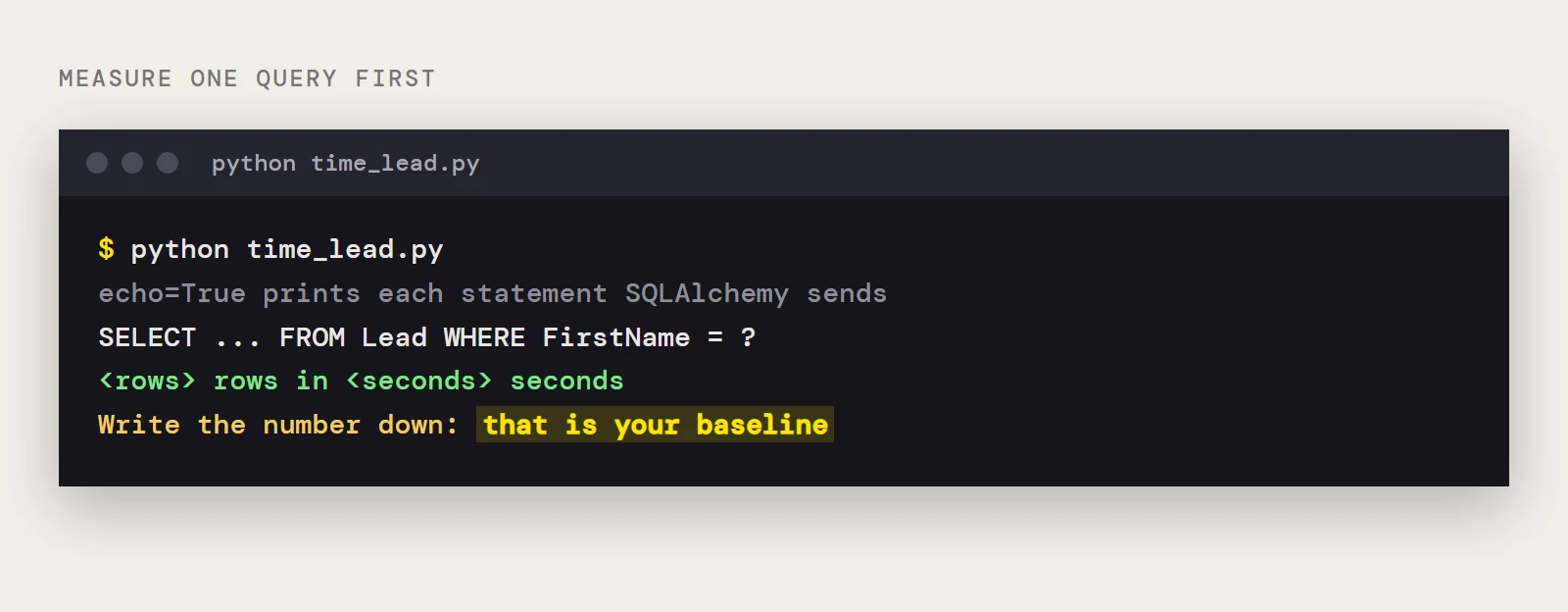
amazondynamodb:///?Access Key=xxx&Secret Key=xxx&Domain=amazonaws.com&Region=OREGONWrap the query you care about so you get both a duration and a row count. Setting echo=True on the engine also prints each SQL statement SQLAlchemy sends, which shows you whether one call is really a hundred.
import time
from sqlalchemy import create_engine, String, Column
from sqlalchemy.ext.declarative import declarative_base
from sqlalchemy.orm import sessionmaker
base = declarative_base()
class Lead(base):
    __tablename__ = "Lead"
    Industry = Column(String, primary_key=True)
    Revenue = Column(String)
    FirstName = Column(String)
engine = create_engine("amazondynamodb:///?Access Key=xxx&Secret Key=xxx&Domain=amazonaws.com&Region=OREGON", echo=True)
session = sessionmaker(bind=engine)()
start = time.perf_counter()
rows = session.query(Lead).filter_by(FirstName="Bob").all()
print(len(rows), "rows in", round(time.perf_counter() - start, 2), "seconds")
Run it a few times and note the typical result, since the first call also pays for connecting. Write the number down: without a baseline every later change is a guess, and a few milliseconds saved on one run may just be noise.
Where the time usually goes
Three things account for most slow reads. The first is volume: the query returns far more items than the code uses. The second is width, meaning every attribute comes back when two would do. The third is work done on the client. CData's connector sends supported filters and aggregations to DynamoDB and runs unsupported operations in its own SQL engine, which often means joins and SQL functions, so a statement that looks small in Python can still pull a lot of items across before it is reduced.
DynamoDB is a key-value store at heart, and how cheaply a read can be served depends on how it relates to the table's keys. Which WHERE clauses the connector can turn into key-based reads is a question for the driver's help, so check it for the columns you filter on most.
Fixes, in order of likely impact
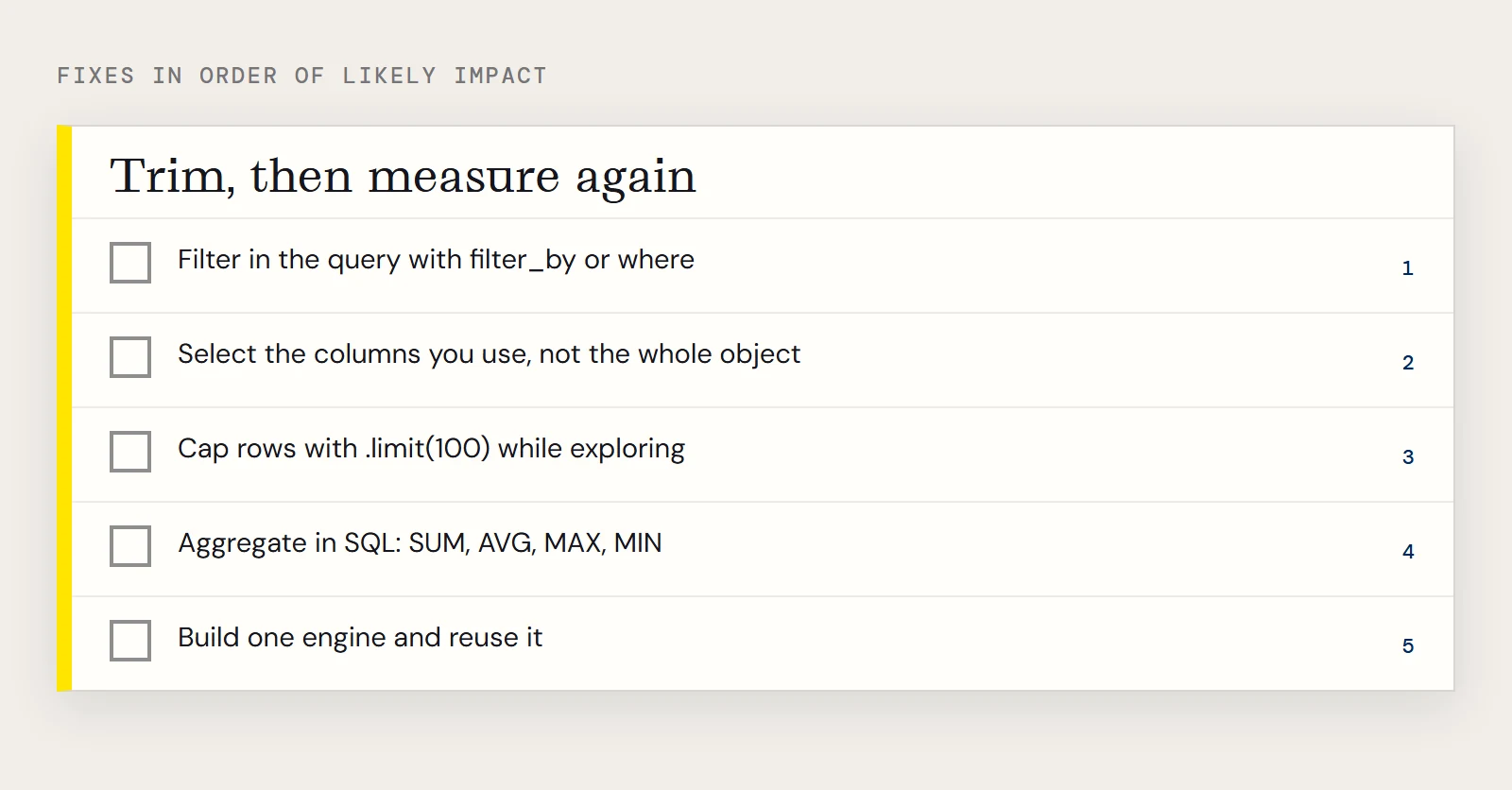
- Filter in the query. Use filter_by or where so the condition travels with the statement and you don't fetch everything to test it in Python.
- Select the columns you use. Query Lead.Industry and Lead.Revenue instead of the whole Lead object, and map fewer columns on the class if you never touch the rest.
- Cap the rows with .limit(100) while you are exploring, so a mistaken query ends quickly.
- Replace Python-side loops with SQL aggregation. The connector supports analytic summaries such as SUM, AVG, MAX and MIN, so ask for the total instead of adding up a list.
- Build one engine and reuse it. A new engine for each call repeats the connection work every time.
Steps 1, 2 and 4 combined look like this:
from sqlalchemy import func
summary = (
    session.query(Lead.Industry, func.sum(Lead.Revenue))
    .filter_by(FirstName="Bob")
    .group_by(Lead.Industry)
    .all()
)
Revenue is mapped as a string in the sample class, so cast it or map it as a numeric type before you sum it on real data.
Measure again, then decide whether the table belongs somewhere else
Run the timer on the changed query and compare it with the number you wrote down. If a step made no difference, undo it, because it only adds noise to the code.
Sometimes the honest answer is that a table is large, you read it constantly, and the questions are analytical. In that case a copy in a relational store is a better fit than live reads, and CData Sync can keep that copy current while your SQLAlchemy code points at the copy.
Ready to get started?
Download a Community License of the Amazon DynamoDB Connector to get started:
Download NowLearn more:
 Amazon DynamoDB Python Connector
Python Connector Libraries for Amazon DynamoDB Data Connectivity. Integrate Amazon DynamoDB with popular Python tools like Pandas, SQLAlchemy, Dash & petl.