






A web application is a very persistent client for a Snowflake warehouse. It holds connections open and runs a query for every request, and nobody is watching when it does. If the warehouse resumes automatically when it's queried, a busy or chatty service can keep it awake all day, so the connection settings in your Spring Boot app are also a cost setting.
The connection with the CData driver
Install the CData JDBC Driver for Snowflake and put its jar in your local Maven repository under the group org.cdata.connectors and the artifact cdata-snowflake-connector. Then set the datasource in application.properties.
spring.datasource.driver-class-name=cdata.jdbc.snowflake.SnowflakeDriver
spring.datasource.url=jdbc:snowflake:AuthScheme=Password;URL=https://myaccount.snowflakecomputing.com;User=Admin;Password=test123;Warehouse=TestWarehouse;Database=Northwind;
The properties that matter here are these.
- AuthScheme is PASSWORD or OKTA in the driver's connection notes.
- URL is your Snowflake instance, such as https://myaccount.snowflakecomputing.com.
- Warehouse names the warehouse that will run every query the app sends.
- Account is only needed when your URL doesn't follow that format.
- Database and Schema restrict which tables and views the driver exposes.
Two cautions apply when no person is at the keyboard. The MFACode property takes a passcode from a Duo authenticator app, and a passcode that expires in seconds doesn't suit an unattended process. The driver's product page also lists password authentication as being deprecated, with OAuth 2.0, key pair, Okta, Azure AD, PingFederate and external browser authentication as alternatives, so check the Getting Started guide in the driver help and choose a non-interactive method before you ship.
Decide how many connections you really need
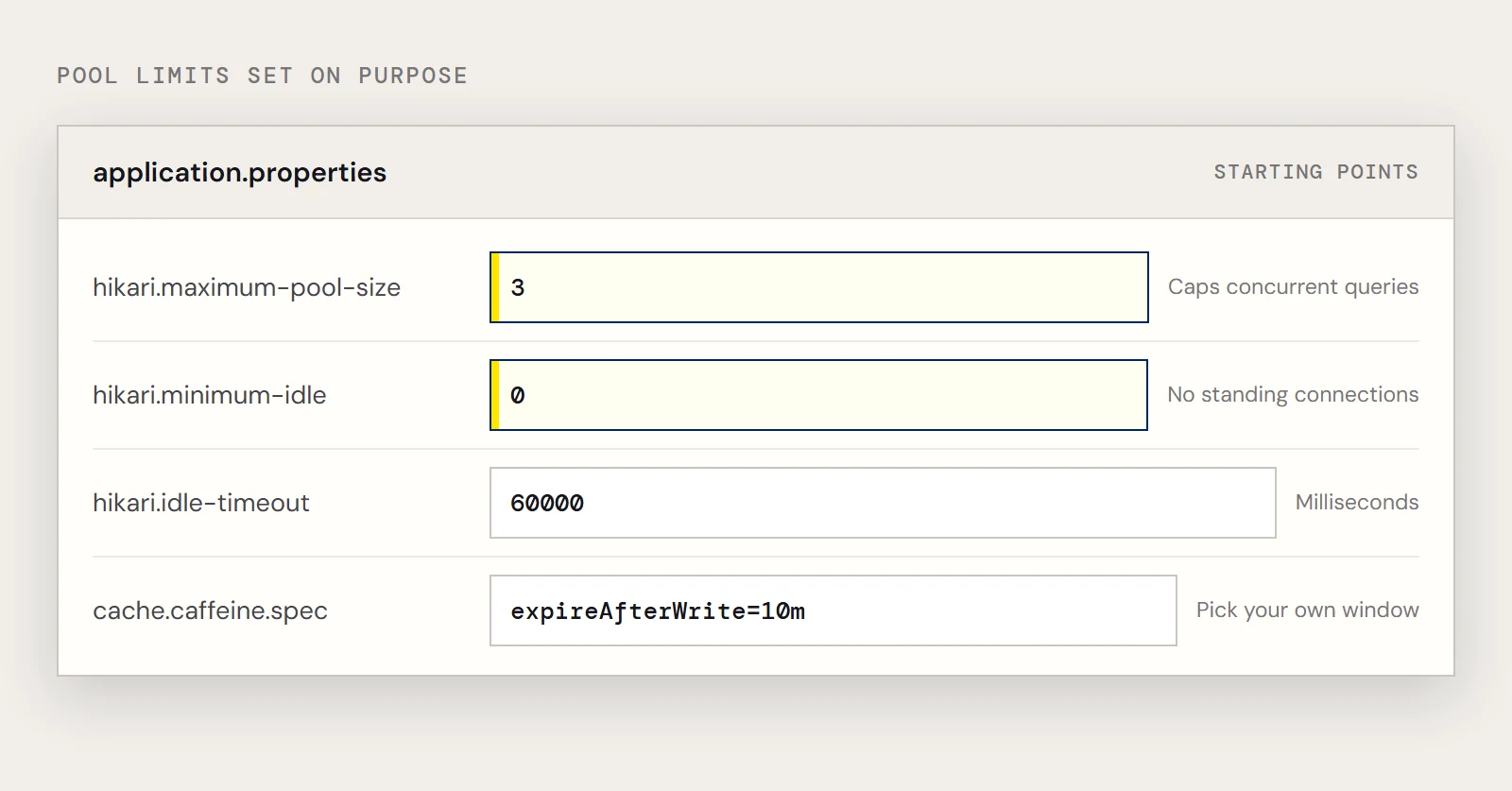
Spring Boot 2.x uses HikariCP by default. Each pooled connection is a session that Snowflake knows about, and a pool sized for a database that charges nothing per query is often larger than a warehouse job needs. Set the limits on purpose.
spring.datasource.hikari.maximum-pool-size=3
spring.datasource.hikari.minimum-idle=0
spring.datasource.hikari.idle-timeout=60000
A small maximum caps how many queries the app can run at once, and minimum-idle=0 lets the pool drop idle connections instead of keeping a standing set. Pick numbers from your own traffic; these are only starting points.
Narrow the query before it leaves the app
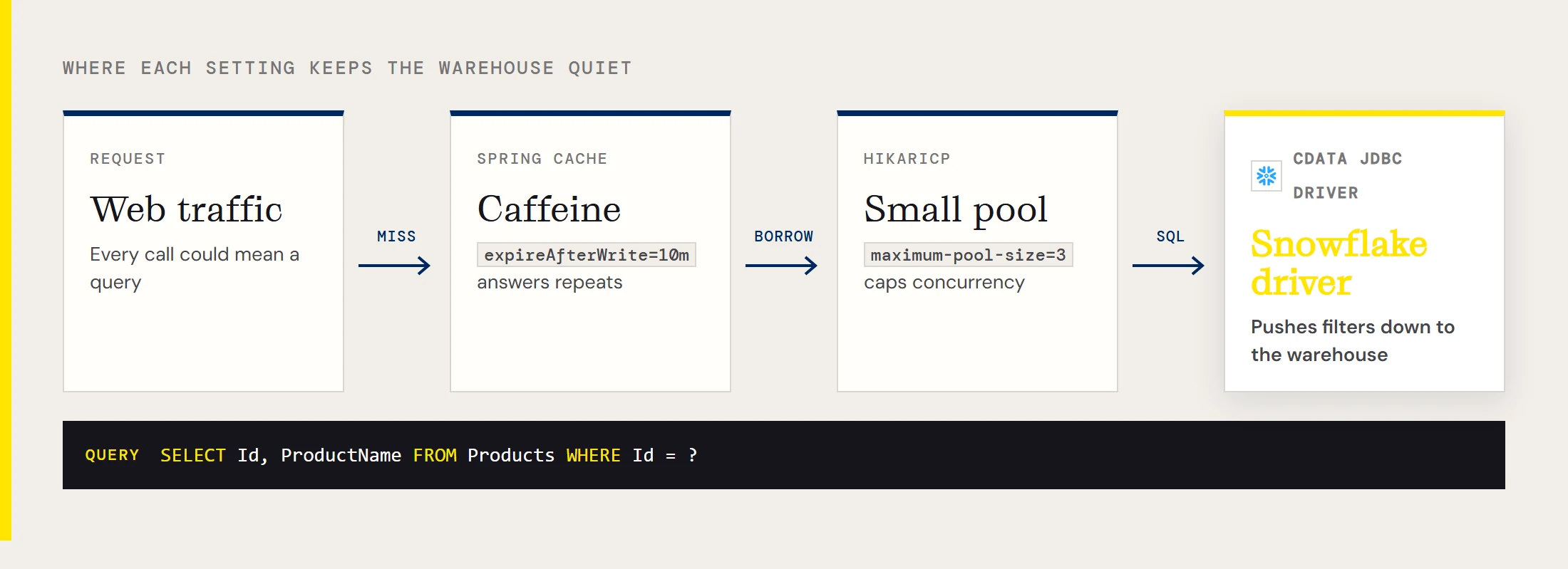
The driver pushes supported filters and aggregations to Snowflake and processes whatever Snowflake can't do in its own SQL engine, so the first saving is simply to write a selective query. Name the columns you need and filter in SQL.
List<Map<String, Object>> rows = jdbc.queryForList(
    "SELECT Id, ProductName FROM Products WHERE Id = ?", productId);
Compare that with selecting everything from Products and filtering the list in Java. The second version asks the warehouse for all the data on every call.
Cache what doesn't change every minute
Reference data such as a product list rarely needs a fresh query per request. Spring's cache abstraction puts a time limit in front of the warehouse, so the first request in a window pays for the query and the rest don't. Add spring-boot-starter-cache and Caffeine, then enable caching.
@Service
public class ProductService {
    private final JdbcTemplate jdbc;
    public ProductService(JdbcTemplate jdbc) {
        this.jdbc = jdbc;
    }
    @Cacheable("products")
    public List<Map<String, Object>> productNames() {
        return jdbc.queryForList("SELECT Id, ProductName FROM Products");
    }
}
spring.cache.cache-names=products
spring.cache.caffeine.spec=expireAfterWrite=10mTen minutes is an example, so choose the window your users can tolerate. Apply the same thinking to anything that polls Snowflake on a timer, such as a scheduled job or a health check that runs a query, because each one is a reason for the warehouse to be running.
If something looks wrong
- If the app fails to log in and MFA is on, check whether MFACode is set and whether the passcode has already expired.
- If no tables show up, confirm Warehouse is set and that the account can see the Database and Schema you named.
- If the URL doesn't match the usual account format, set Account explicitly.
- If the warehouse never seems to suspend, look for a scheduled task, an actuator health check or a pool that holds a minimum number of idle connections.
To try these settings, download the CData JDBC Driver for Snowflake.
Ready to get started?
Download a free trial of the Snowflake Driver to get started:
Download NowLearn more:
 Snowflake JDBC Driver
Rapidly create and deploy powerful Java applications that integrate with Snowflake.