






People who put an ORM in front of a document database tend to run into the same few snags, so here they are in the order they usually come up:
Can SQLAlchemy talk to MongoDB at all?
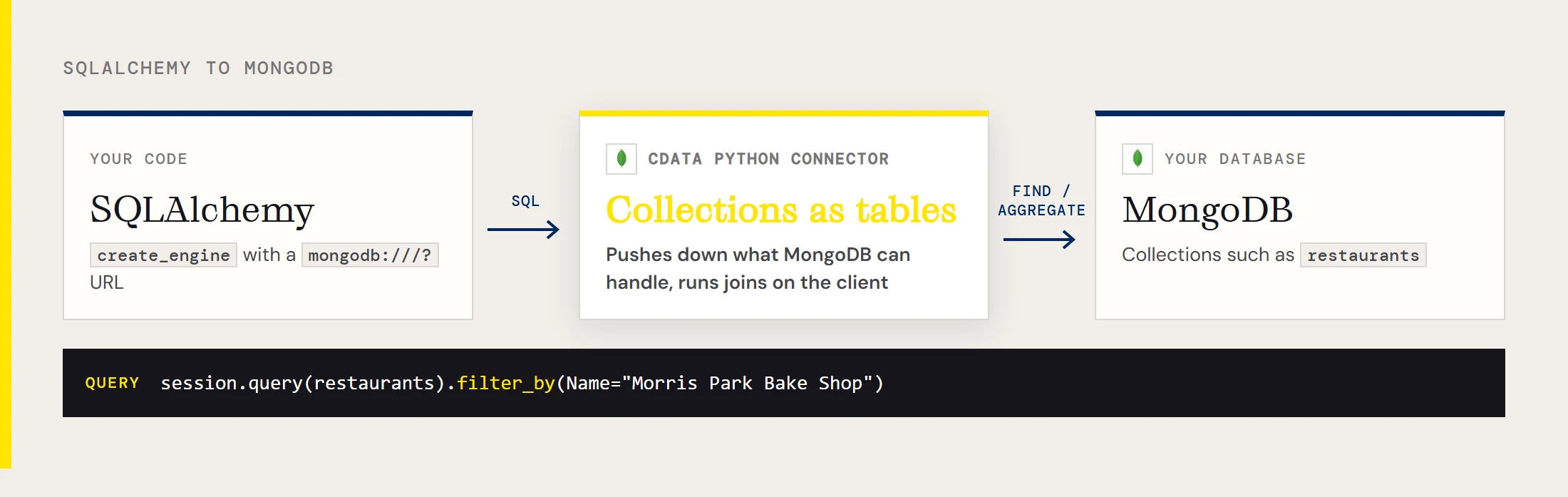
Yes, once the CData Python Connector for MongoDB is installed. SQLAlchemy then accepts a URL that starts with mongodb:///?, and the collections in your database show up as tables you can map to classes or query with SQL. The connector sends the filters and aggregations MongoDB can handle to MongoDB and processes the rest (joins, most SQL functions) on the client.
How do I install it?
Install SQLAlchemy from PyPI, then install the .whl file from the connector download that matches your Python version and architecture. The connector's getting-started guide lists Python 3.8 through 3.12 as supported. You also need to activate your license key with the installer that ships inside the connector's folder under site-packages.
pip install sqlalchemyWhat goes in the connection string?
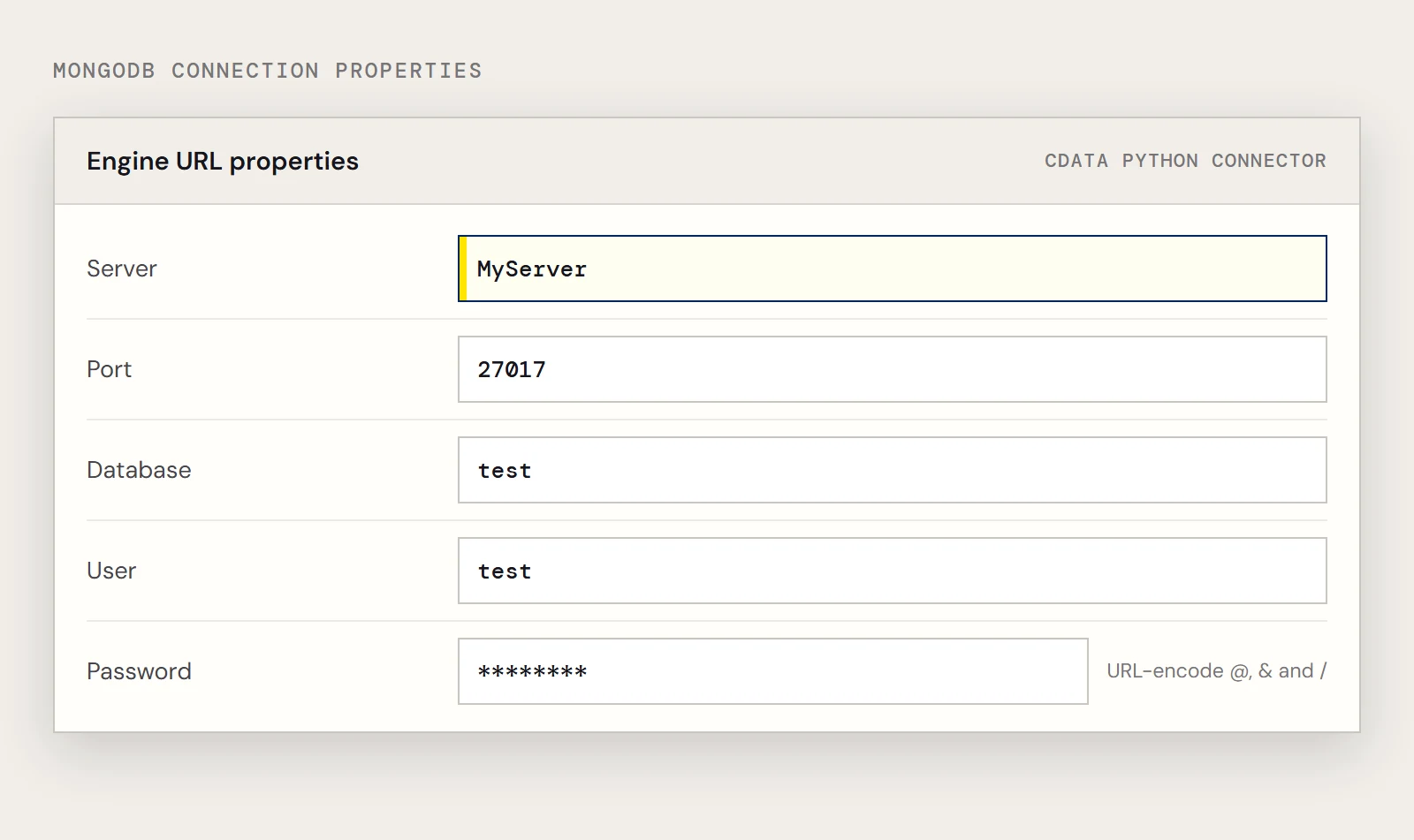
Five properties cover a username and password login: Server, Port, Database, User and Password. The sample CData uses for this connector looks like this:
mongodb:///?Server=MyServer&Port=27017&Database=test&User=test&Password=PasswordProperties are joined with & because the string is a URL. If a password contains characters such as @, & or /, URL-encode it first (urllib.parse.quote_plus does the job), or SQLAlchemy will split the string in the wrong place.
Does my MongoDB version or host matter?
The connector supports MongoDB 2.6 and above. For a server with no authentication you only need Server and Port. For Amazon DocumentDB, CData's connection-string examples add UseSSL=True and UseFindAPI=True to the usual login properties, so start there if the plain string fails against DocumentDB.
How do collections and loosely structured documents become tables?
The connector discovers schemas automatically, or you can write the schema files yourself. Schemas live in .rsd files, which have a simple format, so a field that discovery misses or types badly can be defined by hand. The connector can also run free-form queries that are not tied to any schema.
How do I map a collection to a class?
Declare a class whose __tablename__ matches the collection and add a column for every field you plan to read or filter on. SQLAlchemy insists on a primary key, and _id is the one CData's example data records for the restaurants collection.
from sqlalchemy import create_engine, String, Column
from sqlalchemy.ext.declarative import declarative_base
from sqlalchemy.orm import sessionmaker
base = declarative_base()
class restaurants(base):
    __tablename__ = "restaurants"
    _id = Column(String, primary_key=True)
    Name = Column(String)
    borough = Column(String)
    cuisine = Column(String)
Why does filter_by fail on a field I know exists?
Because filter_by only sees attributes on your mapped class, not every field in the collection. If Name is a field in MongoDB but the class has no Name column, SQLAlchemy raises an error before anything reaches the server. Add the column to the class and the same query works.
engine = create_engine("mongodb:///?Server=MyServer&Port=27017&Database=test&User=test&Password=Password")
session = sessionmaker(bind=engine)()
for shop in session.query(restaurants).filter_by(Name="Morris Park Bake Shop"):
    print(shop.borough, shop.cuisine)
Can I insert, update and delete through the session?
Yes. The connector supports writes, so session.add(), changing an attribute on a fetched object, and session.delete() each take effect when you call session.commit(). Try it on a scratch collection first, because a commit goes straight to the database you named.
shop = session.query(restaurants).filter_by(Name="Morris Park Bake Shop").first()
shop.cuisine = "Bakery"
session.commit()
Can I see what SQLAlchemy actually sends?
Yes. Create the engine with echo=True and SQLAlchemy prints every SQL statement it issues, along with the parameters. That is the quickest way to confirm that a filter_by turned into a WHERE clause, or to spot a loop that quietly runs one query per row.
Can I skip the ORM and still use SQL?
You can. The session's execute method works with the table object that your mapped class carries, so you can build a select() with where() clauses and loop over the rows without instantiating objects. CData's Python connector page also shows pandas.read_sql working against the same kind of engine, which is the quickest route if the end goal is a DataFrame.
To try it yourself, download the CData Python Connector for MongoDB and start a free trial.
Ready to get started?
Download a Community License of the MongoDB Connector to get started:
Download NowLearn more:
 MongoDB Python Connector
Python Connector Libraries for MongoDB Data Connectivity. Integrate MongoDB with popular Python tools like Pandas, SQLAlchemy, Dash & petl.