







Hooking Xero up to Power Automate tends to raise the same handful of questions.
What is the quickest way to get Xero data into a flow?
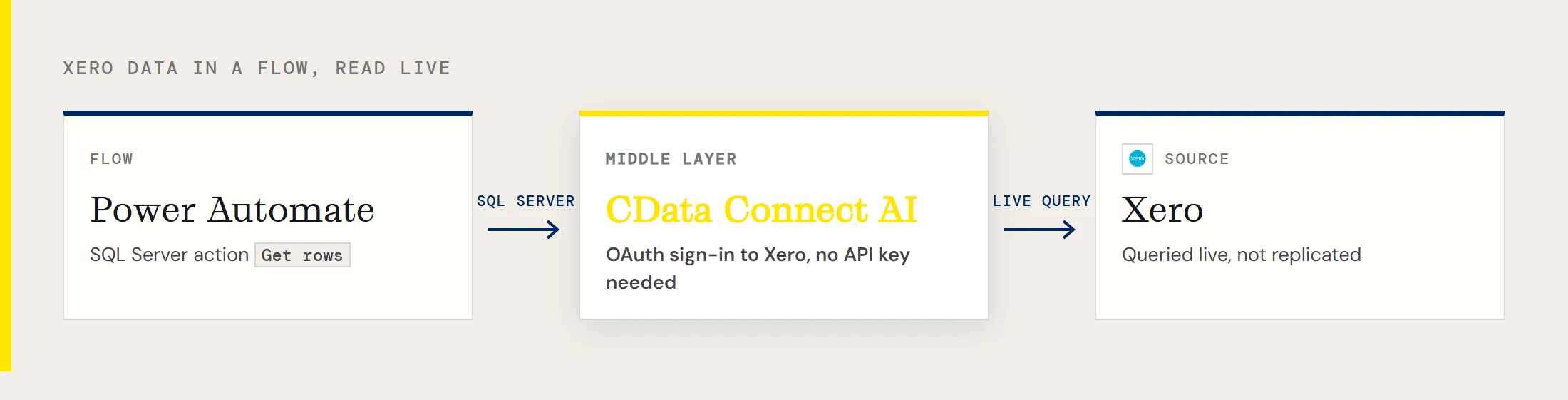
Use CData Connect AI as a middle layer. You add Xero as a connection in Connect AI, then add a Power Automate SQL Server connection that points at Connect AI. From there, a standard SQL Server action such as Get rows reads Xero tables. The data is read live, not replicated.
Do I need to create a Xero API key?
Not for the Connect AI connection, where you sign in with Xero instead. Choose Sources > Add Connection > Xero in Connect AI and click Sign in to authenticate through OAuth. CData's documentation also describes private, public and partner Xero applications for the driver itself, selected with the XeroAppAuthentication property, but the Connect AI form only needs the sign-in.
What do I type into the Power Automate SQL Server connection?
Go to Data > Connections > New connection in Power Automate, select SQL Server, and connect directly. Enter tds.cdata.com,14333 as the SQL server name and the name of the Xero connection in Connect AI, for example Xero1, as the SQL database name. For Username, use a Connect AI user such as [email protected]. The Password is a Connect AI personal access token, not your Xero password.
Where do I get that personal access token?
Click the gear icon at the top right of Connect AI, open Personal Access Tokens, click Create PAT, and name it. The token appears only once, so copy it immediately. Create a separate PAT for each flow or service so you can revoke one without touching the rest.
Which Xero tables can a flow read?
CData's Xero connectivity covers Xero Accounts and both the US and Australian Payroll APIs, with accounting, payroll, file, fixed asset and project data. Examples from CData's material are Items, Accounts and Contacts. The Table drop-down of the Get rows action shows what your Connect AI user is allowed to read.
Can a flow read Xero payroll data?
CData's Xero connectivity includes the US and Australian Payroll APIs alongside the accounting data. Payroll is sensitive, so set the connection's Permissions tab deliberately before you hand a flow to a wider team.
Does Connect AI keep a copy of my Xero data?
No. CData describes Connect AI as giving cloud-to-cloud access to live Xero data without replicating it. Each time a flow runs, Connect AI passes the query to Xero, and any copy that exists afterward is whatever your later flow steps store, such as a row in SharePoint or an email body.
How do I total stock for an item?
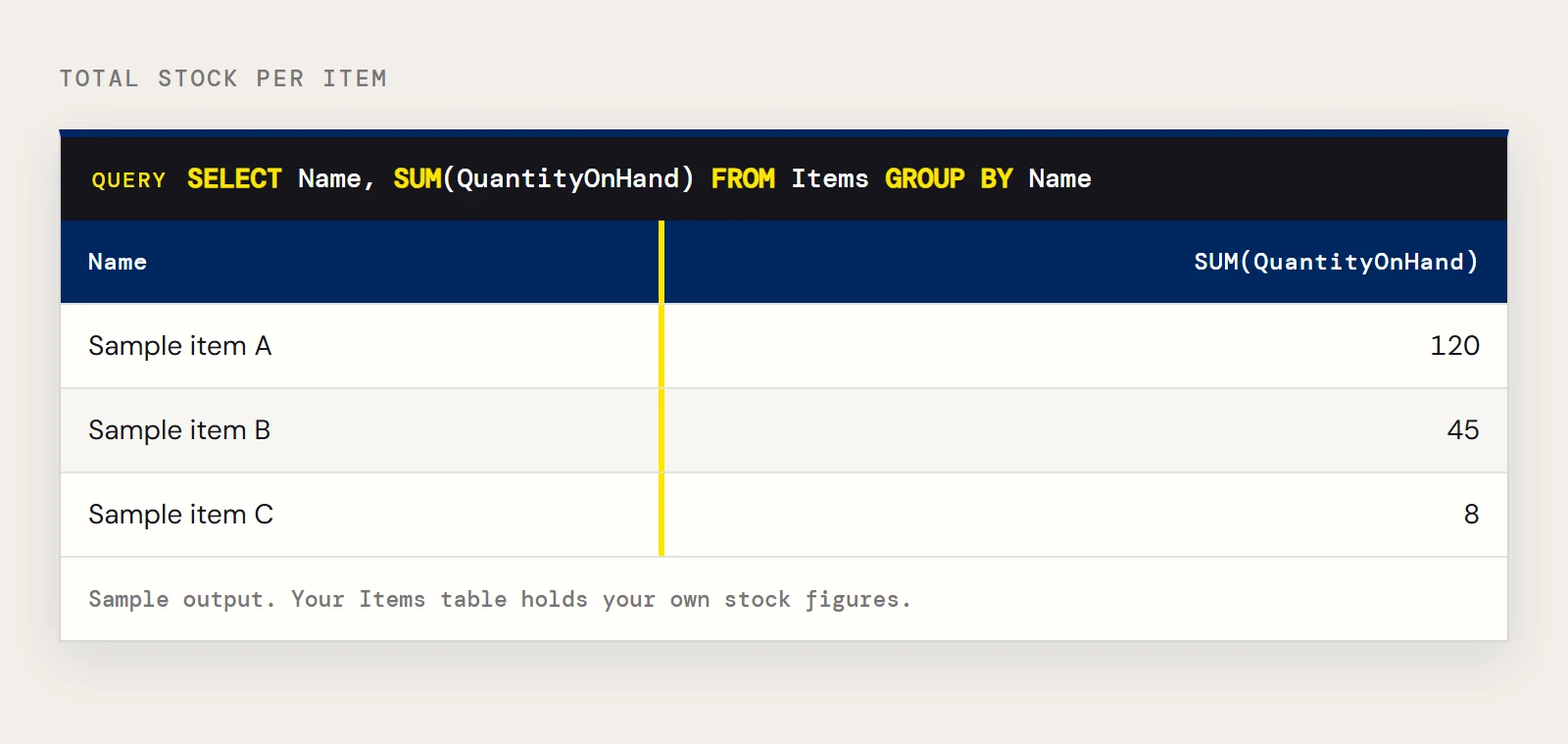
Write the aggregate as SQL. CData's sample for the Items table sums stock per item name:
SELECT Name, SUM(QuantityOnHand)
FROM Items
GROUP BY Name
Add a filter such as Name = 'Golf balls - white single' to look at one item.
Can a flow write back to Xero?
CData's Xero connectivity can read, write, update and delete objects such as customers, invoices and sales receipts. Whether a given flow can do so depends on what the Connect AI user is allowed on the connection's Permissions tab, so set that tab to the minimum the flow needs.
What about Xero's rate limits?
Xero limits how many API calls an app can make, so a flow that polls often can run into a 503. CData's knowledge base entry on that error lists a limit of 60 calls per minute and 5,000 per day, though Xero's current figures are on its developer site and may differ. Reading only the columns and rows you need, and scheduling flows sensibly, keeps the call count down.
Is there a version for Power Automate Desktop?
CData has a separate walkthrough for it, Xero data in Power Automate Desktop. The cloud flows described here use the Power Automate service.