Enterprise adoption starts with the developer. That's the idea behind this week's announcement: DBeaver, the database tool millions of developers use every day, now includes CData JDBC Drivers in its Community Edition connection window.
I have spent my career in data connectivity, from IoT sensors to search to AI, and one pattern holds: Data doesn't get used until someone can reach it from the tool they already have open. For application data, that tool is now a few clicks away thanks to CData Drivers.
What changes in the connection window
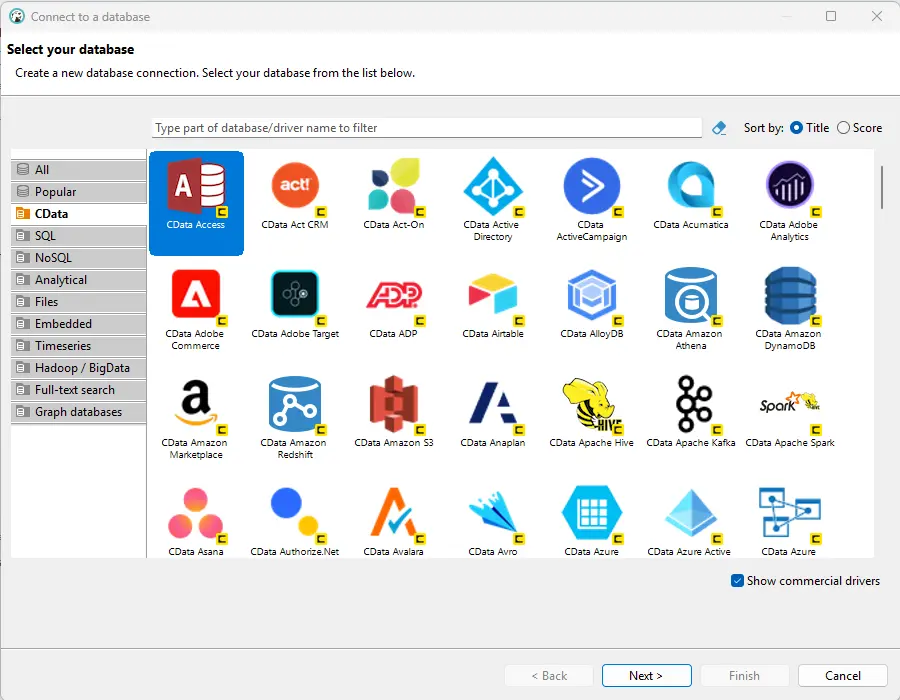
Before, querying Salesforce in DBeaver meant downloading a driver, adding it through Driver Manager, and entering the driver class, URL template, and JAR file by hand. Now, with the latest partnership between DBeaver and CData Software, the path runs inside DBeaver:
Open DBeaver Community Edition 26.2.4 and start a new connection.
Enable "Show commercial drivers."
Choose a driver from the CData category, such as Salesforce, Microsoft Dynamics 365, or NetSuite.
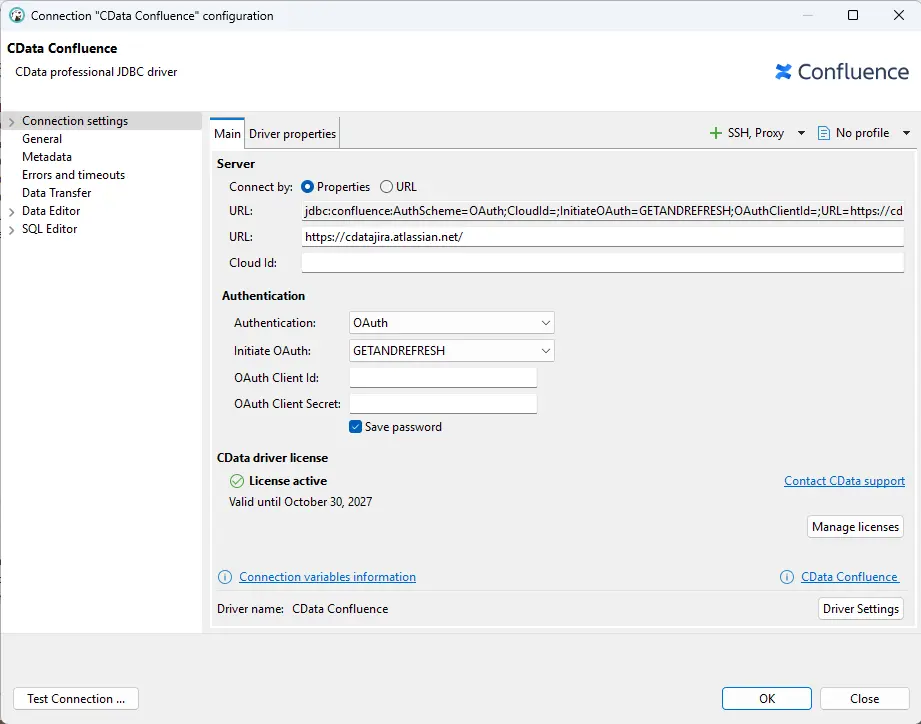
Download the driver files in a few clicks.
Enter your connection details and authenticate with the application, for example through the browser's OAuth prompt.
For developers: SQL over application data, in the tool you already use
CData JDBC Drivers present application objects as relational tables. The Salesforce driver, for example, presents Accounts, Contacts, Leads, Opportunities, and custom objects as tables. You can browse them, generate SQL, and run it the same way you do against a database.
Explore the data before you build
If you're building an integration or an AI agent on Salesforce, NetSuite, Dynamics 365 or any other SaaS application, the first job is understanding what's in those systems: which objects exist, how they relate, and what a request returns. DBeaver is a good place to do that. The CData data model is precise and token-efficient, and it's the same model CData uses for AI. The queries you validate in DBeaver reflect what an agent will work with later.
Point of View: projects move faster when the data path is understood before the build starts. Explore it first, in the tool you already know.
Availability
The integration is included in DBeaver Community Edition 26.2.4, released November 2, 2026, for Windows, macOS, and Linux. Download it at dbeaver.io/download. Thank you to Tatiana Krupenya and the DBeaver team for building this with us.