






Jira Assets to Microsoft Access Data Integration
The leading hybrid-cloud solution for Microsoft Access integration. Automated continuous ETL/ELT data replication from Jira Assets to Microsoft Access.
Whether you're managing operational reporting, connecting data for analytics, or ensuring disaster recovery, CData Sync's no-code approach to data integration simplifies the process of putting Jira Assets data to work.



Jira Assets:
Jira Assets is a robust asset and configuration management tool designed to help teams efficiently track, organize, and manage their assets. It provides a centralized repository for IT and non-IT assets, enabling detailed asset categorization and relationship mapping. Teams can monitor asset lifecycles, manage dependencies, and gain insights through powerful reporting and analytics tools. With customizable workflows, automated asset tracking, and integrations with Jira Service Management, Jira Assets streamlines asset management, supports effective incident resolution, and improves overall IT operations management.

Microsoft Access:
Microsoft Access is a database management system that allows users to store, organize, and retrieve data in a user-friendly interface. It is part of the Microsoft Office suite and is commonly used for creating and managing databases for small to medium-sized businesses. Access offers powerful tools for data analysis and reporting.
Integrate Jira Assets and Microsoft Access with CData Sync
CData Sync provides a straightforward way to continuously pipeline your Jira Assets data to any database, data lake, or data warehouse, making it easily available to analytics, reporting, AI, and machine learning.
- Synchronize data with a wide range of traditional and emerging databases including Microsoft Access.
- Replicate Jira Assets data to database's and data warehouse systems to facilitate operational reporting, BI, and analytics.
- Offload queries from Jira Assets to reduce load and increase performance.
- Connect Jira Assets to business analytics for BI and decision support.
- Archive Jira Assets data for disaster recovery.
Integrate Jira Assets with Microsoft Access
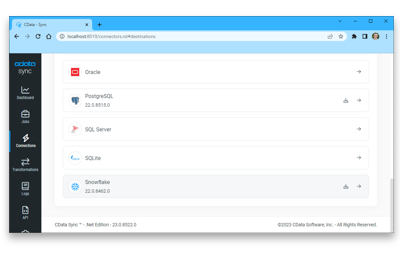
Jira Assets Data Integration Features
Ditch the code and complex setups to move more data in less time. Connect Jira Assets to any destination with drag-and-drop ease.
Incremental updates and automatic schema replication eliminate the headaches of Jira Assets data integration, ensuring Microsoft Access always has the latest data.
Replicate all the data that matters with predictable, transparent pricing. Unlimited replication between Jira Assets and Microsoft Access.
Other Jira Assets Data Integration Tools
Easily create data pipelines that integrate and replicate data from Jira Assets to any supported data store, including:


