





Power BI XMLA ETL/ELT data pipeline
Automated replication to popular databases, data lakes, & data warehouses
- Straightforward automated data replication.
- Synchronize data with 100+ destinations.
- Easy-to-use ETL/ELT data movement.


Power BI XMLA is one of more than 200 data sources included in CData Sync [learn more].
CData Sync provides a straightforward way to continuously pipeline your Power BI XMLA data to any database, data lake, or data warehouse, making it easily available to analytics, reporting, AI, and machine learning.
- Synchronize data with a wide range of traditional and emerging databases.
- Replicate Power BI XMLA to RDBMS systems to facilitate operational reporting.
- Offload queries from operational systems to reduce load and increase performance.
- Connect Power BI XMLA to analytics for BI and decision support.
- Archive data for disaster recovery.
Automated continuous data replication
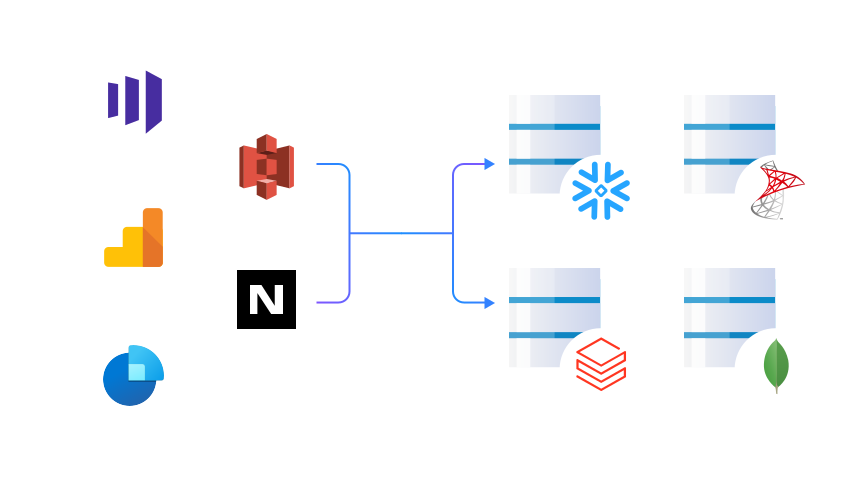
CData Sync provides users with a straightforward way to synchronize data from Power BI XMLA with a wide range of traditional and emerging databases including:
Key Features
Replicate any data source to any database with a few clicks
FAQs
Frequently asked Power BI XMLA data integration questions
Learn more about using CData Sync to replicate Power BI XMLA
Get started with CData Sync today
Get started with a free trial to setup automatic data replication of Power BI XMLA data with a wide range of traditional and emerging databases.