





Excel Add-In for REST
Read, Write, and Update REST from Excel
The REST Excel Add-In is a powerful tool that allows you to connect with live REST data, directly from Microsoft Excel. Use Excel to read, write, and update REST. Perfect for mass imports / exports / updates, data cleansing & de-duplication, Excel based data analysis, and more!
Install the Add-In, configure your REST connection, and go!



Your REST data, your way!
The Excel Add-In for REST provides the easiest way to connect with REST data. Users simply supply their credentials via the connection wizard to create a connection and can immediately begin working with live REST tables of data. The Excel Add-In is completely self-contained; no additional software installation is required.
Access REST data directly from Excel
Direct Access
Bi-Directional access to live REST Data from Excel
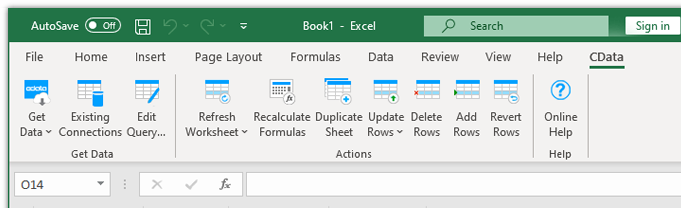
The Excel Add-In for REST is integrated with the Excel toolbar and ribbon, providing direct access to live data with a single click.
Setup
Easy-to-use, straightforward configuration
- Install the Add-In
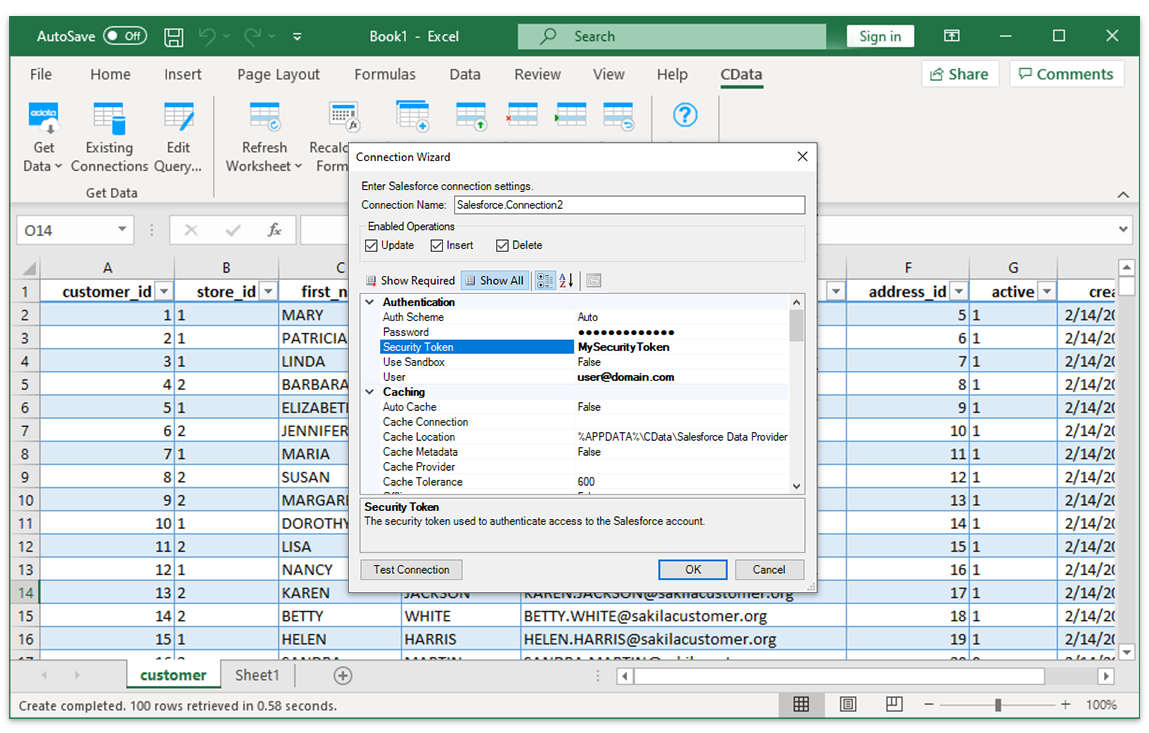
- Login with user & password
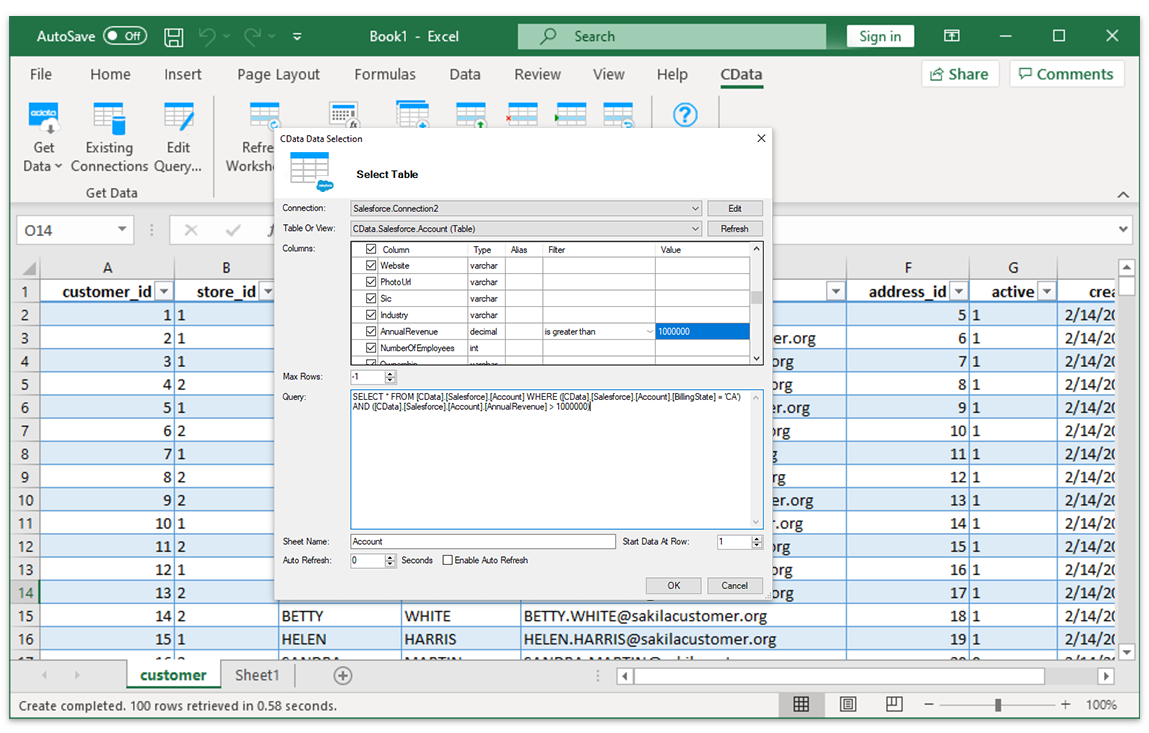
- Select tables
Installing the CData REST Excel Add-In creates a dedicated toolbar in Excel, giving users instant access to REST data for faster data analysis and reporting. From the Excel toolbar, users can select any of the installed CData Add-Ins to configure a connection.
Data Selection
Select tables and columns
Once the data connection is configured, just specify the table and the Excel Add-In will populate a new Excel sheet with live REST Data.
Data Analysis
REST Data with the full power of Excel
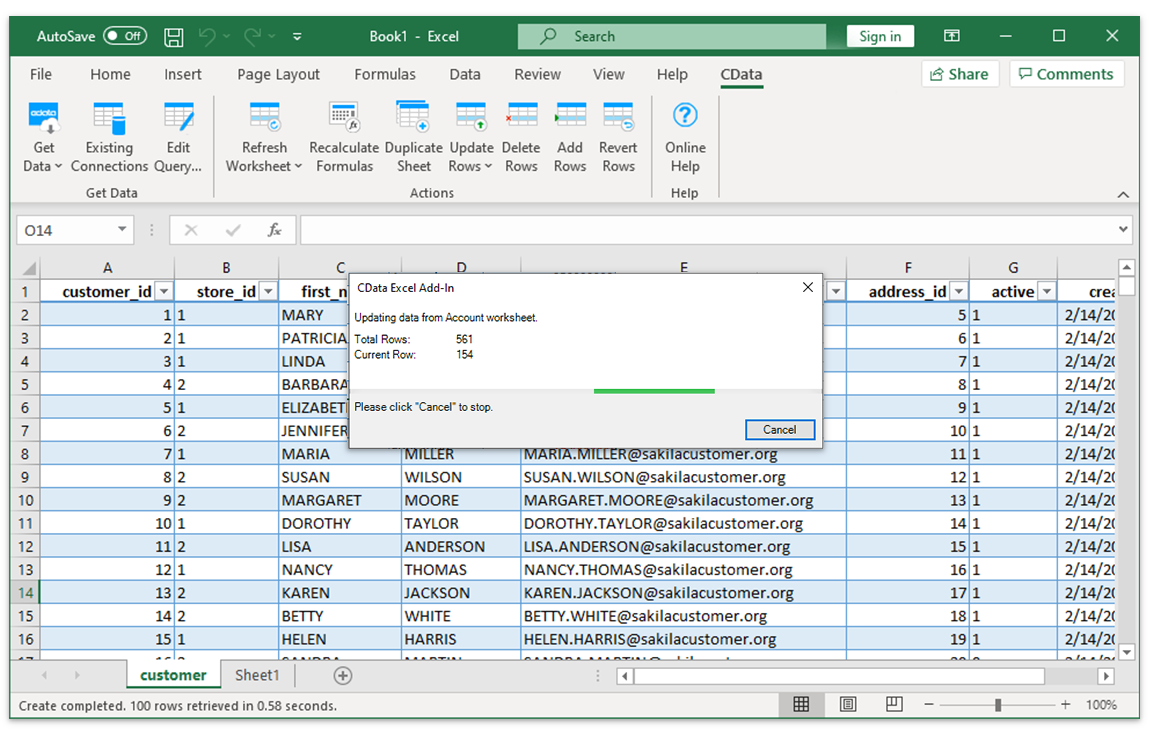
Perfect for mass imports / exports / updates, data cleansing & de-duplication, Excel-based data analysis, and more!
- Modify and delete records.
- Quickly export and backup data.
- Operate on data with Charts and Pivot Tables.
FAQs
Frequent REST Excel connectivity questions
Common questions about integrating REST with Microsoft Excel.
Popular Excel Videos:

Download the REST Excel Add-In
Building custom dashboards & reports that connect with live REST data has never been easier. Download the CData Excel Add-In for REST now, and get connected.