






How to Connect Tableau to REST APIs Using the CData API Driver for Tableau
Tableau is one of the most widely used business intelligence platforms for building interactive dashboards and visual analytics. While Tableau ships with native connectors for many databases and SaaS applications, connecting it directly to a custom or third-party REST API usually means writing your own scripts.
CData API Driver for Tableau removes that hurdle by translating any REST API into a relational, SQL-queryable interface that Tableau can read natively. Pair the driver with a CData API Profile - a prebuilt schema definition for a specific API - and you can connect Tableau to data sources like Stack Exchange, Supabase, Notion, and many more without writing custom integration code.
In this article, we'll walk through how to install the CData API Driver for Tableau, setup the connection, and visualise live API data in Tableau.
Prerequisites
Before you begin, make sure you have:
- Tableau Desktop installed on your machine
- A licensed version or 30-day trial of the CData API Driver for Tableau
- Valid credentials and any required API keys for the data source you plan to query
Step 1: Install the CData API Driver for Tableau
The first step is to download and install the driver. You can choose either a free 30-day evaluation or the full version.
- Go to the CData API Driver for Tableau page
- Download the installer for your operating system
- Run the installer and follow the on-screen instructions to complete the setup
Step 2: Download an API Profile
An API Profile is a prebuilt schema file (.apip) that describes the tables, columns, and operations of a specific REST API. CData provides ready-made profiles for popular data sources, and you can also build your own.
- Visit the API Driver downloads page and locate the API Profiles section
- Download the profile for the data source you want to connect to
- Save the .apip file to a folder that the driver can access
Step 3: Configuring the API driver for Tableau
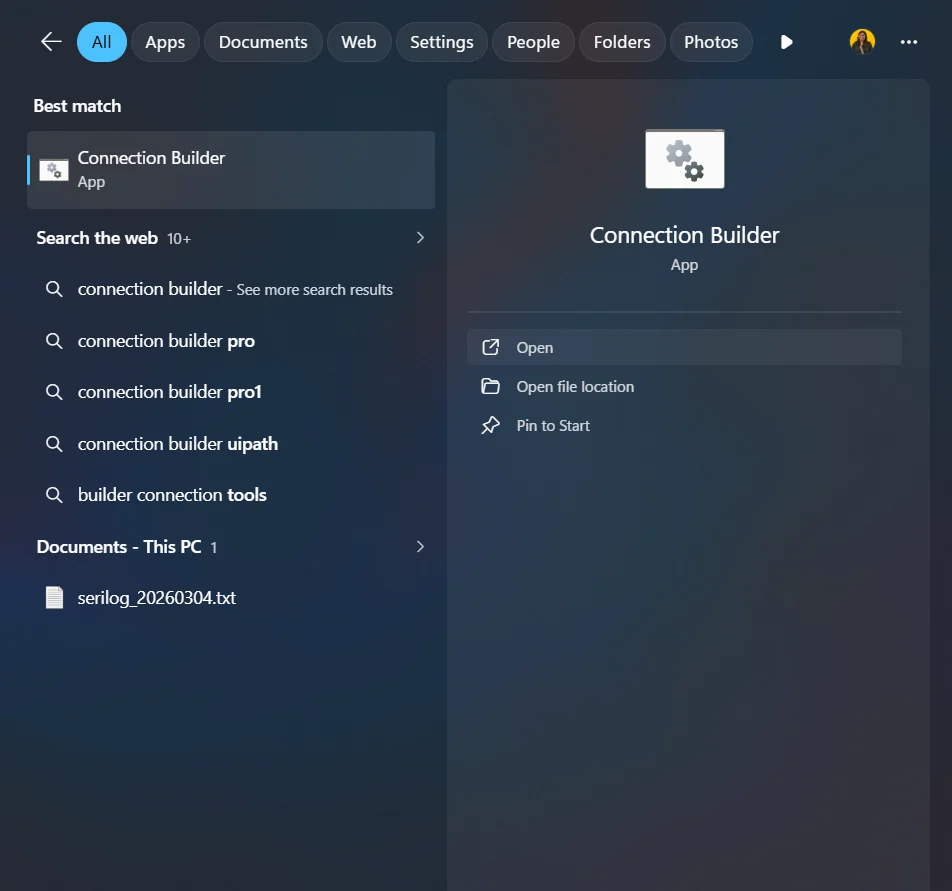
- Launch the .jar file directly from C:\Program Files\CData\CData Tableau Connector for API 2025\lib to access the driver. Alternatively, on Windows, search for Connection Builder from the Start menu to open the API driver
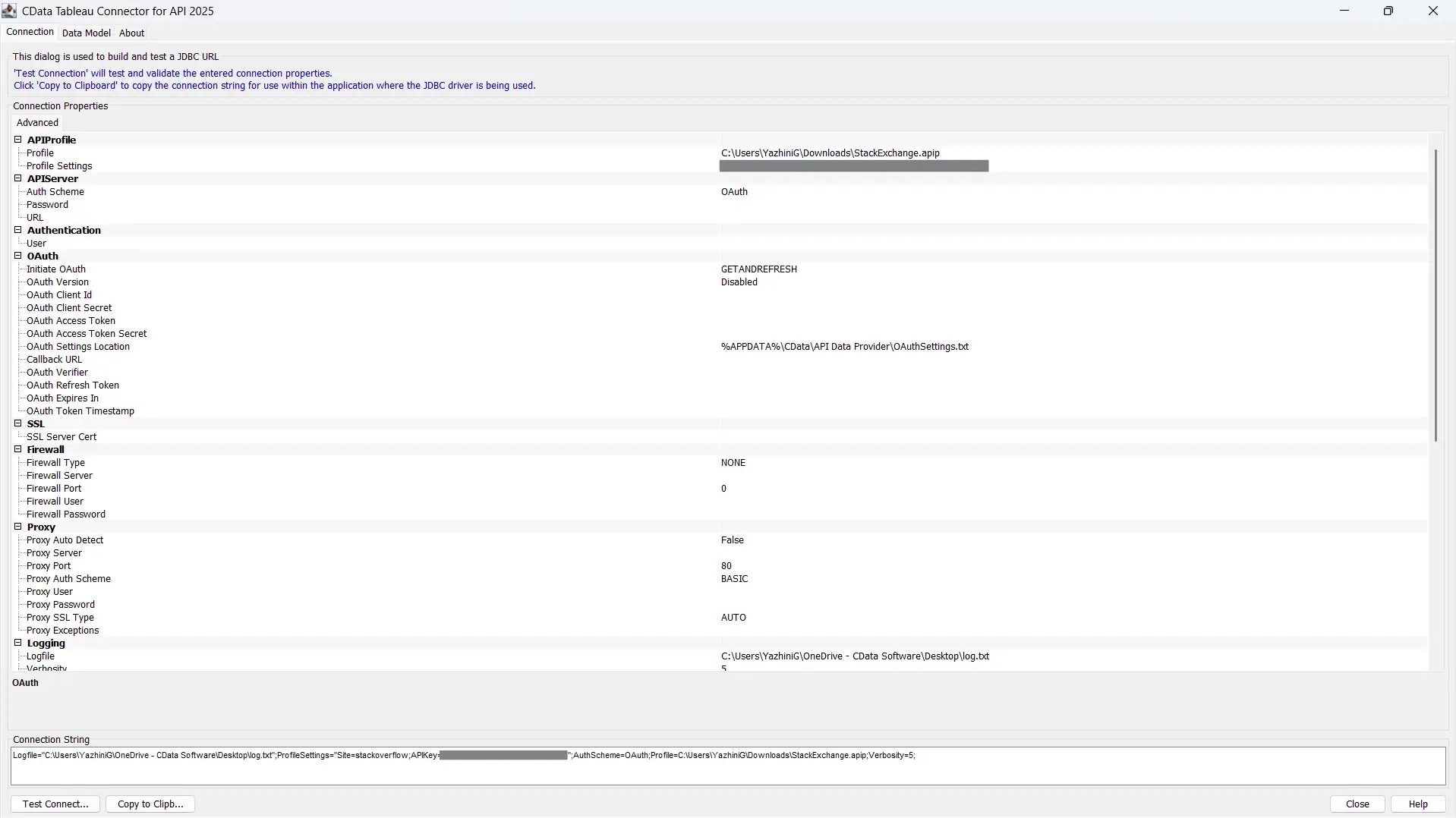
- In the Connection Builder, expand the API Profile section and paste the full file path of the .apip file you downloaded into the Profile field
- Fill in the remaining connection properties for your chosen API. Refer to the help page of your API profile for the exact properties to fill
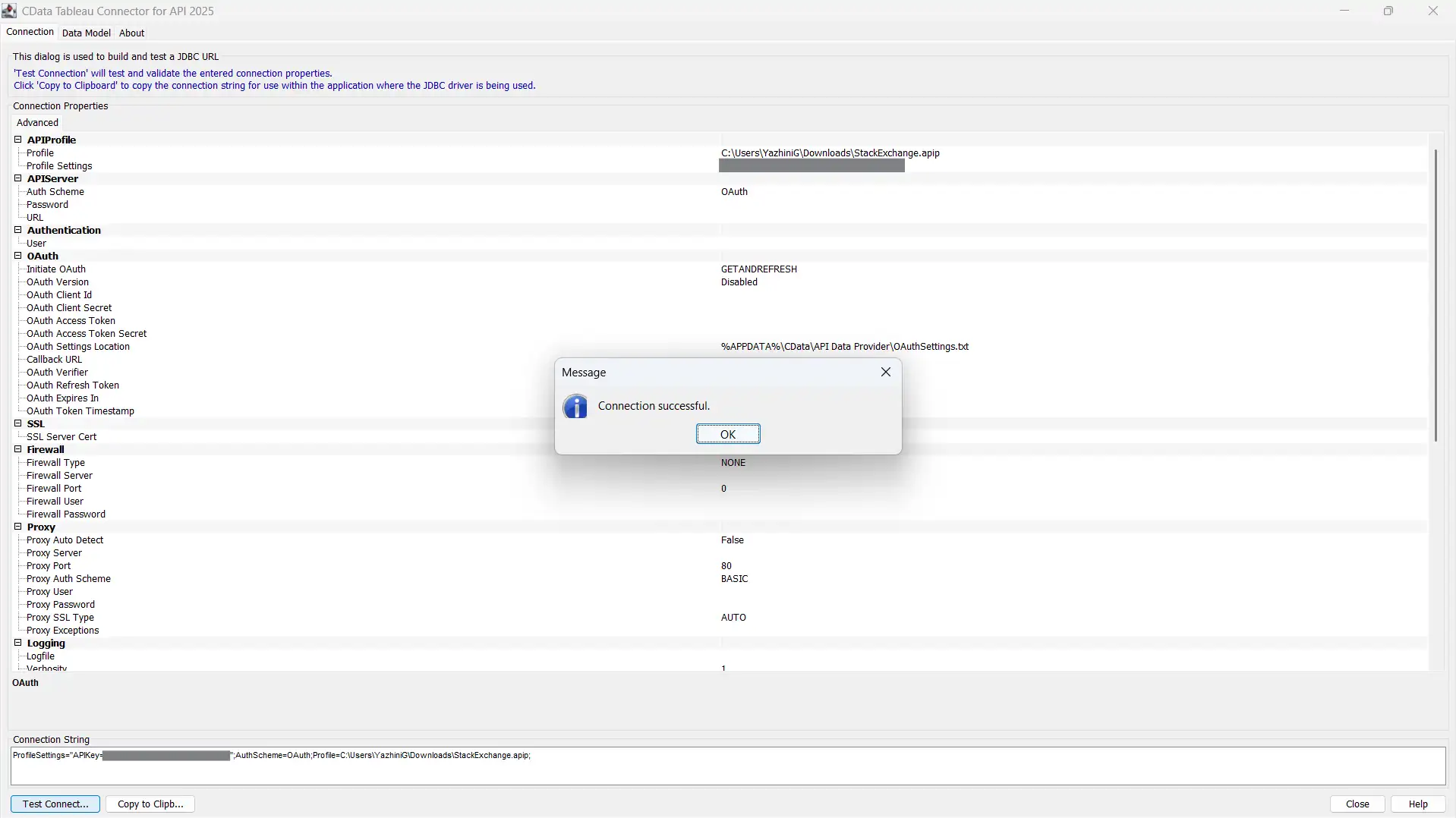
- Click Test Connection at the bottom of the window. If the data source uses OAuth, a browser window will open for you to authorize access
- When the "Connection successful." message appears, click OK to close the dialog
- Click Copy to Clipboard to copy the generated connection string
Step 4: Connect to Tableau using the connection string
With the connection string in place, you can now bring the API data into Tableau through the CData connector.
- Open Tableau Desktop
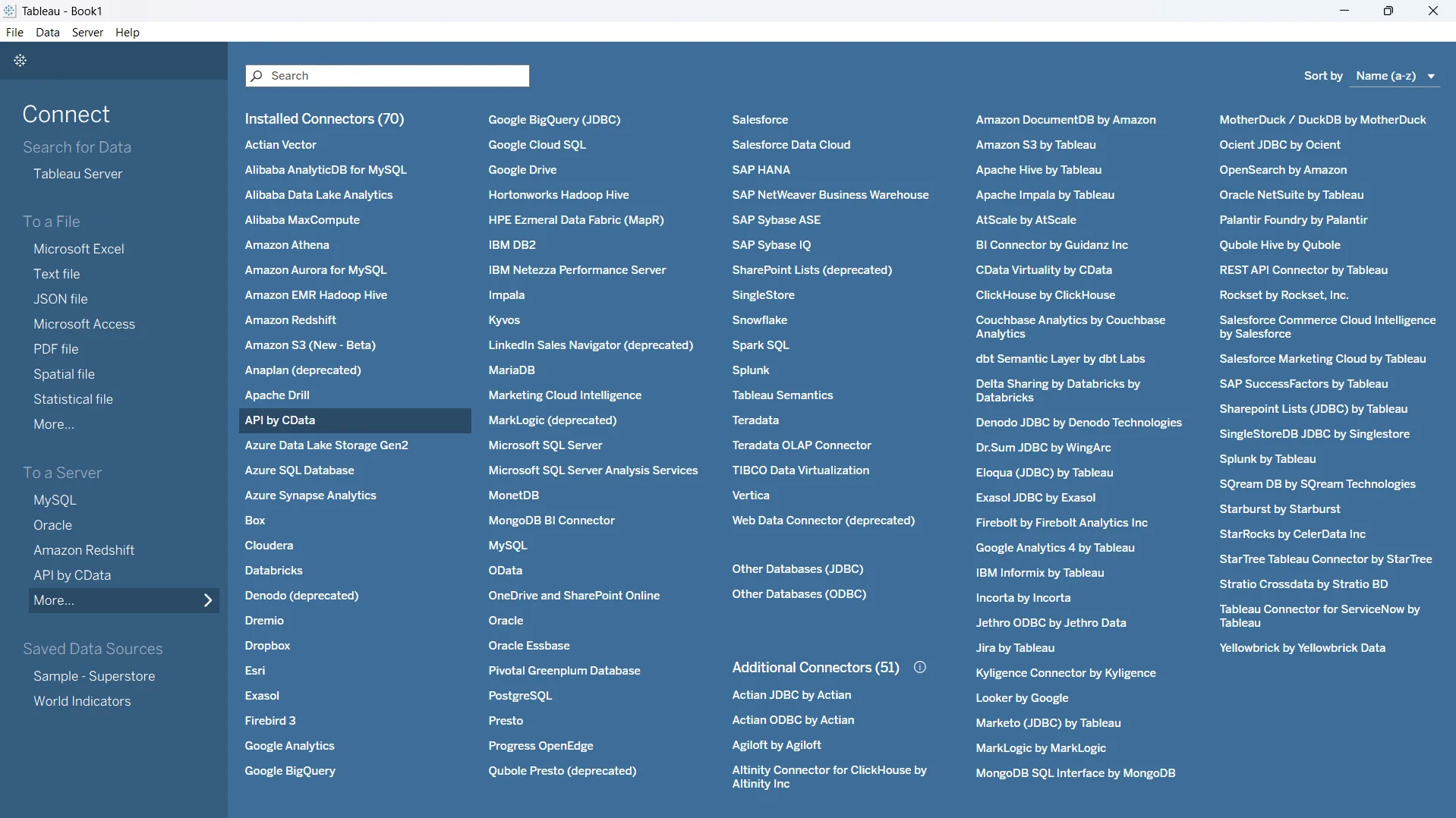
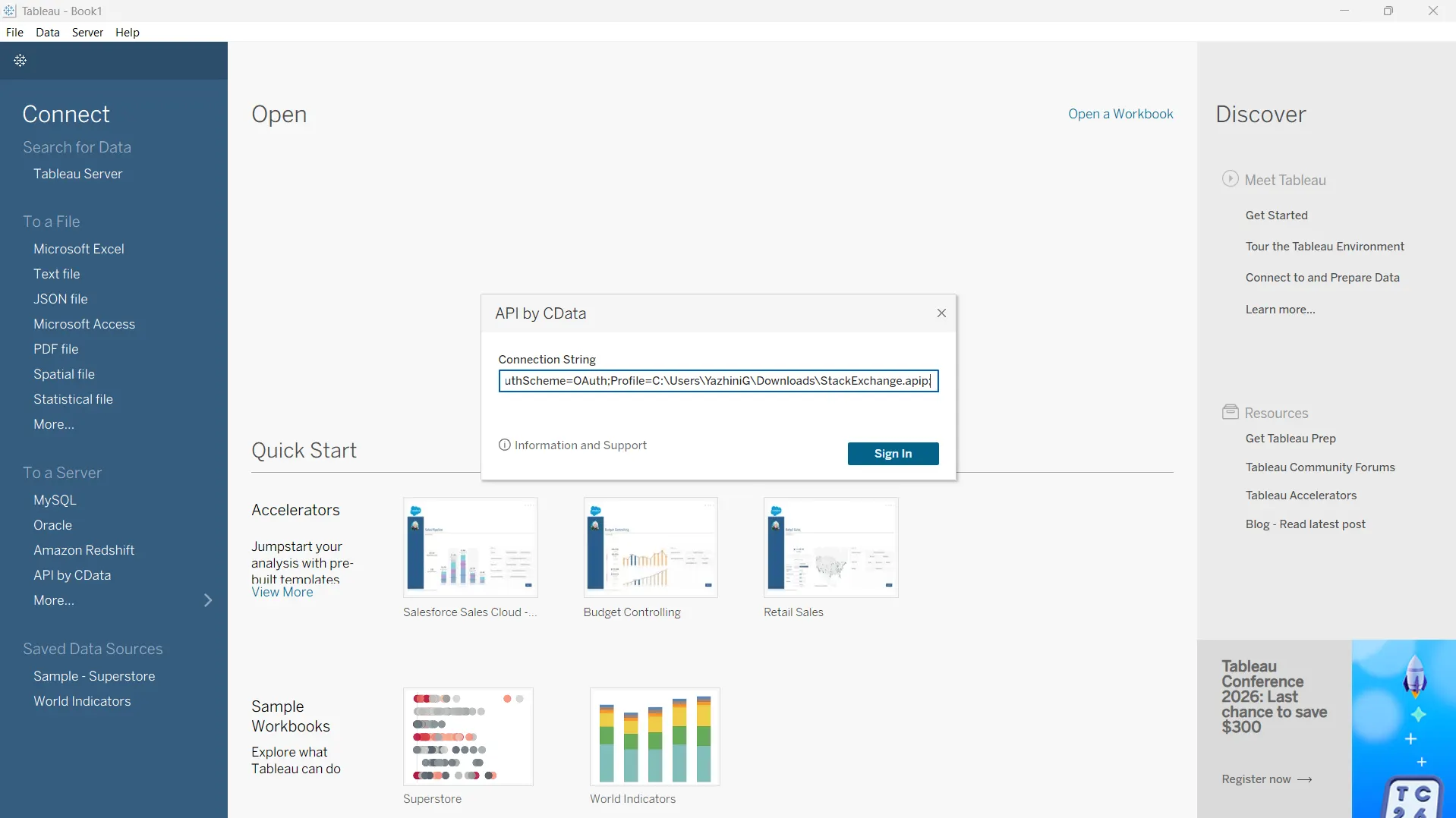
- In the left panel, under To a Server, click More...
- From the connector list, select API by CData
- Paste the connection string you copied into the Connection String field and click Sign In
Step 5: Build visualizations from your API data
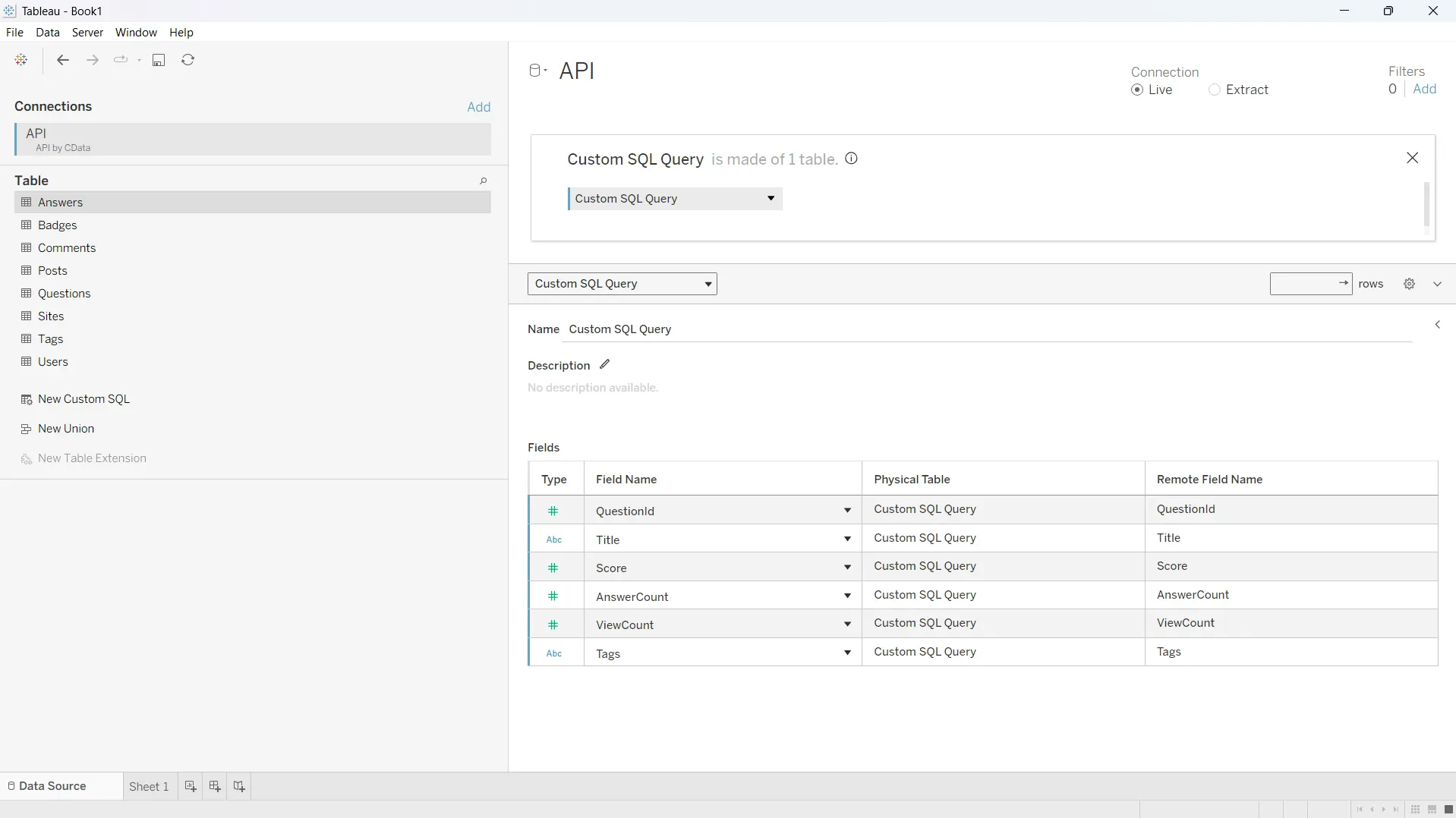
Once the connection is established, Tableau treats your API tables like any other relational data source. You can drag tables onto the canvas, write custom SQL, and start building worksheets and dashboards.
- Browse the tables exposed by your API Profile in the left pane
- Drag one or more tables onto the canvas, or use New Custom SQL to write your own query
- Switch to a worksheet and start building your visualizations using familiar Tableau drag-and-drop
Bring any API into Tableau with CData
CData API Driver for Tableau gives analysts SQL-based access to virtually any REST API, with no custom code or ETL pipelines required. Pair it with a prebuilt API Profile and you can have live API data flowing into your dashboards in minutes. Try the free 30-day trial of the CData API Driver for Tableau today! As always, Support Team is available to assist you with any questions you may have.