






How to Retrieve Salesforce Formula Fields in Tableau
Salesforce is a leading customer relationship management (CRM) platform and is central to how organizations manage sales pipelines, marketing engagement, and customer success. Every day, teams rely on the platform's data to understand customer needs, identify growth opportunities, and improve decision-making.
However, many analytics teams face a persistent challenge when integrating Salesforce with Tableau: formula fields, custom-calculated data points that drive reporting accuracy, are often missing when accessed through Tableau's standard Salesforce connector. This limitation means analysts must recreate those same calculations manually within Tableau or ETL workflows, which leads to inconsistent results and time-consuming maintenance.
In this article, we explore why Tableau's default connector cannot access Salesforce formula fields and how CData Salesforce Tableau Connector solves this problem by enabling direct, live access to those computed values.
Understanding the Salesforce formula field limitation
In Salesforce, a formula field is a dynamically calculated value defined by the user. These fields allow teams to automate business logic such as computing deal forecasts, discounts, or performance metrics without storing redundant data.
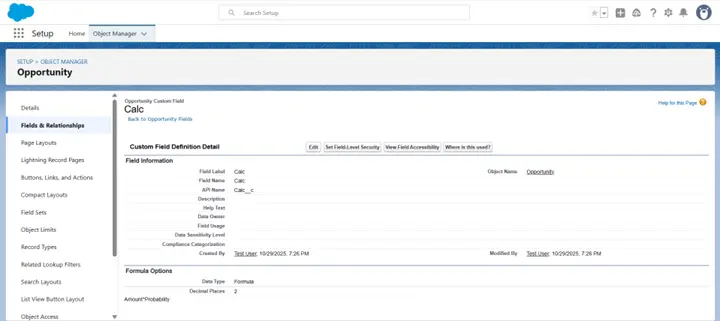
For example, in an Opportunity object, a team might define:
- Field Label: Calc
- API Name: Calc__c
- Formula: Amount * Probability
However, when connecting Tableau to Salesforce via its standard connector, these formula fields are not retrieved.
According to Tableau's official documentation: “Formula fields defined in Salesforce are not imported into Tableau using the standard Salesforce connector.”
Visualizing the formula field gap in Tableau
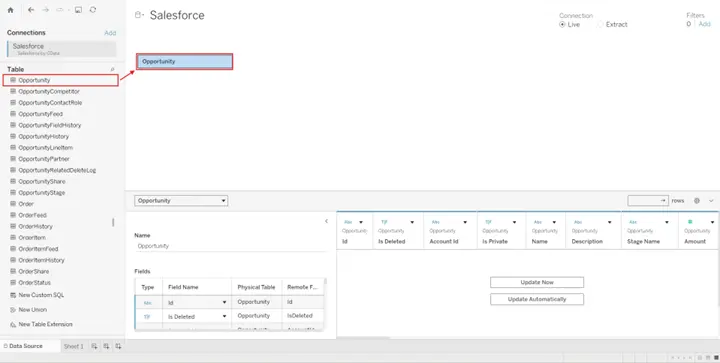
- In Salesforce create the formula field Calc (Calc__c) in the Opportunity object using the formula Amount * Probability
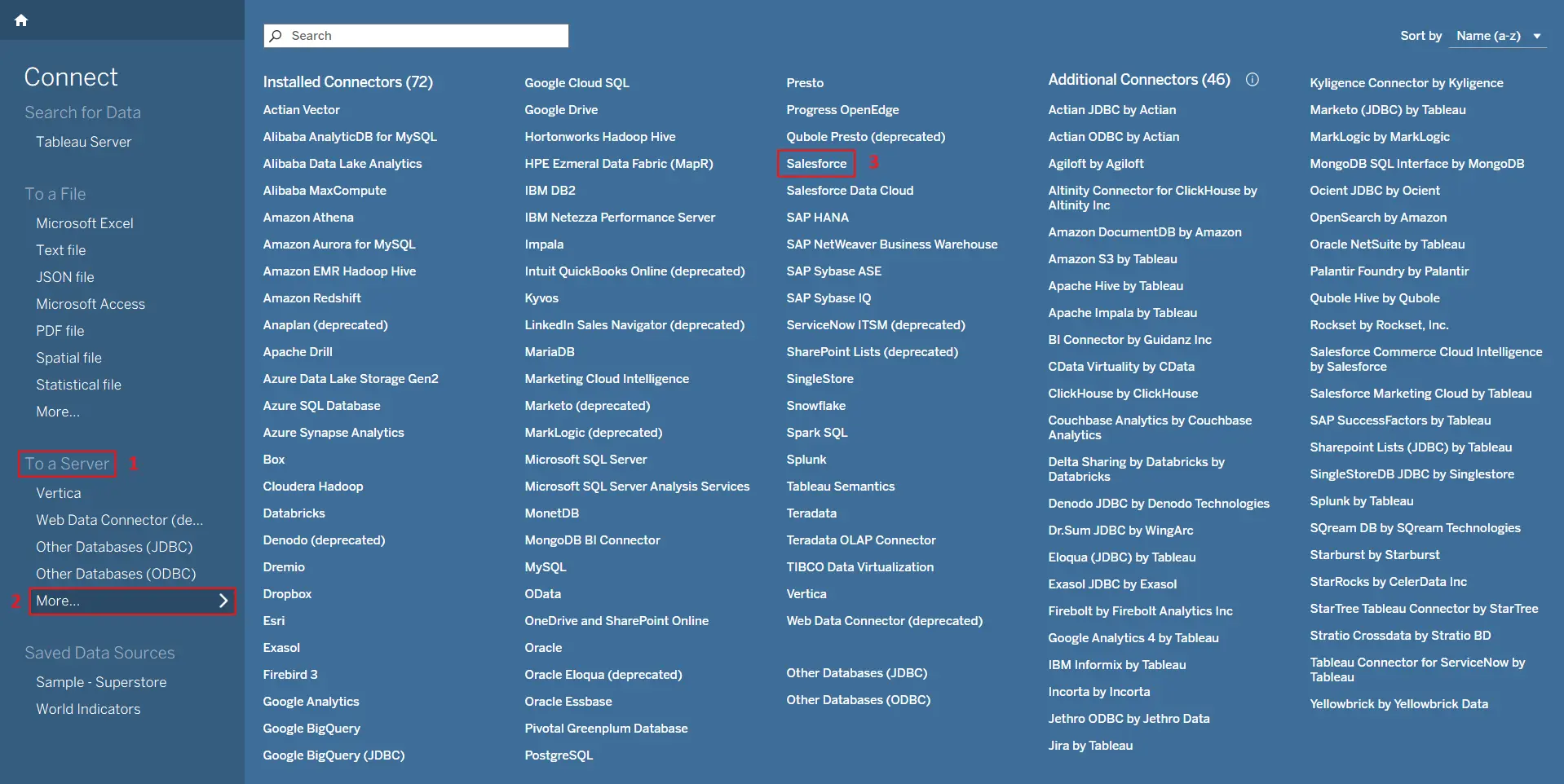
- In Tableau use the Standard Connector to connect with Salesforce
- Open the Opportunity dataset
- Download and install: Get the CData Salesforce Tableau Connector (free 30-day trial). Installation takes only a few minutes and supports Windows, macOS, and Tableau Cloud
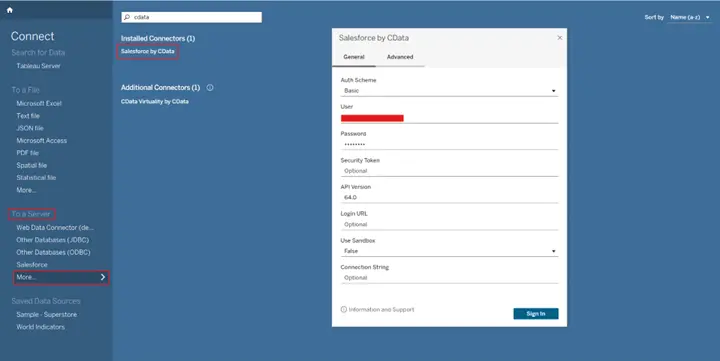
- Authenticate and connect: In Tableau, open the Connections pane and select Salesforce by CData. Authenticate using Basic or OAuth 2.0
- Select the target table: Choose the Salesforce object (e.g., Opportunity)
- Verify formula fields: Once connected, all formula fields like Calc__c will appear in Tableau, containing live, pre-calculated values from Salesforce
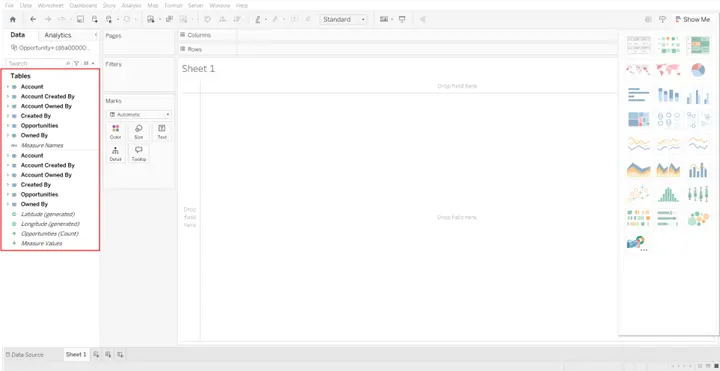
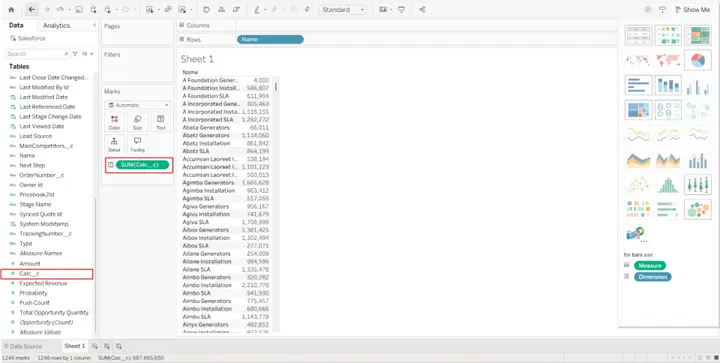
The field Calc__c is missing.
This occurs because Tableau's default connector relies on Salesforce's REST API, which retrieves raw object data but does not evaluate formula fields on server-side before data extraction.
How to access Salesforce formula fields seamlessly with CData
CData'sTableau Connector for Salesforce eliminates this limitation by providing full access to formula field values directly from Salesforce; no manual recalculation required. Using CData, Tableau users can establish a secure, native connection to Salesforce that behaves as if formula values were standard fields. The connector dynamically retrieves the evaluated results, ensuring consistency between Salesforce and Tableau dashboards.
Connecting Tableau to Salesforce with CData
Simplified Salesforce connectivity with CData
This article explores how to easily retrieve Salesforce formula field values directly in Tableau using the CData Salesforce Tableau Connector. Beyond accessing formula fields, the connector enables you to query, analyse, and visualize all your Salesforce objects in real time through standard Tableau connectivity.
Start your free 30-day trial of the CData Salesforce Tableau Connector today and unlock seamless, real-time Salesforce analytics in Tableau.
