






How to Handle PostgreSQL Infinity Values Using CData Sync
PostgreSQL is an open-source relational database system known for its advanced data types and strong standards compliance. It is widely used in enterprise systems for its extensibility, performance, and reliability.
PostgreSQL supports special infinity and -infinity values for date, time, and numeric data types, which represent values beyond the normal range. These special constants are useful when defining open-ended timelines, for example, when an event or subscription has no end date. However, many other databases and systems like SQLite, MySQL, or BI tools which do not natively support these infinity values, causing errors or data loss during synchronization. This creates challenges when replicating or migrating data from PostgreSQL to other platforms.
CData Sync solves this by allowing users to transform these special infinity values into standard finite values using configuration options or custom queries, ensuring easy data integration across systems.
Launch CData Sync
- Open CData Sync in a browser (default: http://localhost:8181)
- If an account exists, sign in using the admin credentials
- If not, click “Sign Up” or “Create Admin Account”, then provide a username, password, and email address to register the admin profile
After registration, the Sync web console opens automatically and displays the main dashboard.
Configure source – PostgreSQL
Method A: Replace invalid types with NULL
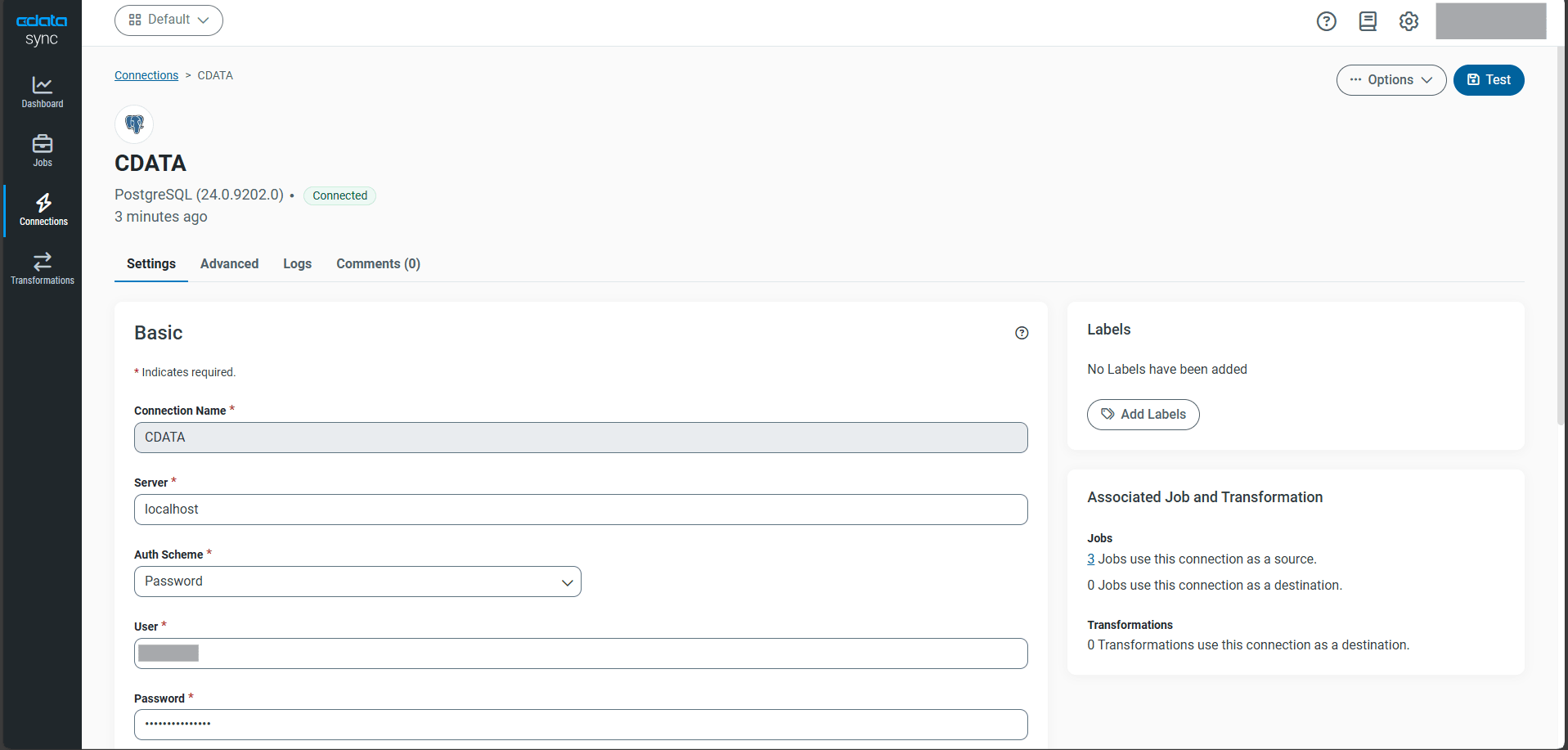
- Open Connections and select Add Connection, then choose Source
- Select PostgreSQL from the connector list
- Enter the connection details such as server name or localhost, port number 5432, Database name, Authscheme, User, and Password
- Click Test Connection to verify connectivity
-
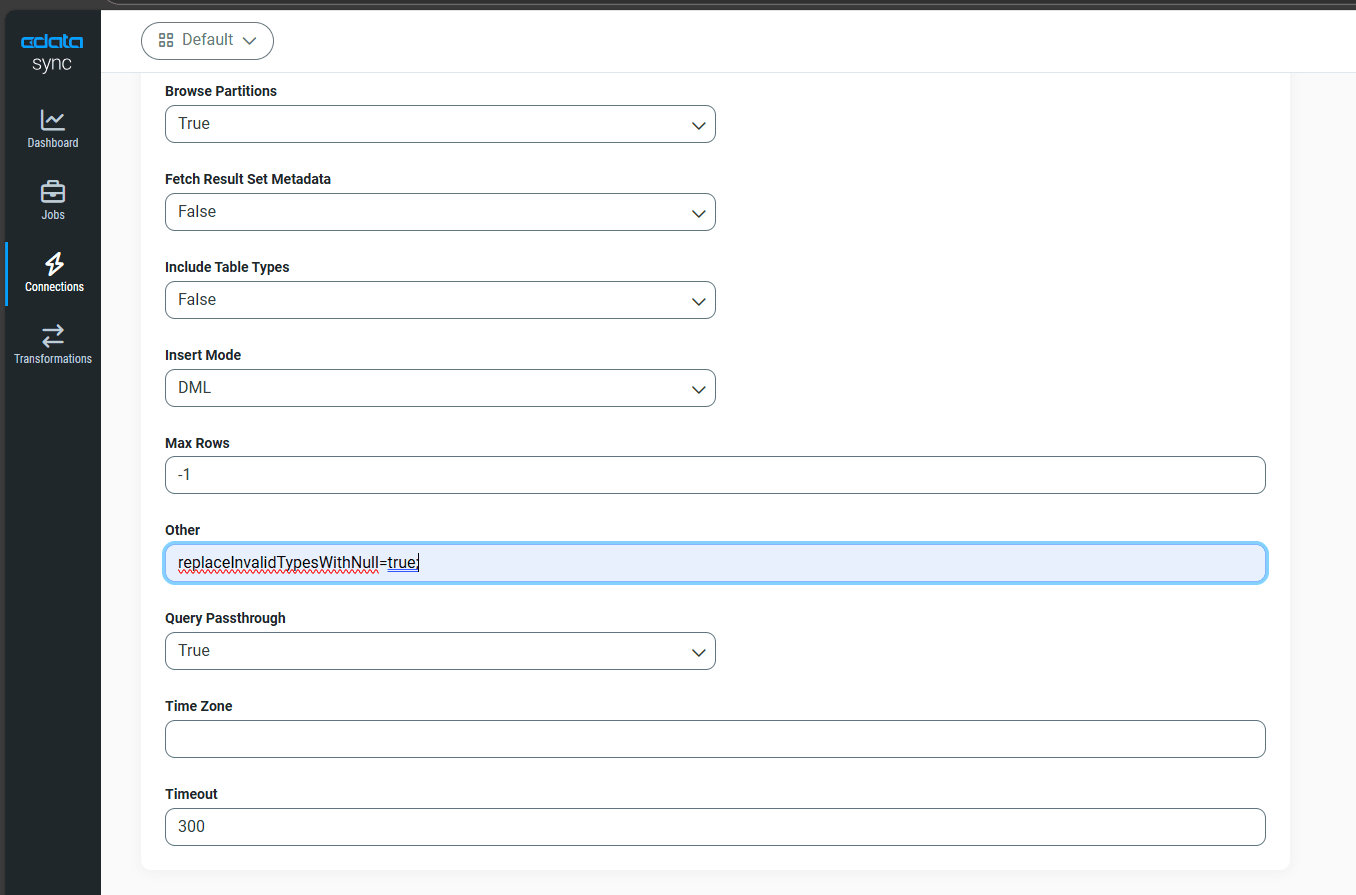
Open Advanced Settings, select Other, and add the property to automatically replace unsupported values, such as infinity, with NULL
replaceInvalidTypesWithNull=true
- Save the configuration
Configure destination – SQL Server
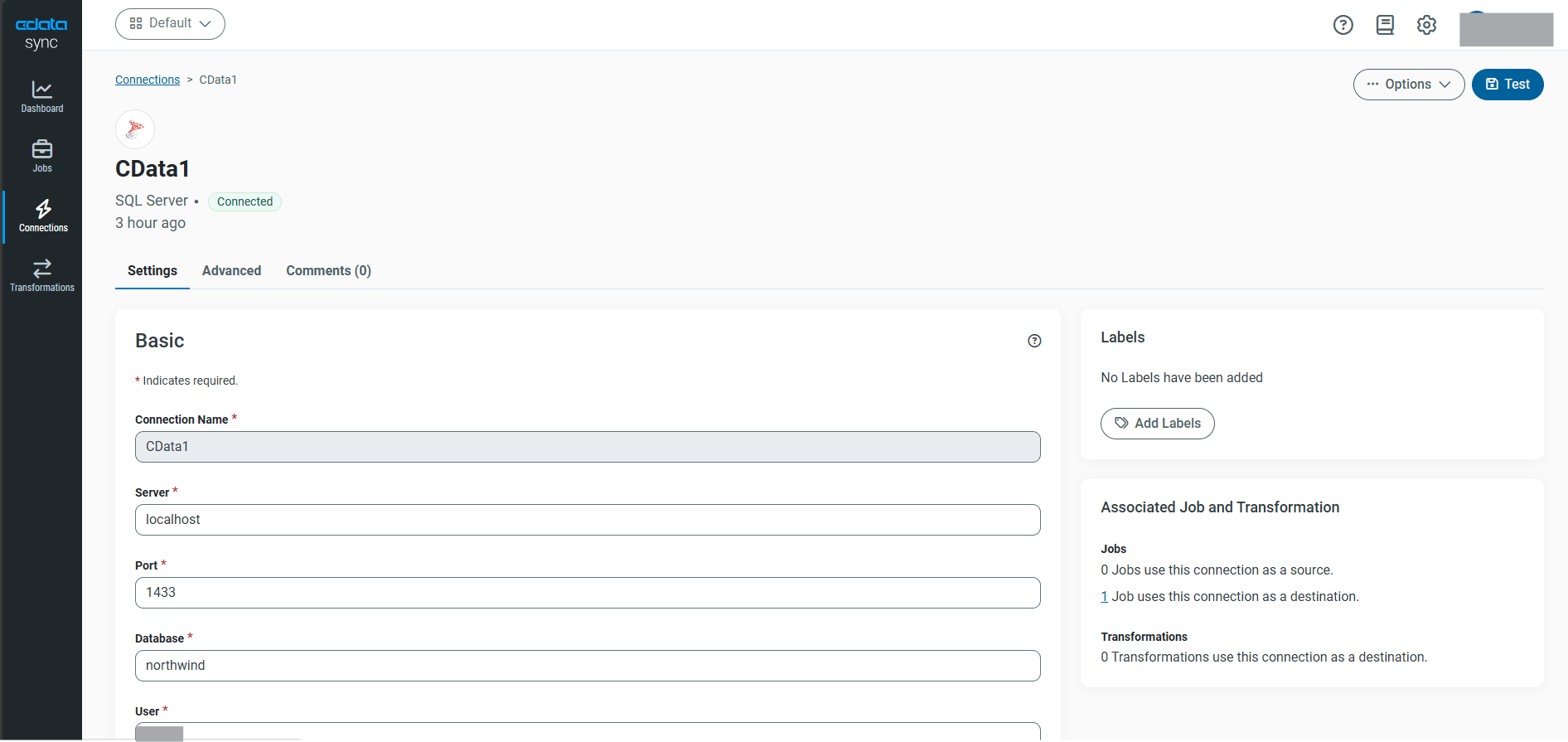
- Open Connections and select Add Connection, then choose Destination
- Select SQL Server from the connector list
- Enter the connection details including server name or IP address, port, Database name, User, and Password
- Use Test Connection to verify connectivity and then select Save
Create new job
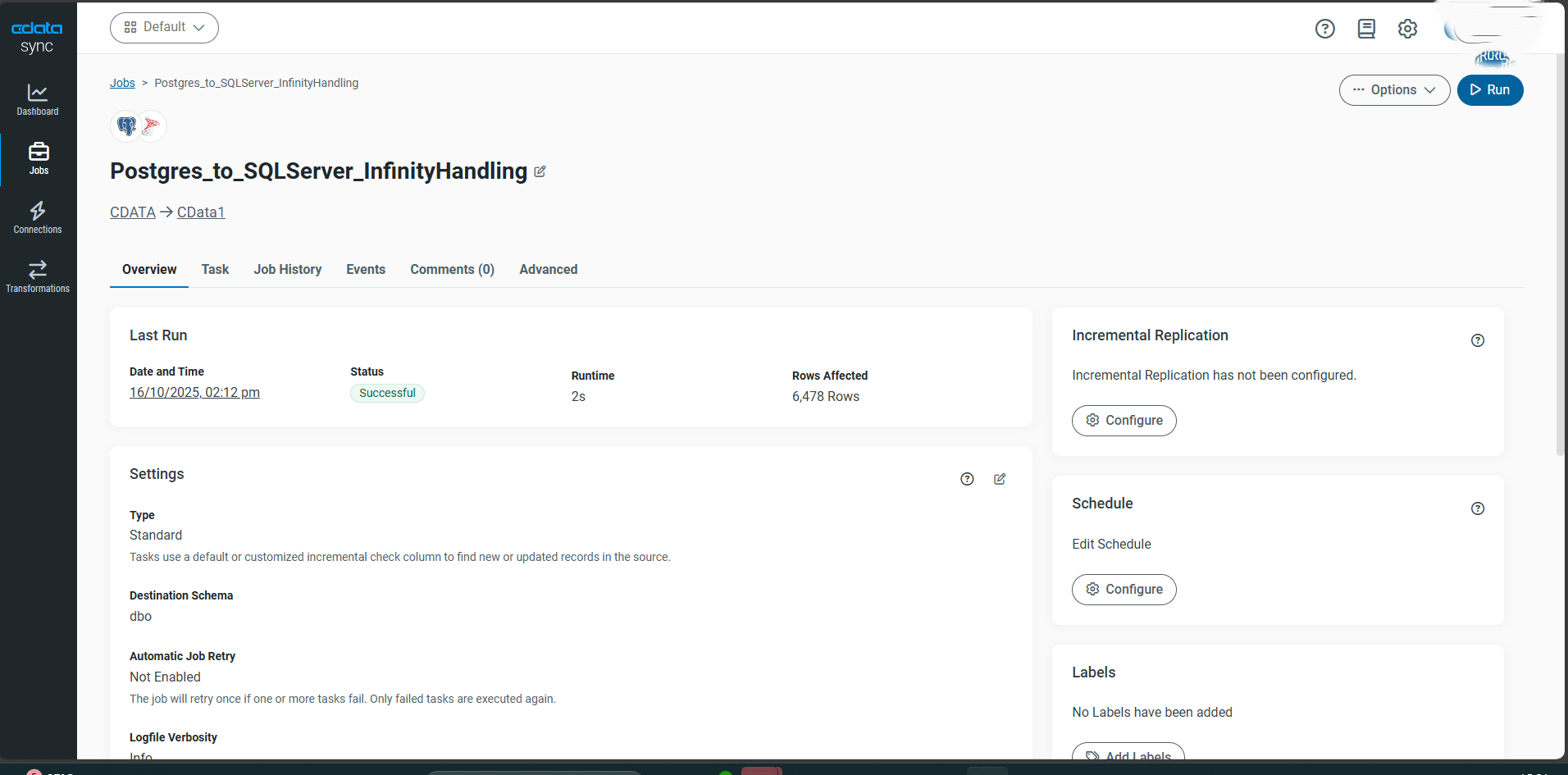
- Open Jobs and select Add Job
- Enter a job name, for example Postgres_to_SQLServer_InfinityHandling
- Set the Source as PostgreSQL and the Destination as SQL Server
- Select Save to create the job
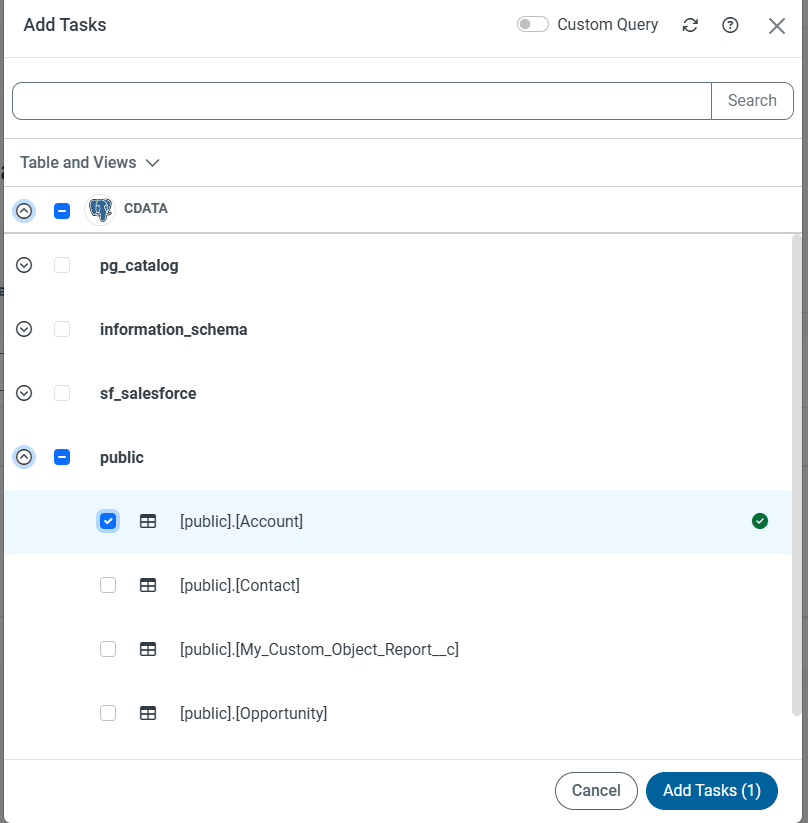
Add Task for method A
- Open the created job and go to the Tasks tab
- Select Add Tasks
- Choose the required table (for example, Account) from the list
- Do not enable the custom query option since the replaceInvalidTypesWithNull=true property already handles infinity conversion
- Select Add Tasks to save the configuration
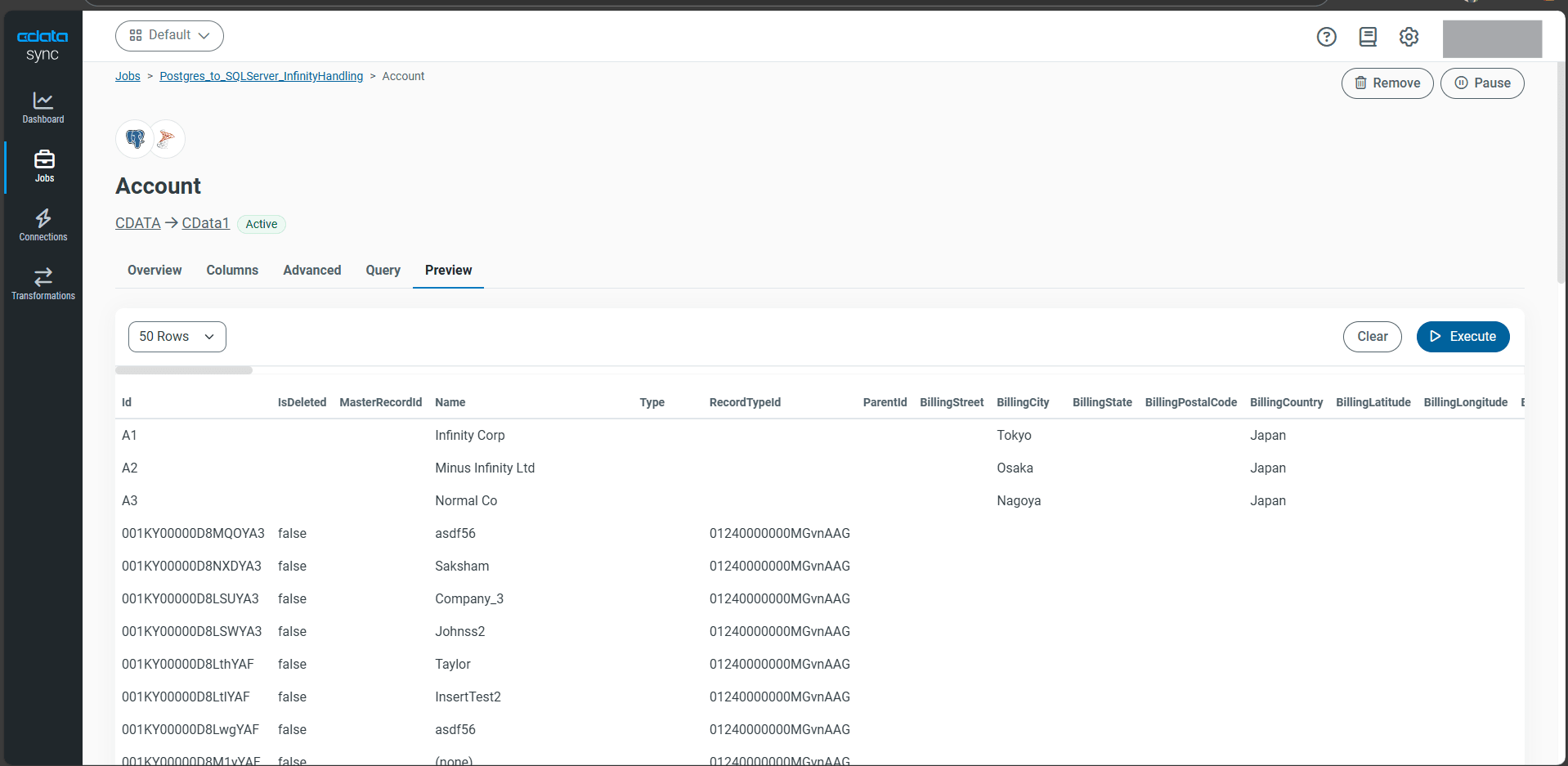
- Run the job to replicate data where infinity and –infinity values are replaced with NULL in the destination
Add Task for method B
Method B: Convert and ingest arbitrary values with CASE expressions in custom queries
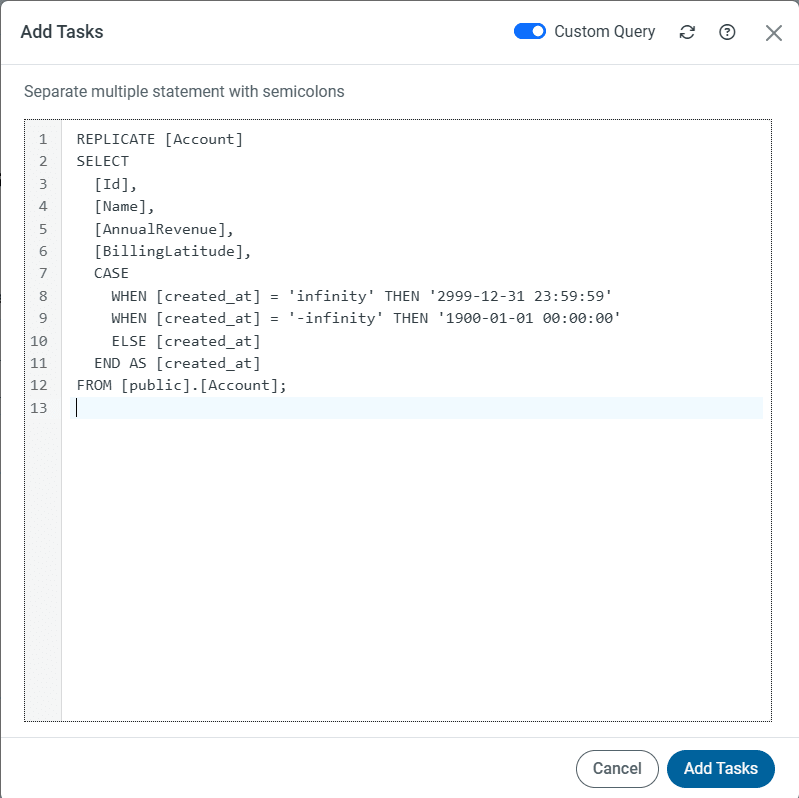
Instead of configuring the connection property replaceInvalidTypesWithNull=true use a custom query with CASE expressions to directly convert and ingest infinity and –infinity values during synchronization.
- Open the created job and navigate to the Tasks tab
- Select Add Tasks
- Enable the Custom Query option
- Enter the following query to convert infinity and –infinity values to specific timestamps
- Select Add Tasks to save the configuration
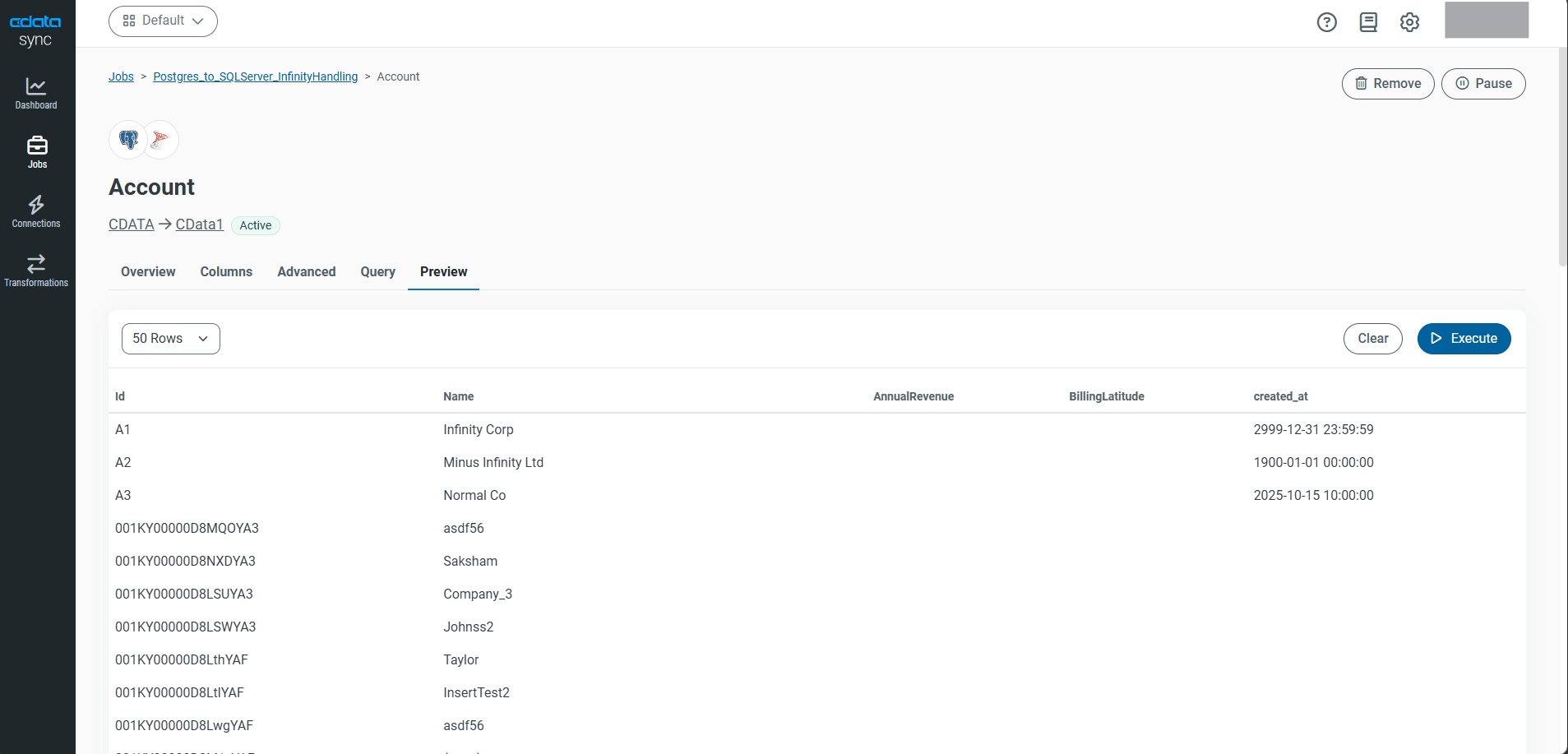
- Run the job to replicate data where infinity values are converted to defined timestamps in the destination
REPLICATE [Linked table name] ([created_at] TIMESTAMP)
SELECT
    [~~Other columns~~],
    CASE
        WHEN [created_at] = 'infinity' THEN '2999-12-31 23:59:59'
        WHEN [created_at] = '-infinity' THEN '1900-01-01 00:00:00'
        ELSE [created_at]
    END AS [created_at],
    [~~Other columns~~]
FROM
    [Linked schema].[Linked table name]
Handling PostgreSQL infinity values during data integration is essential for maintaining data consistency across systems that do not support these special constants. By using CData Sync, infinity and –infinity values can be seamlessly managed either replaced with NULL or transformed into defined timestamps. This approach ensures accurate, error free synchronization between PostgreSQL and target databases such as SQL Server, enabling reliable and compliant data workflows.
Get started with CData Sync today!
Start your journey with a free 30-day trial and simplify complex data synchronization across databases with just a few clicks. Our support team is always ready to assist every step of the way ensuring your integration runs smoothly and securely.
