






Connect to Adobe Experience Manager Data in RazorSQL

The CData JDBC Driver for Adobe Experience Manager enables standards-based access from third-party tools, from wizards in IDEs to data management and analysis tools. This article shows how to connect to Adobe Experience Manager using wizards in RazorSQL.
Create a JDBC Data Source for Adobe Experience Manager Data
- Open the RazorSQL application and, in the Connections menu, select Add Connection Profile -> Other -> JDBC.
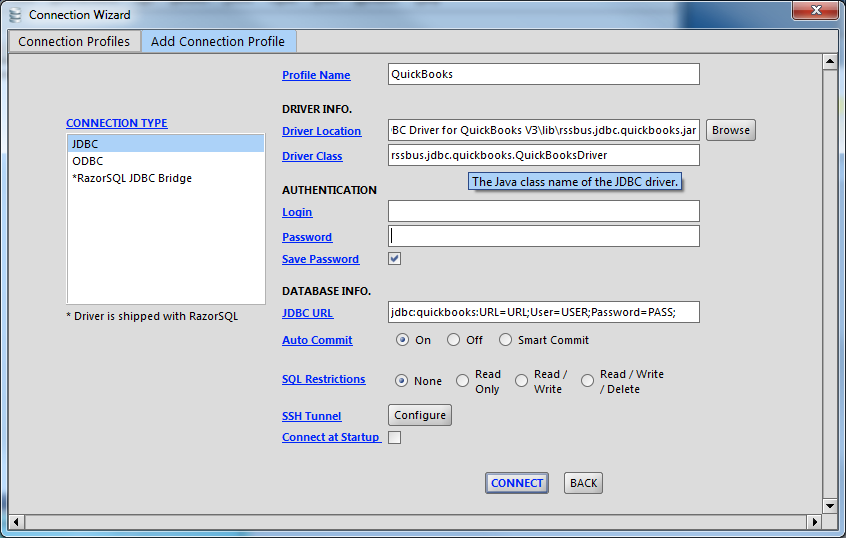
- In the Connection Wizard that appears, set the following properties:
- Driver Location: Set this property to the path to the lib subfolder in the installation directory.
- Driver Class: Set the driver class to cdata.jdbc.adobeexperiencemanager.AdobeExperienceManagerDriver.
- Username: Enter the username. (This property can also be set in the JDBC URL.)
- Password: Enter the password. (This property can also be set in the JDBC URL.)
JDBC URL: Enter connection parameters. The JDBC URL begins with jdbc:adobeexperiencemanager: and is followed by a semicolon-separated list of connection properties.
The driver connects to Adobe Experience Manager (AEM) instances that expose the JCR repository over WebDAV. It supports both on-premises AEM and AEM as a Cloud Service deployments.
To establish a connection, set the following properties:
- URL: The WebDAV-enabled JCR server URL.
- AEM as a Cloud Service: https://author-pXXXXX-eXXXXX.adobeaemcloud.com/crx/server
- Local development: http://localhost:4502/crx/server
- User: Your AEM username.
- Password: Your AEM password.
Note: Tables are dynamically generated based on the JCR repository structure. Ensure that the configured user has sufficient permissions to access the required content paths in the AEM repository.
Built-in Connection String Designer
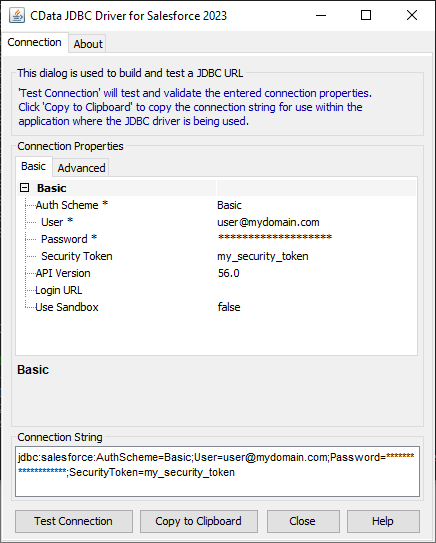
For assistance in constructing the JDBC URL, use the connection string designer built into the Adobe Experience Manager JDBC Driver. Either double-click the JAR file or execute the jar file from the command-line.
java -jar cdata.jdbc.adobeexperiencemanager.jar
Fill in the connection properties and copy the connection string to the clipboard.
A typical JDBC URL is the following:
jdbc:adobeexperiencemanager:URL=https://author-p12345-e67890.adobeaemcloud.com/crx/server;User=admin;Password=admin;
- URL: The WebDAV-enabled JCR server URL.
Query Adobe Experience Manager Data and Select Tables
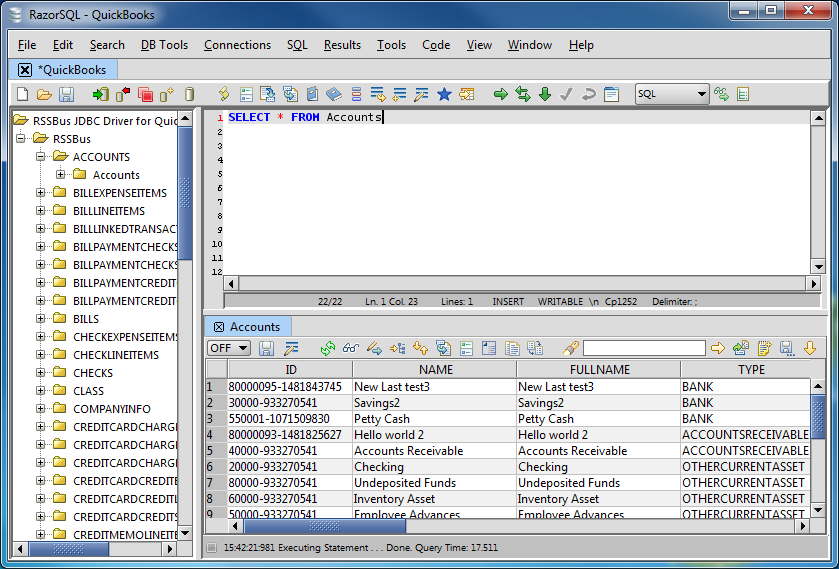
After establishing a connection, the wizard will close and the connection will be available in the connections panel. You can then query the tables.
Ready to get started?
Download a free trial of the Adobe Experience Manager Driver to get started:
Download NowLearn more:
 Adobe Experience Manager JDBC Driver
Rapidly create and deploy powerful Java applications that integrate with Adobe Experience Manager.
