






How to Seamlessly Import Adobe Experience Manager Data into IBM SPSS Modeler

IBM SPSS Modeler is a powerful data mining and predictive analytics platform that enables organizations to extract valuable insights from their data. By connecting Adobe Experience Manager data data to SPSS Modeler via the CData ODBC Driver for Adobe Experience Manager, you can leverage real-time access for advanced data mining, predictive modeling, and statistical analysis.
This guide takes you through the steps of connecting IBM SPSS Modeler to Adobe Experience Manager data, enabling seamless data import, preparation, and analysis. With the CData ODBC Driver for Adobe Experience Manager, you can unlock the full potential of your Adobe Experience Manager data data within IBM SPSS Modeler for actionable insights.
Overview
Here is an overview of the steps:
- CONFIGURE THE ODBC DRIVER: Set up a connection to Adobe Experience Manager data in the CData ODBC Driver for Adobe Experience Manager by entering the required connection properties.
- SET UP ODBC CONNECTION IN SPSS MODELER: Establish the ODBC connection within IBM SPSS Modeler by selecting the configured DSN.
- IMPORT AND PROCESS DATA: Import the Adobe Experience Manager data data into SPSS Modeler, then review, filter, transform, and prepare the data for predictive analytics and statistical modeling.
Configure the Adobe Experience Manager DSN Using the CData ODBC Driver
To start, configure the DSN (Data Source Name) for Adobe Experience Manager data in your system using the CData ODBC Driver. Download and install a 30-day free trial with all the features from here.
Once installed, launch the ODBC Data Source Administrator:
- On Windows: Search for ODBC Data Source Administrator in the Start menu and open the application.
- On Mac: Open Applications, go to Utilities, and select ODBC Manager.
- On Linux: Use the command line to launch ODBC Data Source Administrator or use unixODBC if installed.
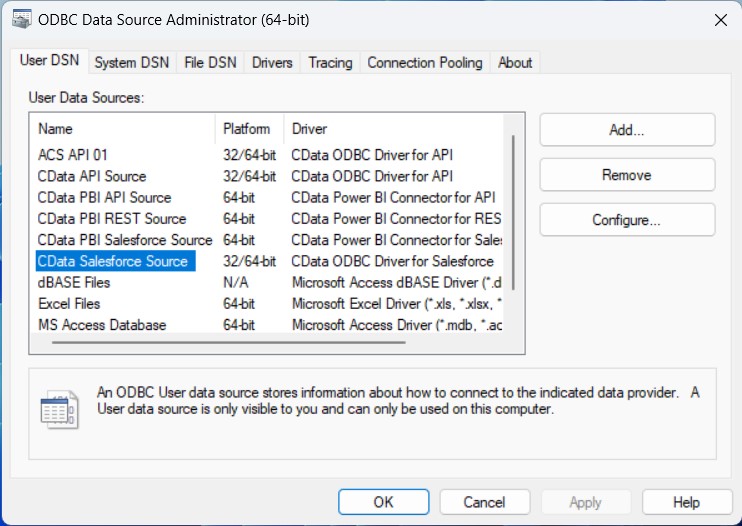
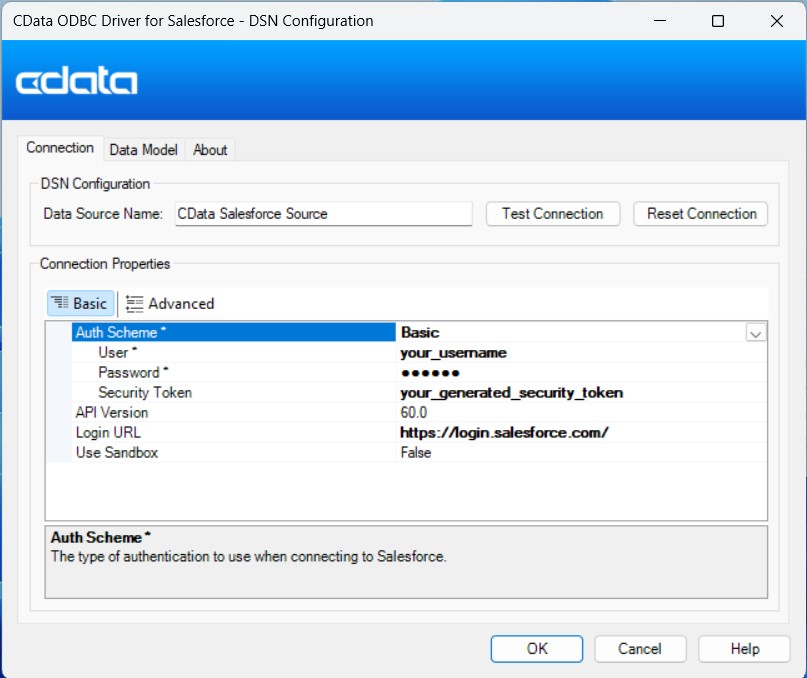
Once launched, double-click on the CData Adobe Experience Manager data Source and enter the required values to establish a connection:
The driver connects to Adobe Experience Manager (AEM) instances that expose the JCR repository over WebDAV. It supports both on-premises AEM and AEM as a Cloud Service deployments.
To establish a connection, set the following properties:
- URL: The WebDAV-enabled JCR server URL.
- AEM as a Cloud Service: https://author-pXXXXX-eXXXXX.adobeaemcloud.com/crx/server
- Local development: http://localhost:4502/crx/server
- User: Your AEM username.
- Password: Your AEM password.
Note: Tables are dynamically generated based on the JCR repository structure. Ensure that the configured user has sufficient permissions to access the required content paths in the AEM repository.
Setup an ODBC Connection in IBM SPSS Modeler
After configuring the DSN, it's time to connect to it in IBM SPSS Modeler:
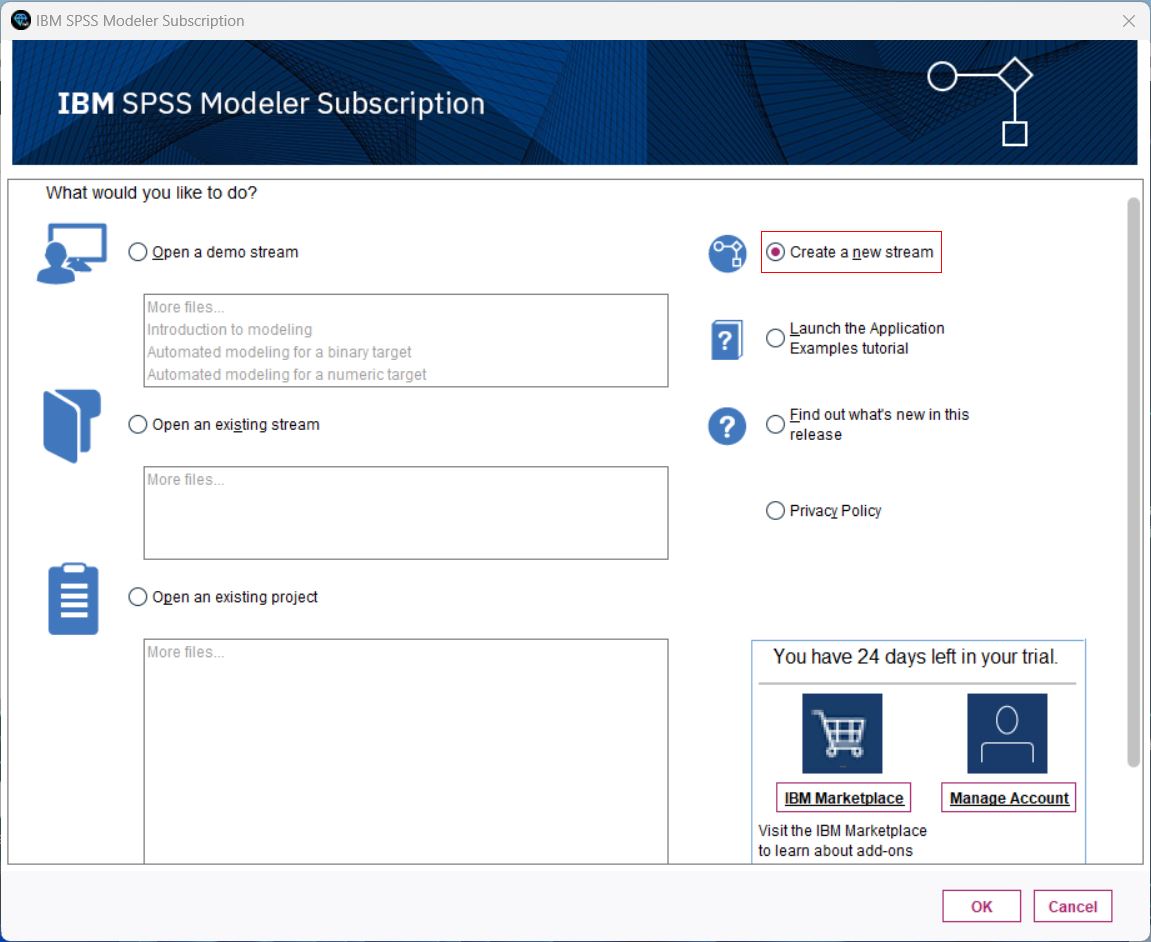
- Launch IBM SPSS Modeler, log in, and create a new stream.
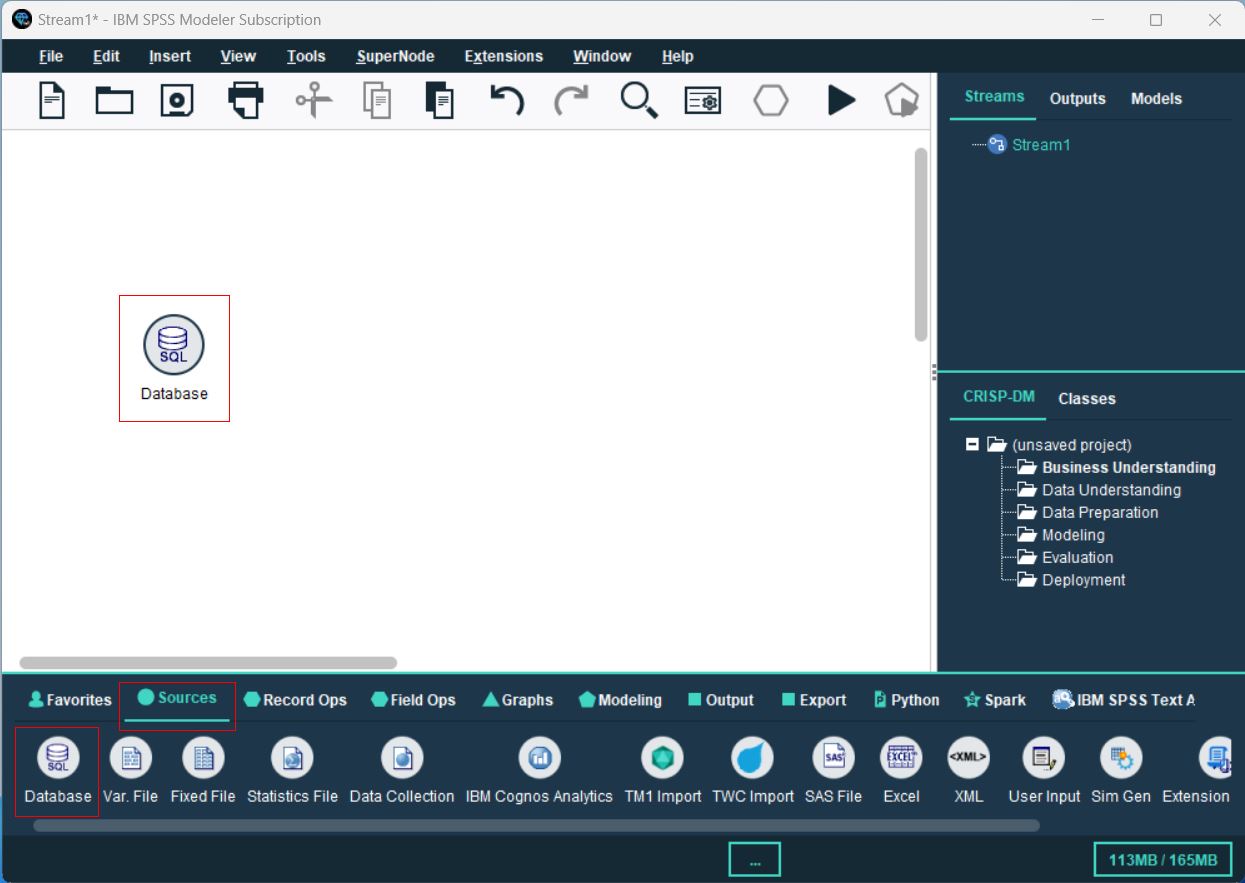
- From the Sources palette, locate the Database node, and drag it onto the canvas.
- Double-click the Database node to open the configuration dialog. Select
, browse to select the configured DSN, then click OK. - In the Database dialog, browse to select the table(s) you’d like to import, preview the data, and click OK to finalize.
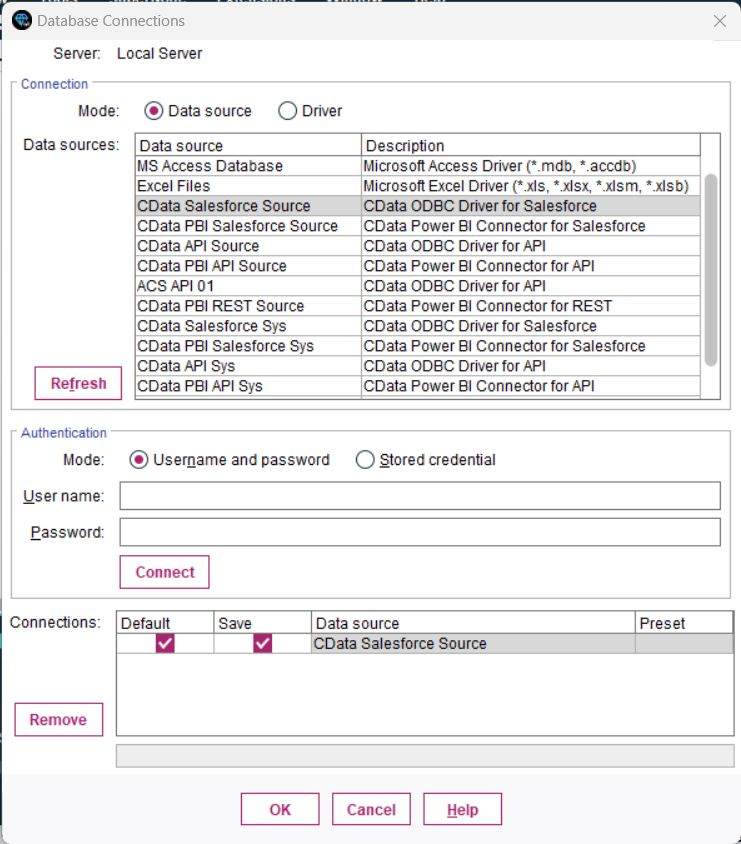
You are now ready to process and analyze the Adobe Experience Manager data data in IBM SPSS Modeler.
Process Data: Filter, Categories, and Model
Once the tables are imported, you can refine, filter, categorize, and model your Adobe Experience Manager data data in SPSS Modeler:
- Filtering: Double-click your Database connection, go to the Filter section, and select/deselect fields to focus on relevant data. This improves processing speed and model accuracy.
- Set Data Types and Roles: Categorize your fields and assign roles to each data type by navigating to the Types section.
- Perform a Basic Analysis: Drag and drop the Analysis node next to your Database node, connect them, and click the Play button to run the stream and analyze the data.
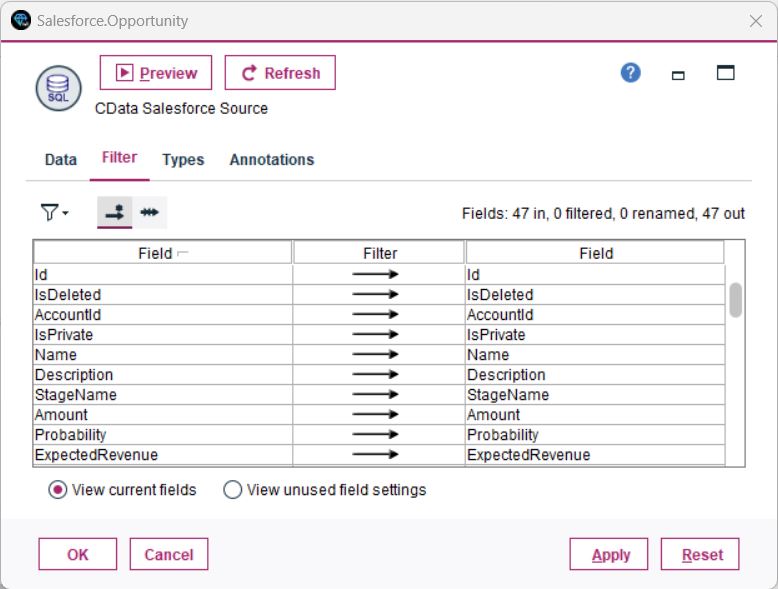
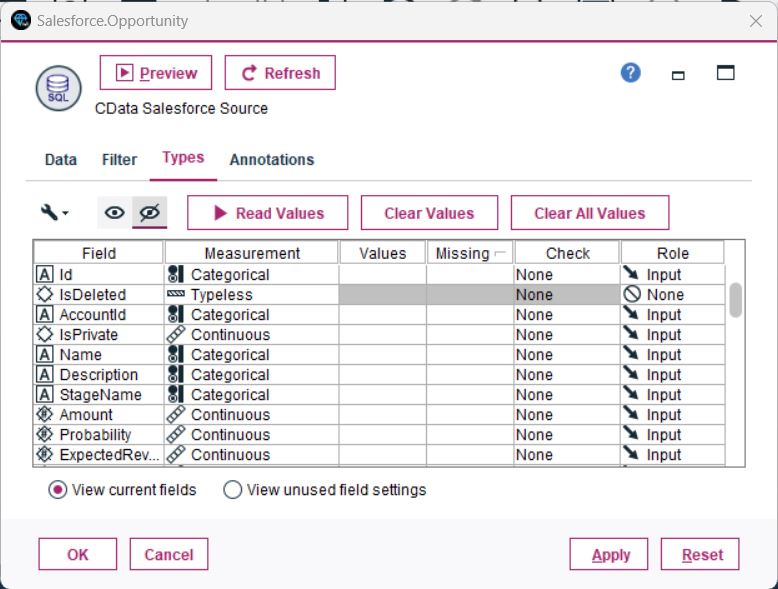
You have now performed a simple analysis, enabling SPSS Modeler to process and display insights from your database.
Unlock the Potential of Your Adobe Experience Manager Data with CData
With the CData ODBC Driver for Adobe Experience Manager, connecting Adobe Experience Manager data data to IBM SPSS Modeler is seamless. Start your free trial today and unlock the full potential of your real-time data for advanced analytics and decision-making.
Ready to get started?
Download a free trial of the Adobe Experience Manager ODBC Driver to get started:
Download NowLearn more:
 Adobe Experience Manager ODBC Driver
The Adobe Experience Manager ODBC Driver is a powerful tool that allows you to connect with live data from Adobe Experience Manager, directly from any applications that support ODBC connectivity.
Access Adobe Experience Manager data like you would a database - read, write, and update Adobe Experience Manager 0, etc. through a standard ODBC Driver interface.