






Manage Anaplan Data in DBArtisan as a JDBC Source

The CData JDBC Driver for Anaplan seamlessly integrates Anaplan data into database management tools like DBArtisan by enabling you to access Anaplan data as a database. This article shows how to create a JDBC source for Anaplan in DBArtisan. You can then edit data visually and execute standard SQL.
Integrate Anaplan Data into DBArtisan Projects
Follow the steps below to register Anaplan data as a database instance in your project:
- In DBArtisan, click Data Source -> Register Datasource.
- Select Generic JDBC.
- Click Manage.
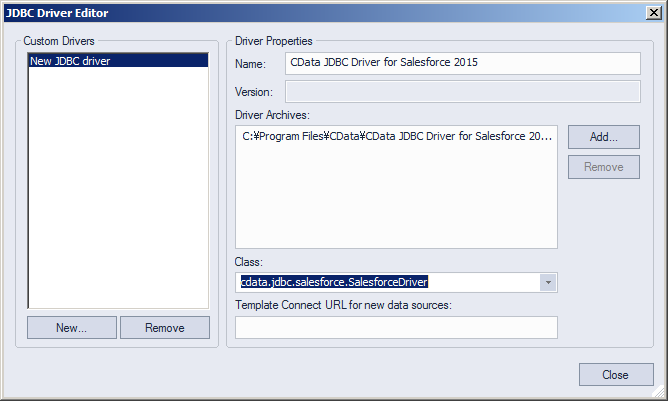
- In the resulting dialog, click New. Enter a name for the driver and click Add. In the resulting dialog, navigate to the driver JAR. The driver JAR is located in the lib subfolder of the installation directory.
-
In the Connection URL box, enter credentials and other required connection properties in the JDBC URL.
Authenticating to Anaplan
The driver supports authenticating with Basic, Certificate, or OAuth. In every case, set Region to the region where your Anaplan account data is hosted (e.g., US1, which is the default).
Using Basic Authentication
Set AuthScheme to Basic, then supply your Anaplan User and Password. If your workspace uses single sign-on (SSO), you must be assigned as an Exception User to use Basic authentication.
Using Certificate Authentication
Set AuthScheme to Certificate, then supply the Certificate, CertificateType, and PrivateKey properties (and the matching CertificatePassword / PrivateKeyPassword if either is encrypted). The certificate must be a CA-issued X.509 certificate registered with your Anaplan tenant administrator.
Using OAuth Authentication
Register a custom OAuth application in Anaplan, then set the following properties:
- OAuthClientId: The client Id assigned when you registered your custom OAuth application.
- OAuthClientSecret: The client secret assigned when you registered your custom OAuth application.
- CallbackURL: The redirect URI defined when you registered your application.
- InitiateOAuth: Set to GETANDREFRESH to have the driver manage the OAuth token exchange and refresh automatically.
See the Getting Started chapter of the help documentation for a guide to creating a custom OAuth app and using OAuth.
Built-in Connection String Designer
For assistance in constructing the JDBC URL, use the connection string designer built into the Anaplan JDBC Driver. Either double-click the JAR file or execute the jar file from the command-line.
java -jar cdata.jdbc.anaplan.jar
Fill in the connection properties and copy the connection string to the clipboard.
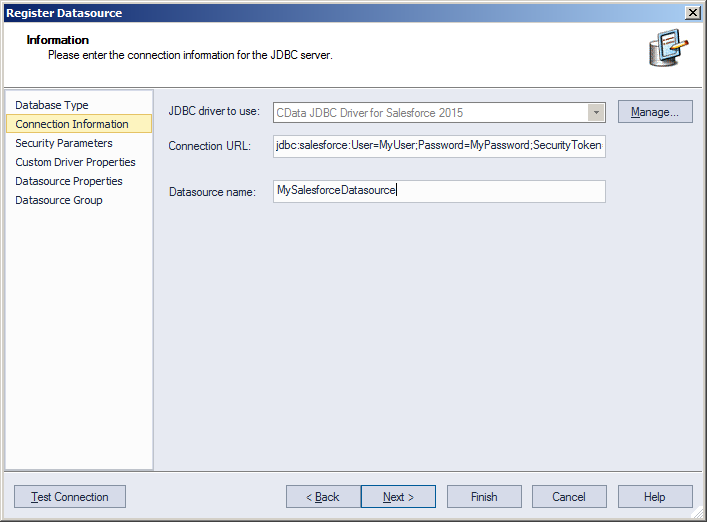
Below is a typical connection string:
jdbc:anaplan:OAuthClientId=your_client_id;OAuthClientSecret=your_client_secret;CallbackURL=your_callback_url;Region=US1;InitiateOAuth=GETANDREFRESH;
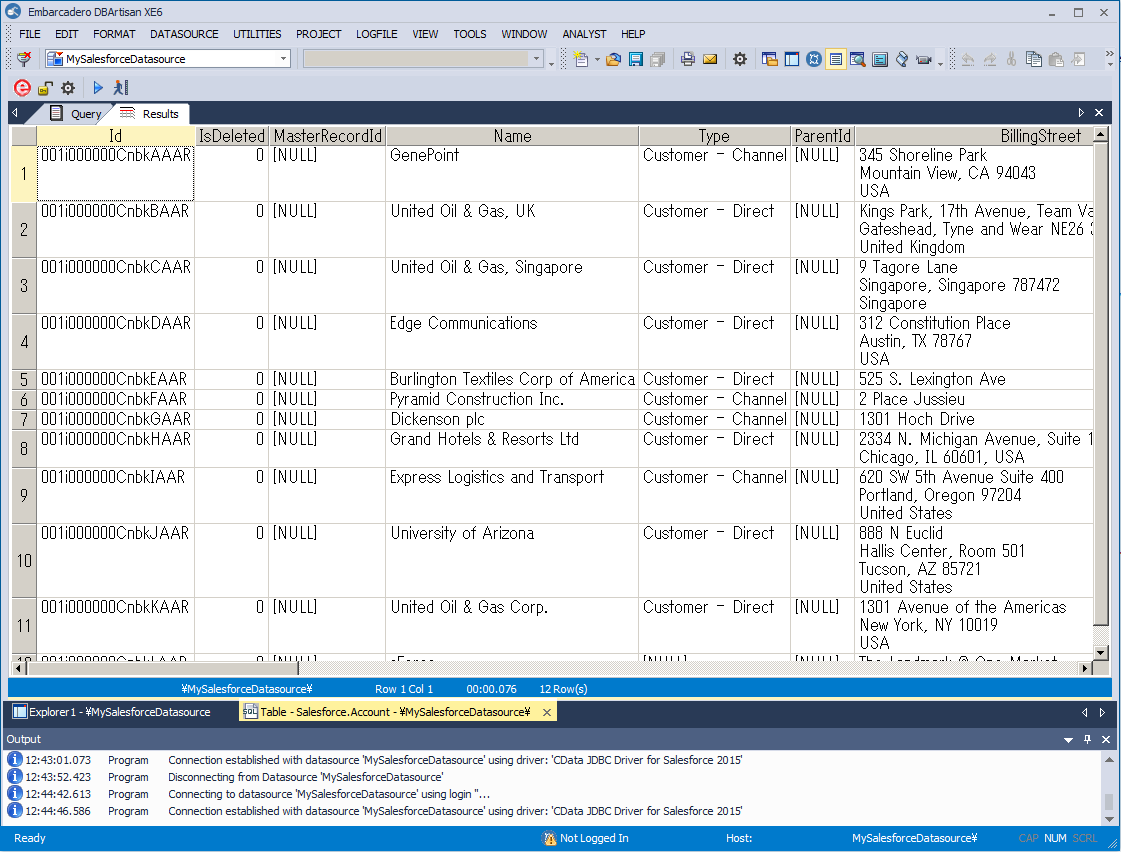
- Finish the wizard to connect to Anaplan data. Anaplan entities are displayed in the Datasource Explorer.
You can now work with Anaplan data as you work with any other database. See the driver help documentation for more information on the queries supported by the Anaplan API.
Ready to get started?
Download a free trial of the Anaplan Driver to get started:
Download NowLearn more:
 Anaplan JDBC Driver
Rapidly create and deploy powerful Java applications that integrate with Anaplan.