




Query Apache Airflow Data in DataGrip

DataGrip is a database IDE that allows SQL developers to query, create, and manage databases. When paired with the CData API Driver for JDBC, DataGrip can work with live Apache Airflow data. This article shows how to establish a connection to Apache Airflow data in DataGrip.
Create a New Driver Definition for Apache Airflow
The steps below describe how to create a new Data Source in DataGrip for Apache Airflow.
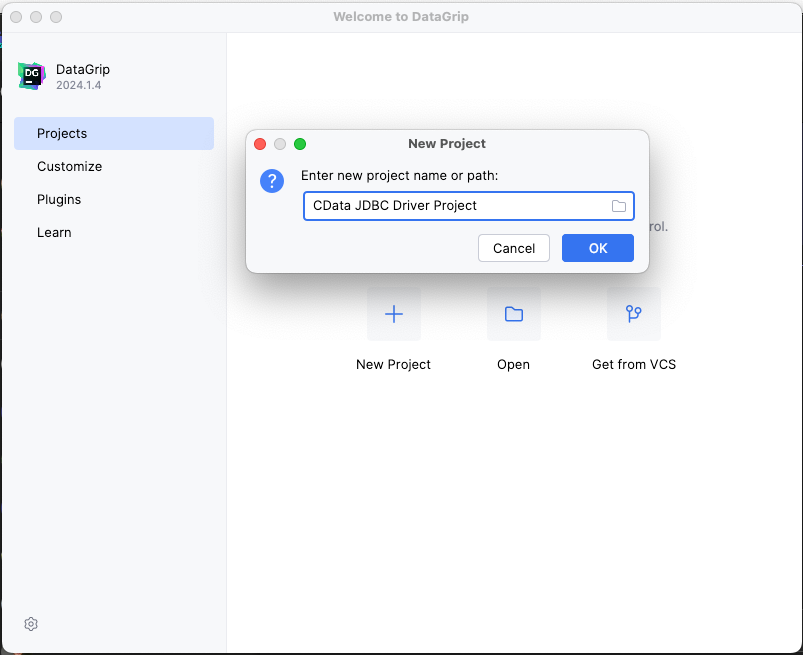
- In DataGrip, click File -> New > Project and name the project
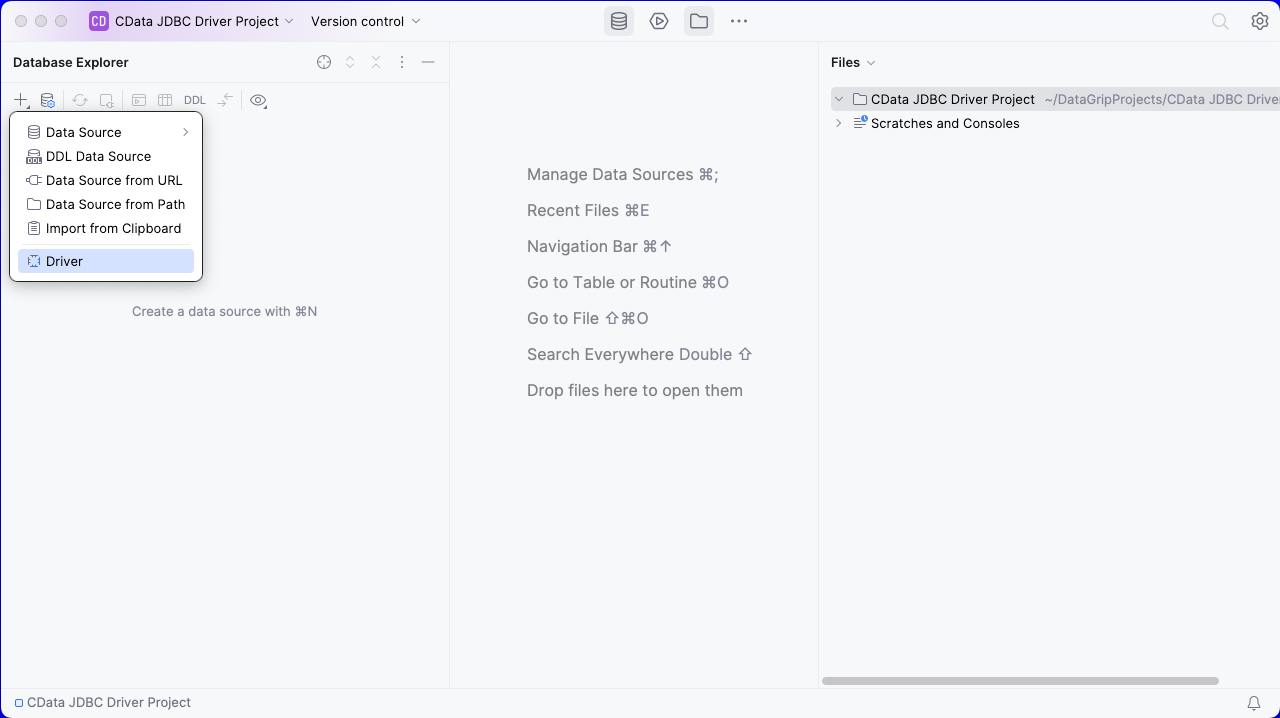
- In the Database Explorer, click the plus icon () and select Driver.
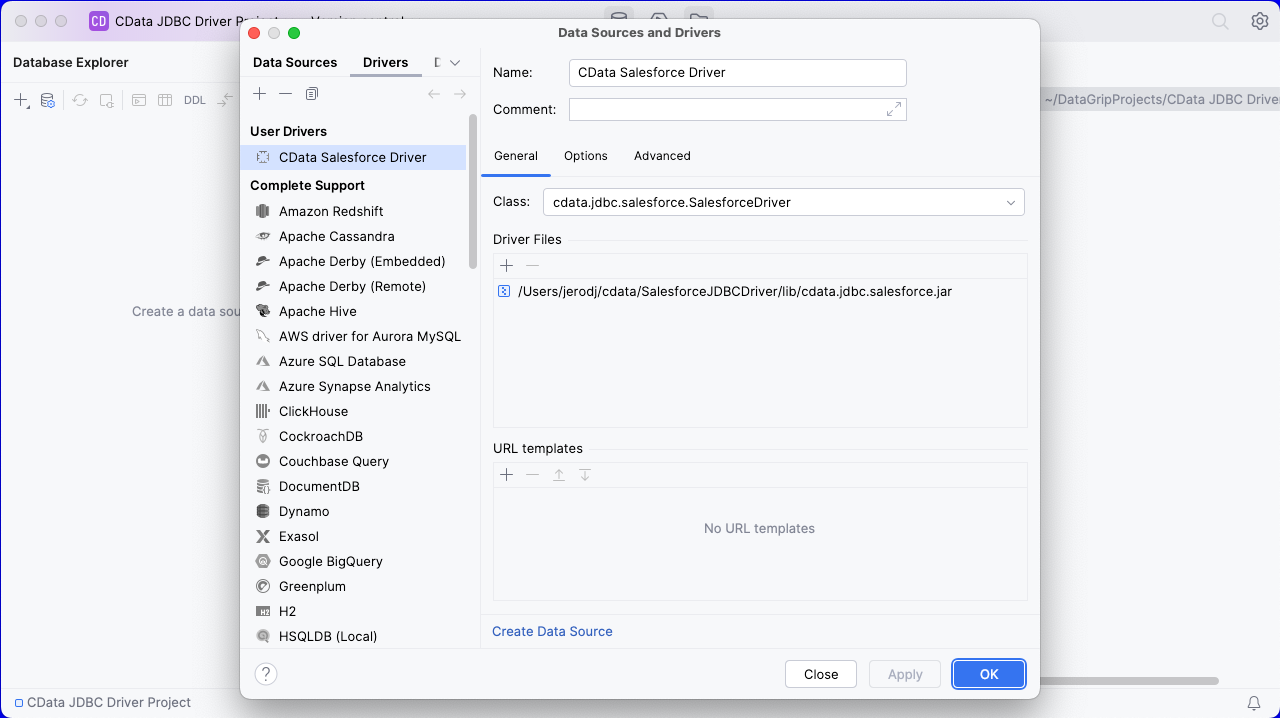
- In the Driver tab:
- Set Name to a user-friendly name (e.g. "CData Apache Airflow Driver")
- Set Driver Files to the appropriate JAR file. To add the file, click the plus (), select "Add Files," navigate to the "lib" folder in the driver's installation directory and select the JAR file (e.g. cdata.jdbc.api.jar).
- Set Class to cdata.jdbc.api.API.jar
Additionally, in the advanced tab you can change driver properties and some other settings like VM Options, VM environment, VM home path, DBMS, etc - For most cases, change the DBMS type to "Unknown" in Expert options to avoid native SQL Server queries (Transact-SQL), which might result in an invalid function error
- Click "Apply" then "OK" to save the Connection
Configure a Connection to Apache Airflow
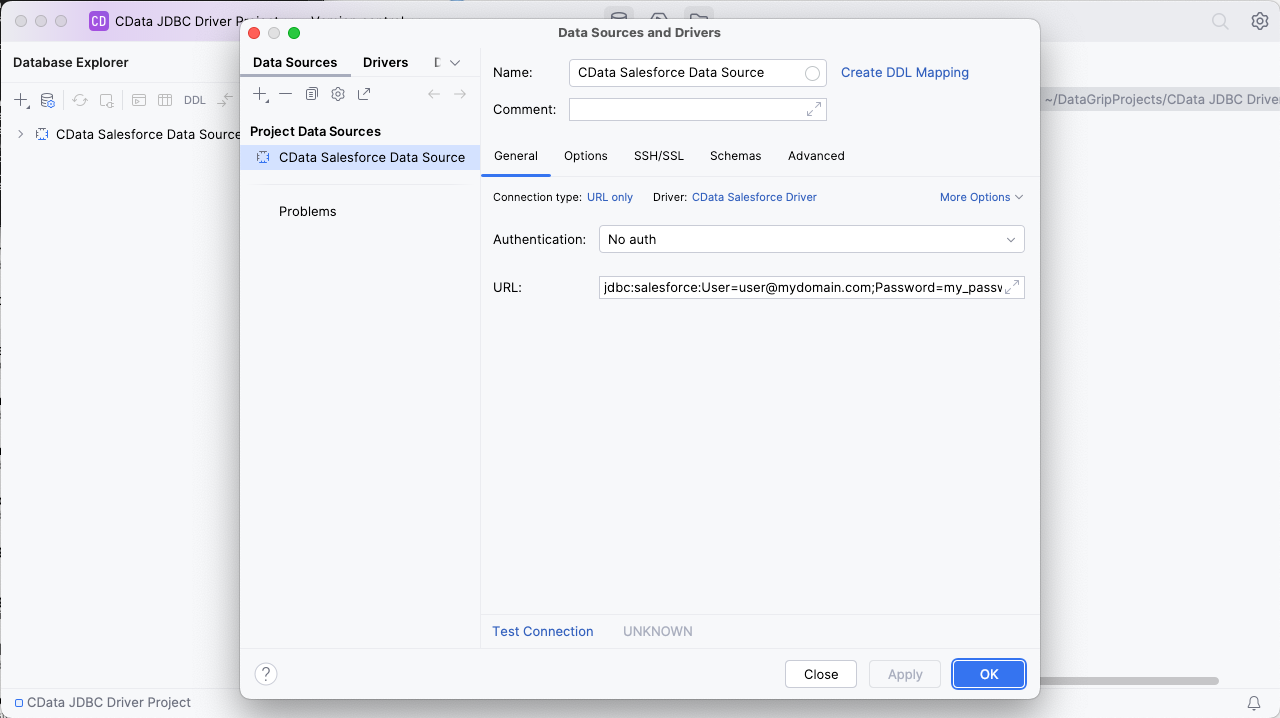
- Once the connection is saved, click the plus (), then "Data Source" then "CData Apache Airflow Driver" to create a new Apache Airflow Data Source.
- In the new window, configure the connection to Apache Airflow with a JDBC URL.
Built-in Connection String Designer
For assistance in constructing the JDBC URL, use the connection string designer built into the Apache Airflow JDBC Driver. Either double-click the JAR file or execute the jar file from the command-line.
java -jar cdata.jdbc.api.jarFill in the connection properties and copy the connection string to the clipboard.
Start by setting the Profile connection property to the location of the ApacheAirflow Profile on disk (e.g. C:\profiles\ApacheAirflow.apip). Next, set the ProfileSettings connection property to the connection string for ApacheAirflow (see below).
ApacheAirflow API Profile Settings
Apache Airflow 3 uses JWT Bearer tokens for API authentication. You can generate a token from the Airflow web UI under Settings or via the Airflow CLI using airflow users create and the /api/v2/auth/token endpoint. Note that this profile targets Apache Airflow 3.x using the /api/v2 REST API. The legacy /api/v1 endpoint used by Airflow 2.x is not supported.
After setting the following connection properties, you are ready to connect:
- AuthScheme: Set this to APIKey.
- APIKey: Set this to your Apache Airflow JWT Bearer token.
- Server: Set this to the base URL of your Airflow instance (e.g. http://localhost:8080).

- Set URL to the connection string, e.g.,
jdbc:api:Profile=C:\profiles\ApacheAirflow.apip;AuthScheme=APIKey;ProfileSettings='APIKey=your_jwt_token;Server=http://localhost:8080'; - Click "Apply" and "OK" to save the connection string
At this point, you will see the data source in the Data Explorer.
Execute SQL Queries Against Apache Airflow
To browse through the Apache Airflow entities (available as tables) accessible through the JDBC Driver, expand the Data Source.
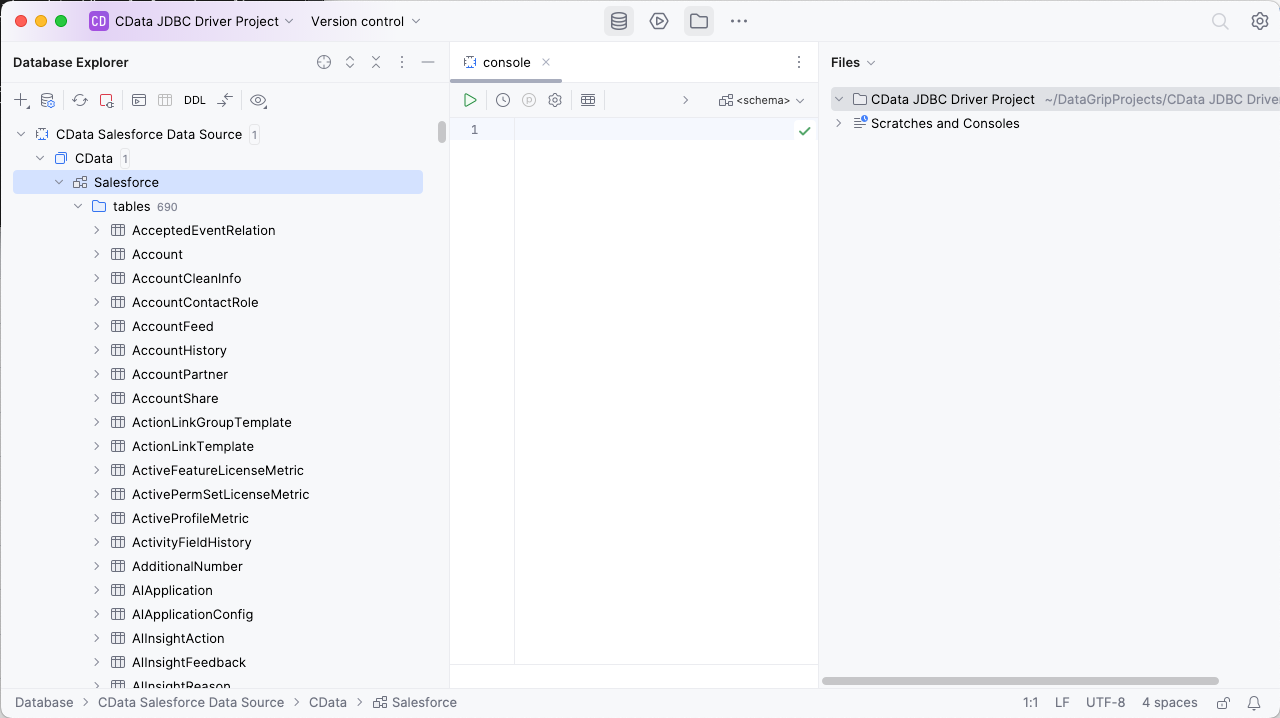
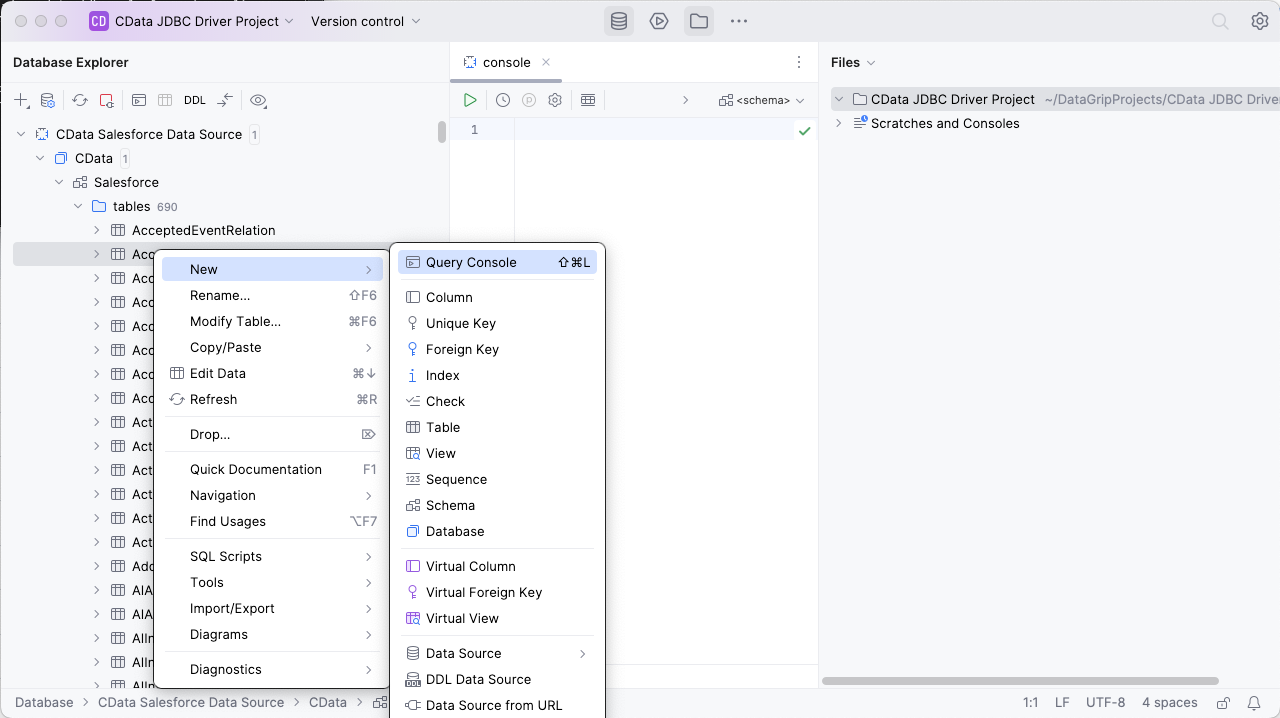
To execute queries, right click on any table and select "New" -> "Query Console."
In the Console, write the SQL query you wish to execute. For example:
SELECT DagRunId, State FROM DagRuns WHERE DagId = 'example_dag'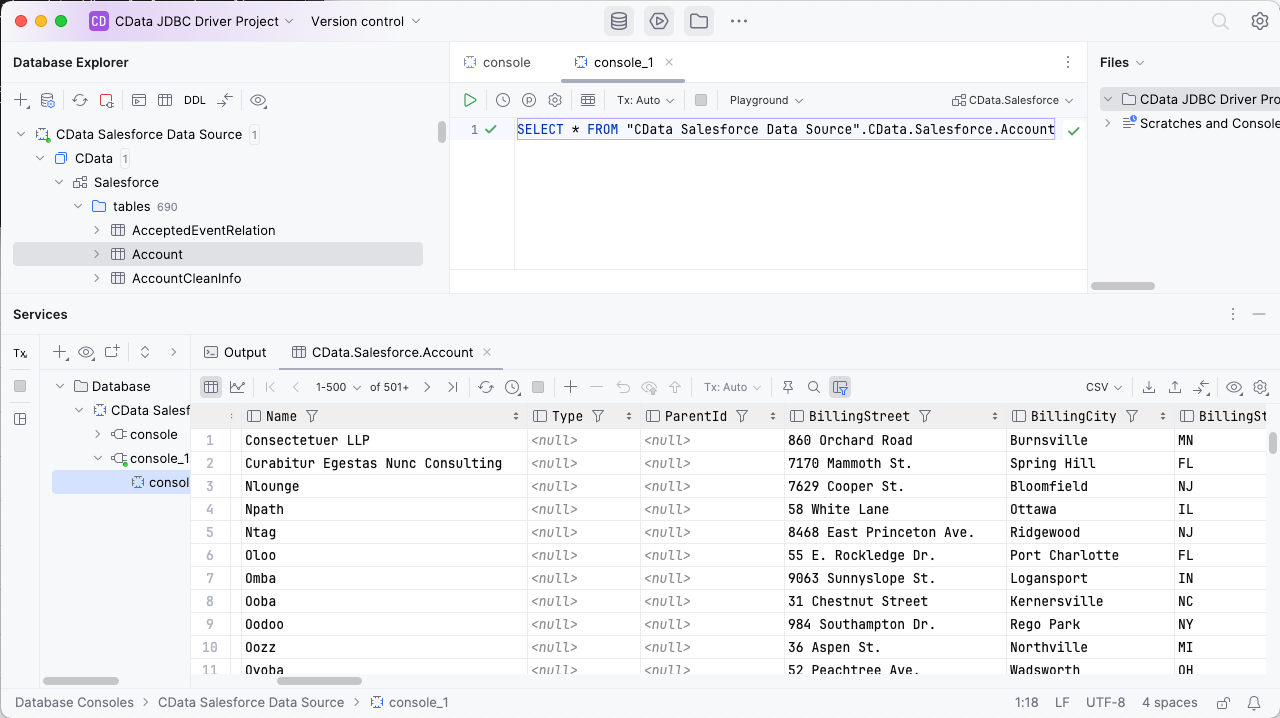
Download a free, 30-day trial of the CData API Driver for JDBC and start working with your live Apache Airflow data in DataGrip. Reach out to our Support Team if you have any questions.