




Access Apache Airflow Data in Mule Applications Using the CData JDBC Driver

The CData API Driver for JDBC connects Apache Airflow data to Mule applications enabling read functionality with familiar SQL queries. The JDBC Driver allows users to easily create Mule applications to backup, transform, report, and analyze Apache Airflow data.
This article demonstrates how to use the CData API Driver for JDBC inside of a Mule project to create a Web interface for Apache Airflow data. The application created allows you to request Apache Airflow data using an HTTP request and have the results returned as JSON. The exact same procedure outlined below can be used with any CData JDBC Driver to create a Web interface for the hundreds of available data sources.
- Create a new Mule Project in Anypoint Studio.
- Add an HTTP Connector to the Message Flow.
- Configure the address for the HTTP Connector.
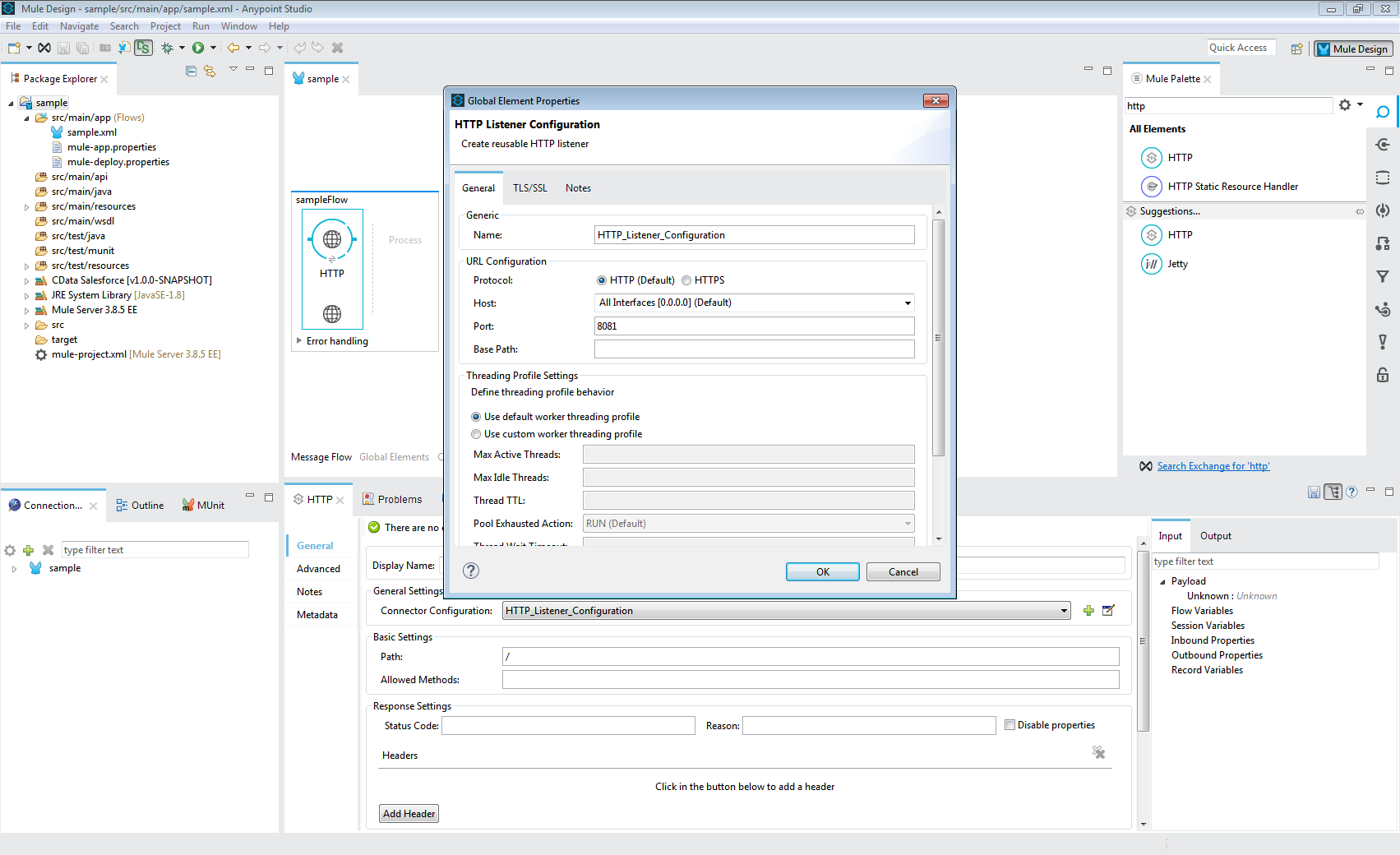
- Add a Database Select Connector to the same flow, after the HTTP Connector.
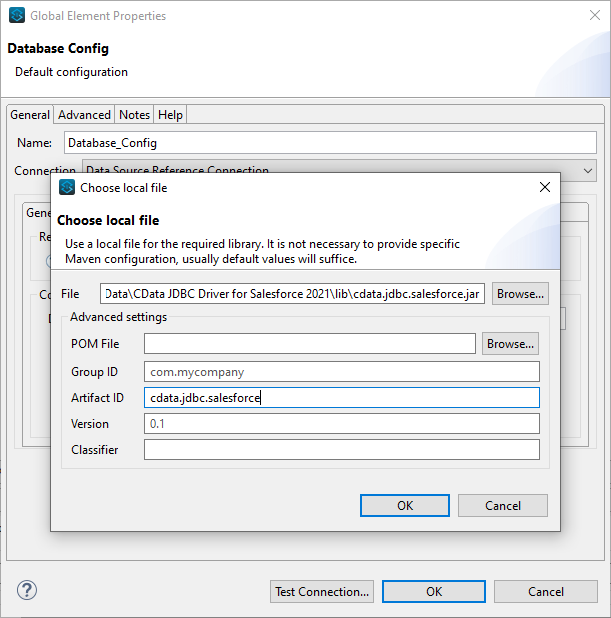
- Create a new Connection (or edit an existing one) and configure the properties.
- Set Connection to "Generic Connection"
- Select the CData JDBC Driver JAR file in the Required Libraries section (e.g. cdata.jdbc.api.jar).
- Set the URL to the connection string for Apache Airflow
Start by setting the Profile connection property to the location of the ApacheAirflow Profile on disk (e.g. C:\profiles\ApacheAirflow.apip). Next, set the ProfileSettings connection property to the connection string for ApacheAirflow (see below).
ApacheAirflow API Profile Settings
Apache Airflow 3 uses JWT Bearer tokens for API authentication. You can generate a token from the Airflow web UI under Settings or via the Airflow CLI using airflow users create and the /api/v2/auth/token endpoint. Note that this profile targets Apache Airflow 3.x using the /api/v2 REST API. The legacy /api/v1 endpoint used by Airflow 2.x is not supported.
After setting the following connection properties, you are ready to connect:
- AuthScheme: Set this to APIKey.
- APIKey: Set this to your Apache Airflow JWT Bearer token.
- Server: Set this to the base URL of your Airflow instance (e.g. http://localhost:8080).
Built-in Connection String Designer
For assistance in constructing the JDBC URL, use the connection string designer built into the Apache Airflow JDBC Driver. Either double-click the JAR file or execute the jar file from the command-line.
java -jar cdata.jdbc.api.jarFill in the connection properties and copy the connection string to the clipboard.
- Set the Driver class name to cdata.jdbc.api.APIDriver.
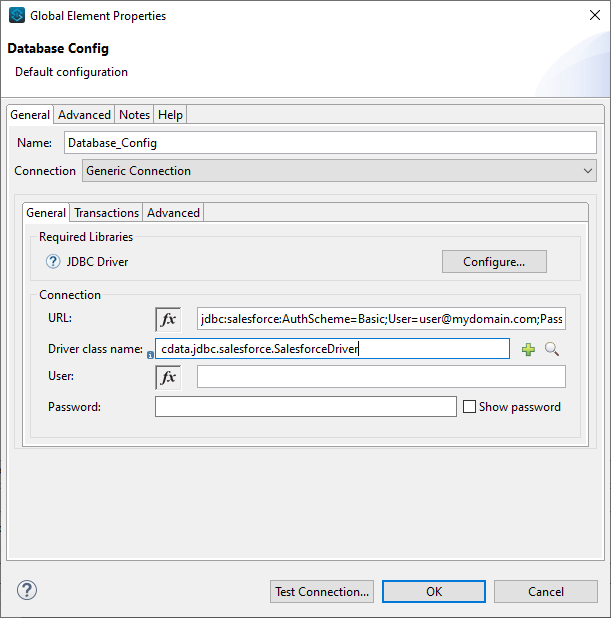
- Click Test Connection.
- Set the SQL Query Text to a SQL query to request Apache Airflow data. For example:
SELECT DagRunId, State FROM DagRuns WHERE DagId = 'example_dag'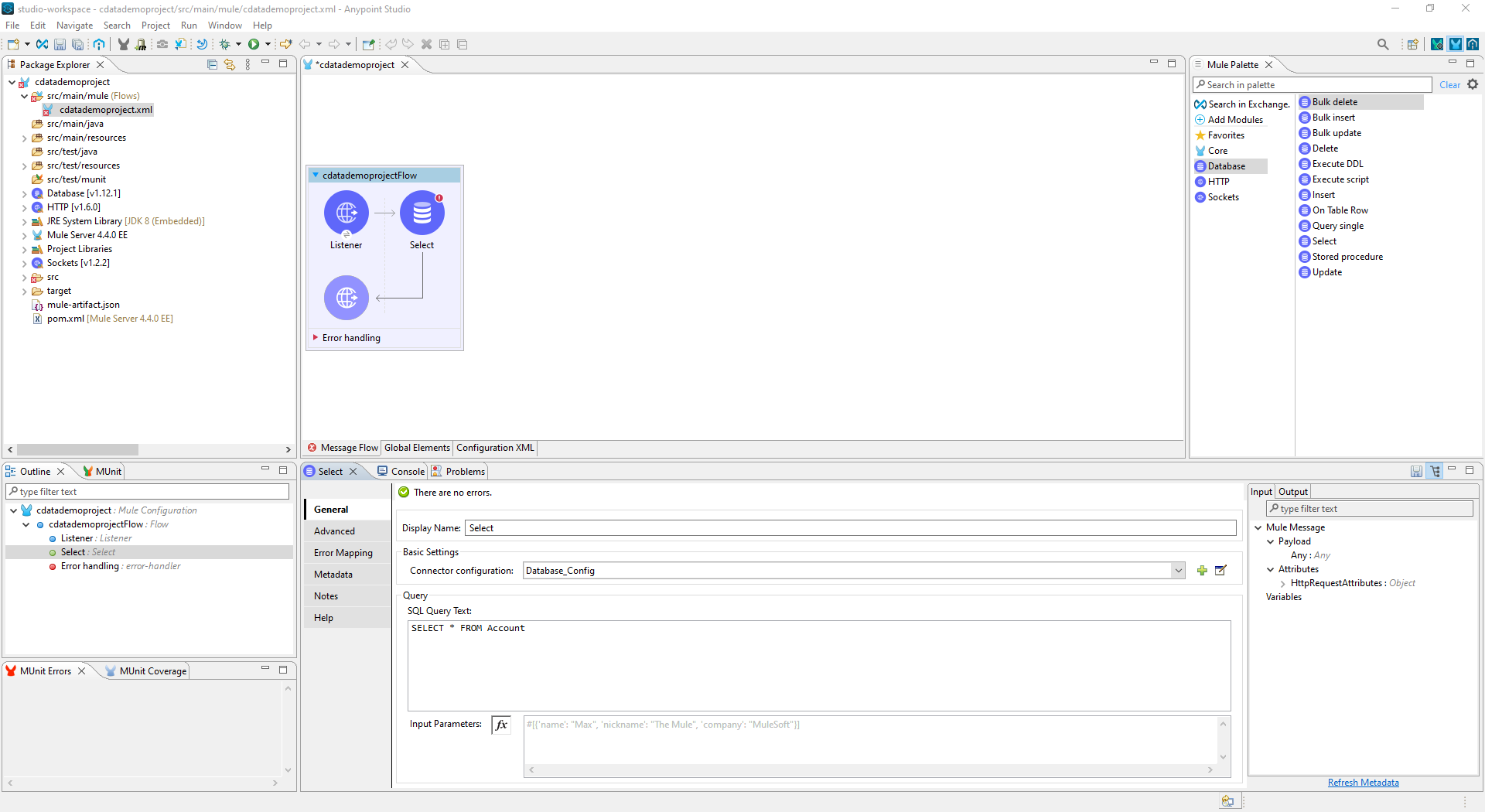
- Add a Transform Message Component to the flow.
- Set the Output script to the following to convert the payload to JSON:
%dw 2.0
output application/json
---
payload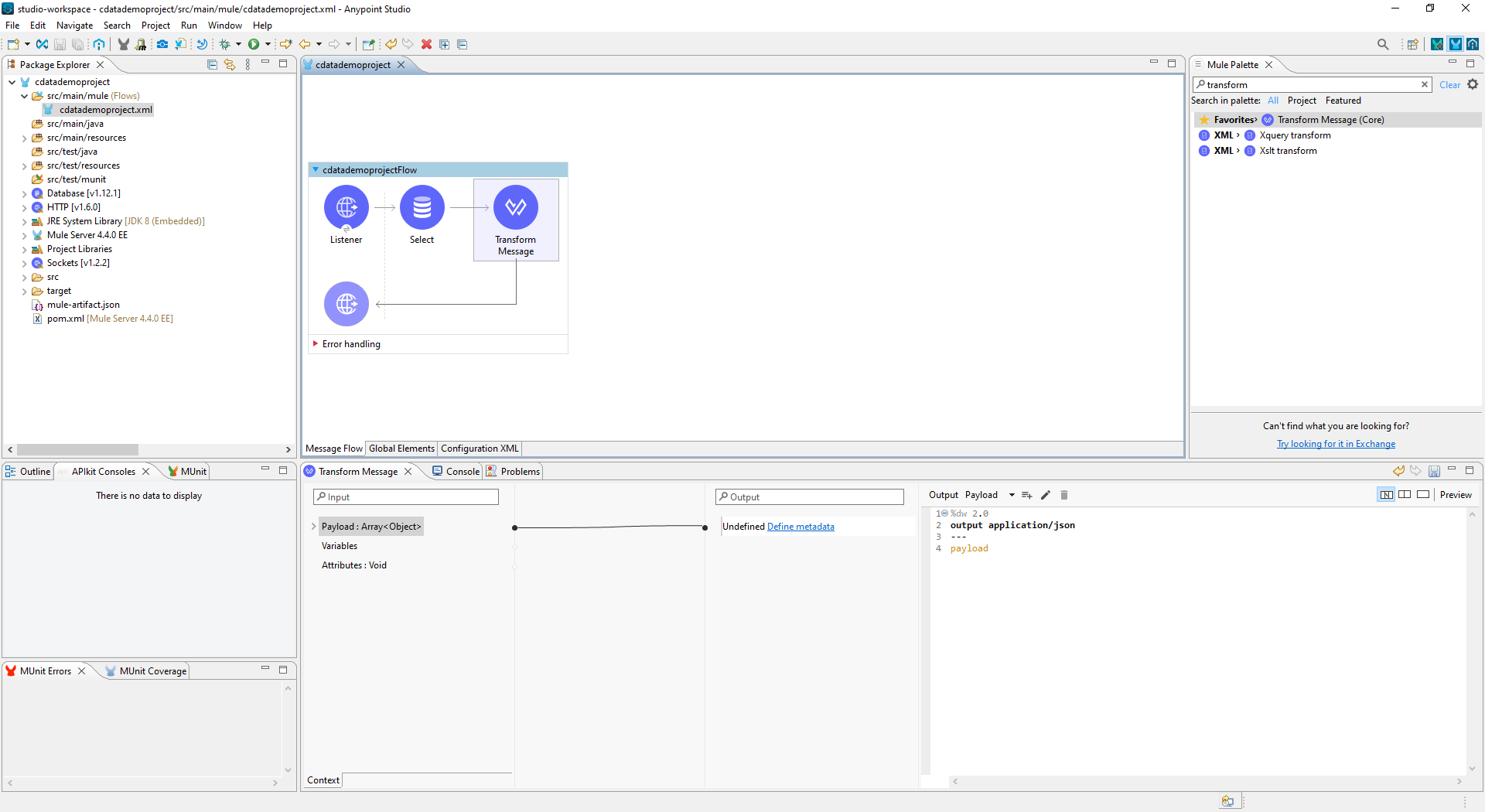
- To view your Apache Airflow data, navigate to the address you configured for the HTTP Connector (localhost:8081 by default): http://localhost:8081. The Apache Airflow data is available as JSON in your Web browser and any other tools capable of consuming JSON endpoints.
At this point, you have a simple Web interface for working with Apache Airflow data (as JSON data) in custom apps and a wide variety of BI, reporting, and ETL tools. Download a free, 30 day trial of the JDBC Driver for Apache Airflow and see the CData difference in your Mule Applications today.