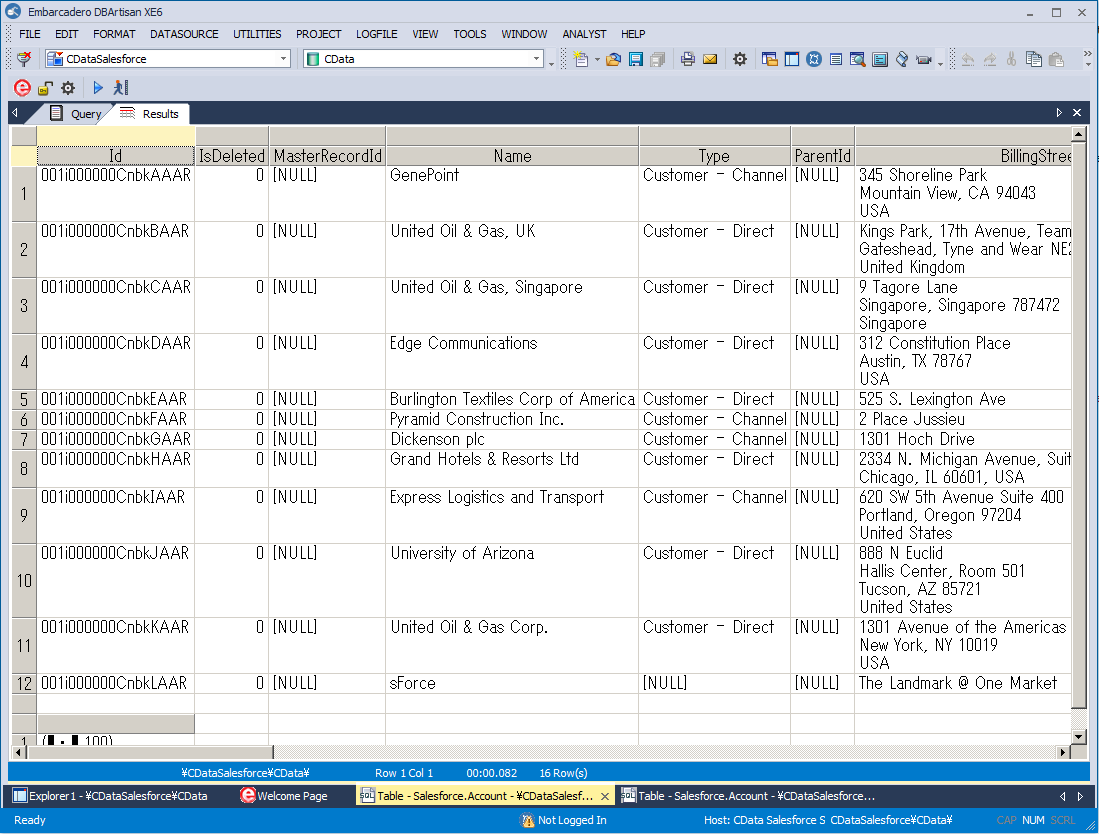
Connect to Apache Airflow Data in DBArtisan

The CData ODBC Driver for Apache Airflow seamlessly integrates Apache Airflow data into database management tools like DBArtisan by enabling you to access Apache Airflow data as a database. This article shows how to create an data source for Apache Airflow in DBArtisan and execute queries. You can then edit data visually and execute standard SQL.
Integrate Apache Airflow Data into DBArtisan Projects
If you have not already, first specify connection properties in an ODBC DSN (data source name). This is the last step of the driver installation. You can use the Microsoft ODBC Data Source Administrator to create and configure ODBC DSNs.
Start by setting the Profile connection property to the location of the ApacheAirflow Profile on disk (e.g. C:\profiles\ApacheAirflow.apip). Next, set the ProfileSettings connection property to the connection string for ApacheAirflow (see below).
ApacheAirflow API Profile Settings
Apache Airflow 3 uses JWT Bearer tokens for API authentication. You can generate a token from the Airflow web UI under Settings or via the Airflow CLI using airflow users create and the /api/v2/auth/token endpoint. Note that this profile targets Apache Airflow 3.x using the /api/v2 REST API. The legacy /api/v1 endpoint used by Airflow 2.x is not supported.
After setting the following connection properties, you are ready to connect:
- AuthScheme: Set this to APIKey.
- APIKey: Set this to your Apache Airflow JWT Bearer token.
- Server: Set this to the base URL of your Airflow instance (e.g. http://localhost:8080).
You can then follow the steps below to register Apache Airflow data as a database instance in your project:
- In DBArtisan, click Data Source -> Register Datasource.
- Select Generic ODBC.
- Enter a name for the data source and select the DSN.
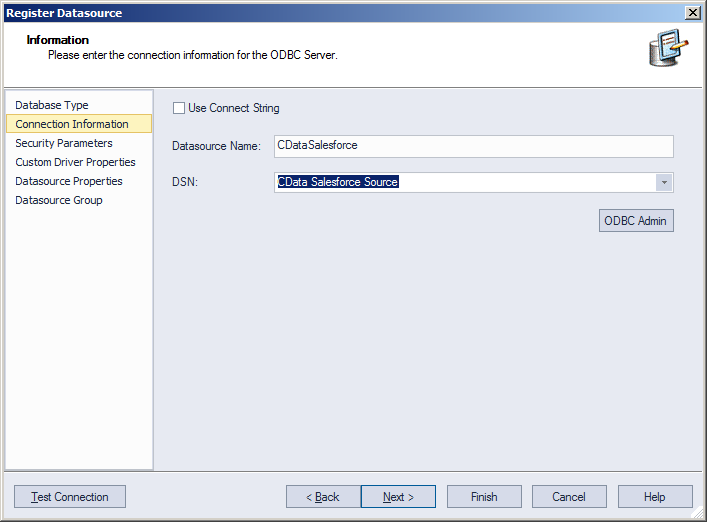
- Finish the wizard to connect to Apache Airflow data. Apache Airflow entities are displayed in the Datasource Explorer.
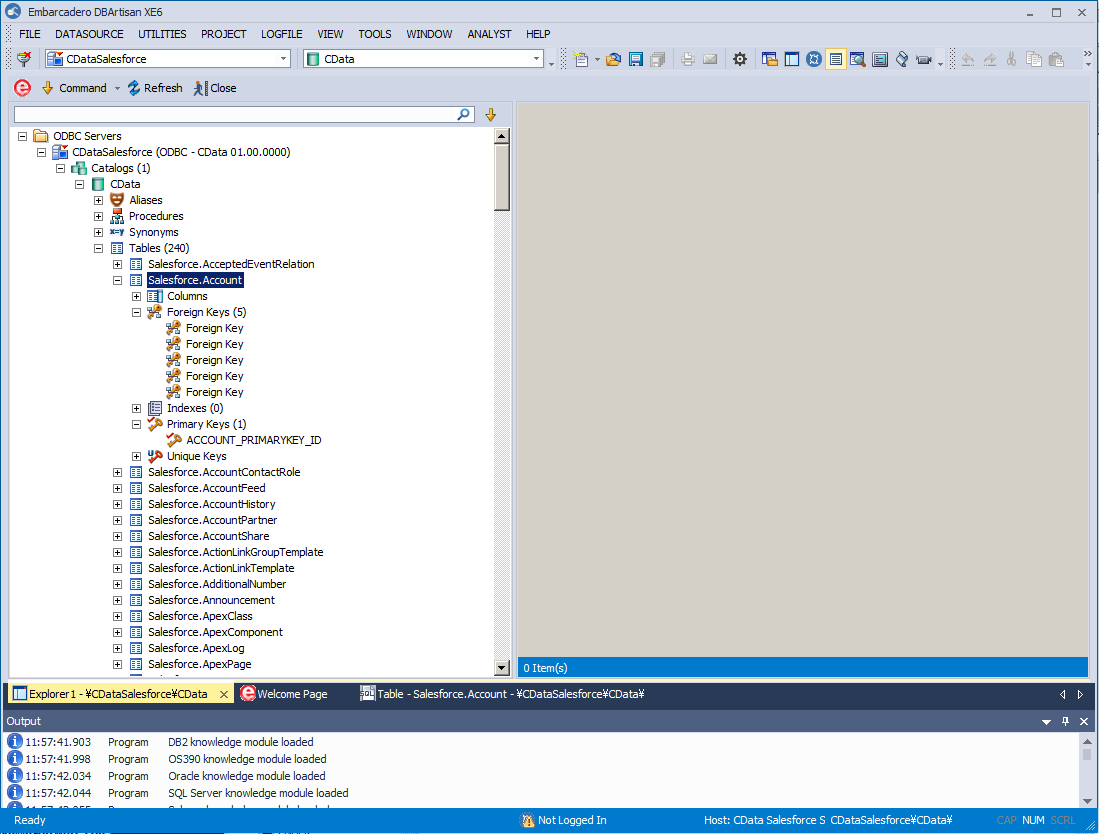
You can now work with Apache Airflow data as you work with any other database. See the driver help documentation for more information on the queries supported by the Apache Airflow API.