Connect to Carbone Data in CloverDX (formerly CloverETL)

The CData JDBC Driver for Carbone enables you to use the data transformation components in CloverDX (formerly CloverETL) to work with Carbone as sources. In this article, you will use the JDBC Driver for Carbone to set up a simple transfer into a flat file. The CData JDBC Driver for Carbone enables you to use the data transformation components in CloverDX (formerly CloverETL) to work with Carbone as sources. In this article, you will use the JDBC Driver for Carbone to set up a simple transfer into a flat file.
Connect to Carbone as a JDBC Data Source
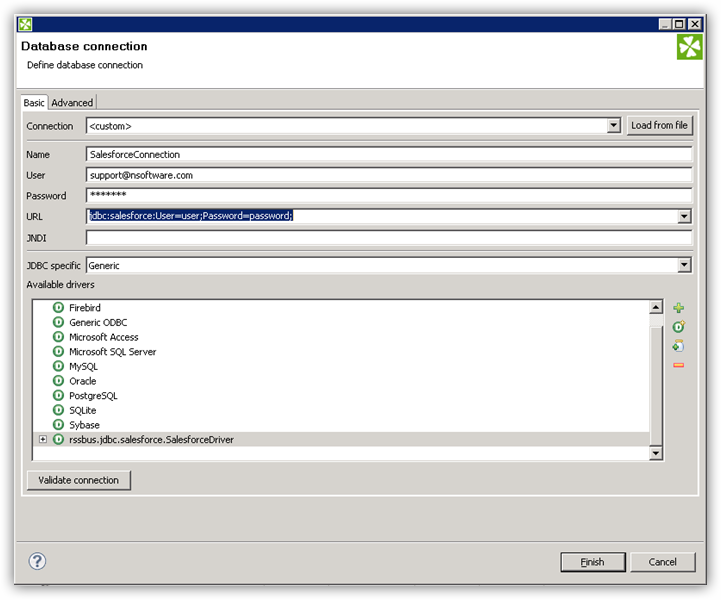
- Create the connection to Carbone data. In a new CloverDX graph, right-click the Connections node in the Outline pane and click Connections -> Create Connection. The Database Connection wizard is displayed.
- Click the plus icon to load a driver from a JAR. Browse to the lib subfolder of the installation directory and select the cdata.jdbc.api.jar file.
- Enter the JDBC URL.
Start by setting the Profile connection property to the location of the Carbone Profile on disk (e.g. C:\profiles\Carbone.apip). Next, set the ProfileSettings connection property to the connection string for Carbone (see below).
Carbone API Profile Settings
Carbone uses API key authentication via a Bearer token in the Authorization header. To obtain an API key:
- Log in to your Carbone account at https://account.carbone.io
- Copy the API key shown on the account home page
After obtaining your API key, set the following connection properties:
- AuthScheme: Set this to APIKey.
- APIKey: Set this to your Carbone API key (Bearer token).
- CarboneVersion: (Optional) The major version of the Carbone API to target via the carbone-version request header. Defaults to 5. Accepted values: 5, 4, 3, staging.
Built-in Connection String Designer
For assistance in constructing the JDBC URL, use the connection string designer built into the Carbone JDBC Driver. Either double-click the JAR file or execute the jar file from the command-line.
java -jar cdata.jdbc.api.jarFill in the connection properties and copy the connection string to the clipboard.

A typical JDBC URL is below:
jdbc:api:Profile=C:\profiles\Carbone.apip;AuthScheme=APIKey;APIKey=your_api_key;
Query Carbone Data with the DBInputTable Component
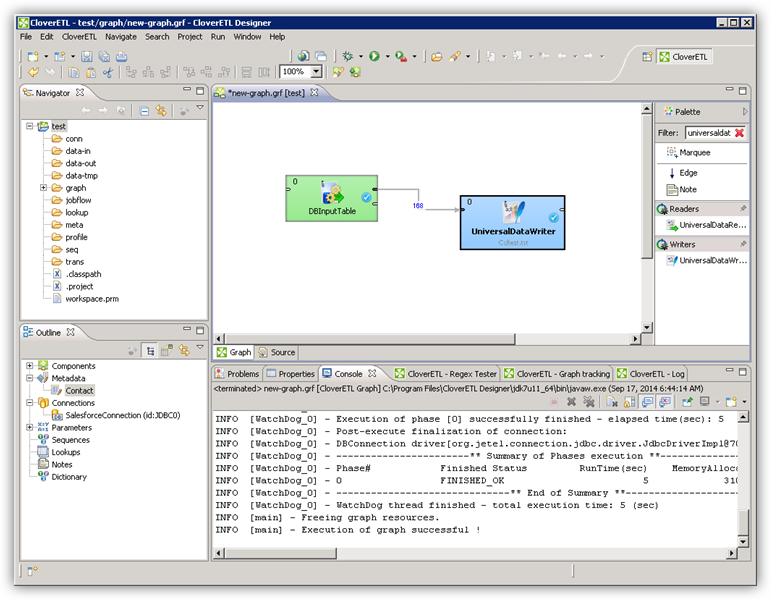
- Drag a DBInputTable from the Readers selection of the Palette onto the job flow and double-click it to open the configuration editor.
- In the DB connection property, select the Carbone JDBC data source from the drop-down menu.
- Enter the SQL query. For example:
SELECT Id, Name FROM Templates WHERE Category = 'Invoices'
Write the Output of the Query to a UniversalDataWriter
- Drag a UniversalDataWriter from the Writers selection onto the jobflow.
- Double-click the UniversalDataWriter to open the configuration editor and add a file URL.
- Right-click the DBInputTable and then click Extract Metadata.
- Connect the output port of the DBInputTable to the UniversalDataWriter.
- In the resulting Select Metadata menu for the UniversalDataWriter, choose the Templates table. (You can also open this menu by right-clicking the input port for the UniversalDataWriter.)
- Click Run to write to the file.