




Visualize Live Claude Compliance Data in Tableau

Tableau is a visual analytics platform transforming the way businesses use data to solve problems. When paired with the CData Tableau Connector for Claude Compliance, you can easily get access to live Claude Compliance data within Tableau. This article shows how to connect to Claude Compliance in Tableau and build a simple chart.
The CData Tableau Connectors enable high-speed access to live Claude Compliance data in Tableau. Once you install the connector, you simply authenticate with Claude Compliance and you can immediately start building responsive, dynamic visualizations and dashboards. By surfacing Claude Compliance data using native Tableau data types and handling complex filters, aggregations, & other operations automatically, CData Tableau Connectors grant seamless access to Claude Compliance data.
NOTE: The CData Tableau Connectors require Tableau 2020.3 or higher. If you are using an older version of Tableau, you will need to use the CData JDBC Driver. If you wish to connect to Claude Compliance data in Tableau Cloud, you will need to use CData Connect AI.
Connect to Claude Compliance in Tableau
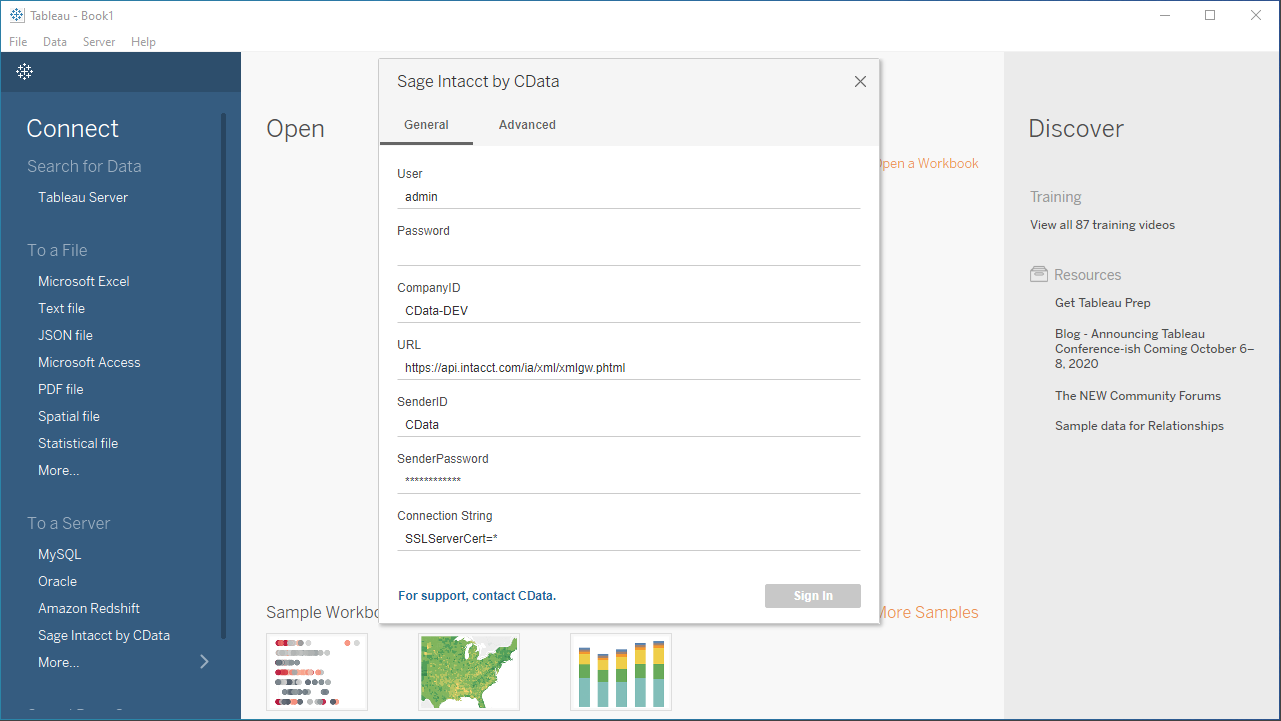
Open Tableau and click More under Connect -> To a Server. Select "Claude Compliance by CData," then configure the connection and click "Sign In."
The driver connects to Claude Compliance using a Compliance Access Key, the only supported authentication method. Set the following connection property:
- APIKey: The Compliance Access Key you created.
Creating a Compliance Access Key
- Enable the Compliance API for your organization.
- Sign in to claude.ai as a primary owner or organization owner and open Organization settings > API > Keys.
- Select Create Key and assign only the scopes your integration needs:
- read:compliance_activities for Activities and the typed activity views.
- read:compliance_org_data for organizations, roles, groups, and settings.
- read:compliance_user_data for users, chats, files, projects, and downloads.
- delete:compliance_user_data for the explicit Delete stored procedures.
- Create the key and copy it when it appears. The key starts with sk-ant-api01- and is shown only once.
Optionally, set OrganizationUUID to limit organization-scoped views (such as OrganizationUsers and ComplianceRoles) to a single linked organization. If it is left empty, those views default to the first available organization and do not include data from all linked organizations.
Discover Schemas and Query Data
- Select CData from the Database pull-down menu.
- Select ClaudeCompliance from the Schema pull-down menu.
- Drag the tables and views you wish to visualize onto the join area. You can include multiple tables.
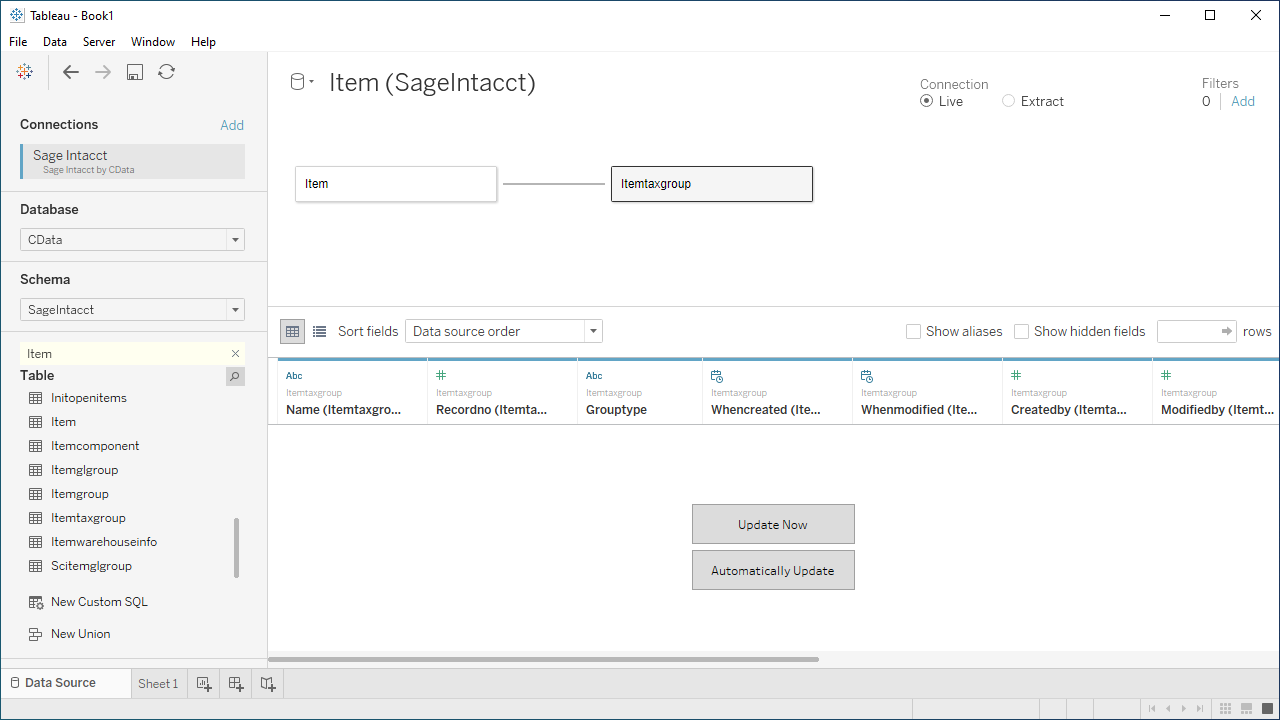
- Select Update Now or Automatically Update. Update Now lets you preview the first 10,000 rows of the data source (or enter the number of rows you want to see in the Rows text box). Automatically Update automatically reflects the changes in the preview area.
- Click the tab for your worksheet. Columns are listed as Dimensions and Measures, depending on the data type. The CData Tableau Connector discovers data types automatically, allowing you to leverage the powerful data processing and visualization features of Tableau.
- Drag a field from the Dimensions or Measures area to Rows or Columns. Tableau creates column or row headers.
- Select one of the chart types from the Show Me tab. Tableau displays the chart type that you selected.
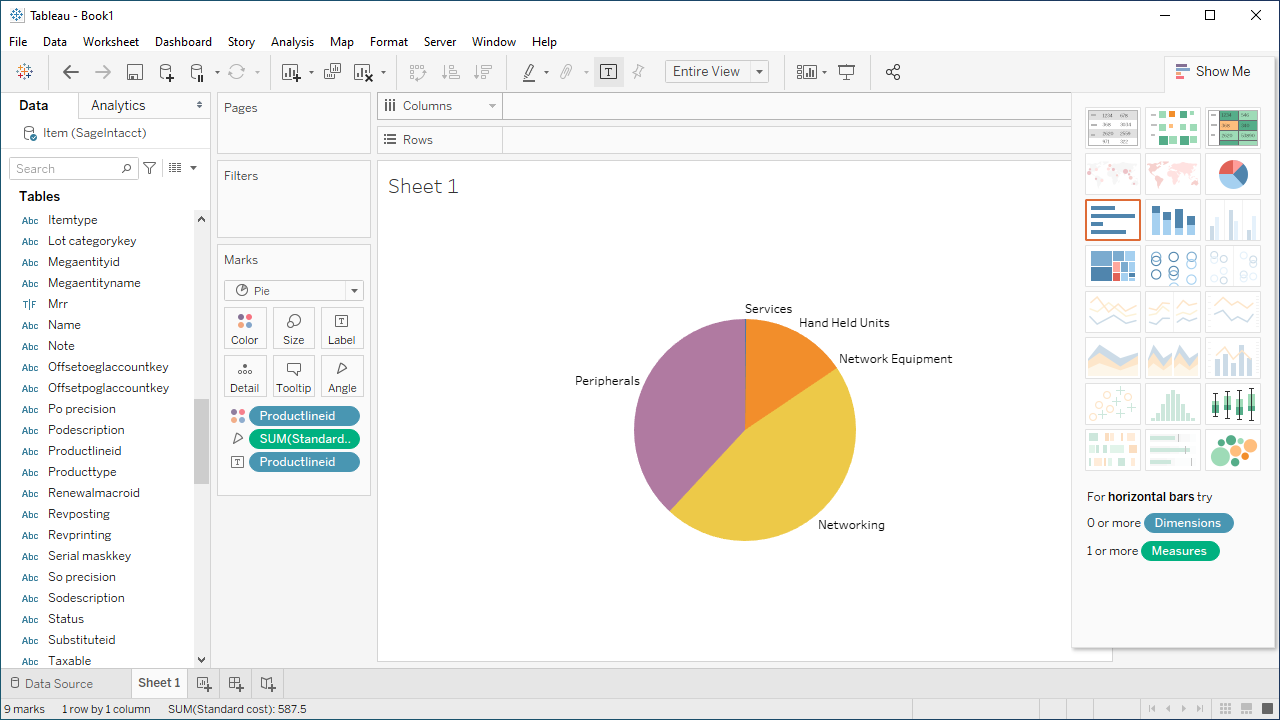
Using the CData Tableau Connector for Claude Compliance with Tableau, you can easily create robust visualizations and reports on Claude Compliance data. Download a free, 30-day trial and get started today.
Ready to get started?
Download a free trial of the Claude Compliance Tableau Connector to get started:
Download NowLearn more:
 Claude Compliance Tableau Connector
The fastest and easiest way to connect Tableau to Claude Compliance data. Includes comprehensive high-performance data access, real-time integration, extensive metadata discovery, and robust SQL-92 support.