




Integrate CleverPush Data in Pentaho Data Integration

The CData API Driver for JDBC enables access to live data from data pipelines. Pentaho Data Integration is an Extraction, Transformation, and Loading (ETL) engine that data, cleanses the data, and stores data using a uniform format that is accessible.This article shows how to connect to CleverPush data as a JDBC data source and build jobs and transformations based on CleverPush data in Pentaho Data Integration.
Configure to CleverPush Connectivity
Start by setting the Profile connection property to the location of the Cleverpush Profile on disk (e.g. C:\profiles\Cleverpush.apip). Next, set the ProfileSettings connection property to the connection string for Cleverpush (see below).
Cleverpush API Profile Settings
CleverPush uses private API keys to authenticate requests. Your API key is passed as the Authorization request header value on every API call.
You can find your private API key in the CleverPush dashboard under Settings > API. Use the private key (not the public key) for server-side access.
After setting the following connection properties, you are ready to connect:
- AuthScheme: Set this to APIKey.
- APIKey: Set this to your CleverPush private API key.
Optional Connection Properties
- ChannelId: Set this to your default CleverPush channel identifier. Most tables require a channel filter. Setting this property allows queries without specifying ChannelId in every WHERE clause.
Built-in Connection String Designer
For assistance in constructing the JDBC URL, use the connection string designer built into the CleverPush JDBC Driver. Either double-click the JAR file or execute the jar file from the command-line.
java -jar cdata.jdbc.api.jar
Fill in the connection properties and copy the connection string to the clipboard.

When you configure the JDBC URL, you may also want to set the Max Rows connection property. This will limit the number of rows returned, which is especially helpful for improving performance when designing reports and visualizations.
Below is a typical JDBC URL:
jdbc:api:Profile=C:\profiles\Cleverpush.apip;ProfileSettings='APIKey=my_api_key';Save your connection string for use in Pentaho Data Integration.
Connect to CleverPush from Pentaho DI
Open Pentaho Data Integration and select "Database Connection" to configure a connection to the CData API Driver for JDBC
- Click "General"
- Set Connection name (e.g. CleverPush Connection)
- Set Connection type to "Generic database"
- Set Access to "Native (JDBC)"
- Set Custom connection URL to your CleverPush connection string (e.g.
jdbc:api:Profile=C:\profiles\Cleverpush.apip;ProfileSettings='APIKey=my_api_key'; - Set Custom driver class name to "cdata.jdbc.api.APIDriver"
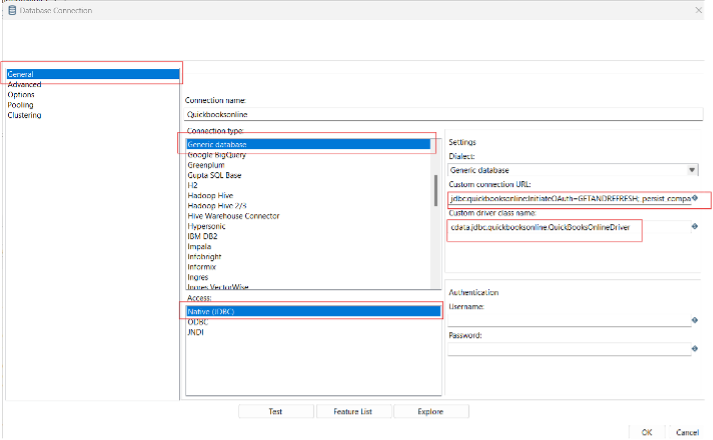
- Test the connection and click "OK" to save.
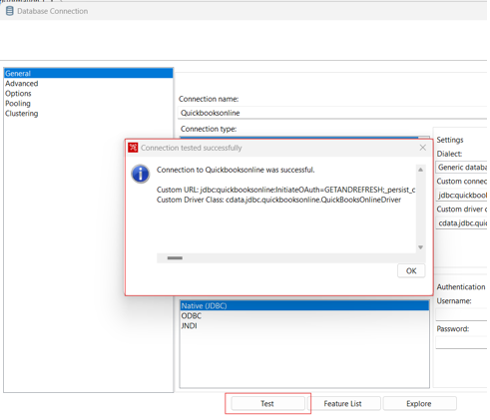
Create a Data Pipeline for CleverPush
Once the connection to CleverPush is configured using the CData JDBC Driver, you are ready to create a new transformation or job.
- Click "File" >> "New" >> "Transformation/job"
- Drag a "Table input" object into the workflow panel and select your CleverPush connection.
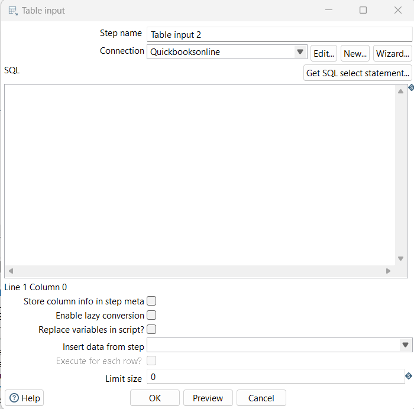
- Click "Get SQL select statement" and use the Database Explorer to view the available tables and views.
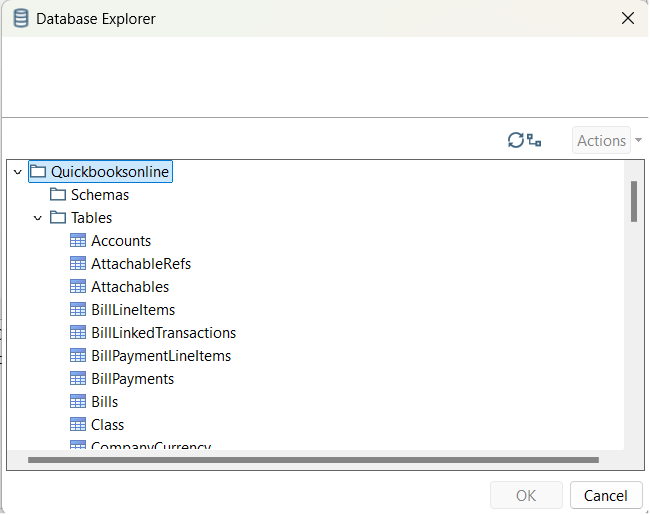
- Select a table and optionally preview the data for verification.
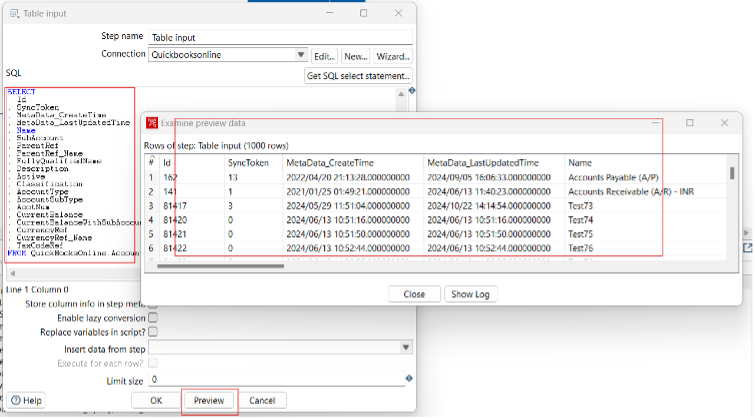
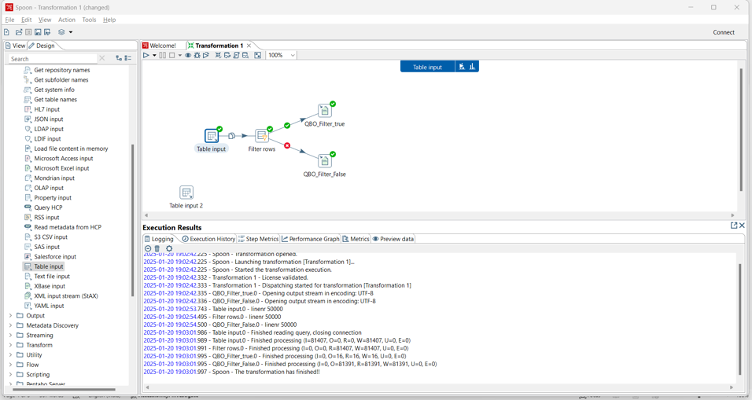
At this point, you can continue your transformation or jb by selecting a suitable destination and adding any transformations to modify, filter, or otherwise alter the data during replication.
Free Trial & More Information
Download a free, 30-day trial of the CData API Driver for JDBC and start working with your live CleverPush data in Pentaho Data Integration today.