






Query ConvertKit Data in DataGrip

DataGrip is a database IDE that allows SQL developers to query, create, and manage databases. When paired with the CData API Driver for JDBC, DataGrip can work with live ConvertKit data. This article shows how to establish a connection to ConvertKit data in DataGrip.
Create a New Driver Definition for ConvertKit
The steps below describe how to create a new Data Source in DataGrip for ConvertKit.
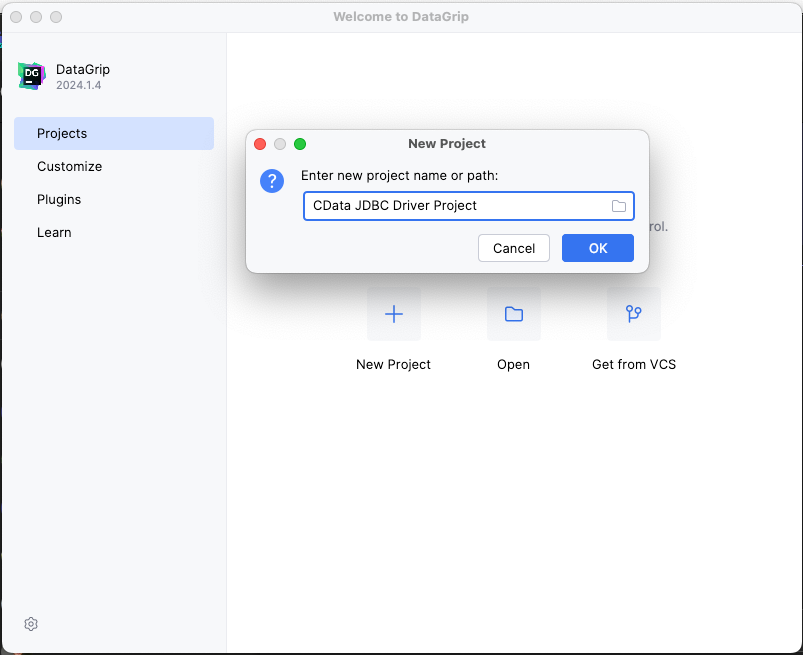
- In DataGrip, click File -> New > Project and name the project
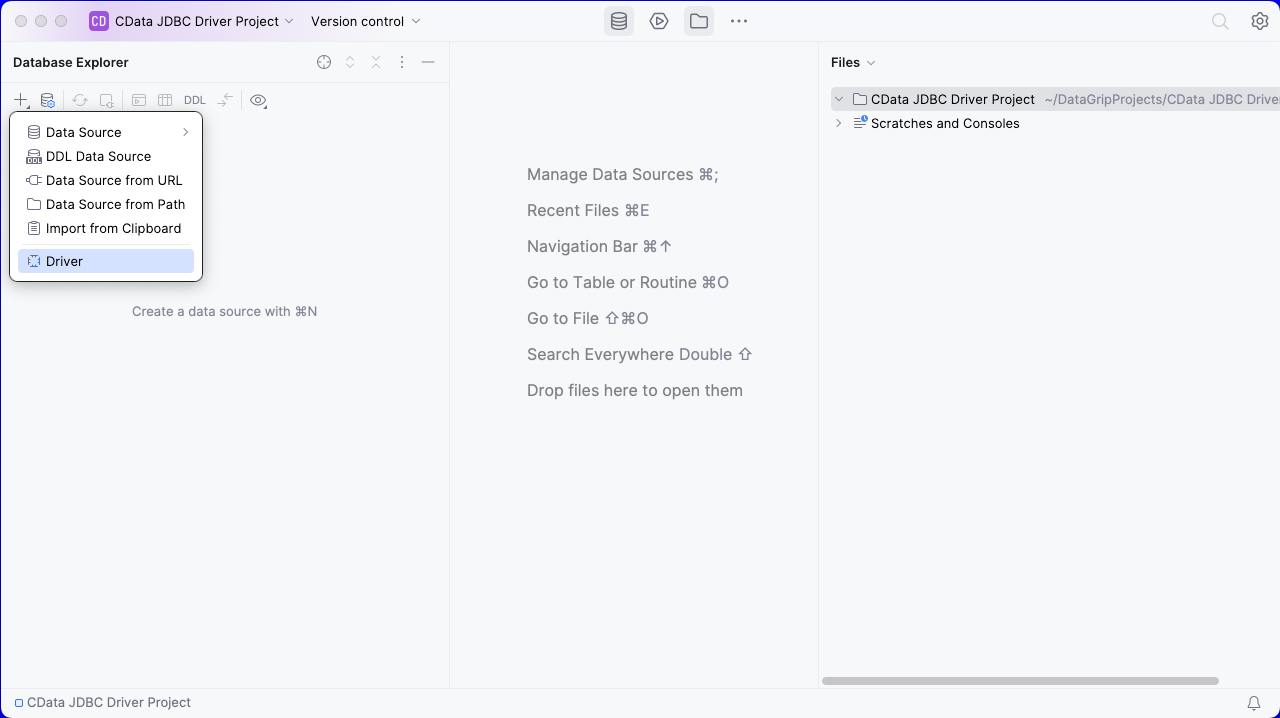
- In the Database Explorer, click the plus icon () and select Driver.
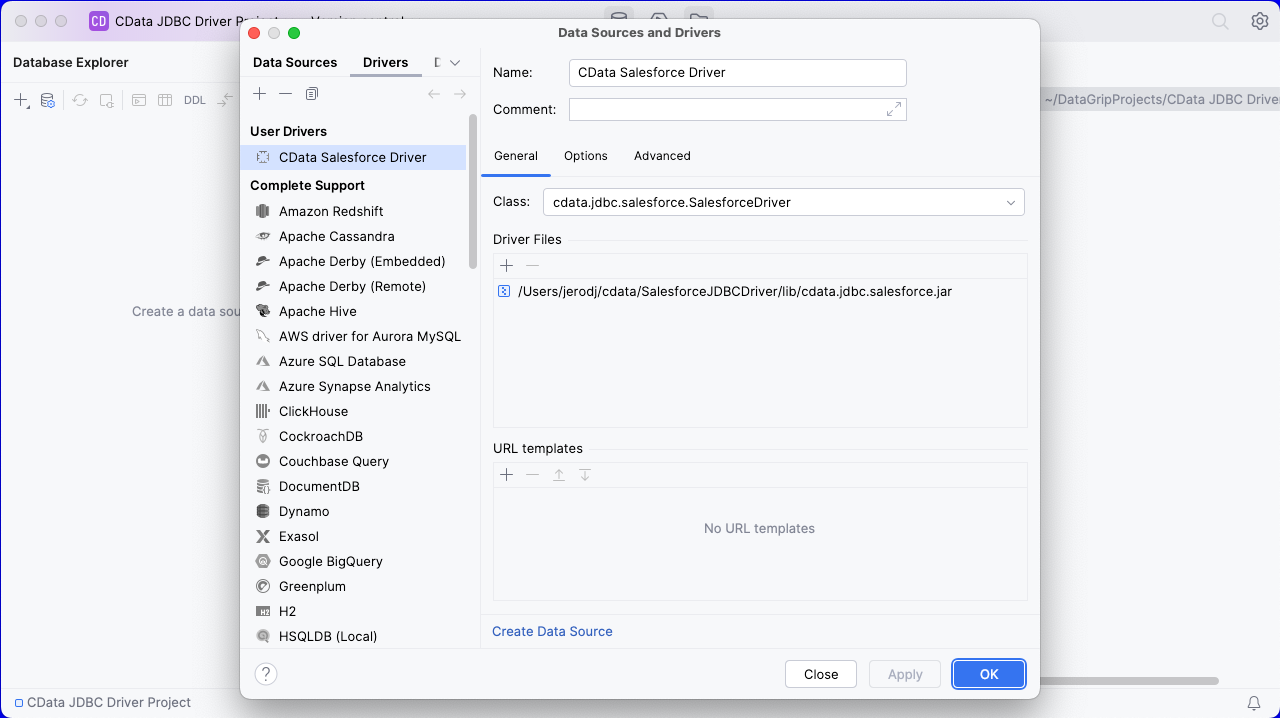
- In the Driver tab:
- Set Name to a user-friendly name (e.g. "CData ConvertKit Driver")
- Set Driver Files to the appropriate JAR file. To add the file, click the plus (), select "Add Files," navigate to the "lib" folder in the driver's installation directory and select the JAR file (e.g. cdata.jdbc.api.jar).
- Set Class to cdata.jdbc.api.API.jar
Additionally, in the advanced tab you can change driver properties and some other settings like VM Options, VM environment, VM home path, DBMS, etc - For most cases, change the DBMS type to "Unknown" in Expert options to avoid native SQL Server queries (Transact-SQL), which might result in an invalid function error
- Click "Apply" then "OK" to save the Connection
Configure a Connection to ConvertKit
- Once the connection is saved, click the plus (), then "Data Source" then "CData ConvertKit Driver" to create a new ConvertKit Data Source.
- In the new window, configure the connection to ConvertKit with a JDBC URL.
Built-in Connection String Designer
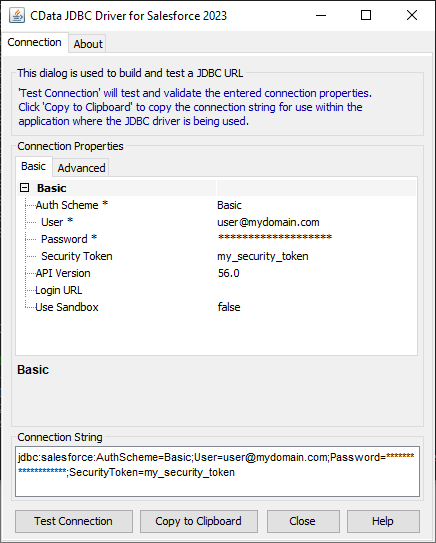
For assistance in constructing the JDBC URL, use the connection string designer built into the ConvertKit JDBC Driver. Either double-click the JAR file or execute the jar file from the command-line.
java -jar cdata.jdbc.api.jarFill in the connection properties and copy the connection string to the clipboard.
Start by setting the Profile connection property to the location of the ConvertKit Profile on disk (e.g. C:\profiles\ConvertKit.apip). Next, set the ProfileSettings connection property to the connection string for ConvertKit (see below).
ConvertKit API Profile Settings
Navigate to Account Settings > Advanced > API in your ConvertKit account to find both your API Key and API Secret.
- Set URL to the connection string, e.g.,
jdbc:api:Profile=C:\profiles\ConvertKit.apip;ProfileSettings='APIKey=your_api_key;APISecret=your_api_secret';
- Click "Apply" and "OK" to save the connection string
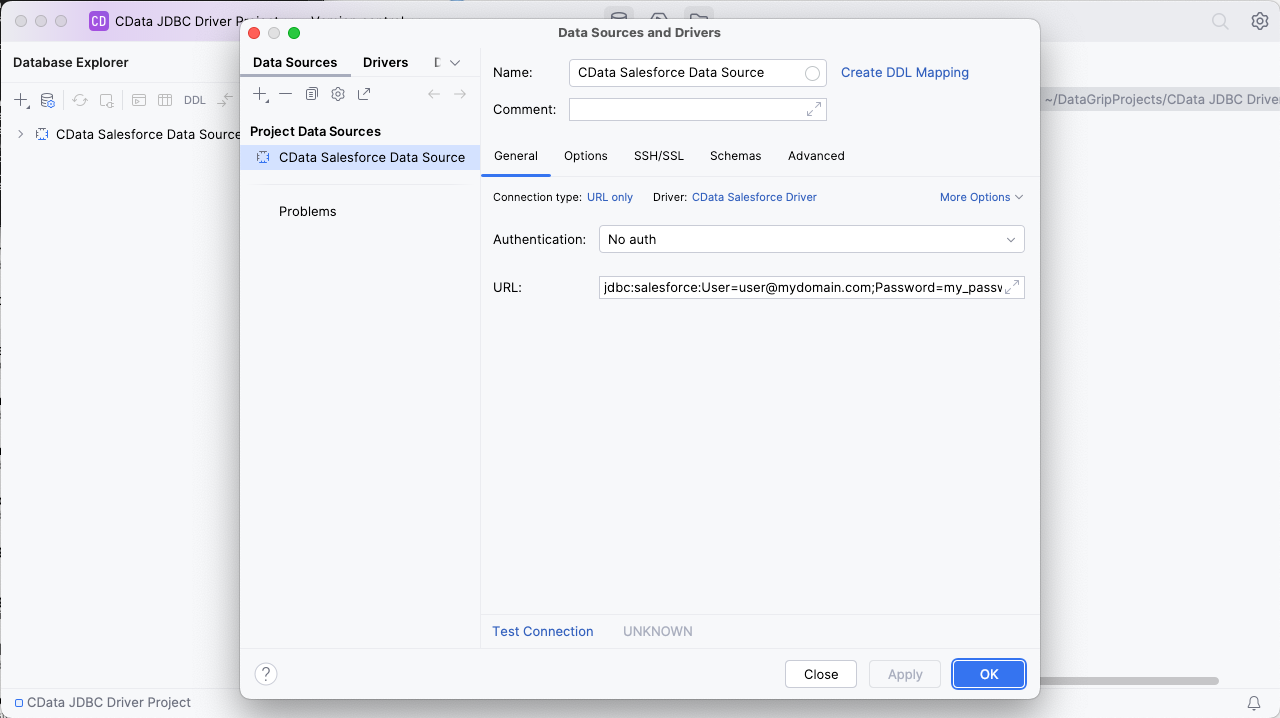
At this point, you will see the data source in the Data Explorer.
Execute SQL Queries Against ConvertKit
To browse through the ConvertKit entities (available as tables) accessible through the JDBC Driver, expand the Data Source.
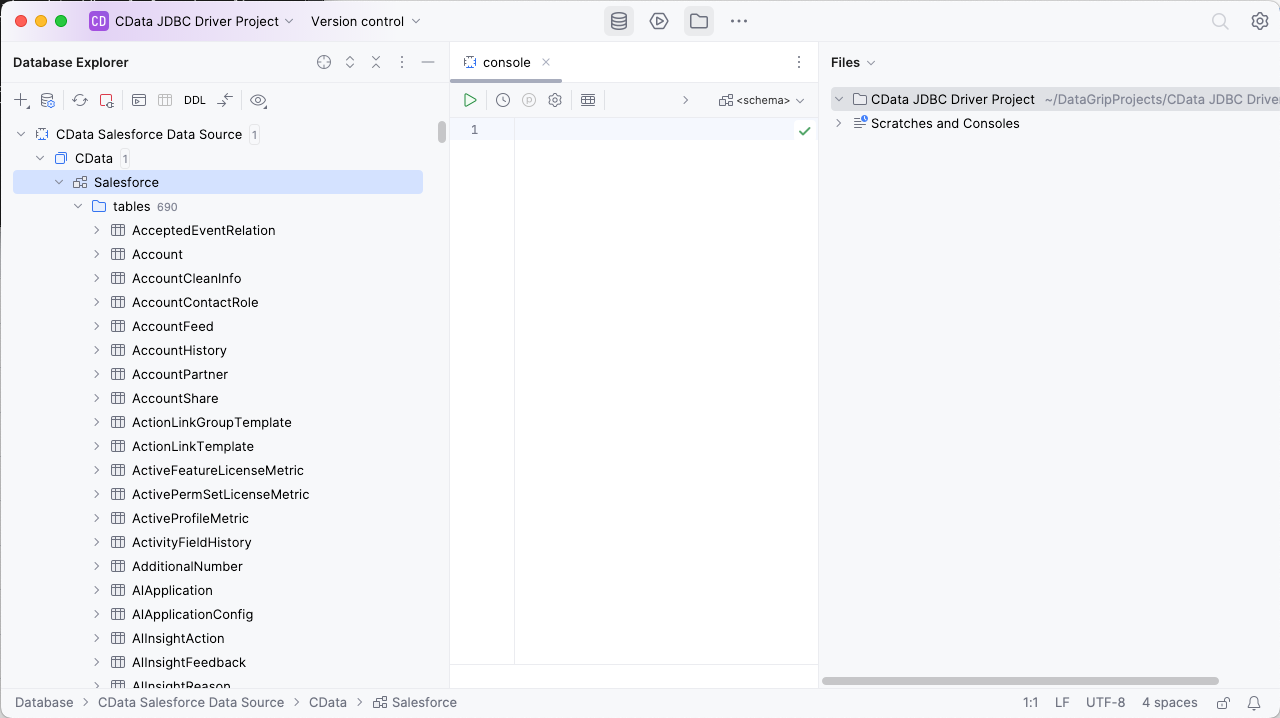
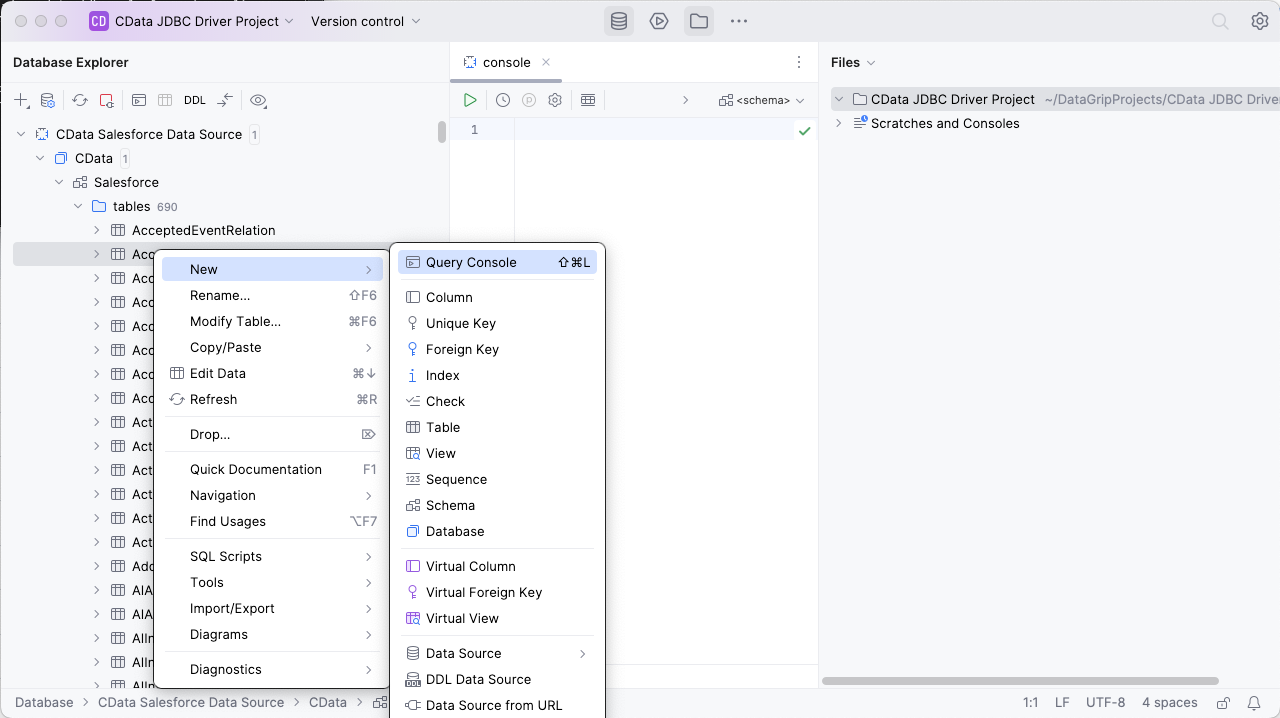
To execute queries, right click on any table and select "New" -> "Query Console."
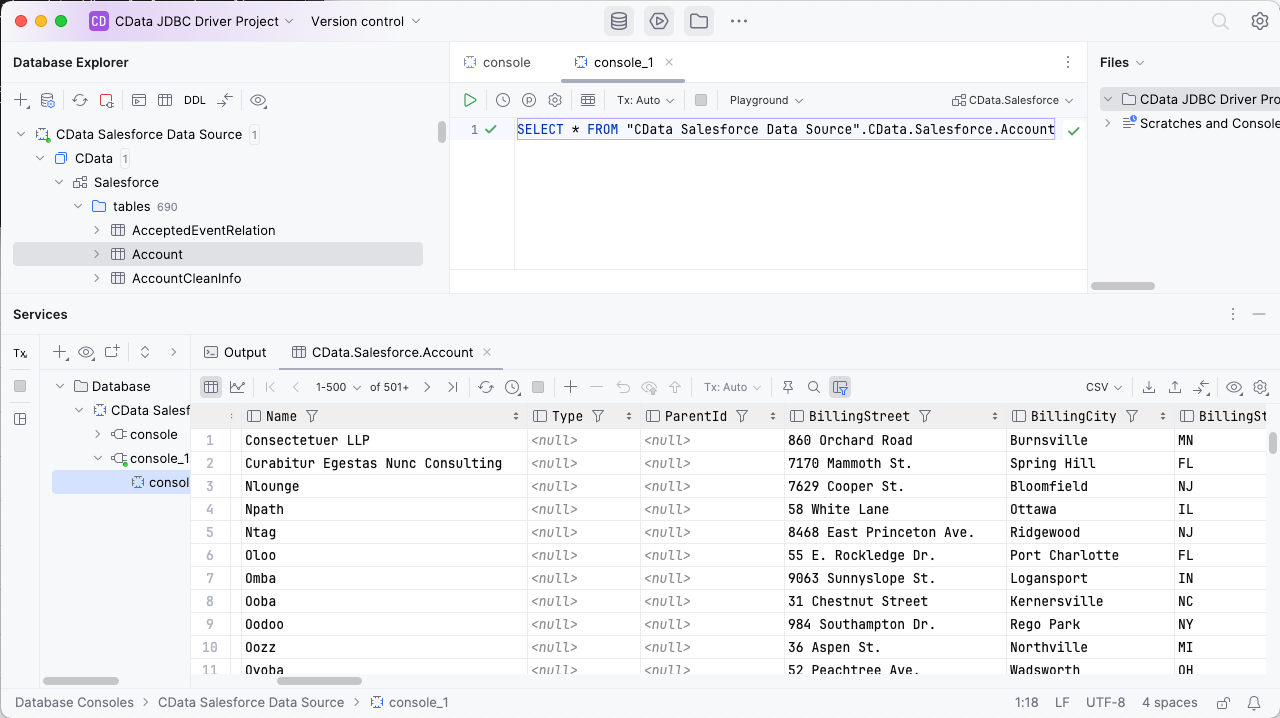
In the Console, write the SQL query you wish to execute. For example:
SELECT Name, PlanType FROM Accounts WHERE PrimaryEmailAddress = '[email protected]'
Download a free, 30-day trial of the CData API Driver for JDBC and start working with your live ConvertKit data in DataGrip. Reach out to our Support Team if you have any questions.