DataBind Deel Data to the DevExpress Data Grid

The CData API Driver for ADO.NET incorporates conventional ADO.NET data access components compatible with third-party controls. You can adhere to the standard ADO.NET data binding procedures to establish two-way access to real-time data through UI controls. This article will demonstrate the utilization of CData components for data binding with DevExpress UI Controls (Windows Forms and Web controls), specifically binding to a chart that visualizes live data.
To authenticate to Deel, you can use API Key (Bearer Token) authentication.
Using APIKey Authentication
You can authenticate using a Deel API Key. Create an API key in your Deel account settings under Settings > API or Developer Settings. Make sure to grant appropriate permissions based on the data you need to access (e.g., read access for invoices, timesheets, contracts, workers, etc.).
After creating your API Key, set the following connection properties:
- AuthScheme: Set this to APIKey.
- APIKey: Set this to your Deel API Key (Bearer token).
Example APIKey connection string
Profile=C:\profiles\Deel.apip;AuthScheme=APIKey;ProfileSettings='APIKey=your_deel_api_key';
Windows Forms Controls
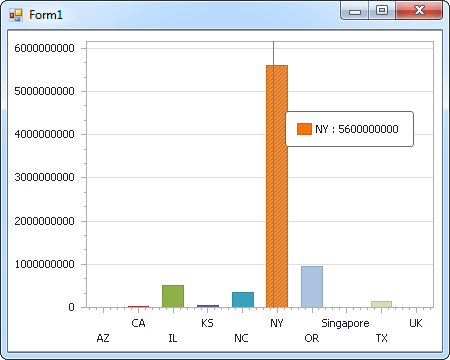
The code below shows how to populate a DevExpress chart with Deel data. The APIDataAdapter binds to the Series property of the chart control. The Diagram property of the control defines the x- and y-axes as the column names.
using (APIConnection connection = new APIConnection(
"Profile=C:\profiles\Deel.apip;AuthScheme=APIKey;ProfileSettings='APIKey=your_deel_api_key';")) {
  APIDataAdapter dataAdapter = new APIDataAdapter(
  "SELECT ,  FROM Invoices WHERE  = ''", connection);

  DataTable table = new DataTable();
  dataAdapter.Fill(table);
  DevExpress.XtraCharts.Series series = new DevExpress.XtraCharts.Series();
  chartControl1.Series.Add(series);
  series.DataSource = table;
  series.ValueDataMembers.AddRange(new string[] { "" });
  series.ArgumentScaleType = DevExpress.XtraCharts.ScaleType.Qualitative;
  series.ArgumentDataMember = "";
  series.ValueScaleType = DevExpress.XtraCharts.ScaleType.Numerical;
  chartControl1.Legend.Visibility = DevExpress.Utils.DefaultBoolean.False;
  ((DevExpress.XtraCharts.SideBySideBarSeriesView)series.View).ColorEach = true;
}
Web Controls
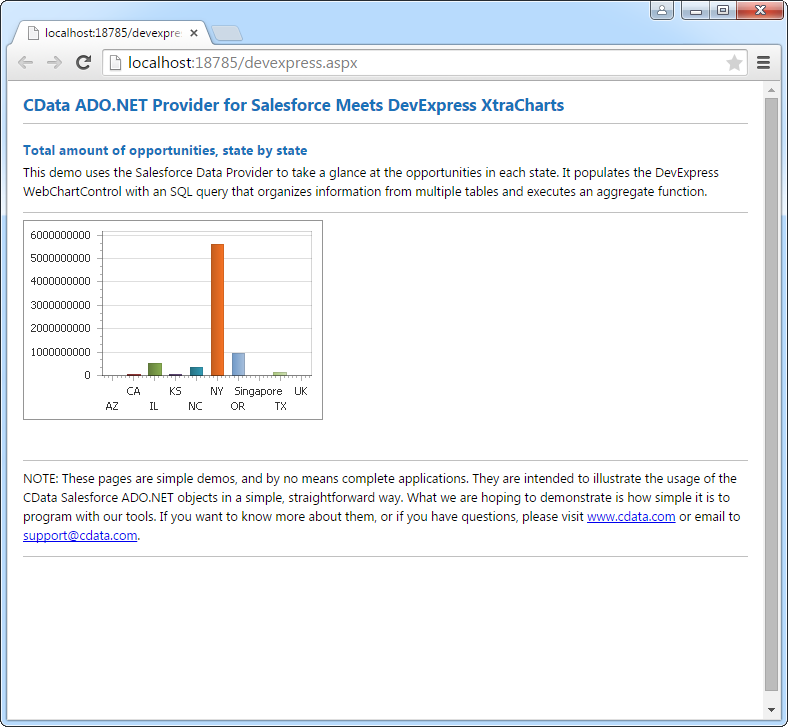
The code below shows how to populate a DevExpress Web control with Deel data. The APIDataAdapter binds to the Series property of the chart; the Diagram property defines the x- and y-axes as the column names.
using DevExpress.XtraCharts;

using (APIConnection connection = new APIConnection(
"Profile=C:\profiles\Deel.apip;AuthScheme=APIKey;ProfileSettings='APIKey=your_deel_api_key';"))
{
  APIDataAdapter APIDataAdapter1 = new APIDataAdapter("SELECT ,  FROM Invoices WHERE  = ''", connection);
  DataTable table = new DataTable();
  APIDataAdapter1.Fill(table);
  DevExpress.XtraCharts.Series series = new Series("Series1", ViewType.Bar);
  WebChartControl1.Series.Add(series);
  series.DataSource = table;
  series.ValueDataMembers.AddRange(new string[] { "" });
  series.ArgumentScaleType = ScaleType.Qualitative;
  series.ArgumentDataMember = "";
  series.ValueScaleType = ScaleType.Numerical;
  ((DevExpress.XtraCharts.SideBySideBarSeriesView)series.View).ColorEach = true;
}