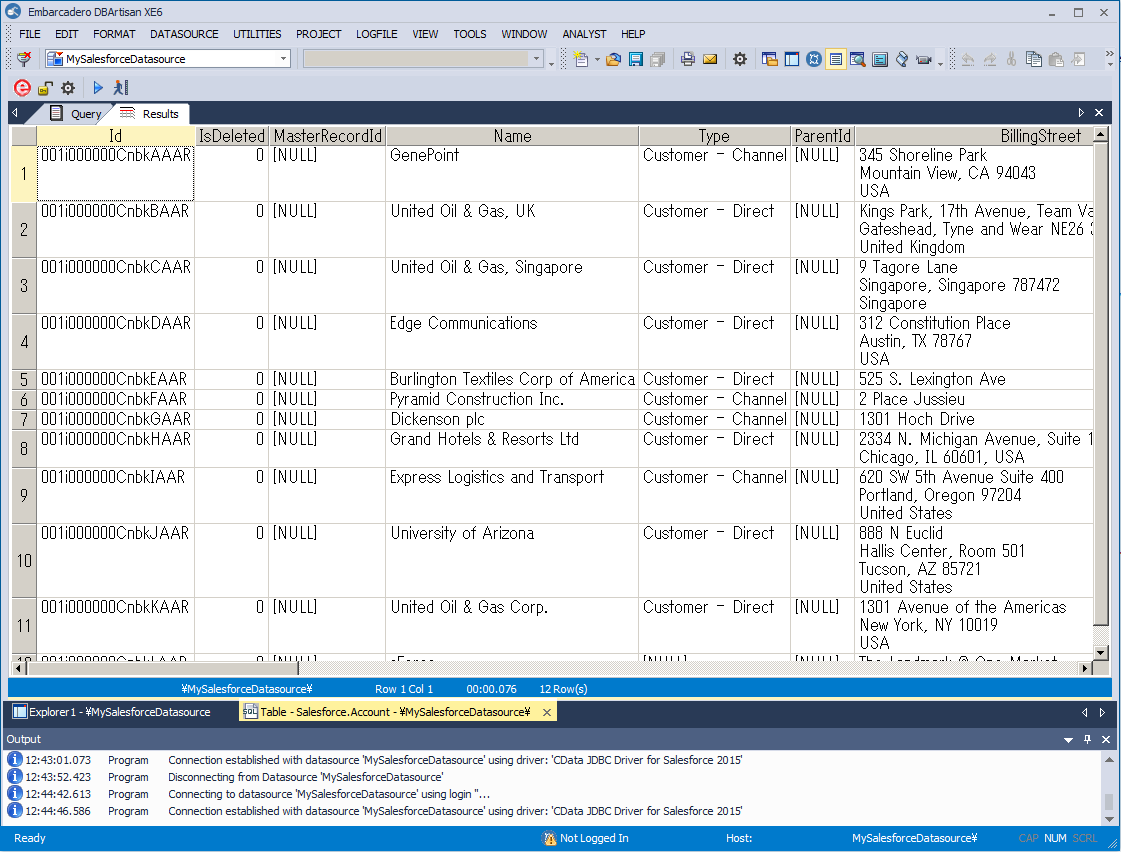
Manage Deepgram Data in DBArtisan as a JDBC Source

The CData JDBC Driver for Deepgram seamlessly integrates Deepgram data into database management tools like DBArtisan by enabling you to access Deepgram data as a database. This article shows how to create a JDBC source for Deepgram in DBArtisan. You can then edit data visually and execute standard SQL.
Integrate Deepgram Data into DBArtisan Projects
Follow the steps below to register Deepgram data as a database instance in your project:
- In DBArtisan, click Data Source -> Register Datasource.
- Select Generic JDBC.
- Click Manage.
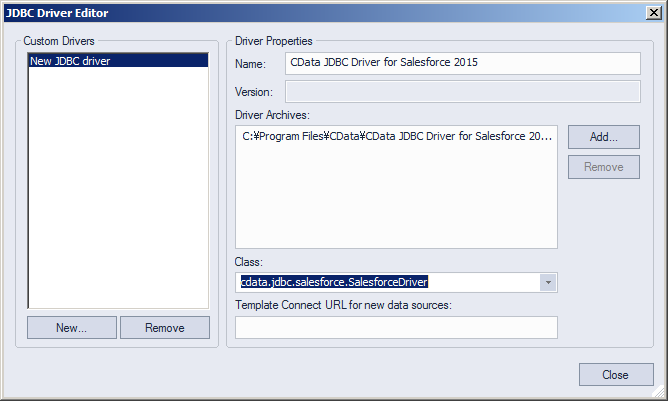
- In the resulting dialog, click New. Enter a name for the driver and click Add. In the resulting dialog, navigate to the driver JAR. The driver JAR is located in the lib subfolder of the installation directory.
-
In the Connection URL box, enter credentials and other required connection properties in the JDBC URL.
Start by setting the Profile connection property to the location of the Deepgram Profile on disk (e.g. C:\profiles\Deepgram.apip). Next, set the ProfileSettings connection property to the connection string for Deepgram (see below).
Deepgram API Profile Settings
Deepgram uses API key authentication for all endpoints. API keys are scoped to a project and carry permission scopes (member, administrator, or owner). Create and manage API keys in the Deepgram console.
After obtaining your API key, set the following connection properties:
- AuthScheme: Set this to APIKey.
- APIKey: Set this to your Deepgram API key.
Built-in Connection String Designer
For assistance in constructing the JDBC URL, use the connection string designer built into the Deepgram JDBC Driver. Either double-click the JAR file or execute the jar file from the command-line.
java -jar cdata.jdbc.api.jarFill in the connection properties and copy the connection string to the clipboard.
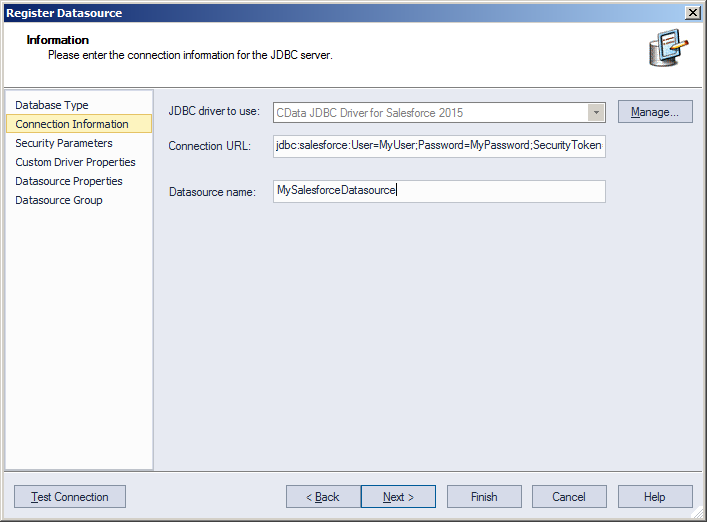
Below is a typical connection string:
jdbc:api:Profile=C:\profiles\Deepgram.apip;AuthScheme=APIKey;ProfileSettings='APIKey=YOUR_DEEPGRAM_API_KEY'; - Finish the wizard to connect to Deepgram data. Deepgram entities are displayed in the Datasource Explorer.
You can now work with Deepgram data as you work with any other database. See the driver help documentation for more information on the queries supported by the Deepgram API.