




Feed DeTrack Data into FineReport

The CData JDBC Driver for DeTrack fully implements the JDBC standard and can provide DeTrack data connectivity to a wide variety of BI, reporting, and ETL tools and custom applications. In this article, we explain how to set DeTrack data as JDBC data source in FineReport and view DeTrack data as a table in the Report Designer.
Set Up a JDBC Data Source of DeTrack Data
Follow the instruction below to set DeTrack data as a FineReport database connection.
- Copy the cdata.jdbc.api.jar file from the lib folder in the CData JDBC Driver for DeTrack installation directory to the lib folder of the FineReport installation directory. You will need to copy the cdata.jdbc.api.lic file as well.
- From the Server tab, select Define Data Connection, click to add a new connection, and click JDBC.
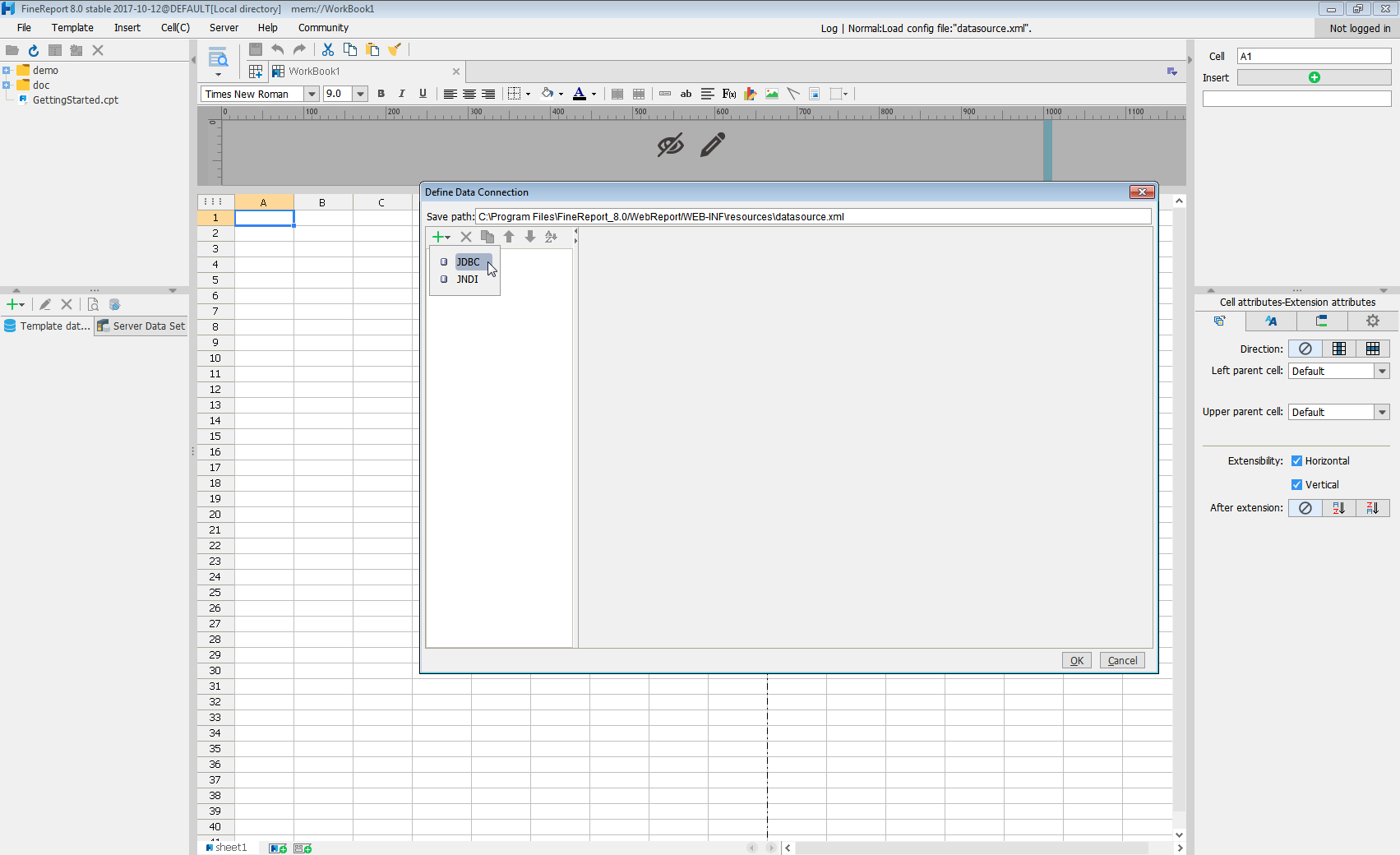
Next we will set up the data connection definition in the window.
- Database: Others
- JDBC Driver: cdata.jdbc.api.APIDriver
-
URL: A standard JDBC connection string using semicolon-separated connection properties.
Start by setting the Profile connection property to the location of the DeTrack Profile on disk (e.g. C:\profiles\DeTrack.apip). Next, set the ProfileSettings connection property to the connection string for DeTrack (see below).
DeTrack API Profile Settings
DeTrack uses API Key authentication. Your DeTrack API key is used to authenticate all requests via the X-API-Key header. You can obtain your API key from your DeTrack account settings at app.detrack.com under Settings > API & Webhooks.
After setting the following connection properties, you are ready to connect:
- AuthScheme: Set this to APIKey.
- APIKey: Set this to your DeTrack API key.
Built-in Connection String Designer
For assistance in constructing the JDBC URL, use the connection string designer built into the DeTrack JDBC Driver. Either double-click the JAR file or execute the jar file from the command-line.
java -jar cdata.jdbc.api.jarFill in the connection properties and copy the connection string to the clipboard.

When you configure the JDBC URL, you may also want to set the Max Rows connection property. This will limit the number of rows returned, which is especially helpful for improving performance when designing reports and visualizations.
A typical JDBC URL is below:
jdbc:api:Profile=C:\profiles\DeTrack.apip;AuthScheme=APIKey;ProfileSettings='APIKey=your_api_key'; - Click Connection pool attributes and set Test before getting connections to No.
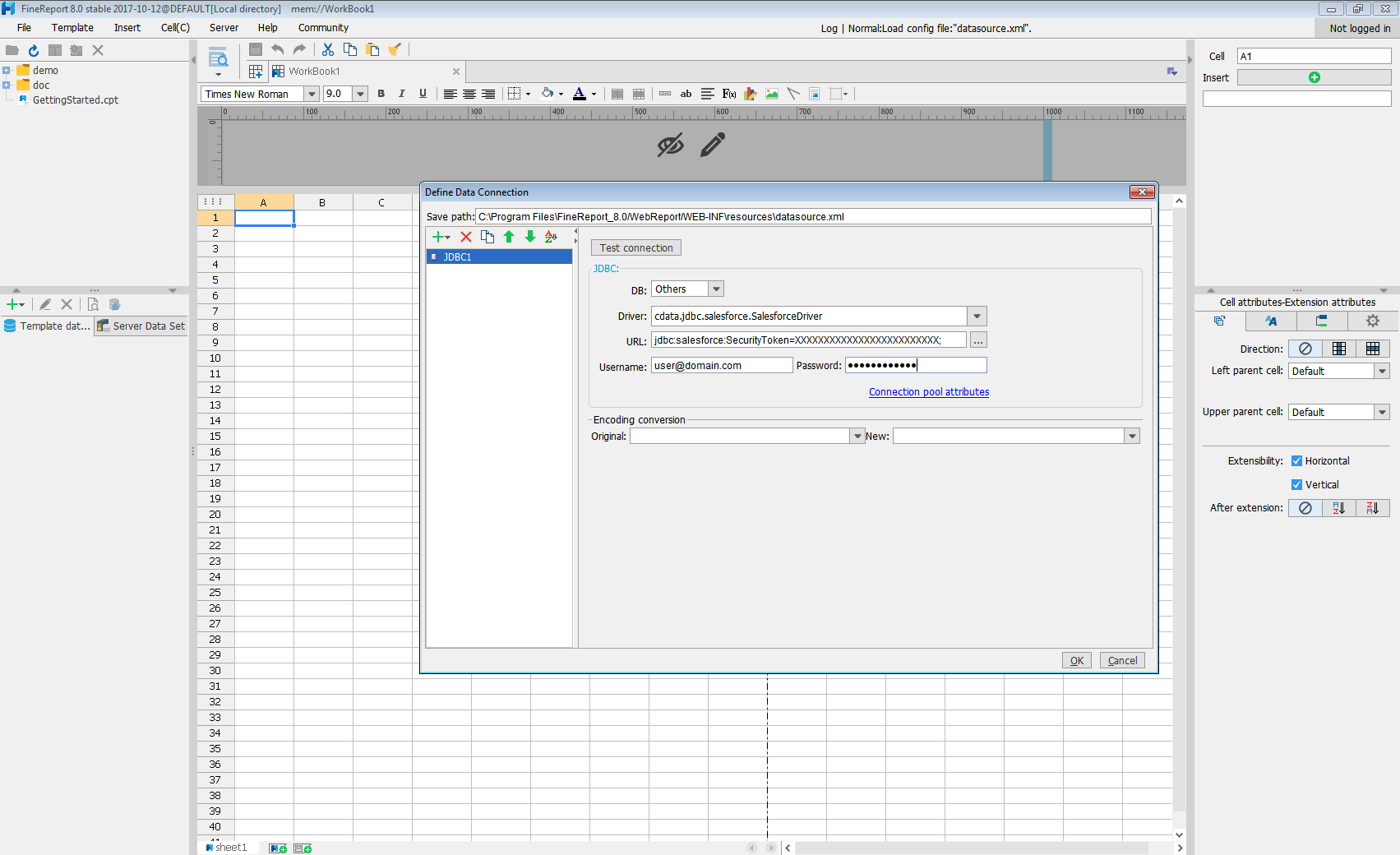
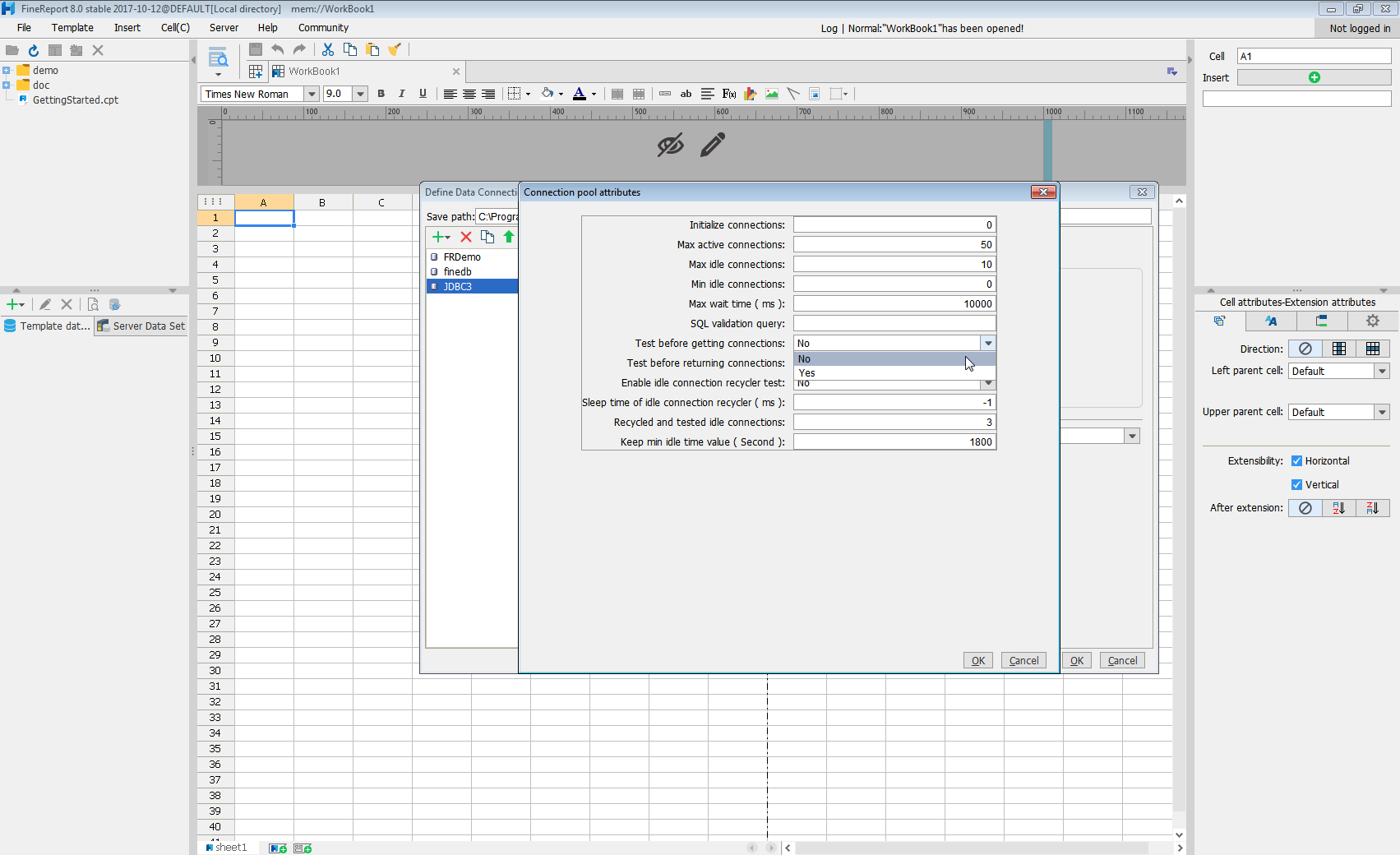
Click Test connection to ensure you have configured the connection properly. With the connection to DeTrack set up, you can use it as FineReport data source.
Select DeTrack Data in the Report Designer.
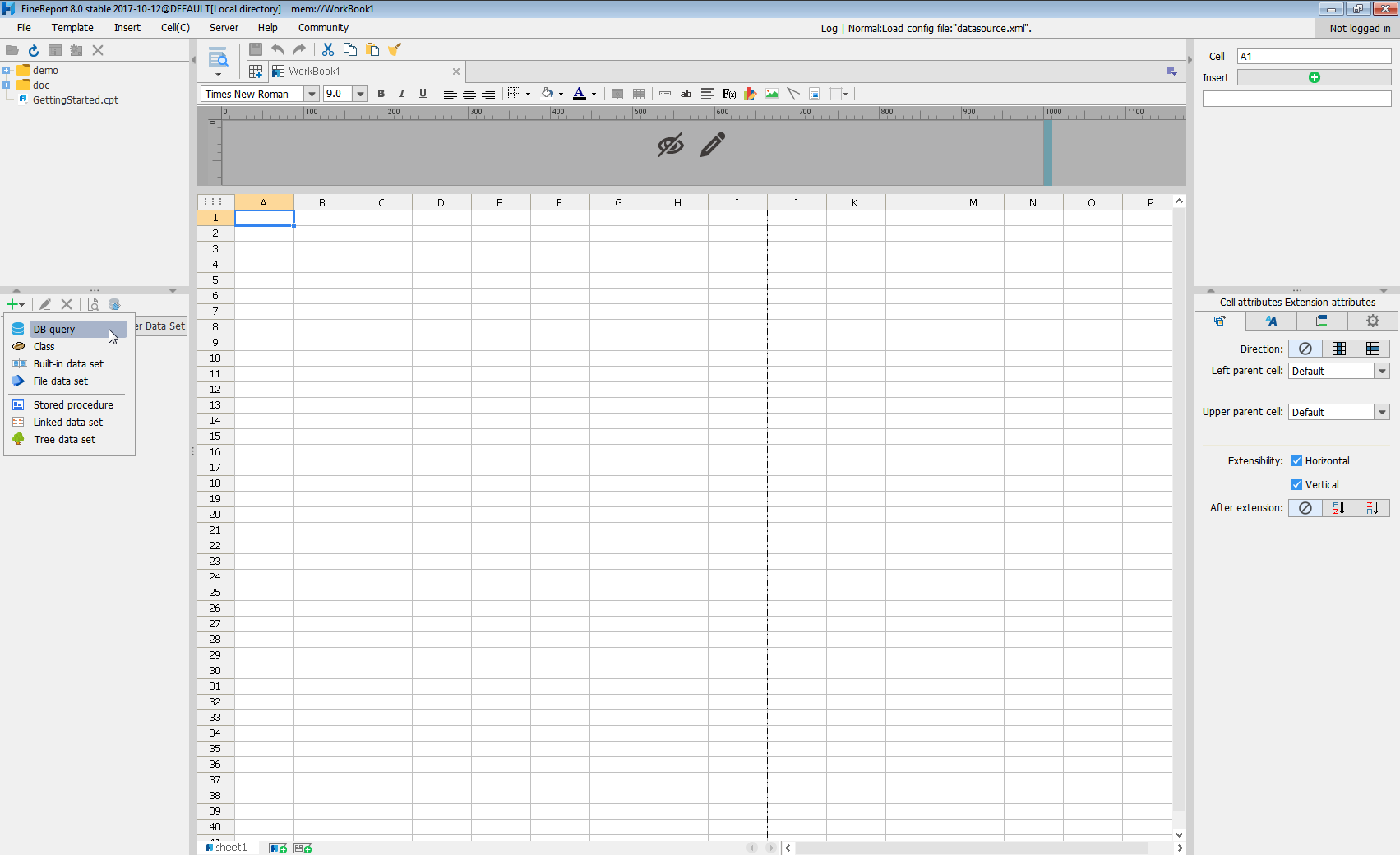
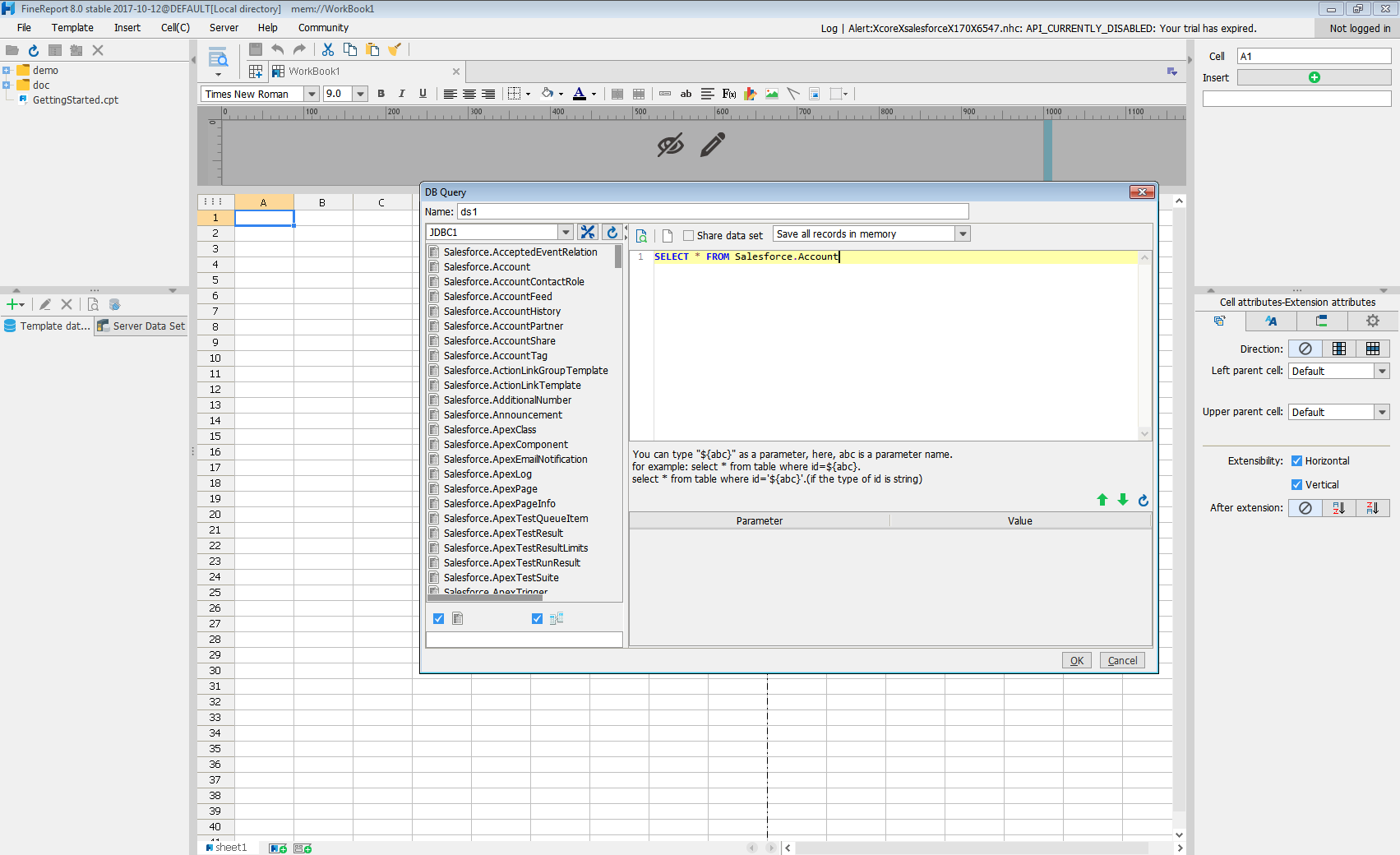
- Click to add a new template data set and select DB query to open the database query window.
- Choose the JDBC connection that you created from the dropdown list.
- The DeTrack entities will appear as tables on the left pane.
- Write a SELECT statement for the DeTrack data tables and columns that you want to load.
- Click preview and data is shown as table.
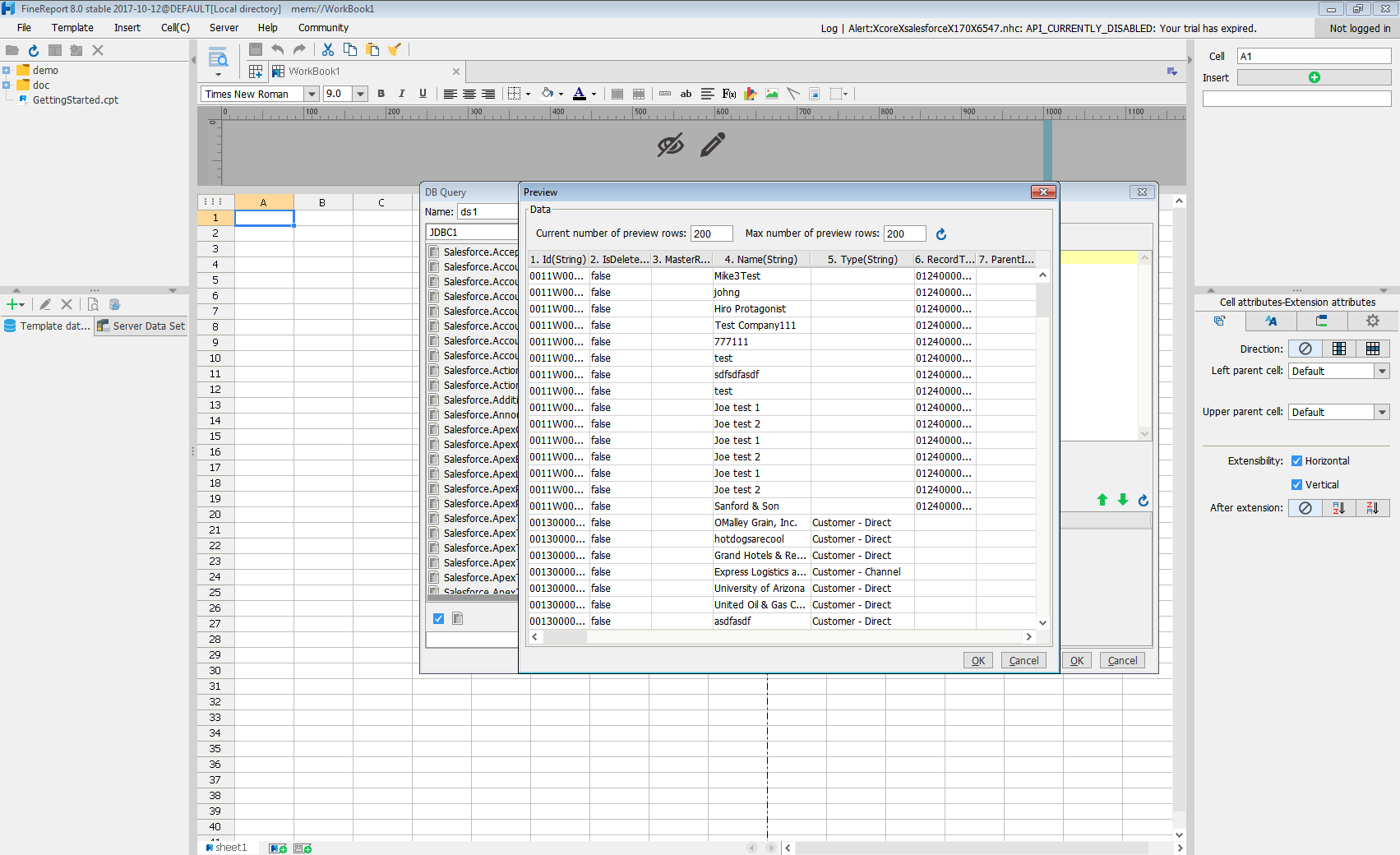
With these simple steps, DeTrack can be used as a JDBC data source in FineReport.